
Your Browsing History
- Free 30-day Returns
- ฿2,636.86 Shipping
฿109,969.24
VAT-Inclusive Price
Ships from United States.
Sold by Newegg
Shipped by Newegg


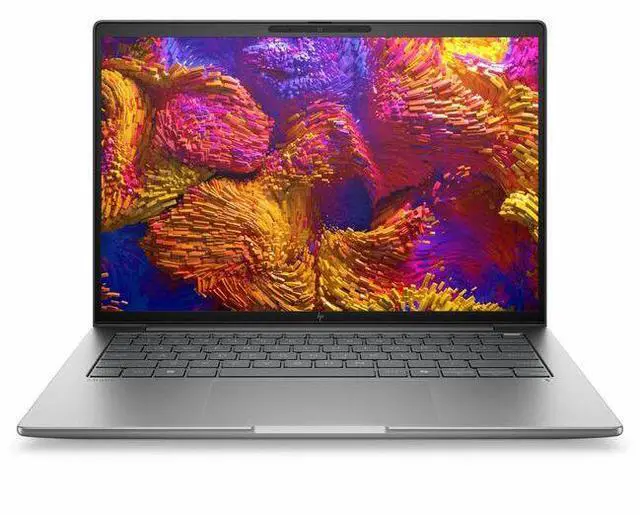
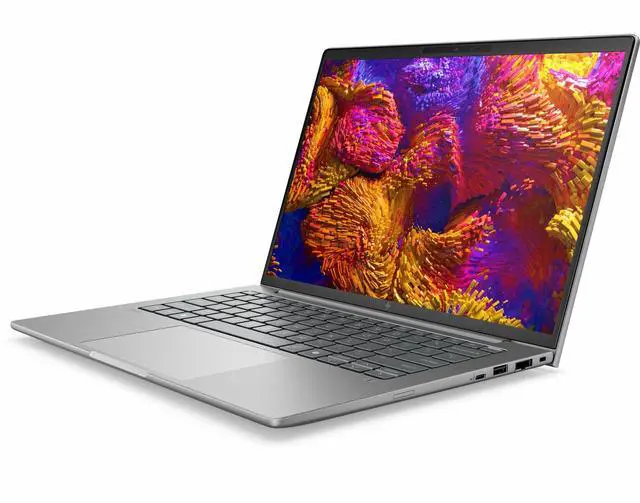
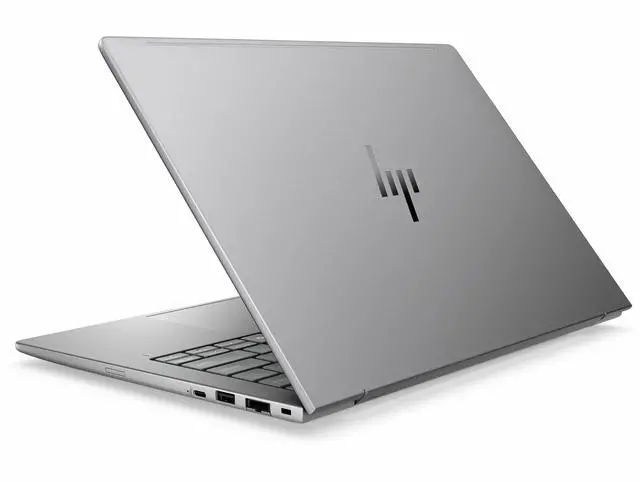
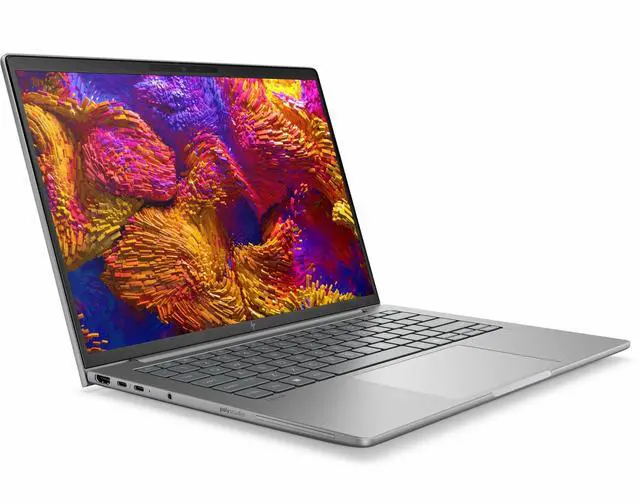
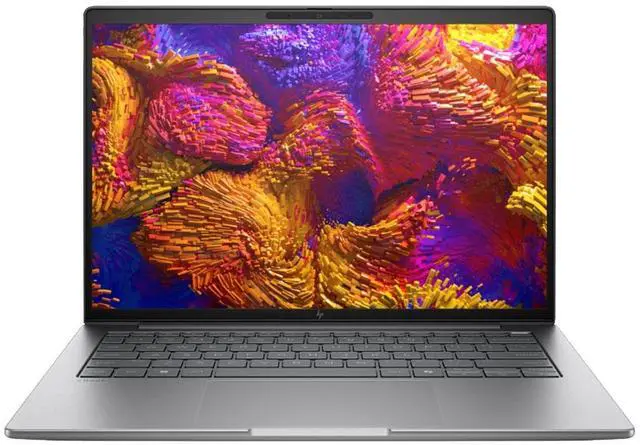
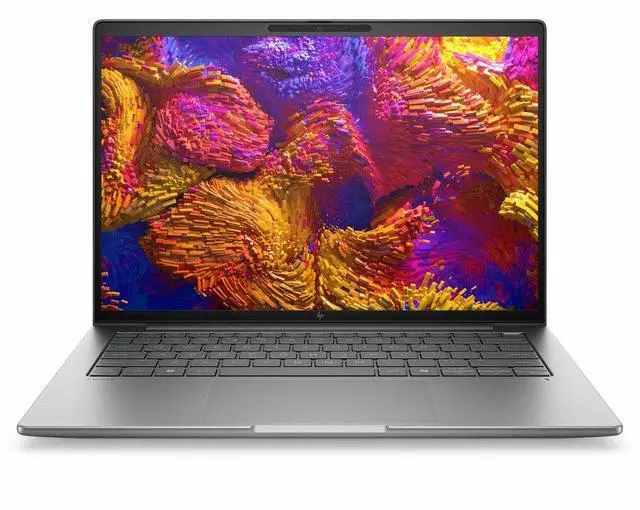


HP ZBook 8 G1ak 14" Copilot+ PC Mobile Workstation - WUXGA - AMD Ryzen AI 7 PRO 350 - 32 GB - 1 TB SSD - English Keyboard - Meteor Silver - AMD Chip - 1920 x 1200 - Windows 11 Pro - AMD Radeon 86
- WUXGA
- AMD Ryzen AI 7 PRO 350
- 32 GB
- 1 TB SSD
- English Keyboard
- Meteor Silver
- AMD Chip
- 1920 x 1200
- Windows 11 Pro
- AMD Radeon 860M Graphics
- In-plane Switching (IPS) Technology
- Front Camera/Webc
+
+
Overview
Specs
Reviews
SMART BUY ZBOOK 8 G1A K4 RA7P350 14 32GB/1T PC
Warranty & Returns
Warranty, Returns, And Additional Information
Return Policies*
- Return for refund within: 30 days
- Returns are subject to restocking fees and return shipping fees. Please click here to learn more about restocking fees and return shipping fees.
- This item is covered by Newegg.com's International Order Return Policy.
- Read full return policy for details.
- *Subject to applicable law
Warranty Notice:
This product does not include manufacturer warranty when purchased or used outside of its designated sales region. By purchasing internationally, you acknowledge that warranty support from the manufacturer will not be available.
Manufacturer Contact Info
- Manufacturer Website
- Support Phone: 1-800-474-6836
- Support Website
- View other products from HP
LOADING...
Learn about this product
The HP ZBook 8 G1ak is a 14-inch mobile workstation built for professionals who need a compact Windows 11 Pro laptop with AMD Ryzen AI 7 PRO 350 performance, 32GB RAM, and a 1TB SSD for multitasking, business apps, and everyday creative or technical work.
Recommended For
- Mobile CAD/BIM reviewers and technical professionals who need a 14-inch workstation for plan review, markups, light 3D model navigation, and multitasking on the road rather than full-time heavy rendering. HP positions the ZBook 8 G1a as a mobile workstation for reviewing 3D designs and running pro apps, while this specific Ryzen AI 7 PRO 350 + Radeon 860M configuration aligns better with lighter workstation workflows than top-end GPU-bound work.
- IT-managed business users, consultants, and field specialists who want workstation branding, Windows 11 Pro, Ryzen PRO platform features, and enough memory/storage for large spreadsheets, browser-heavy workflows, local files, meetings, and occasional specialized apps in one travel-friendly system.
- Professionals who want a compact Copilot+ PC for everyday AI-assisted work such as transcription, meeting cleanup, document drafting, webcam use, and offline-friendly Windows AI features, without stepping up to a larger or higher-power workstation.
- Users who care more about portability, build, and battery-conscious work than about discrete-graphics performance. Community early impressions around the ZBook 8 G1a line highlight sturdy construction and good thermals, which fits people carrying a workstation daily between office, home, and client sites.
Real-World Use Scenarios
- For engineering, analyst, or project work with large spreadsheets, many browser tabs, Teams/Zoom, and office apps open together, the laptop should feel stable and responsive rather than cramped. The 32 GB memory and workstation/business positioning make it a practical fit for heavy multitasking on the go.
- For hybrid workdays with frequent video calls, document editing, and cloud apps, it is best suited to users who want one portable business laptop instead of a separate office machine and travel machine. Expect a smooth day-to-day workflow, with the usual tradeoff that battery life depends heavily on power settings, conferencing load, and display choice.
- For light content creation such as Photoshop, large PowerPoint decks, batch photo handling, and short 1080p exports, users should get quicker turnaround than on typical entry office laptops. It is a sensible fit for business creators who need faster media and productivity work, but not a replacement for a laptop with dedicated graphics for heavier 3D or long video renders.
- For CAD viewing, technical drawings, GIS, dashboards, and other professional apps that benefit more from CPU memory headroom than from a discrete GPU, this configuration should handle everyday professional workloads comfortably. Expect it to be better for viewing, editing, and moderate project work than for complex 3D scenes or GPU-heavy simulation.
- For occasional gaming after work, such as Valorant and other lighter esports or older games, users can expect playable results at reduced settings rather than gaming-laptop performance. It works for casual sessions, but buyers focused on newer AAA titles or higher graphics settings should look for a model with dedicated graphics.
Spec Summary
| Attribute | Value |
|---|---|
| Best For | Mobile workstation users and professionals who need a 14.0-inch WUXGA (1920 x 1200) laptop with an AMD Ryzen AI 7 PRO 350 processor, 32 GB of RAM and a 1 TB SSD running Windows 11 Pro |
| Processor And Core Count | AMD Ryzen AI 7 PRO 350 processor with up to 5 GHz maximum boost and 16 MB L3 cache |
| GPU And VRAM | Integrated graphics (internal specification); suitable for workstation productivity and general content tasks that do not require a discrete GPU |
| Display Spec | 14.0-inch WUXGA (1920 x 1200) IPS display, up to 300 nits brightness and 62% sRGB color gamut |
| Memory Configuration | 32 GB DDR5 RAM installed (DDR5 SDRAM) using two memory slots (total slots: 2) |
| Storage And Expansion | 1 TB solid-state storage in M.2 form factor and M.2 interface |
| High Speed I O | Two Thunderbolt ports, one HDMI port and one USB port for high-speed peripheral connections |
| Wired And Wireless Networking | Wi‑Fi and Bluetooth wireless connectivity plus wired Ethernet support |
| External Display And Docking Fit | External displays supported via the HDMI port and two Thunderbolt ports (Thunderbolt ports can be used with compatible docks) |
| Webcam And Privacy | Built-in front-facing webcam |
| Battery And Power | Built-in lithium-polymer battery and included power adapter |
| Portability | Item weight 5.45 Pounds; listed dimensions 18.7 L x 10.7 W x 2.4 TH inches |
| Operating System And Security | Windows 11 Pro (system package listing includes Wolf Pro Security Edition) |
| Model Identifiers | HP ZBook 8 G1ak — model BX7L4UT#ABA (manufacturer: Hewlett Packard) |
Reference Q&A
Q: Should I choose the HP ZBook 8 G1ak 14 over a similar Intel Core Ultra 7 business workstation?
A: Choose the HP ZBook 8 G1ak 14 if your priority is stronger CPU throughput for multitasking, compiling, light content creation, or workstation-style office workloads in a 14-inch system. The Ryzen AI 7 PRO 350 platform is positioned by AMD and reflected in third-party testing as a strong multicore option, while Intel Core Ultra 7 258V systems often trade some of that CPU headroom for stronger integrated graphics and, in some designs, better battery-focused tuning. In practice, the HP is the better fit when your work leans more CPU-first than iGPU-first.
Q: Is the 32GB / 1TB HP ZBook 8 G1ak worth choosing over a lower-memory 16GB configuration?
A: Yes, this 32GB / 1TB configuration is the safer choice if you expect longer ownership, heavier browser and office multitasking, local AI-assisted workflows, large spreadsheets, development tools, or creative apps. The main advantage is not higher peak processor speed, but more headroom before memory becomes the bottleneck. A 16GB version can still make sense for lighter admin and web-based work, but 32GB aligns better with how mobile workstations are typically used.
Q: How does this HP ZBook 8 G1ak compare with older Ryzen 7 8840U or 8840HS laptops?
A: Choose the HP ZBook 8 G1ak if you want the newer commercial platform, a built-in 50 TOPS-class NPU, and updated Zen 5-era CPU positioning. Compared with many Ryzen 7 8840U or 8840HS laptops, the trade-off is that the newer Ryzen AI 7 PRO 350 platform improves AI capability and CPU platform relevance, while real-world integrated graphics gains are not always dramatic because Radeon 860M is commonly discussed as being close to, or sometimes behind, Radeon 780M depending on power limits and memory configuration. That makes the HP the better upgrade for business and AI-forward use, while some older 8840HS machines may still appeal if graphics value is the main concern.
Q: Should I buy this HP ZBook 8 G1ak or move up to a Ryzen AI 9 HX 370 laptop?
A: Choose the HP ZBook 8 G1ak when you want a balanced 14-inch workstation for business, engineering office apps, development, and everyday professional use without stepping into higher-power premium configurations. Move up to a Ryzen AI 9 HX 370 system if your workload benefits from a meaningfully stronger integrated GPU or more sustained performance for heavier creation, rendering, or gaming-style graphics use. The higher-tier option is more about performance ceiling; this ZBook is the better fit when portability, business features, and sensible workstation balance matter more than maximizing graphics headroom.
Q: Is this a good travel work laptop for meetings, documents, and multitasking?
A: Yes. This HP ZBook 8 G1ak fits the common 'travel work device' use case well because it combines a 14-inch 1920 x 1200 display, webcam, Bluetooth, Windows 11 Pro, 32 GB of memory, and a 1 TB SSD in a mobile workstation format. That makes it a strong choice for frequent meetings, browser-heavy work, spreadsheets, presentations, and multi-app office use. The main trade-off is that it is positioned as a workstation, so buyers focused mainly on lowest weight or lowest price may prefer a mainstream business laptop instead.
Q: Who is this laptop most suitable for?
A: It is most suitable for professionals who want a compact business laptop with workstation positioning: engineers, analysts, developers, technical users, and office power users who benefit from 32 GB RAM and 1 TB SSD storage. It is less targeted at buyers who want pen input, tablet-style use, or gaming-first graphics, because this model is non-touch and uses integrated Radeon 860M graphics rather than a discrete GPU.
Q: Is it good for note-taking, video calls, and everyday office work?
A: Yes for keyboard-based note-taking, video calls, and standard office work. It includes a webcam, Bluetooth, HDMI, a 14-inch WUXGA IPS display, 32 GB RAM, and Windows 11 Pro, which align well with common buyer questions about meetings and productivity. However, it is not ideal for handwritten note-taking because the listed configuration is non-touch.
Q: What are the main trade-offs versus a consumer 14-inch laptop?
A: The advantage of this HP model is higher professional-readiness: workstation class positioning, Windows 11 Pro, 32 GB RAM, and 1 TB SSD out of the box. The trade-offs are that it is non-touch, uses integrated graphics, and may cost more than a consumer 14-inch laptop with similar screen size. In short, it is the better fit for business and technical workloads, while a consumer model may offer better value for casual use.
Q: Is this better than a similar 14-inch business laptop for demanding multitasking?
A: Usually yes, if your priority is heavier multitasking and longer useful life. This configuration already includes 32 GB RAM and 1 TB SSD, which is above the common 16 GB and 512 GB level seen in many 14-inch business laptops. That gives it a clearer advantage for large spreadsheets, many browser tabs, virtual meetings, and professional software. A similar alternative may still be better if you specifically want touch input, a lower price, or a lighter-duty everyday laptop.
Q: Is the HP ZBook 8 G1ak a good buy if I want a compact work laptop with stronger specs than a typical business ultrabook?
A: Yes, if your priority is getting workstation-class memory and storage in a 14-inch business laptop. Reddit discussions comparing the ZBook 8 G1ak with alternatives like the ThinkPad T14 focus on its stronger configs, including 32GB-64GB RAM, 1TB storage, and Radeon 860M graphics. The trade-off is that it is still an integrated-graphics machine, so the value is best for office, development, multitasking, and light creative or technical workloads rather than GPU-heavy 3D work.
Q: Who is the HP ZBook 8 G1ak best suited for?
A: It is best suited for professionals who want a portable Windows workstation for productivity, multitasking, remote work, coding, spreadsheets, meetings, and light content creation. Based on the product data, it pairs a Ryzen AI 7 PRO 350, 32GB RAM, 1TB SSD, 14-inch 1920x1200 IPS display, webcam, HDMI, and Windows 11 Pro. Community discussion around the ZBook 8 line consistently frames it as a mobile workstation for serious work on the go, not as a gaming-first or creator laptop with discrete graphics.
Q: Is the HP ZBook 8 G1ak good for travel and everyday work?
A: Yes, for users who want a smaller workstation-style laptop instead of a heavier 15-inch or 16-inch model. Its 14-inch size, integrated graphics, webcam, Bluetooth, HDMI, and non-touch 1920x1200 display make it a practical travel and office machine. Reddit discussion around the ZBook 8 family highlights portability and strong everyday performance, but also notes that fan activity can become noticeable once workloads get heavier.
Q: What are the main trade-offs of choosing the HP ZBook 8 G1ak?
A: The main trade-offs are graphics limits, noise under load, and some uncertainty that often comes with newer workstation platforms. This model uses integrated Radeon 860M graphics, so it is not the right choice if your work depends on a discrete GPU. Reddit discussion on the broader ZBook 8 family also mentions that fan noise can become noticeable during heavier work, and some early owners discussed firmware or power-management issues on related variants. In short, the ZBook 8 G1ak makes more sense for CPU-heavy mobile work than for demanding GPU workflows or users who want the quietest laptop possible.