• ฿114,241.75
  • VAT-Inclusive Price
  • Free 30-day Returns
  • ฿2,857.79 Shipping
Ships from United States.
Sold by Newegg

Shipped by Newegg

Shop it at NeweggBusiness.

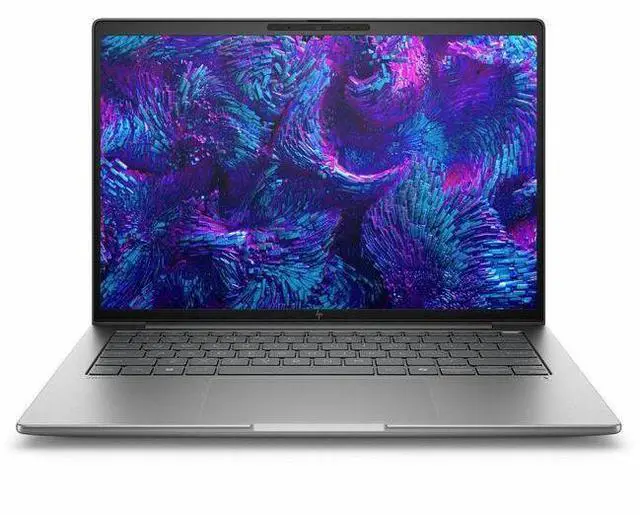
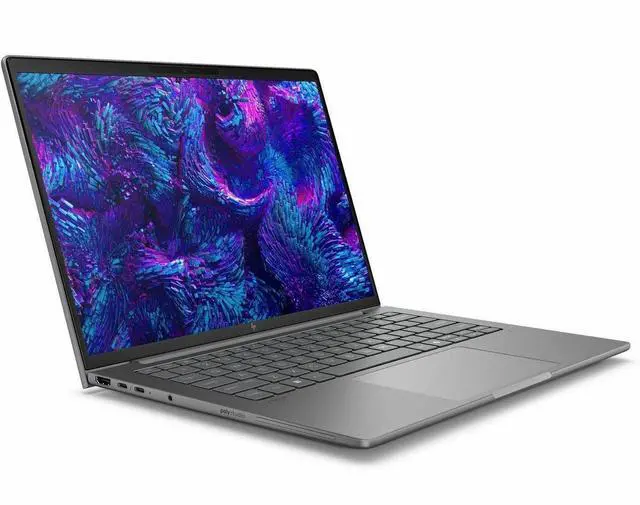
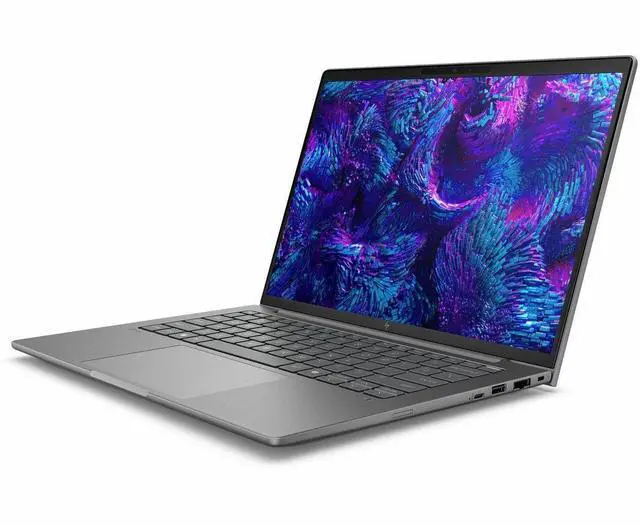
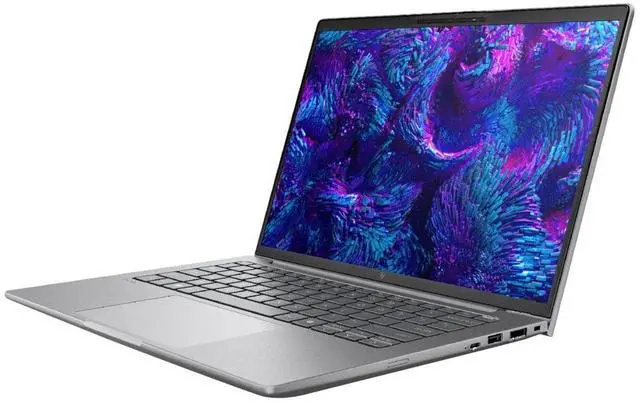
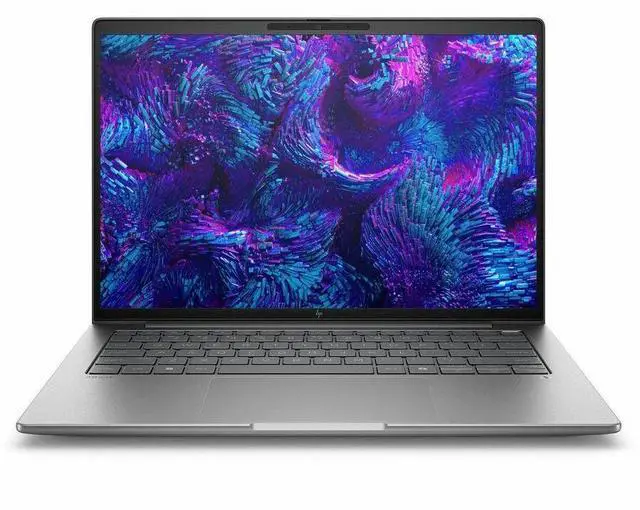
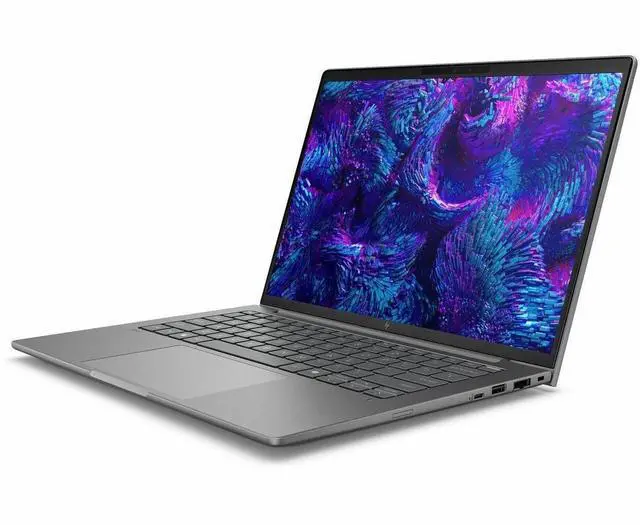
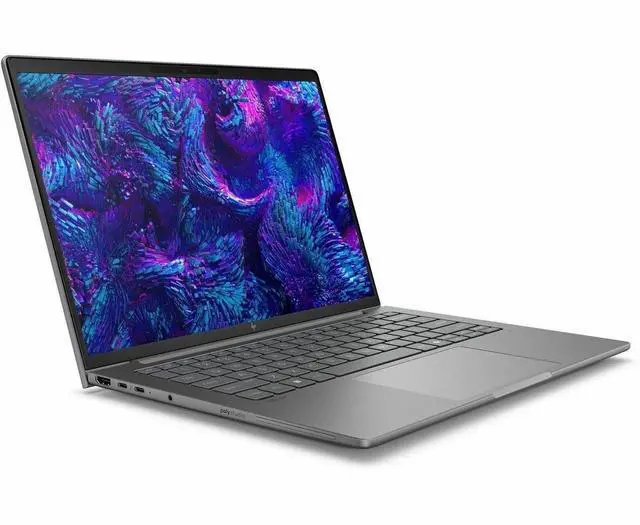
HP ZBook 8 G1i 14" Mobile Workstation - Intel Core Ultra 7 255H - 16 GB - 512 GB SSD - Windows 11 Pro - NVIDIA RTX 500 Ada Generation - Webcam - Wi-Fi 7 (BX7T5UT#ABA)

  • Intel Core Ultra 7 255H
  • 16GB Memory / 512GB SSD
  • NVIDIA RTX 500 Ada Generation
  • Non-Touch Screen
  • 1920 x 1200
  • Windows 11 Pro
+
+
Overview
Specs
Reviews
SBUY HP ZB8G1I14 U7 255H 14 16GB/512 PC INTEL U7 255H, 14 WUXGA AG LED UWVA, DSC

Warranty & Returns

Warranty, Returns, And Additional Information

Return Policies*

  • Return for refund within: 30 days
  • Returns are subject to restocking fees and return shipping fees. Please click here to learn more about restocking fees and return shipping fees.
  • This item is covered by Newegg.com's International Order Return Policy.
  • Read full return policy for details.
  • *Subject to applicable law
  • Warranty Notice:

    This product does not include manufacturer warranty when purchased or used outside of its designated sales region. By purchasing internationally, you acknowledge that warranty support from the manufacturer will not be available.

Manufacturer Contact Info

LOADING...

Learn about this product

The HP ZBook 8 G1i is a 14-inch mobile workstation for professionals who need business-class portability with workstation graphics for CAD, 3D review, content creation, and technical workflows on the go.

Recommended For

  • Mobile CAD, BIM, and design-review professionals who need a 14-inch workstation for client visits, field work, or hybrid office use. HP positions the ZBook 8 as a slim mobile workstation for tasks like light 3D modeling, design reviews, and architectural layouts, and third-party testing shows consistent workstation-class performance in a compact chassis.
  • Engineers, architects, and technical users who rely on pro apps and want workstation-specific features rather than a consumer laptop. HP markets the system around pro workflows and certified graphics options, making it a better fit for users who care about workstation positioning, Windows 11 Pro, business manageability, and pro GPU support.
  • Photo, color, and visual-content professionals who want a portable system with higher-end display options. Review testing highlights the 14-inch panel options as a major strength, with the reviewed 1600p panel covering nearly full sRGB and AdobeRGB, which matches the needs of users doing on-the-go image review or color-sensitive work.
  • Consultants, analysts, and technical professionals who travel often but still need more graphics headroom than an office ultrabook. At roughly 3.15 lb with workstation branding, Thunderbolt 4, and optional RTX graphics, it fits users who split time between productivity work and occasional GPU-accelerated professional tasks.

Real-World Use Scenarios

  • Running CAD, BIM, or architecture coursework on the go: users can work in apps such as Revit, AutoCAD, and similar pro tools for drawing, model review, and layout work, with the laptop positioned more for light-to-moderate 3D workloads than heavy GPU rendering.
  • Editing large spreadsheets, browser-heavy research, presentations, and office files alongside pro apps: the system is well suited to mixed business and technical multitasking, so users can keep several work windows open without the laptop feeling like a basic ultrabook.
  • Reviewing 3D models, product designs, or client visuals during travel or meetings: the 14-inch format makes it practical to carry between job sites and offices, while still handling viewport work and design reviews better than standard business laptops without workstation graphics.
  • Doing photo work, short-form video edits, and creative project prep: users should expect smooth handling for editing, exports, and media organization at a professional day-to-day level, but this configuration is not the best fit for long 4K effects-heavy timelines or render-heavy studio workloads.
  • Using certified workstation hardware for engineering, design, or corporate IT deployment: this fits teams that need a mobile system for professional apps, remote collaboration, and standard workstation workflows, rather than a gaming laptop tuned mainly for entertainment.

Spec Summary

AttributeValue
Best ForMobile workstation use by professionals and creators who need a 14-inch WUXGA IPS Windows 11 Pro laptop with an Intel Core Ultra 7 255H CPU, dual Intel/NVIDIA graphics, 16 GB DDR5 memory and 512 GB SSD storage for work-focused tasks
Processor And Core CountIntel Core Ultra 7 255H (Processor Series: Intel Core Ultra 7, model 255H) with up to 5.1 GHz max boost and 24 MB L3 cache
GPU And VRAMDual graphics reported: Intel Arc 140T plus NVIDIA RTX 500 (Ada Generation); 4 GB video memory (reported as DDR5)
Display Spec14.0-inch WUXGA (1920 x 1200) IPS non-touch display, 60 Hz refresh, up to 300 nits brightness and ~62% sRGB color gamut
Memory Configuration16 GB DDR5 installed; 2 RAM slots reported and a reported maximum memory of 16 GB
Storage And Expansion512 GB solid-state drive (SSD) storage
High Speed I OPhysical I/O includes 1× HDMI, 2× Thunderbolt ports, 2× USB ports and USB Type-C; total ports reported as 4
Wired And Wireless NetworkingWi‑Fi 7 (802.11be) wireless and Bluetooth support; Ethernet connectivity reported
Battery And Power8-cell lithium polymer battery with included power adapter
Webcam And Security5‑megapixel webcam; includes fingerprint reader and Wolf Pro Security Edition for device security
Keyboard And InputFull-size QWERTY keyboard with touch pad (human-interface input)
Dimensions And WeightChassis dimensions reported as 12.4 in (W) × 8.7 in (D) × 0.74 in (H) and weight 3.15 lb (internal); external package/item dimensions and weights are also reported
Operating System And EditionWindows 11 Pro operating system; edition/packaging noted as ZBook 8 G1i Wolf Pro Security Edition
Model IdentifiersHP ZBook 8 G1i (WorkStation Series), Part Number / Model BX7T5UT#ABA, Manufacturer Hewlett Packard, mobile workstation form factor
Package ContentsBox contents list ZBook 8 G1i 14 inch mobile workstation PC (Wolf Pro Security Edition), lithium polymer battery and power adapter
Other FeaturesAI Boost/AI‑powered capabilities indicated; reported compatibility with external displays, mice, keyboards, storage devices, printers and accessories via USB, HDMI or Bluetooth/W‑Fi

Reference Q&A

Q: Should I choose the HP ZBook 8 G1i 14 or the HP ZBook Firefly 14 G11?

A: Choose the HP ZBook 8 G1i 14 if you want HP’s newer 14-inch entry workstation platform with Intel Core Ultra 200H, Wi-Fi 7, and the option for newer display configurations. It is effectively the successor to the Firefly 14 line, and reviews position it as the updated compact HP mobile workstation. Choose the ZBook Firefly 14 G11 if you find it at a meaningfully lower price and your workloads are already well served by its RTX A500-class graphics. In practice, the ZBook 8 G1i is the better fit for buyers who want the newer platform and longer-term lifecycle, while the Firefly 14 G11 makes more sense as a value-oriented previous-generation option.

Q: Is the HP ZBook 8 G1i 14 a better choice than a business laptop with only integrated graphics?

A: Yes, if your work includes CAD viewing, GPU-accelerated creative apps, certified pro applications, or multi-app workstation use. The ZBook 8 G1i 14 adds an NVIDIA RTX 500 Ada professional GPU option on top of Intel graphics, which is the main difference versus standard premium business laptops that rely only on integrated graphics. If your workload is mainly web, Office, meetings, and light content work, an integrated-graphics business laptop is usually the more cost-efficient choice. The ZBook 8 G1i becomes the better buy when software compatibility, dedicated VRAM, or workstation certification matters more than price.

Q: How does the HP ZBook 8 G1i 14 compare with the Lenovo ThinkPad P14s Gen 5?

A: These two models target the same buyer: a compact 14-inch mobile workstation. Choose the HP ZBook 8 G1i 14 if you prefer HP’s current ZBook platform and want a lighter, more portable workstation configuration. Choose the Lenovo ThinkPad P14s Gen 5 if upgradable memory and stronger implementation of the same RTX 500 Ada GPU matter more, since reviews note that Lenovo allows higher GPU power and positions the P14s as a more performance-oriented 14-inch workstation. The trade-off is that the ThinkPad is typically thicker and heavier, while the ZBook 8 G1i is the more mobility-focused interpretation of this category.

Q: Should I step up from this HP ZBook 8 G1i 14 configuration to a higher-tier 14-inch workstation?

A: Step up if your workflow is limited by memory capacity, storage size, display quality, or GPU class rather than by basic CPU speed. This Newegg configuration has 16GB RAM, a 512GB SSD, a WUXGA 60Hz display, and RTX 500 Ada graphics, which fits mainstream professional tasks and portable workstation use. A higher-tier configuration makes more sense for larger assemblies, heavier Adobe or 3D workloads, more local virtual machines, or longer multi-year use where 32GB to 64GB RAM and a higher-resolution display would be beneficial. If your workload is mostly document-heavy, browser-heavy, coding, light CAD, and general professional multitasking, this configuration is the more balanced choice.

Q: Is the HP ZBook 8 G1i 14 better for portability, or should I choose a more performance-first workstation like the Dell Precision 5490?

A: Choose the HP ZBook 8 G1i 14 if portability is the priority and you want a lighter workstation for travel, client visits, and daily carry. Choose a performance-first alternative such as the Dell Precision 5490 if your work benefits more from a stronger discrete GPU tier and higher sustained graphics performance. The Dell model is commonly configured with RTX 1000 Ada or above, while this HP configuration uses RTX 500 Ada, so the Dell class is the better fit for heavier rendering, simulation, and more demanding 3D workflows. The HP model is the better fit when compact size and lower carry weight matter more than moving up one GPU class.

Q: Is this a good travel workstation for people who need real GPU performance?

A: Yes, if you want a relatively compact 14-inch work laptop that still includes dedicated workstation graphics. This ZBook 8 G1i combines a 14-inch 1920 x 1200 display with NVIDIA RTX 500 Ada graphics and a 3.15 lb carry weight, so it fits the common retail buyer pattern of wanting something more portable than a larger 16-inch workstation. The main trade-off is that this configuration is still a true workstation, not an ultralight consumer laptop, and the 60 Hz non-touch display is practical rather than premium.

Q: Is it good for meetings, office work, and everyday professional use?

A: Yes. For office apps, web work, video meetings, and multitasking, this configuration is more than sufficient. It has a Core Ultra 7 255H processor, 16 GB RAM, 512 GB SSD, Windows 11 Pro, Wi-Fi 7, Bluetooth, and a 5 MP webcam, which aligns well with the repeated retail Q&A pattern around video calls, connectivity, and general productivity. The main limitation is that buyers who keep many heavy apps open at once may prefer 32 GB RAM instead of 16 GB.

Q: Who is this laptop actually suitable for?

A: This model is best suited for professionals who need a business laptop with workstation-class graphics in a smaller chassis, such as CAD users, engineers, 3D reviewers, technical creators, and users working with GPU-accelerated professional apps. It is less ideal for buyers who mainly want a basic office laptop, a gaming-focused system, or a pen-first device for handwritten note-taking, because this unit uses a non-touch 14-inch display.

Q: What are the main trade-offs versus a creator or gaming laptop at a similar price?

A: The ZBook 8 G1i is a better fit if you prioritize professional workstation positioning, Windows 11 Pro, business deployment, and dedicated RTX Ada graphics in a compact design. A creator or gaming laptop at a similar price may offer a higher-refresh display, more aggressive GPU power, or more RAM and storage for the money. The trade-off here is that the HP is aimed more at professional reliability and mobility than at maximum entertainment features or gaming value.

Q: Is it a good choice for note-taking or pen-based work?

A: No, not if pen input is important. This configuration has a non-touch 14-inch display, so it is not the right choice for handwritten note-taking, sketching directly on screen, or tablet-style workflows. It is better for keyboard-and-trackpad productivity, meetings, and workstation tasks than for stylus-driven use.

Q: Is the HP ZBook 8 G1i 14 a good fit for portable professional work?

A: Yes, if you want a compact workstation for business and creator workloads. The 14-inch size, 3.15 lb weight, Core Ultra 7 255H, Windows 11 Pro, Wi-Fi 7, and optional RTX-class graphics make it better suited to mobile office, coding, CAD-adjacent, and pro app use than a standard business laptop. The main trade-off is that it is still a workstation: buyers in Reddit threads repeatedly question its thickness and mobility compared with thinner 14-inch laptops.

Q: What are the main trade-offs of this configuration?

A: The biggest trade-offs are memory, storage, display, and portability. This specific model has 16 GB RAM, a 512 GB SSD, a 1920 x 1200 60 Hz non-touch IPS display, and a 4 GB RTX 500 Ada GPU. That is enough for general professional work and lighter workstation use, but it is a lower-spec configuration than many enthusiast discussions around the ZBook 8 G1i, which often focus on 64 GB RAM, larger SSDs, higher-resolution displays, and bigger batteries.

Q: Is this model worth buying over a regular business laptop?

A: It is worth buying if you specifically need workstation features in a 14-inch system. Compared with a regular business laptop, the ZBook 8 G1i gives you a higher-power Core Ultra H-series processor, professional GPU hardware, workstation positioning, and stronger expandability/options across the lineup. It is less compelling if your work is mostly web, documents, meetings, and basic multitasking, because the size, weight, and workstation premium may be unnecessary.

Q: Is the HP ZBook 8 G1i 14 good for travel and daily carrying?

A: It is travel-friendly for a workstation, but not especially light for a 14-inch laptop. At 3.15 lb, it is portable enough for commuting and client work, but buyers discussing the model on Reddit often compare it against thinner and lighter 14-inch laptops and call out the extra thickness. If low weight and slimness matter more than workstation capability, a mainstream premium laptop may be a better fit.

Q: Who is this exact 16 GB / 512 GB / RTX 500 Ada configuration best for?

A: It is best for professionals who want a compact Windows workstation for office work, development, light content creation, and entry-level GPU-accelerated professional tasks. It is less ideal for users with large local datasets, heavier rendering, larger CAD projects, or long-term multitasking needs, because 16 GB RAM and 512 GB storage are modest for a workstation-class laptop.