
Your Browsing History
- Free 30-day Returns
- ฿2,611.87 Shipping
฿57,228.94
VAT-Inclusive Price
Ships from United States.
Sold by Newegg
Shipped by Newegg


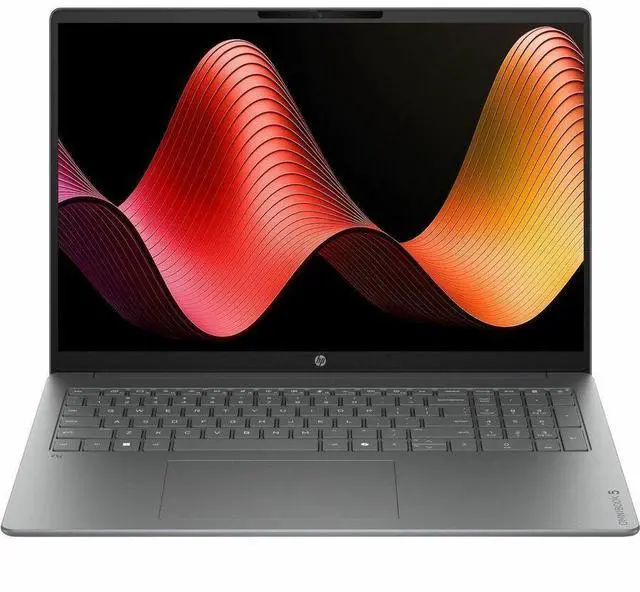
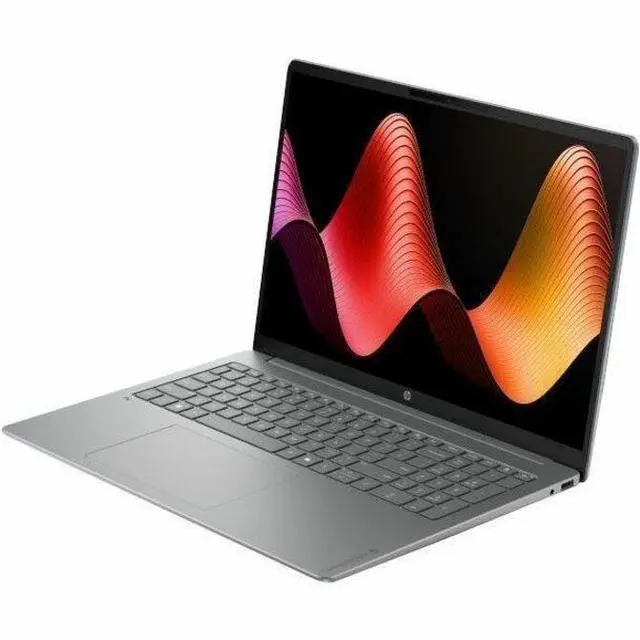
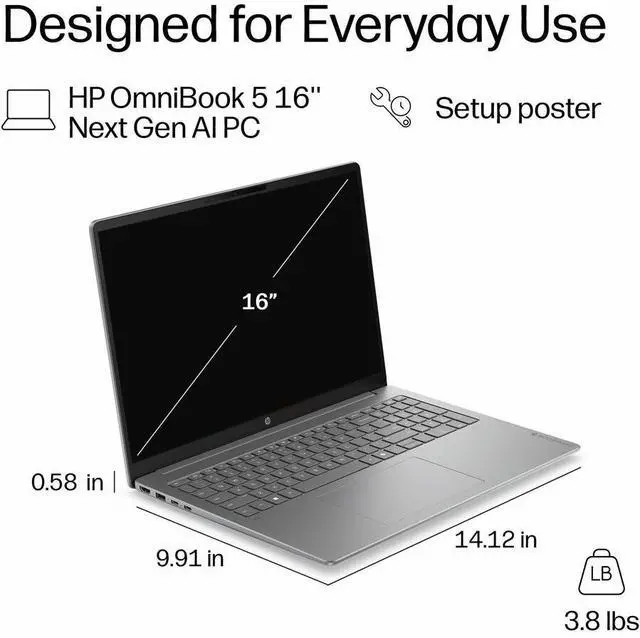
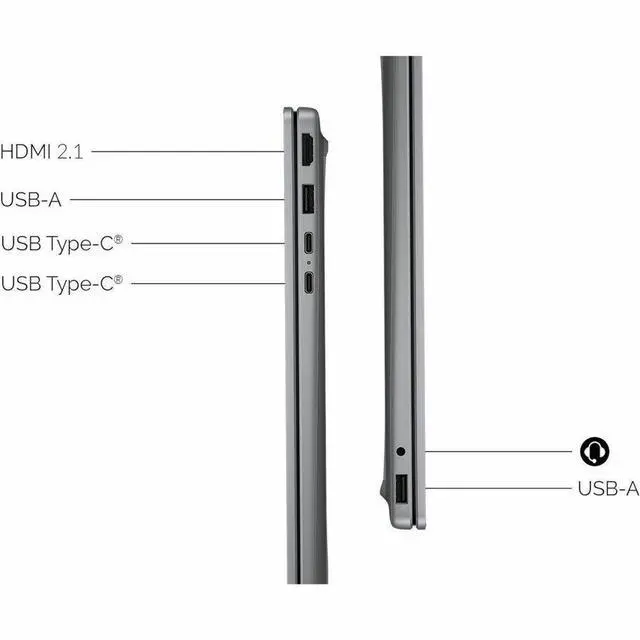
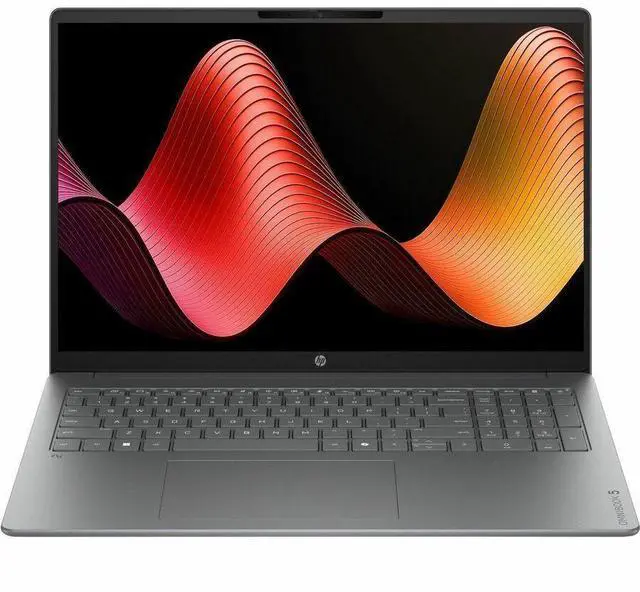


HP OmniBook 5 16-cg0999nr 16" Touchscreen Copilot+ PC Notebook - AMD Ryzen AI 5 Ryzen AI 430 - 16 GB - 1 TB SSD - Windows 11 Home - Webcam - Wi-Fi 6 - D57B0UA#ABA
- Versatility at its best, combining affordability with responsive performance, the OmniBook 5 is great for multitaskers who need a laptop that can handle everything from productivity to entertainment.
- The ultimate upgrade from HP Pavilion.
- Perfect for students and families.
+
+
Overview
Specs
Reviews
16" R5 430 16GB 1TB Touch
Warranty & Returns
Warranty, Returns, And Additional Information
Return Policies*
- Return for refund within: 30 days
- Returns are subject to restocking fees and return shipping fees. Please click here to learn more about restocking fees and return shipping fees.
- This item is covered by Newegg.com's International Order Return Policy.
- Read full return policy for details.
- *Subject to applicable law
Warranty Notice:
This product does not include manufacturer warranty when purchased or used outside of its designated sales region. By purchasing internationally, you acknowledge that warranty support from the manufacturer will not be available.
Manufacturer Contact Info
- Manufacturer Website
- Support Phone: 1-800-474-6836
- Support Website
- View other products from HP
LOADING...
Learn about this product
The HP OmniBook 5 16-cg0999nr is a 16-inch touchscreen Copilot+ laptop with an AMD Ryzen AI 5 430 processor, 16GB memory, and 1TB SSD, making it a practical fit for students, families, and everyday multitaskers who want a roomy display for productivity, streaming, and general home use.
Recommended For
- Students or family users who want one large-screen laptop for homework, web apps, video calls, streaming, and everyday multitasking. HP positions the OmniBook 5 as a mainstream upgrade for students and families, and reviews consistently describe it as a budget-oriented daily driver that covers the basics well.
- Home-office users who keep many browser tabs, documents, email, and video meetings open at once and want a roomy 16-inch touchscreen without moving up to a premium business laptop. HP markets it around productivity and multitasking, and review coverage frames it as a practical mainstream work machine rather than a specialist device.
- Buyers shopping for an affordable Copilot+ PC for light local AI features, everyday Windows use, and long unplugged sessions, rather than high-end creator or gaming workloads. HP positions the series around Copilot+ and mainstream AI use, while coverage highlights value, efficient hardware, and solid battery life for normal browsing and office tasks.
- People who mainly work from home, school, or the couch and prefer a bigger display for split-screen work, spreadsheet viewing, and casual entertainment over the smallest or lightest laptop. Community discussions around the OmniBook 5 regularly treat it as a value 16-inch everyday machine, with portability acceptable but not the main reason to buy it.
Real-World Use Scenarios
- Running a typical school or home-work setup with many browser tabs, Word or Google Docs, Zoom, and music in the background should feel smooth, with the 16-inch screen making side-by-side work easier than on smaller laptops.
- For students taking notes, researching, joining video classes, and keeping files locally, this configuration fits the common everyday laptop pattern well; 16 GB RAM and a 1 TB SSD are more aligned with long-term general use than with entry-level school-only systems.
- Watching movies, streaming, browsing recipes, and handling everyday family tasks should be comfortable because the large 16-inch touchscreen suits casual shared use, but the display quality reported in reviews suggests it is better for general viewing than for color-critical media work.
- For light photo edits, simple Canva work, and short social video trimming, the laptop should be usable as long as projects stay modest; reviews of similar OmniBook 5 AMD models point to everyday creator tasks being reasonable, while the screen and integrated graphics are not aimed at demanding production workloads.
- Using Windows AI features such as Copilot, webcam effects, transcription, or on-device assistance is a realistic fit for this model category, especially for meetings and productivity workflows, but buyers should treat these as convenience features rather than a reason to expect workstation-level performance gains.
- Casual or older games should run better than cloud-only or ultra-low-end laptops, but this is not the right choice for someone expecting modern AAA gaming at high settings; review data on comparable OmniBook 5 configurations shows integrated graphics are better suited to light gaming than to demanding titles.
Spec Summary
| Attribute | Value |
|---|---|
| Best For | Everyday productivity and multitasking on a 16-inch touchscreen Windows laptop — suitable for students, families and general-purpose use when you want a larger display with 16 GB RAM and a 1 TB SSD |
| Processor And Core Count | AMD Ryzen AI 5 430 (Ryzen AI 5) processor |
| Memory Configuration | 16 GB RAM, appropriate for multi-tab browsing and typical productivity workflows |
| Storage And Expansion | 1 TB solid-state drive (SSD) |
| Display Spec | 16.0" touchscreen, 1920 x 1200 (WUXGA) resolution |
| Wireless And Networking | Wi‑Fi 6 (IEEE 802.11ax) wireless networking |
| Webcam And Camera | Front-facing webcam included |
| Operating System And Software | Windows 11 Home |
| Battery And Power | Rechargeable lithium polymer battery included with power adapter; battery weight listed as 13 grams; lithium batteries packaged in equipment |
| Portability And Build | Meteor Silver Aluminum chassis, item weight 5.5 pounds |
| Package Contents | OmniBook 5 laptop plus lithium polymer battery and power adapter; single-item package |
| Model Identifiers | HP OmniBook 5 16-cg0999nr (Series: OmniBook 5), Part Number D57B0UA#ABA, Manufacturer HP |
Reference Q&A
Q: Should I buy the HP OmniBook 5 16 Ryzen AI 5 model or move up to a Ryzen AI 7 configuration?
A: Choose the OmniBook 5 16 with Ryzen AI 5 430 if your main tasks are web work, Office, streaming, schoolwork, and general multitasking, and you want the 16GB RAM and 1TB SSD balance at a lower cost. Move up to a Ryzen AI 7 configuration if you expect heavier multitasking, more sustained CPU work, or stronger integrated graphics performance. External benchmark coverage consistently places Ryzen AI 7 350 above Ryzen AI 5 430, while HP positions OmniBook 5 as a mainstream family and student laptop rather than a performance-first model.
Q: Is this HP OmniBook 5 16 a better fit than a portability-first 14-inch laptop?
A: Choose the OmniBook 5 16 if you value a larger 16-inch touch display, more comfortable split-screen work, and a roomier everyday setup for home, school, or family use. Choose a 14-inch alternative if lower carry weight and smaller bag footprint matter more than screen size. HP's positioning for OmniBook 5 emphasizes affordability, versatility, and upgrading from Pavilion-class laptops, which aligns more with everyday productivity than ultra-portable travel use.
Q: How does the HP OmniBook 5 16 compare with an older HP Pavilion 16?
A: The OmniBook 5 16 is the better choice if you want HP's newer mainstream lineup with Ryzen AI branding, Copilot+ positioning, and a more current platform for Windows 11 AI features. An older Pavilion 16 can still make sense if price is the priority and you do not specifically need the newer AI-focused platform. HP explicitly presents OmniBook 5 as the upgrade path from Pavilion, so the comparison is less about category change and more about moving to HP's newer generation of mainstream consumer laptops.
Q: Should I choose this OmniBook 5 16 or a performance-first laptop for gaming and creator workloads?
A: Choose this OmniBook 5 16 if your priority is everyday productivity, light content work, touch input, and a large display in a mainstream notebook. Choose a performance-first laptop if gaming, heavier video editing, 3D work, or sustained multi-core workloads are central to your use. Reviews and CPU coverage around Ryzen AI 5 430 describe it as an entry-level chip for modern mainstream laptops, which makes this model more suitable for general-purpose use than for high-performance workloads.
Q: Does this HP OmniBook 5 16 make more sense than a lower-storage version with the same class of hardware?
A: Yes, this 16GB RAM and 1TB SSD version is the better fit if you plan to keep the laptop for several years, install larger apps, or store local media and school or family files. A lower-storage version is reasonable for lighter cloud-first use, but the 1TB configuration reduces the need to manage space early. Since Copilot+ PCs also require at least 16GB memory and SSD headroom for newer Windows AI experiences, this configuration is the more practical long-term mainstream choice.
Q: Is this a good laptop for note-taking, meetings, and everyday office work?
A: Yes. This configuration is well suited to everyday productivity tasks such as web browsing, document editing, video calls, spreadsheets, and schoolwork. The 16 GB memory and 1 TB SSD are a practical fit for multitasking and local storage, and the built-in webcam, touchscreen, and Windows 11 Home make it a straightforward choice for meetings and general office use. The main trade-off is portability: a 16-inch laptop is usually less convenient than a 14-inch model for constant travel.
Q: Is it worth buying as a travel work device?
A: It can work as a travel laptop if you want a larger screen for productivity, but it is not the most travel-friendly option. A 16-inch chassis gives more workspace for documents and multitasking, but similar OmniBook 5 retail Q&A pages repeatedly show buyers asking about weight and portability, which is a sign that mobility is a real decision point in this size class. Choose it for screen space first; choose a 14-inch alternative if low carry weight matters more.
Q: Can it handle an external monitor and a basic desk setup?
A: Probably yes for a normal work setup, but buyers should verify the exact port list before purchase. Across comparable retail Q&A pages, external monitor support is one of the most repeated laptop questions, and OmniBook buyers also ask about wired networking and adapters. For this HP model, it is reasonable to expect support for a monitor, mouse, keyboard, and typical USB accessories, but if you need Ethernet, multiple displays, or a specific dock, confirm the exact ports on the seller page or HP spec sheet first.
Q: Who is this laptop most suitable for?
A: It is best suited to students, families, and general-purpose users who want a large-screen Windows laptop for productivity, browsing, streaming, and routine multitasking. Based on the provided specifications, it is a stronger fit for mainstream use than for specialized workloads such as high-end gaming, heavy 3D work, or advanced creator workflows. The combination of a 16-inch touchscreen, 16 GB RAM, and 1 TB SSD makes it a practical everyday laptop rather than a niche performance machine.
Q: Is this a better choice than a 14-inch alternative?
A: Choose this 16-inch OmniBook if you value screen space, easier split-screen work, and more comfortable viewing at a desk. Choose a 14-inch alternative if you care more about portability and lighter daily carry. This is one of the most common decision patterns on retail laptop Q&A pages: buyers compare size, weight, and desk comfort more often than raw specs once performance is already adequate for office and school use.
Q: Is the HP OmniBook 5 16 a good fit for everyday work, school, and general home use?
A: Yes, it looks suitable for everyday productivity if your needs are mainly web, Office, video calls, media, and multitasking. The listed configuration gives you a 16-inch 1920x1200 touchscreen, 16 GB RAM, and a 1 TB SSD, which is a practical setup for school and home use. Based on repeated Reddit discussions around OmniBook 5 models, buyers most often consider it for student work, browsing, note-taking, and light editing rather than specialized heavy workloads.
Q: Who is the HP OmniBook 5 16 best suited for?
A: It is best suited for buyers who want a mainstream 16-inch Windows laptop with lots of storage, enough memory for multitasking, and a larger screen for productivity or entertainment. It makes the most sense for students, families, and general office users. It is less clearly aimed at users who need workstation-class performance, gaming features, or strong upgrade flexibility.
Q: What are the main trade-offs to know before buying the HP OmniBook 5 16?
A: The main trade-offs are that this is a mainstream laptop, not a premium display or high-performance machine. Community discussion around OmniBook 5 models repeatedly focuses on display quality differences, occasional concerns about panel issues, and limited upgradeability on some configurations. For this model, the safe buying assumption is good everyday usability, but buyers who care a lot about display quality, repairability, or future RAM upgrades should verify those details before purchasing.
Q: Is the HP OmniBook 5 16 worth buying if you want a large-screen replacement for an older everyday laptop?
A: Yes, if your goal is to replace an older general-use laptop with something more current, larger, and better equipped for multitasking. The combination of a 16-inch WUXGA touchscreen, 16 GB RAM, and 1 TB SSD is a meaningful upgrade for typical day-to-day use. It is a better value decision for productivity and home use than for buyers specifically chasing gaming, creator-level graphics performance, or premium display quality.