Shop Category
Shopping Tools
Speed
Capacity
Show More
BIOS/Performance Profile
CAS Latency
Multi-channel Kit
Recommend Use
Voltage
ECC
Sold by
Type
Color
LED Color
All Top Brands
Availability
Condition
Price
Total Capacity
Current Promotion
Discount
Useful Links
Customer Ratings
  • G.Skill Memory
  • LUXURY. PERFORMANCE. OWN BOTH
  • Team Group Unleash Creativity
  • Vengeance RGB
  • The performance memory Upgrade for SFF PCs and Mobile
  • Victory Starts with Vengeance
  • Extreme Overclocked DDR5
  • Bloom into Speed
  • High-End Control
  • Featured Brands

    See Deals from G.SKILLSee Deals from CorsairSee Deals from Team GroupSee Deals from Crucial

What are you building or upgrading?

DDR5 Desktop RAM

For Intel 12th Gen/AMD Ryzen 7000 & later
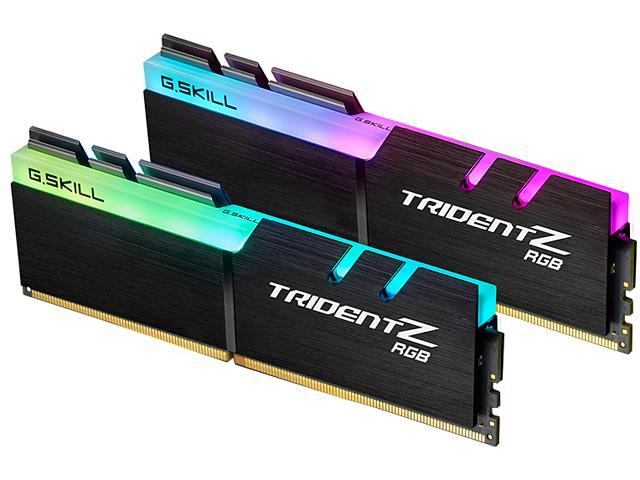
DDR4 Desktop RAM

For Intel 11th Gen/AMD Ryzen 5000 & earlier
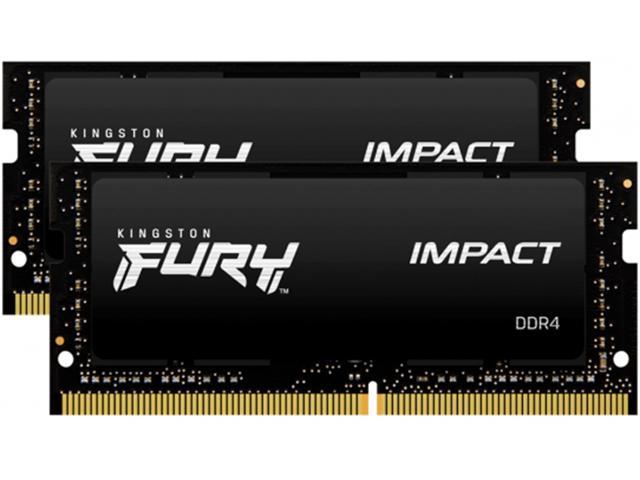
Laptop Memory

Laptop RAM upgrade - Easy install

Gaming RAM

DDR5 · RGB · XMP/EXPO

DDR5 6000+

High-speed · Overclocked

Server Memory

ECC · Registered · RDIMM

Flash & USB

SD cards · USB drives

Weekly Deals

Sale prices · New deals every week

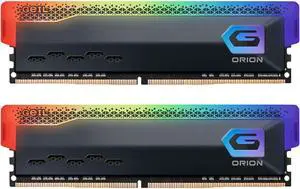
GeIL ORION RGB 16GB (2 x 8GB) 288-Pin PC RAM DDR4 3200 (PC4 25600) Desktop Memory Model GAOSG416GB3200C18ADC

+ $20 off w/ promo code FTTF8345, limited offer
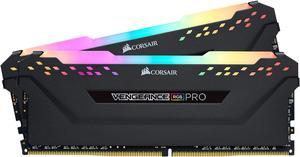
  • CAS Latency: CL18
  • Voltage: 1.35V
  • Multi-channel Kit: Dual Channel Kit
  • Timing: 18-20-20-38
  • Model #: GAOSG416GB3200C18ADC
  • Item #: N82E16820991078
  • Return Policy: 30-Day Return Policy
  • $149.99
  •  
  • $129.99 –
  • Save: 13%
  • Free Shipping
CORSAIR Vengeance RGB Pro 32GB (2 x 16GB) 288-Pin PC RAM DDR4 3200 (PC4 25600) Desktop Memory Model CMW32GX4M2E3200C16

Free McAfee Total Protection Product Key w/ purchase, limited offer
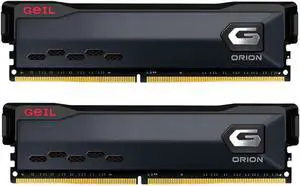
  • CAS Latency: CL16
  • Voltage: 1.35V
  • Timing: 16-20-20-38
  • Recommend Use: AMD 400 Series / AMD X570 / Intel Z390 / AMD 500 Series
  • Model #: CMW32GX4M2E3200C16
  • Item #: N82E16820236570
  • Return Policy: 30-Day Return Policy
GeIL ORION 32GB (2 x 16GB) DDR4 3200 (PC4 25600) Desktop Memory Model GAOG432GB3200C18ADC

+ $22 off w/ promo code FTTF8344, limited offer
  • CAS Latency: CL18
  • Voltage: 1.35V
  • Multi-channel Kit: Dual Channel Kit
  • Timing: 18-20-20-38
  • Model #: GAOG432GB3200C18ADC
  • Item #: N82E16820991076
  • Return Policy: 30-Day Return Policy
  • $239.99
  •  
  • $209.99 –
  • Save: 12%
  • Free Shipping
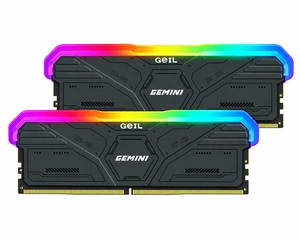
GeIL Gemini 32GB (2 x 16GB) 288-Pin PC RAM DDR5 6800 (PC5 54400) Desktop Memory Model GAMSG532GB6000C42ADC
  • CAS Latency: CL42
  • Voltage: 1.35V
  • Multi-channel Kit: Dual Channel Kit
  • Timing: 42-48-48-96
  • Model #: GAMSG532GB6000C42ADC
  • Item #: N82E16820991081
  • Return Policy: 30-Day Return Policy
AGI UD858 RGB 32GB (2 x 16GB) 288-Pin PC RAM DDR5 7200 Desktop Memory Model AGI7APC16UD858

Limited time offer! Don't miss it!, ends10/11
  • CAS Latency: CL34
  • ECC: Yes
  • Color: Black
  • LED Color: RGB
  • Model #: AGI7APC16UD858
  • Item #: 9SIBM90KCW1811
  • Return Policy: View Return Policy
  •  
  • $549.99 –
  • Free Shipping
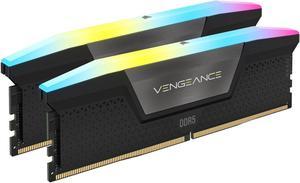
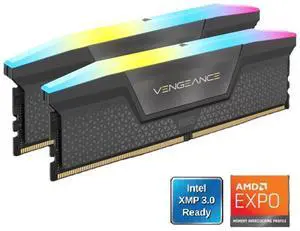
CORSAIR Vengeance RGB 64GB (2 x 32GB) 288-Pin PC RAM DDR5 6000 (PC5 48000) Desktop Memory Model CMH64GX5M2N6000Z40

Save even more w/ promo code FTTF8333, limited offer
  • CAS Latency: CL40
  • Voltage: 1.35V
  • Multi-channel Kit: Dual Channel Kit
  • Timing: 40-50-50-96
  • Model #: CMH64GX5M2N6000Z40
  • Item #: N82E16820982338
  • Return Policy: 30-Day Return Policy
  • $1,079.99
  •  
  • $999.99 –
  • Save: 7%
  • Free Shipping
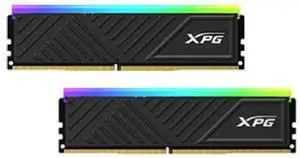
XPG Spectra D35 32GB (2 x 16GB) 288-Pin PC RAM DDR4 3200 (PC4 25600) Memory (Desktop Memory) Model AX4U320016G16A-DTBKD35G
  • CAS Latency: CL16
  • Voltage: 1.35V
  • Multi-channel Kit: Dual Channel Kit
  • Timing: 16-20-20
  • Model #: AX4U320016G16A-DTBKD35G
  • Item #: N82E16820246082
  • Return Policy: 30-Day Return Policy
CORSAIR Vengeance RGB 32GB (2 x 16GB) 288-Pin PC RAM DDR5 6000 (PC5 48000) Desktop Memory Model CMH32GX5M2E6000C36

Save even more w/ promo code FTTF8289, limited offer
  • CAS Latency: CL36
  • Voltage: 1.35V
  • Multi-channel Kit: Dual Channel Kit
  • Timing: 36-44-44-96
  • Model #: CMH32GX5M2E6000C36
  • Item #: N82E16820236991
  • Return Policy: 30-Day Return Policy
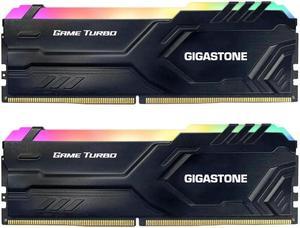
Gigastone GST Game Pro RGB 32GB (2 x 16GB) 288-Pin PC RAM DDR4 3200 (PC4 25600) Memory (Desktop Memory) Model DDR4-3200-16U-2-GST-RGB-GameTurbo-Black

+ $44 off w/ promo code FTTF8275, limited offer
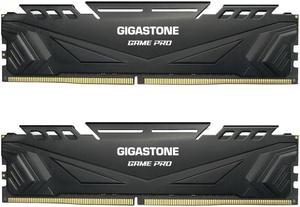
  • CAS Latency: CL16
  • Voltage: 1.35V
  • Multi-channel Kit: Dual Channel Kit
  • Timing: 16-18-18-38
  • Model #: DDR4-3200-16U-2-GST-RGB-GameTurbo-Black
  • Item #: 0RN-00YA-00027
  • Return Policy: 30-Day Return Policy
  • $249.99
  •  
  • $239.99 –
  • Free Shipping
Gigastone GST Game Pro 32GB (2 x 16GB) 288-Pin PC RAM DDR4 3200 (PC4 25600) Memory (Desktop Memory) Model DDR4 3200 16U 2 GST Game Pro

+ $44 off w/ promo code FTTF8274, limited offer
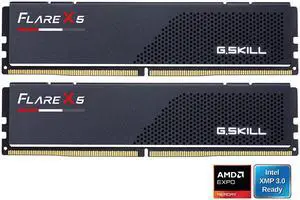
  • CAS Latency: CL16
  • Voltage: 1.35V
  • Multi-channel Kit: Dual Channel Kit
  • Timing: 16-18-18-38
  • Model #: DDR4-3200-16U-2-GST-Game Pro-Black
  • Item #: 0RN-00YA-00022
  • Return Policy: 30-Day Return Policy
  • $249.99
  •  
  • $229.99 –
  • Save: 8%
  • Free Shipping
G.SKILL Flare X5 Series AMD EXPO 32GB (2 x 16GB) 288-Pin PC RAM DDR5 6000 Desktop Memory Model F5-6000J3636F16GX2-FX5

+ $30 off w/ promo code FTTF8322, limited offer
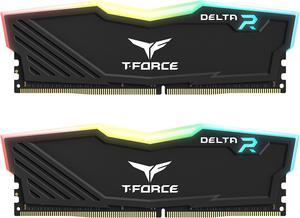
  • CAS Latency: CL36
  • Voltage: 1.35V
  • Multi-channel Kit: Dual Channel Kit
  • Timing: 36-36-36-96
  • Model #: F5-6000J3636F16GX2-FX5
  • Item #: N82E16820374419
  • Return Policy: 30-Day Return Policy
Team T-Force Delta RGB 32GB (2 x 16GB) 288-Pin PC RAM DDR4 3200 (PC4 25600) Desktop Memory Model TF3D432G3200HC16FDC01

+ $30 off w/ promo code FTTF8295, limited offer

  • CAS Latency: CL16
  • Voltage: 1.35V
  • Multi-channel Kit: Dual Channel Kit
  • Timing: 16-20-20-40
  • Model #: TF3D432G3200HC16FDC0
  • Item #: N82E16820331634
  • Return Policy: 30-Day Return Policy

Explore Premium PC Memory from Corsair, Kingston, G.Skill, and More

Upgrade your desktop, mini PC, or laptop with DDR4 and DDR5 memory options tailored for gaming, productivity, and everyday computing. Find a range of speeds, capacities, and form factors like UDIMM, RDIMM, and SODIMM from trusted brands all in one place.

How to Choose Memory

Key Features and Technologies to Consider When Choosing Memory

  • Memory Type: DDR4 and DDR5 are current standards, with DDR5 offering higher speeds and efficiency but at a premium cost.
  • Speed and Latency: Measured in MHz and CAS latency, these define how quickly your RAM processes data—higher speeds and lower latency improve performance.
  • Form Factor: UDIMM and RDIMM for desktops; SODIMM for laptops and compact PCs. Compatibility with your motherboard is crucial.
  • Capacity: Choose from 8GB up to 64GB or more depending on your use case — gaming, content creation, or professional workloads.
  • Dual/Quad Channel Support: Using matched pairs or kits can nearly double throughput when supported by your system.
  • Voltage and Power Efficiency: Especially important for laptops and mini PCs, affecting battery life and thermal performance.
  • Additional Features: RGB lighting, heat spreaders, and XMP profiles for easy overclocking may appeal to gamers and enthusiasts.

The Impact of Memory Speed on Performance

Among the many specifications in PC memory, speed often plays the most critical role in overall system responsiveness and application performance. Memory speed, expressed in MHz, determines how many cycles per second the RAM can complete, directly influencing bandwidth and data transfer rates.

For mainstream desktop builds, options range from standard DDR4 speeds like 2400-3200 MHz to cutting-edge DDR5 models exceeding 4800 MHz. If you own a system designed around DDR4 technology, upgrading to faster DDR4 Desktop RAM (Desktop PC RAM (DDR4)) offers a balanced step up without needing new hardware.

On the forefront, DDR5 Desktop RAM (Desktop PC RAM (DDR5)) delivers higher clock speeds starting at 4800 MHz and beyond, increased bandwidth, and power-saving features. This makes it ideal for gamers, content creators, and professionals demanding snappy system responsiveness.

Advanced Professional Use: Maximizing Capacity and Stability in High-End Setups

For developers, video editors, and professionals running memory-intensive applications, maximizing total RAM capacity and reliability is paramount. Server-grade RDIMMs and high-capacity modules allow for expansive memory pools that mainstream kits can’t match.

When building or upgrading high-performance workstations, selecting memory brands known for quality and stability — like Corsair, Kingston, or Crucial — ensures consistency under heavy multitasking and large datasets. Newegg’s comprehensive Desktop Memory selection features a variety of ECC and standard modules designed to meet these exact requirements.

Additionally, pairing matched memory kits optimized for your specific platform can reduce instability and enhance memory throughput. Professionals should also consider motherboard compatibility Lists and BIOS updates to leverage memory tuning options fully.

Performance and Setup Tips

  • Verify compatibility with your motherboard and CPU before purchasing to avoid mismatched memory types or speeds.
  • Use dual or quad-channel memory kits for optimal bandwidth and smooth multitasking.
  • Enable XMP (Extreme Memory Profile) in your BIOS to run memory at advertised speeds without manual tuning.
  • Keep memory modules installed in proper slots as indicated by your motherboard manual for channel balancing.
  • Consider upgrading to DDR5 if building a new high-performance system, especially for gaming or productivity tasks.
  • Clean RAM slots gently before installation and ensure modules click in securely to avoid connection issues.
  • Monitor system temperatures—install heat spreaders or improve case airflow if memory runs hot under load.
  • Regularly check for BIOS updates that may improve memory compatibility and stability with your modules.
  • Shop Newegg’s Weekly Deals to secure quality RAM at competitive prices.

Newegg shopping tip: When choosing memory, check the speed, capacity, and latency to ensure it matches your motherboard and use case. Also, consider the form factor—UDIMM for desktops, SODIMM for laptops—so you get the right fit and performance for your setup.

Explore Memory & Related Categories

Desktop PC RAM (DDR4)

Speed up multitasking and gaming with DDR4 RAM, balancing solid 3200-3600 MHz frequencies and broad motherboard support for desktop PCs.

Desktop PC RAM (DDR5)

Step into the future with DDR5 desktop RAM, offering faster clock speeds, improved bandwidth, and enhanced power efficiency for high-end builds.

DDR5 Desktop RAM

Unlock cutting-edge performance with DDR5 Desktop RAM, perfect for bandwidth-hungry apps and next-gen platforms supporting up to 6400 MHz and beyond.

Choosing Your First PC Memory Upgrade

If you're new to upgrading memory, the process might seem daunting, but it’s simpler than it looks. Start by checking what type of RAM your computer supports—most modern desktops use DDR4 or DDR5, while laptops typically use SODIMM modules. Capacity and speed matter too: 8GB is usually enough for everyday use, while 16GB or more benefits multitasking and demanding apps. For desktop users, explore options like Desktop PC RAM (DDR4) as a balanced, compatible, and affordable choice to get started.

Gamers and Performance Enthusiasts

When building or upgrading a gaming rig, memory speed and latency directly influence your gameplay experience. Gamers often prefer faster RAM with optimized timings to maximize FPS and responsiveness. DDR5 modules like Desktop PC RAM (DDR5) provide increased bandwidth and efficiency, especially at higher MHz, while specialized Gaming RAM often features profiles tailored to popular titles and lighting aesthetics to complement your build.

Content Creators and Professional Workstations

For creators working with video editing, 3D modeling, or large datasets, capacity and stability weigh more heavily than raw speed. High-capacity RAM modules provide the necessary headroom for multitasking large projects without slowdowns. Many professional setups benefit from reliable Desktop Memory capable of running sustained workloads confidently. Depending on your platform, ECC memory or registered DIMMs (RDIMM) might be required for exceptional error correction and data integrity.

Before You Buy

  • Confirm your system’s maximum supported RAM type: DDR4 or DDR5, along with the maximum speed and capacity per module.
  • Check your motherboard’s supported form factors—whether UDIMM for desktops or SODIMM for laptops—to avoid compatibility issues.
  • Decide on total memory capacity based on your workload: 8GB for basic use, 16GB+ for gaming or multitasking, and 32GB+ for professional content creation.
  • Verify whether your system supports dual or quad channel configurations to maximize performance by installing matching memory modules.
  • Ensure your operating system can utilize the RAM size you plan to install—some older OS versions have limitations.
  • Consider brand reputation and warranty coverage; trusted manufacturers like Corsair, Kingston, and Crucial offer reliable support.
  • Check for any ongoing Weekly Deals to get great prices on memory upgrades.

Need Expert Guidance Choosing Your Perfect Memory? We're Here to Help

  • While the video "Gaming on One Stick of RAM?!" from Newegg Studios covers this topic, you can watch it below:

Research more: When choosing memory, consider the type, speed, and capacity compatible with your system to get the best performance. For a deeper dive into specs and brand comparisons, check out Newegg Insider’s guides, which break down everything from DDR4 to DDR5 options.

Last Updated: October 2026 | Newegg Memory Buying Guide


Memory FAQs:

How does DDR4 memory compare to DDR5 in terms of gaming performance?

DDR5 offers higher bandwidth and better future-proofing, but for most current games, DDR4 performs just fine and can be more affordable. The difference is usually minor unless you're running very high-end setups.

Are there big differences between brands like Corsair and G.Skill when picking RAM?

Both brands are reputable and perform similarly for most users, but Corsair often has more RGB lighting options, while G.Skill is known for pushing higher speed overclocking. It mainly comes down to what fits your style and budget.

How do I know if DDR4 or DDR5 memory is compatible with my motherboard?

Check your motherboard’s specifications or user manual to see which DDR generation it supports. DDR4 and DDR5 have different pin layouts, so they aren’t interchangeable.

What does CAS latency mean, and should I care about it when buying RAM?

CAS latency refers to the delay between a command and when the RAM actually delivers data. Lower numbers mean faster response times, but its impact is usually minor compared to overall RAM speed and capacity.

How do I figure out how much RAM I actually need for everyday use versus gaming or video editing?

For basic web browsing and office tasks, 8GB is usually enough; gaming and some light editing benefit from 16GB, while serious video editing or 3D work often calls for 32GB or more. Think about what programs you run most and check their recommended specs.

Should I prioritize speed or capacity when choosing memory if I’m on a tight budget?

Capacity usually has a bigger impact on overall performance, so getting more GBs will help more than just faster speeds, especially if you multitask or use heavy applications. You can always upgrade speed later if your motherboard supports it.

How do I know if a memory module is reliable just by reading reviews?

Look for patterns in user feedback, like whether multiple buyers mention consistent performance or failures. If most reviews highlight stability and long-term use without errors, that's usually a good sign.

What common issues should I watch out for when buying RAM based on customer experiences?

People often report problems like compatibility glitches or errors after heavy use. Check if reviewers mention these, especially with setups similar to yours, to avoid surprise headaches.

How do I know if the memory I’m buying is compatible with my motherboard?

Check your motherboard’s specs for supported memory types, speeds, and maximum capacity before buying. Most manufacturers list compatible RAM models on their website, which is a good reference.

What’s the best way to install new RAM for optimal performance?

Power off your computer and unplug it before installing. Make sure to insert the RAM sticks firmly into the right slots, usually matching your motherboard’s recommendations for dual or quad-channel setups to get the best speeds.

Bestselling Memory Reviews:

Anonymous
7/31/2026 7:54:03 AM
Works well with my build

“ I was able to get a deal from newegg that included 32gb (16x2) of this Corsair Vram and I am highly satisfied with the deal given current prices. ”

CORSAIR Vengeance RGB 32GB (2 x 16GB) 288-Pin PC RAM DDR5 6000 (PC5 48000) Desktop Memory Model CMH32GX5M2E6000C36
Anonymous
7/26/2026 7:09:49 PM
Reliable, no-fuss DDR4 that just works

“ Would absolutely buy G.Skill again and recommend this kit to anyone building or upgrading a DDR4 system. ”

G.SKILL Ripjaws V Series 16GB (2 x 8GB) 288-Pin PC RAM DDR4 3200 (PC4 25600) Desktop Memory Model F4-3200C16D-16GVKB
Jesse G.
4/26/2026 10:54:59 PM
GSkill is tops in memory

“ I have long used GSkill ram in all my builds, it is quality that you can see & feel. ”

G.SKILL Ripjaws V Series 32GB (2 x 16GB) 288-Pin PC RAM DDR4 3200 (PC4 25600) Desktop Memory Model F4-3200C16D-32GVK
Matthew W.
3/13/2026 12:14:41 PM
Worked Perfectly

“ It's Crucial memory, so it's guaranteed to perform to spec. ”

Crucial 16GB (2 x 8GB) 204-Pin DDR3 SO-DIMM DDR3L 1600 (PC3L 12800) Laptop Memory Model CT2KIT102464BF160B
William
3/12/2026 7:17:31 AM
Exactly what I needed!

“ With prices the way they are, I was shocked at how cheap the Kingston Fury replacement was. ”

Kingston FURY Impact 32GB (2 x 16GB) 260-pin SO-DIMM DDR4 3200 MHz CL20 Black Memory (KF432S20IBK2/32)
Anonymous
2/6/2026 7:14:43 AM
Finally, a stable set of EXPO RAM

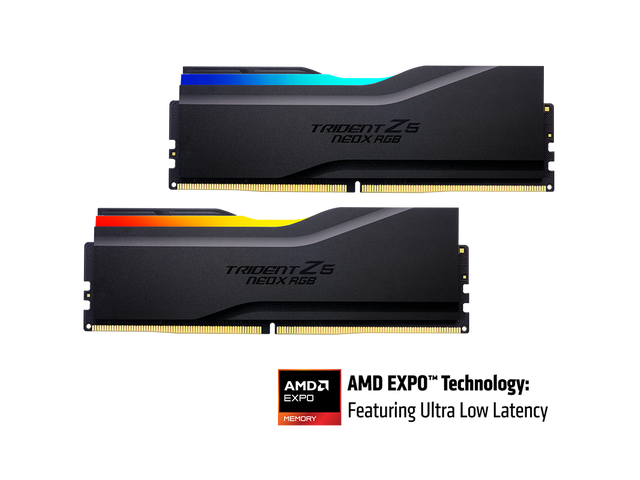
“ The G.Skill Trident Z5 Neo series is excellent and, honestly, one of the only AM5 kits Ive personally tested thats been consistently stable. ”

G.SKILL Trident Z5 Neo RGB Series AMD EXPO 32GB (2 x 16GB) 288-Pin PC RAM DDR5 6000 (PC5 48000) Desktop Memory Model F5-6000J3038F16GX2-TZ5NR
Michael W.
1/22/2026 2:16:08 PM
RAMaGOTTEM

“ That's why I only trust Corsair-brand RAM to keep my computer's memory sharp and stable. ”

CORSAIR Vengeance RGB 32GB (2 x 16GB) 288-Pin PC RAM DDR5 6000 (PC5 48000) Desktop Memory Model CMH32GX5M2E6000C36W
Steven W.
12/17/2025 9:41:18 AM
Originally paid $240 and it's currently $755

“ If you need problem free installation you should seriously consider this Corsair DDR5 memory kit. ”

CORSAIR Vengeance 64GB (2 x 32GB) 288-Pin PC RAM DDR5 5200 (PC5 41600) Desktop Memory Model CMK64GX5M2B5200C40