
Your Browsing History


Robert D.
Joined on 03/31/06
0
0
100%
100%


product reviews
- 114
Custom Firmware and Solid Performance
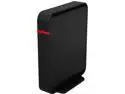
BUFFALO WHR-300HP2D AirStation N300 Open Source DD-WRT Wireless Router IEEE 802.11b/g/n
Pros: The main thing you’ll be getting with this router as compared to some other brands (like Linksys) is that it has an open-source firmware installed. What this means is that the firmware is not specific to any brand of router and works in a wide-variety of hardware. You can learn more about the firmware on this (DD-WRT) at dd-wrt.com. The amount of customization available on this router is astounding, thanks to the DD-WRT firmware. If you know what you’re looking for, you can customize almost any aspect of this router. Additionally, if you just want to plug it in and get going without messing with any of the settings, it comes preconfigured with a wireless password already set up. This router is comparable to other routers of the same level or higher. Comparing this to my main router, a Linksys EA4500-NP, I cannot tell a difference in the quality or performance of my wireless network. Considering the Linksys is considerably more expensive, this is a major win for the AirStation. The range is pretty good. I can walk outside and get a decent wireless signal in my backyard. Again, comparable to the EA4500-NP. I’ve used this router for the past month without any major issues. I haven’t had to reboot it except when changing the settings. I like the way this router looks. It stands vertically and is very small form factor. If you’re tight on space, don’t worry about getting this router.
Cons: None at the moment.
Overall Review: This AirStation performs at the same level as similar routers. It doesn’t really outperform other routers, but the amount of customization available is really cool. This is a neat little router for home use and it is very competitive. My wired & wireless Internet speeds using this router: ~52Mbps download; ~3.25Mbps upload (from speedtest.net). These are the same speeds as using my Linksys EA4500-NP, and is what I get from my ISP.
6/23/2014See more detail
Great Sound, Comfortable Headset with Mic Issues

SteelSeries Siberia RAW USB Connector Circumaural Prism Headset
Pros: Very lightweight and comfortable. Most of the headsets I’ve used or owned have been stiff, heavy, and hurt my ears after an hour or so. These are extremely comfortable; I really like the earcup padding and they are some of the best feeling headphones I’ve used. These provide a very clear sound with the right about of treble and bass. Personally, I think they sound just as good for music as they do for games. Games, music, and movies sounded very good with these. The steelseries Engine program is very simple and easy to use. I was able to easily customize the equalization to my liking, and they also have a few pre-built equalization options. The illumination is a nice touch (obviously not very useful, but it looks cool). You can use the steelseries Engine to customize the colors and have it cycle among the different colors. Looks very nice against the rest of the pure-white headset!
Cons: Short cable. The USB cable for this headset is only 5ft long, so it is only useful if you plan to sit right next to your computer. If you’re thinking about getting these, but you don’t sit right next to your computer, expect to buy a USB extender (or just look for a wireless set or one with a longer cord). The microphone sounds alright, but it picks up ambient noise and a lot of sound from the headset itself. I can live with it picking up ambient noise, but not its own sound. If I’m playing a game or listening to music, I can hear that just as well as I can hear myself through the mic. This would seriously bug other people in online games. I understand they wanted to tuck the mic away neatly to keep a nice form factor, but it hurts more than it helps. Easily the worst part of the headset. Turning on the mic auto optimization through Engine doesn’t help this, either. The box states that these are compatible with the PS4, which is true. However, as the headphones have no volume control, you have to control the volume from the PS4 device settings. Normally, this is not a problem, but the MAX volume setting was still surprisingly quiet. Compared to using them with my computer, the max volume setting on the PS4 was only around 25-30% as loud as they can get on my PC. Playing games on the PS4, I have a hard time hearing dialogue or other quiet sound effects. I have another headset that I use with my PS4, and it gets much louder using just the PS4 volume control. Blame Sony or steelseries, but I would NOT suggest to use these with the PS4. They get plenty loud on my PC, though. Again, don’t buy these for your PS4 unless if you sit right next to it. Most people have their consoles hooked up to a TV and sit much farther away, so these simply won’t be useful for most PS4 users.
Overall Review: These are compatible with PS4, as the box states. I would NOT recommend them for the PS4 however, because the max volume is surprisingly quiet and the cable is much too short for most PS4 users. I feel like they listed PS4 compatibility on the box because it’s technically compatible, not because it’s actually a good headset for the PS4. The short cord is either good or bad, depending on your situation. Close to the computer at all times? Great! Farther away from it? Bad! There is no way to customize settings on the headset (equalization, illumination colors, mic auto optimization) through the headset itself. You need steelseries Engine to change these settings. Not much of an issue, but please be aware of this. The sound, form-factor, and comfort are definitely worthy of a 5 Egg review. However, it loses 1 Egg on poor mic performance and another Egg on poor performance with PS4. Overall, these are a good budget set if you don’t care about a ton of extra features or a good mic. These are not for you if you need a longer cable or plan to use the mic heavily.
1/7/2015See more detail
RGB Fun with LED! if it worked

MagicLight Smart Light Bulb (60w Equivalent), A19 7W Multicolor 2700k-6500k Dimmable WiFi LED Bulb, Compatible with Alexa Google Home Siri IFTTT
Pros: Its a lightbulb! It emits light! No more reading by candlelight! Signing up for an account is not necessary to configure the bulb. I understand that apps are needed to configure and control devices like this, but I greatly appreciate when making an account is optional.
Cons: I could not get the device to connect to my WiFi network despite multiple attempts and following the instructions exactly. Therefore, I was unable to test color changes or integration with Alexa/Google Home/etc. At least I could imagine all the colors it can make! As others have said, the app obviously uses machine translation and asks for more permissions than necessary.
Overall Review: I understand that this is a low-cost device compared to others in the RGB LED category. However, seemingly poor quality control, poor application designed, and limited controls really make me wonder if this is even worth it at the low cost. To compare, I have a Philips Hue system with >5 LED bulbs around the house. The Hue app and bulbs, by comparison, are much easier to work with and control. Hue devices are considerably more expensive, so it might not be a fair comparison, but IMO its worth it.
7/31/2025See more detail
Value & Performance Without the Frills + Overclocking Potential
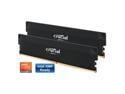
Crucial Pro Overclocking 32GB (2 x 16GB) DDR5 6400 (PC5 51200) Desktop Memory Model CP2K16G64C38U5B
Pros: Worked immediately after installing with the default XMP profile. I have not encountered any issues with these in multiple weeks of daily use. This is listed as overclocking, so I wanted to see how far I could push this in a short amount of time. I have an MSI motherboard (MPG Z790 Edge) and used the auto-OC functionality in the BIOS. I could safely get these to 6800 MT/s 40-50-50-90 @ 1.35V with complete stability. Anything more than that and the system failed to boot. Im not an expert on overclocking, and so I didnt do further testing with over-volting, testing numerous timings, etc. However, I still think that a +400 MT/s overclock is nice! If youre looking for a low-profile, no frills build, these are great. No chunky, distracting RGB lights make for a sleek, clean look.
Cons: Literally none! These are exactly what youd expect.
Overall Review: I tested this with an Intel i9 14900K on an MSI board on the Z790 chipset. Please be aware that you will likely not be able to run this at the advertised speeds on older chipsets I could only achieve 4000/4800 MT/s on a 12th-Gen Intel build with a Z690 chipset and needed to move to 14th-Gen to achieve higher speeds. Overclocking can be dangerous and potentially harm your components. Over-volting RAM modules can make them run hotter and potentially lower their lifespan. Running above the rated speeds or voltage voids the warranty, too. Practice caution!
1/7/2025See more detail
Value & Performance Without the Frills + Overclocking Potential
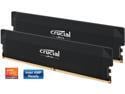
Crucial Pro Overclocking 32GB (2 x 16GB) DDR5 6000 (PC5 48000) Desktop Memory Model CP2K16G60C36U5B
Pros: Worked immediately after installing with the default XMP profile. Lit up at 6000 MT/s with the advertised timings. No issues with stability, boot times, etc. Really great! This is listed as Overclocking, so I wanted to see how far I could push this in a short amount of time. I have an MSI motherboard (MPG Z790 Edge) and used the auto-timing functionality in the BIOS. Starting at the default speed, I increased it by 200 MT/s until it not longer played nice. I was able to get these up to 6800 MT/s before running into issues. Running these at 6800 MT/s is absolutely no problem; Im seeing complete stability in my system after a few weeks of testing. Im not sure if these could be pushed higher, as Im not sure if the limit is my mobo, but the adventurous overclocker may be able to go for more! If youre looking for a low-profile, no frills build, these are great. No chunky, distracting RGB lights make for a sleek, clean look.
Cons: Literally none! These are exactly what youd expect.
Overall Review: I tested this with an Intel i9 14900K on an MSI board on the Z790 chipset. Please be aware that you will likely not be able to run this at the advertised speeds on older chipsets I could only achieve 4000/4800 MT/s on a 12th-Gen Intel build with a Z690 chipset and needed to move to 14th-Gen to achieve higher speeds. Overclocking can be dangerous and potentially harm your components. Over-volting RAM modules can make them run hotter and potentially lower their lifespan. Running above the rated speeds or voltage voids the warranty, too. Practice caution!
7/14/2024See more detail
Powerful, ultra-portable storage
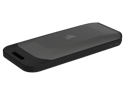
Corsair EX100U 1TB USB 3.2 Gen 2x2 Portable SSD External SSD up to 1,600MB/sec CSSD-EX100U1TB
Pros: Easily reaches 1GB/s read speed and nearly the same for write. Your results may vary based on type of test, port speed, or other factors the test results I had were in-line with my expectations. This drive is just slightly larger physically than most thumb drives but offers tons of storage in a compact frame. I can easily transfer files and data to the drive and throw it in my backpack when Im on the go. I love the chassis and portability. It seems very durable and well-constructed. I wouldnt throw it off my roof or run it over with a car to test this or anything, but I wouldnt worry about throwing it in a backpack or laptop case and bringing it with you. I used this to back up a few smaller drives from my computer. I can see myself using this at home or at work when I need to transfer data between systems or backup data.
Cons: The hinge is not flimsy, but I do feel it will be the first thing to break off if the drive is handled rough. On the other hand, it does protect the USB-C port, which is a positive thing.
Overall Review: I really like this drive! Its read and write speeds (in my testing) are in-line with my expectations and within a normal variance of the advertised speeds. It looks and feels durable, and I am not concerned about tossing it in my backpack and bringing it with me. I can definitely see myself using this for both home and work when I need to back up data, transfer data, or use it as a boot drive when reimaging devices. These are so great compared to the large external HDDs of yore! This thing easily replaces my other external drives, which are slower, bulkier, and harder to carry around.
3/18/2023See more detail