
Your Browsing History


Alexander L.
Joined on 11/15/09
0
0

product reviews
- 3
Looks great
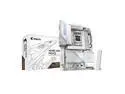
GIGABYTE X870E AORUS PRO ICE AM5 LGA 1718, ATX, DDR5, 4x M.2, PCIe 5.0, USB4, Wi-Fi 7, 2.5GbE LAN, EZ-Latch, 5-Year Warranty
Pros: A stunningly beautiful motherboard. 3 x PSIe slots, 4 x M.2
Cons: The first one had to be returned, the second one worked without any problems.
Overall Review: I first got version 1.1. Since I have a liquid-cooled system, the installation took a long time. Finally, I installed all the components, turned on the computer, and everything seemed to be working. But it didn't last longafter rebooting, the computer froze on a black screen with spinning balls. I struggled with this for two days, trying to boot from other media, including a Windows installation flash drive, but with the same result. I had to drain the water, disassemble everything, and send the motherboard in for a replacement. The second board was version 1.0 and works without any issues. The only thing I had to do was update the Wi-Fi driver. I don't know if the issue with the first board was related to the new version or if I was just unlucky, but the second one works fine.
12/3/2025See more detail
Black box with Windows
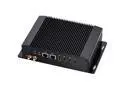
Partaker Fanless Mini PC, Fanless Industrial Computer, IPC, Intel Alder Lake-N N100 Processor, Windows 11 Pro or Linux Ubuntu, I1, 2 x LAN, DP, 2 x HDMI, 4 x USB, 2 x COM, 8GB DDR4 256GB SSD
Pros: Pros: The computer is well packaged and works right out of the box. It comes with Windows pre-installed.
Cons: Cons: There are no installation instructions at all, and there is not even a link to the manufacturer's website where you can get at least some information about the device. All you get is a warranty card that does not even indicate the name of the manufacturer who is supposed to provide this warranty. It is a completely black box.
Overall Review: We bought two of these Partaker Fanless Mini PCs to replace our old devices that ran FreeBSD. Usually, it is not difficult to install any OS on such a computer - it is enough to set the BIOS to boot from a USB drive, but not in this case. The BIOS simply does not have such an option. We have dealt with a dozen different Mini-PCs, but this one is unique. We tried everything - a USB flash drive, an external CD reader, a SSD drive connected to SATA, and even disabled the built-in SSD - nothing helps. In the end, we returned the computers and only after that the manufacturer sent a video where the developer silently presses the F11 key during boot and gets access to the boot device selection menu. We were unable to try this because the devices had already been returned. Summary: the developer believes that it is not necessary to inform the user about the features of their device. If you do not need anything except Windows, then this device is for you. But if you are going to use it for industrial purposes, look for a manufacturer who is more responsible for their products. As I already said, there is absolutely no documentation.
7/25/2025See more detail
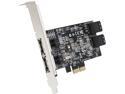
SIIG SC-SA0R11-S1 PCI-Express 2.0 x2 Low Profile Ready SATA III (6.0Gb/s) 4-Port Hybrid RAID Controller Card
Pros: 4 ports SATA 6gbs. Worked excellent on Windows 7.
Cons: Windows 10 does not see this card. I mean absolutely. I run Device Manager - there is no trace of this device. I tried to manually install the driver but the installation disc does not have setup.exe or something like that.
Overall Review: Without the driver for Windows 10 it is waste of money.
9/18/2015See more detail