You’re seeing this ad based on the product’s relevance to your search query. If you are a seller and want to participate in this program click here to learn more.
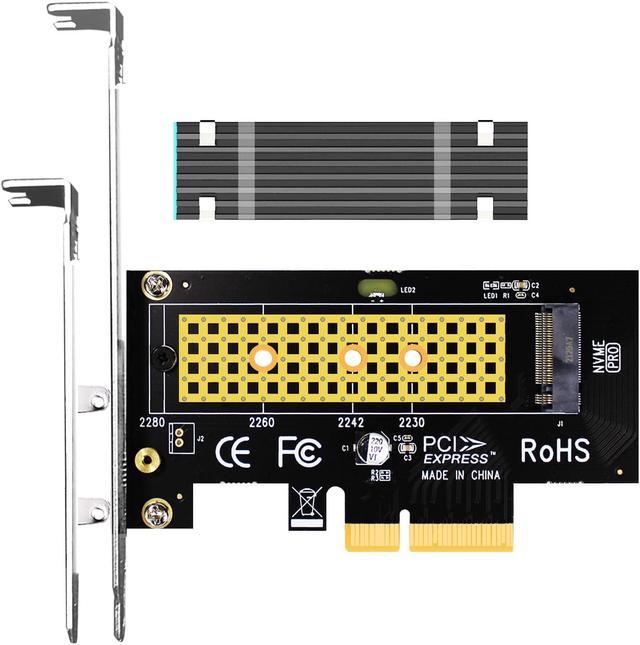
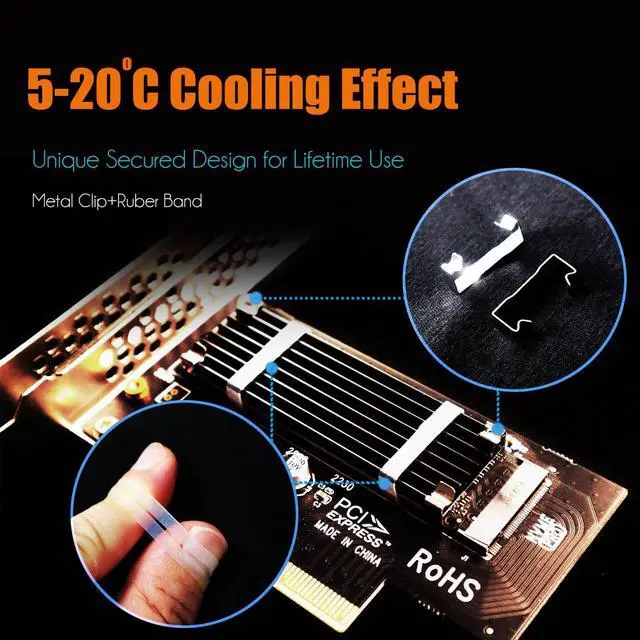
Converting one PCIe X4/X8/X16 slot on the motherboard to the M.2 Key M slot allows you to install M.2 NVMe SSD into this Key M slot. Comes with M.2 heatsink kit for cooling up to 5°C-20°C.
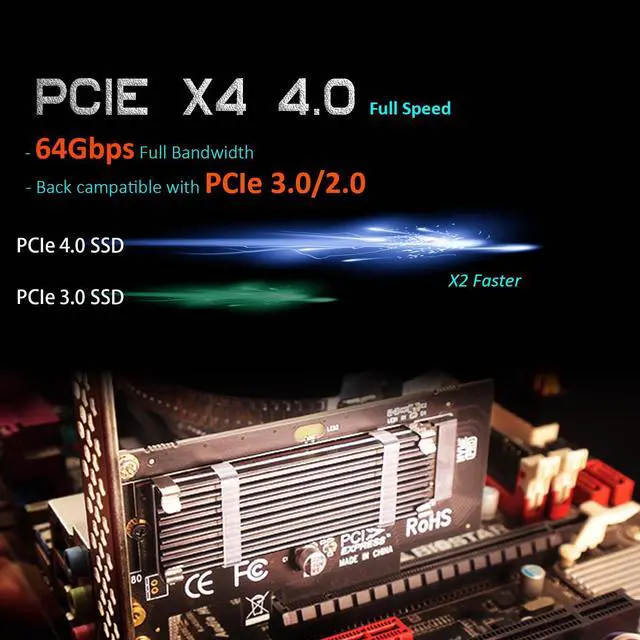
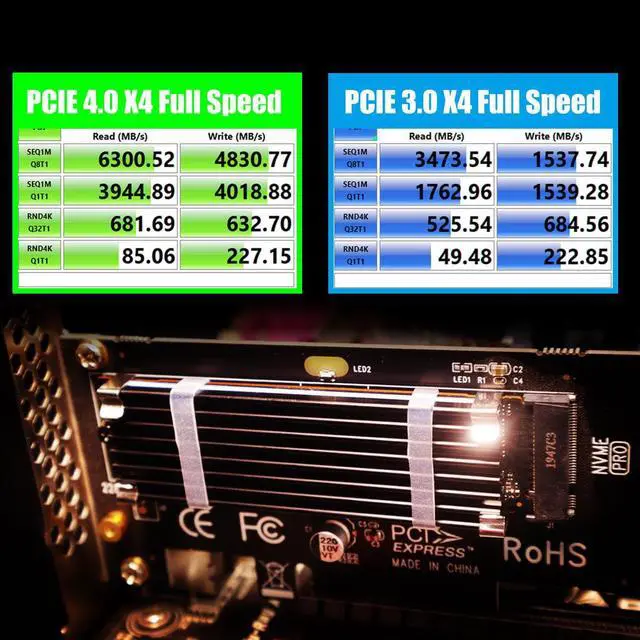
FCC and CE certified, Highly Reliable and Stable PCIe X4 Full Speed: The M.2 NVMe SSD speed is unaffected, just as if it was installed on the motherboard
No limit to the capacity of the M.2 NVMe SSD: Support 2T/4T
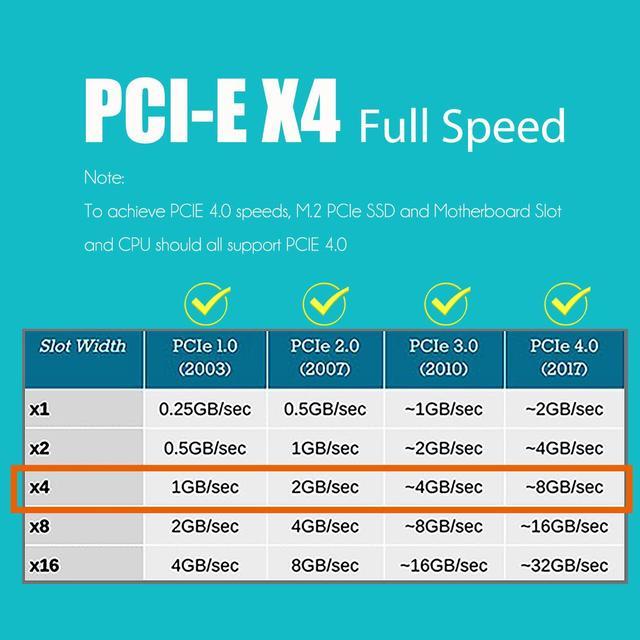
To reach PCIe 4.0 X4 (64Gbps) full speed, the CPU and motherboard PCIe slot and PCIe M.2 SSD should all be PCIe 4.0 features (Note: PCIe 4.0 is not supported on Intel CPUs below 11th generation)
Support OS Booting: Reinstall the OS, and set up BIOS/UEFI boot from this M.2 NVMe SSD (Note: Some motherboards are too old to support OS booting. In this case, M.2 NVMe SSDs can be used as storage disks)
Plug-and-play in Windows 11/10/8/Linux/Mac OS (Note: Not support Windows 7). The new M.2 NVMe SSD needs to be initialized and formatted before it can be recognized by the computer host.
Sponsored
You’re seeing this ad based on the product’s relevance to your search query. If you are a seller and want to participate in this program click here to learn more.
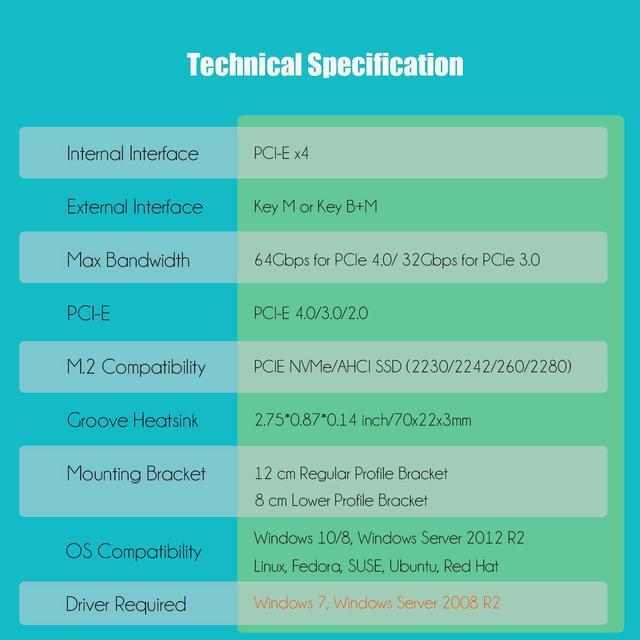
Technical Specifications: 1) Supports M.2 PCIE (NVME/AHCI) SSD (Key-M) 2) PCIE 4.0 X4 full speed support, backward compatible with PCIe 3.0/2.0 3) PCIE X4/X8/X16 lane installation 4) 2280/2260/2242/2230 form factor 5) FCC certification. 6) No driver required for Windows 10/8?Windows Server 2012 R2?Linux?Fedora?SUSE?Ubuntu?Red Hat 7) Supports industrial operating temperature range: -40 - 85 oC. 8) M.2 PCIe SSD power from PCIe bus slot 3.3V.
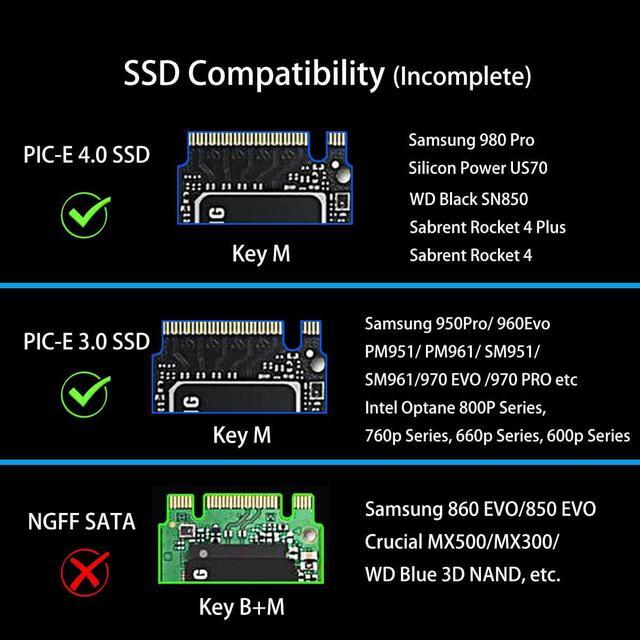
Compatibility with all kinds of M. 2 PCIe NVMe/AHCI SSD (Incomplete List) Compatible with Samsung 980 Pro/970 EVO/950Pro/960EVO/XP941/PM951/PM961/SM951/SM961, Seagate Firecuda 520 series, Intel Optane SSD 800P Series, Intel SSD 760p Series, Intel SSD 660p Series, Intel SSD 600p Series, Plextor M6e Series, Sabrent Rocket NVMe 4.0, WD_BLACK SN850, Kingston HyperX Predator M.2 SSD, and so on.
Full Covering 2280 Aluminum Heatsink for M.2 PCIe SSD: 1) GLOTRENDS passive heat dissipation solution full covering 2280 NVMe SSD (Aluminum Heatsink and Thermal Silica Pad) with 5°C- 15°C Cooling Effect (Varies depending on the environment). Economical and practical cooling methods keep NVMe SSD at 50c level even long time loads, No more worry about sudden throttle. 2) Aluminum body, Anodic Oxidation Surface Treatment 3)Groove Design: Greatly Increase the Heat Dissipation Area, with 5°C- 20°C Cooling Effect (Varies depending on the environment). 4) Item Size: 0.87 x 2.76 x 0.12 in. (22 x 70 x 3mm) Net Weight: 0.28 oz / 8g. 5)Heat-conducting Silica Gel Pad (Thickness: 1mm). 6) 2 optional fixing ways: Stainless Mental Clamps (Durable and no deformation even long term condition) and high-temperature Rubber Bands (height adjustable for different height M. 2 SSD, but maybe aging if used for a long time, even break) 7) Low Viscosity, Easy to Remove
To be noted: 1) Please remove the transparent protective films of Silica Gel Pad before using otherwise it will reduce the heat conduction effect; 2) Silica Gel Pad is Low Viscosity, will not cause damage to SSD.
Compatibility and Technical Support 1) GLOTRENDS M.2 PCIe adapter card is applied to all kinds of M.2 NVMe/AHCI SSD, and transparent to the operating system and no driver required. 2) No driver required for Windows 10/8?Windows Server 2012 R2?Linux?Fedora?SUSE?Ubuntu?Red Hat. 3) Go to NVMe SSD manufacture website for driver installation if your PC can not recognize M.2 NVMe SSD. 4) Attention should be paid to win7 and Windows Server 2008 R2, which need additional driver installation for NVMe SSD. 5) OS booting from NVMe SSD is a little complicated, Win10 recommends.
Prerequisites include: 1) OS support NVMe (Native or additional driver); 2) 64-bit OS for UEFI support. Consult motherboard manufac