





Parameters & Contents:
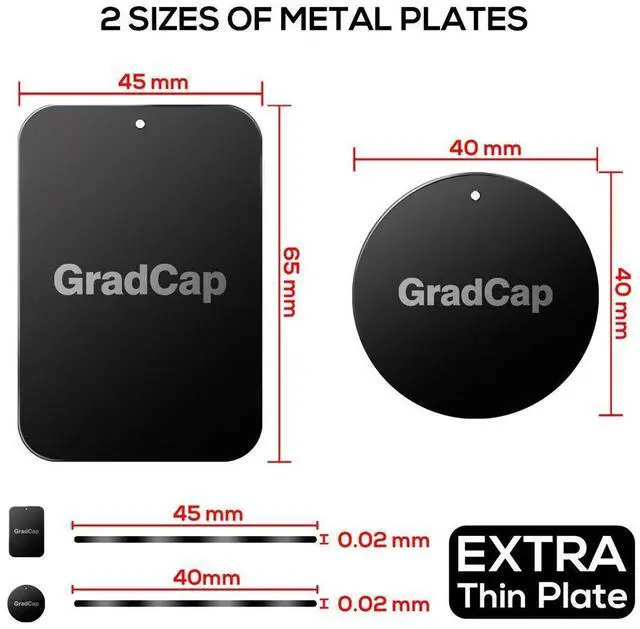
- Material: Metal
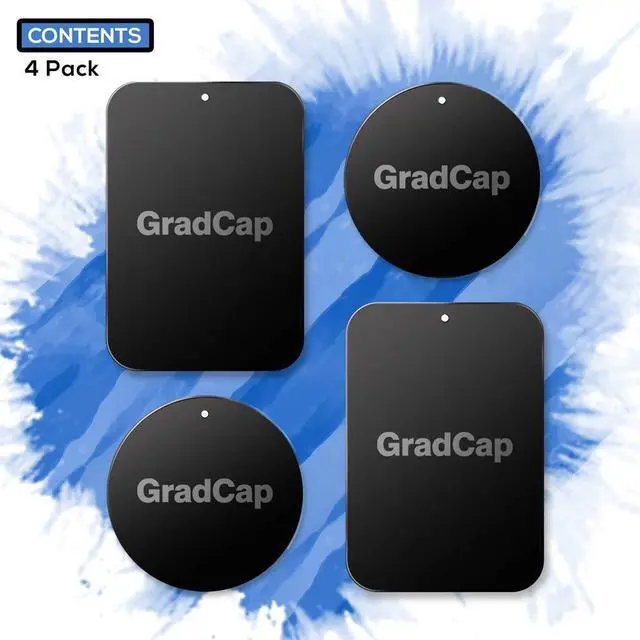
- Black Metal Plate with Strong Adhesive Sticker (Rectangle): 1.75" x 2.5" (6.5 mm x 4.5 mm) x 2 pcs
- Black Metal Plate with Strong Adhesive Sticker (Round): 1.5" x 1.5" (4.0 mm x 4.0 mm) x 2 pcs
Ease of Installation | Ease of Use:
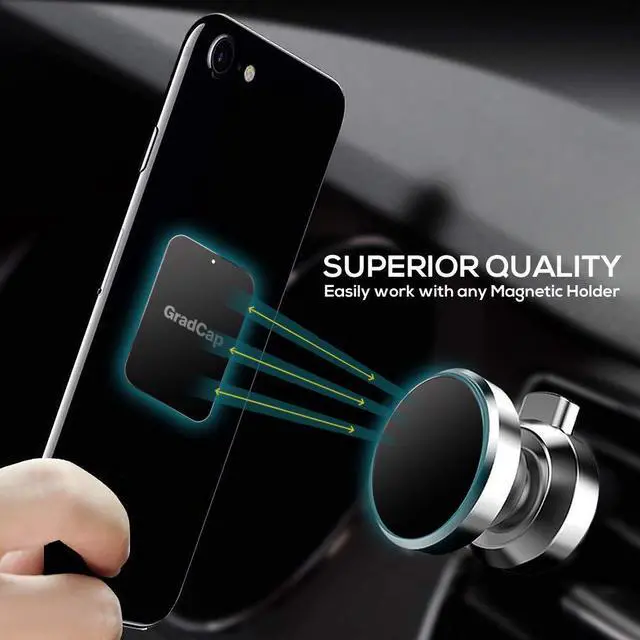
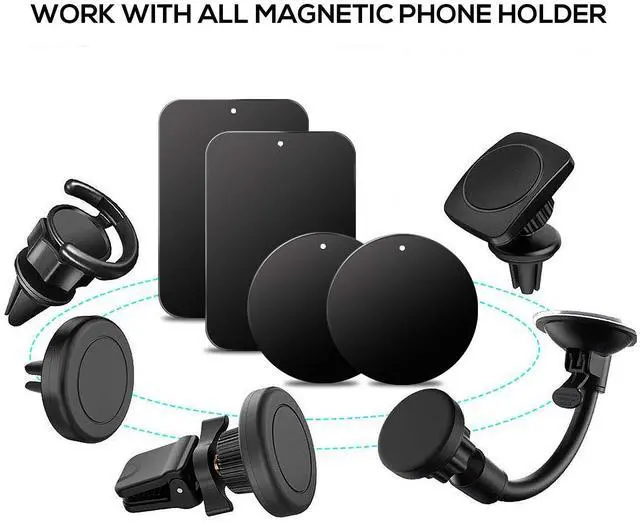
- GradCap Metal Plate for Magnetic Car Mounts allows you having a quick and easy installation without any hassle.
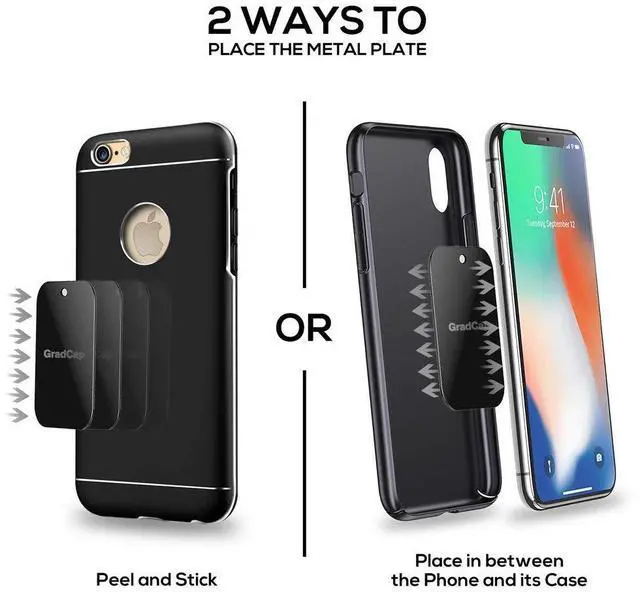
- To install the Metal Plate in between phone and phone case: Please stick the Metal Plate inside Phone Case.
- To install the Metal Plate on the back of phone case: Please MAKE SURE the surface of the phone case is NOT RUBBERISED material. The Metal Plate can only stick well on FLAT clean surface.
- To install the Metal Plate directly onto the back of phone.
Remarks:
- These Car Metal Plates themselves ARE NOT MAGNETS - JUST METALS.
- Adhesiveness may be varied due to the material or the surface of your Phone Case / Phone. For Phone case with more than 1mm thickness, we DO NOT recommend you to place the Metal Plate inside of Phone Case
- For the future need of wireless charging, please only attach the metal plate onto the phone case. Please remove the phone case when the phone is needed to be charged.
3 Ways of Mounting

Mounting Option - 1
- Sticks the Metal Plate inside Phone Case

Mounting Option - 2
- Sticks the Metal Plate outside Phone Case

Mounting Option - 3
- Sticks the Metal Plate directly onto the back of Phone
How to install the provided “Rounded or Rectangle” Metal Plate?

Step: 1
Wipe off all dirts and dusts from the back of phone case / phone.

Step: 2
Remove the Protective Film from the Metal Plate.

Step: 3
Stick the Metal Plate onto the back of phone case / phone. Press for 30 to 60 secs.

Step: 4
Leave it on for 1 hr before usage. Installation Complete.

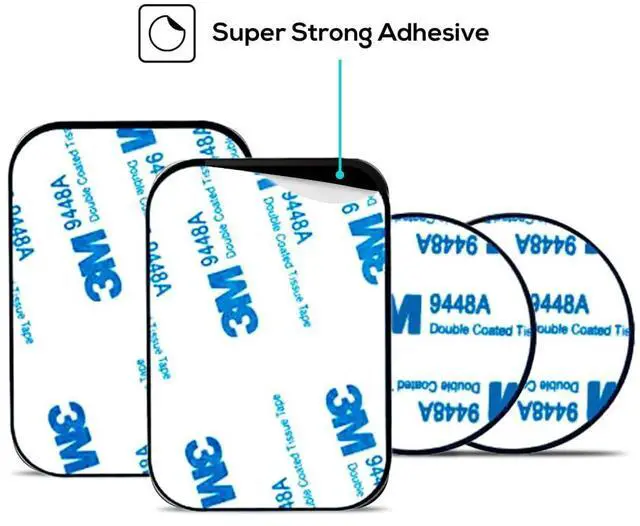
Strong Adhesion (3M Double-Sided Sticker)
- Each piece of our spare Metal Plate comes with Strong 3M Double Coated Tissue Tape.
- GradCap Metal Disc will leave no marks or residuals after removing out from your device
- Strong adhesive Metallic sheet plate ensures strong adhesive while keeping your device secure and stable while driving on any road conditions.
[Easy Application | 1 to 2 min Installation | No Hassle]

 GradCap Replacement Metal Plate for Magnetic Phone Holder |  GradCap Phone Ring Holder Grip, Mobile Phone Ring Holder Finger |  GradCap Magnetic Phone Car Mount - Upgraded In Car Phone Holder Magnetic Hook |  GradCap Magnetic Wireless Car Charger Mount for MagSafe - 15W Fast Charging | |
|---|---|---|---|---|
| Customer Reviews | — | — | — | — |
| Price | — | — no data | — no data | — no data |
| Usage | Back on the phone / case | Back on the phone / case | Air Vent | Air Vent |
| Material | Metal (Not Magnet) | Metal (Not Magnet) | Magnet (N52) x 4 | Magnet (N52) x 20 |
| Compatibility | All Smartphones | All Smartphones | All Smartphones | Smartphones Compatible for MagSafe |
Parameters & Contents:
- Material: Metal
- Black Metal Plate with Strong Adhesive Sticker (Rectangle): 1.75" x 2.5" (6.5 mm x 4.5 mm) x 2 pcs
- Black Metal Plate with Strong Adhesive Sticker (Round): 1.5" x 1.5" (4.0 mm x 4.0 mm) x 2 pcs
Ease of Installation | Ease of Use:
- GradCap Metal Plate for Magnetic Car Mounts allows you having a quick and easy installation without any hassle.
- To install the Metal Plate in between phone and phone case: Please stick the Metal Plate inside Phone Case.
- To install the Metal Plate on the back of phone case: Please MAKE SURE the surface of the phone case is NOT RUBBERISED material. The Metal Plate can only stick well on FLAT clean surface.
- To install the Metal Plate directly onto the back of phone.
Remarks:
- These Car Metal Plates themselves ARE NOT MAGNETS - JUST METALS.
- Adhesiveness may be varied due to the material or the surface of your Phone Case / Phone. For Phone case with more than 1mm thickness, we DO NOT recommend you to place the Metal Plate inside of Phone Case
- For the future need of wireless charging, please only attach the metal plate onto the phone case. Please remove the phone case when the phone is needed to be charged.
3 Ways of Mounting
Mounting Option - 1
- Sticks the Metal Plate inside Phone Case
Mounting Option - 2
- Sticks the Metal Plate outside Phone Case
Mounting Option - 3
- Sticks the Metal Plate directly onto the back of Phone
How to install the provided “Rounded or Rectangle” Metal Plate?
Step: 1
Wipe off all dirts and dusts from the back of phone case / phone.
Step: 2
Remove the Protective Film from the Metal Plate.
Step: 3
Stick the Metal Plate onto the back of phone case / phone. Press for 30 to 60 secs.
Step: 4
Leave it on for 1 hr before usage. Installation Complete.
Strong Adhesion (3M Double-Sided Sticker)
- Each piece of our spare Metal Plate comes with Strong 3M Double Coated Tissue Tape.
- GradCap Metal Disc will leave no marks or residuals after removing out from your device
- Strong adhesive Metallic sheet plate ensures strong adhesive while keeping your device secure and stable while driving on any road conditions.
[Easy Application | 1 to 2 min Installation | No Hassle]
GradCap Replacement Metal Plate for Magnetic Phone Holder | GradCap Phone Ring Holder Grip, Mobile Phone Ring Holder Finger | GradCap Magnetic Phone Car Mount - Upgraded In Car Phone Holder Magnetic Hook | GradCap Magnetic Wireless Car Charger Mount for MagSafe - 15W Fast Charging | |
|---|---|---|---|---|
| Customer Reviews | — | — | — | — |
| Price | — | — no data | — no data | — no data |
| Usage | Back on the phone / case | Back on the phone / case | Air Vent | Air Vent |
| Material | Metal (Not Magnet) | Metal (Not Magnet) | Magnet (N52) x 4 | Magnet (N52) x 20 |
| Compatibility | All Smartphones | All Smartphones | All Smartphones | Smartphones Compatible for MagSafe |