Make informed decisions with expert advice. Learn More
| Brand | Corsair |
|---|---|
| Series | Carbide Series |
| Model | 400R |
| Type | ATX Mid Tower |
|---|---|
| Color | Graphite Grey and Black |
| Case Material | Steel / Plastic |
| With Power Supply | No |
| Power Supply | ATX (not included) |
| Power Supply Mounted | Bottom |
| Motherboard Compatibility | Micro ATX / ATX / Mini ITX / E-ATX |
| Side Panel Window | No |
| Dust Filters | Yes |
| External 5.25" Drive Bays | 4 |
|---|---|
| External 3.5" Drive Bays | No |
| Internal 3.5" Drive Bays | 6 x 3.5"/2.5" |
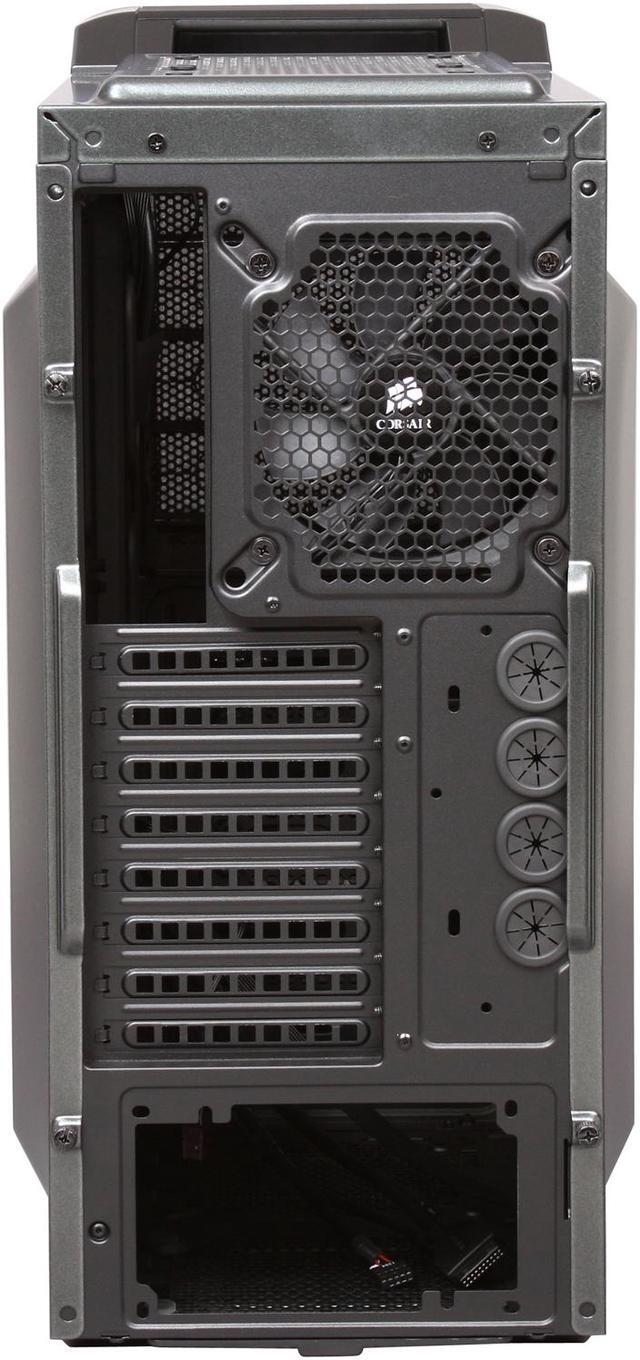
| Expansion Slots | 8 |
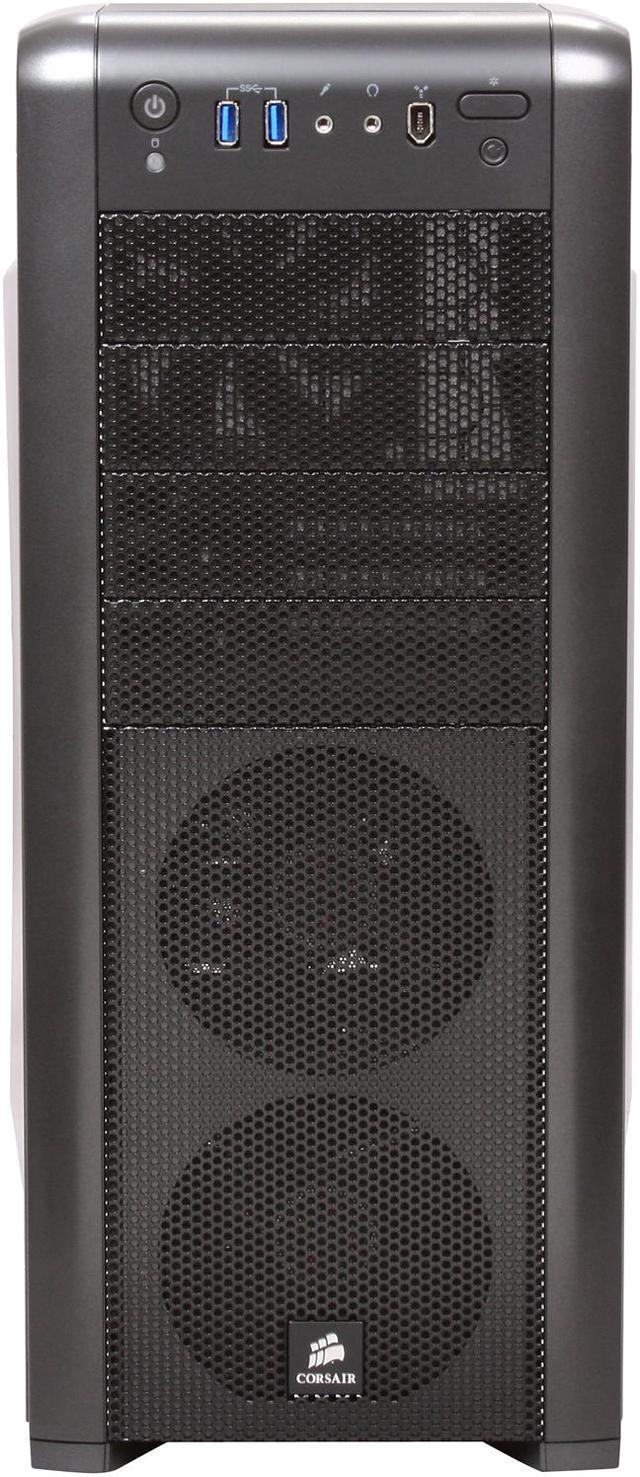
| Front Ports | 2 x USB 3.0 / Audio / 1 x IEEE 1394 |
|---|
| 120mm Fans | Front: 2 x 120mm (2 x 120mm Fans w/White LEDs Included) Top: 2 x 120/140mm Rear: 1 x 120/140mm (1 x 120mm Fan Included) Bottom: 1 x 120/140mm Side: 2 x 120/140mm Mid: 2 x 120mm |
|---|
| Max GPU Length | 318mm |
|---|---|
| Dimensions (H x W x D) | 19.80" x 8.10" x 20.50" |
| Weight | 15.60 lbs. |
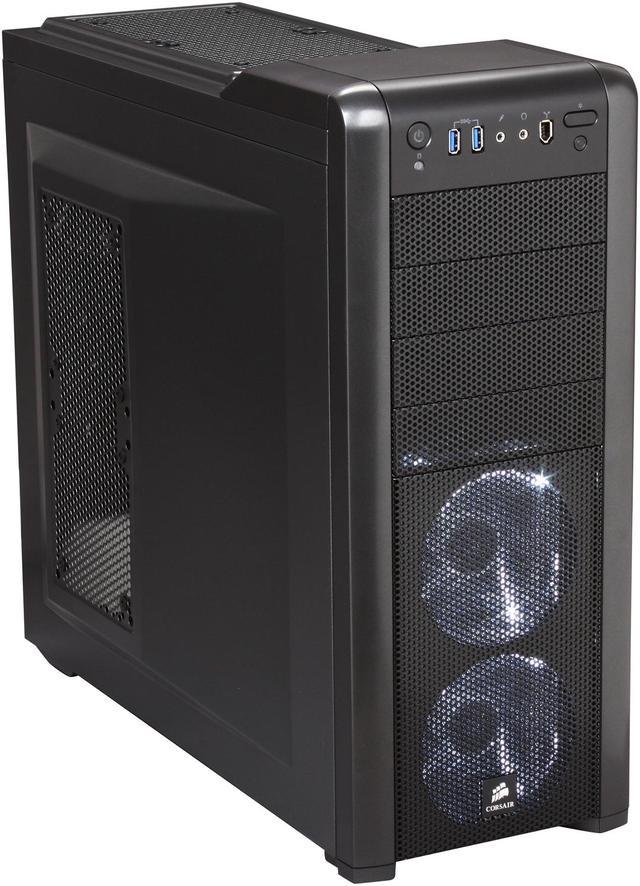
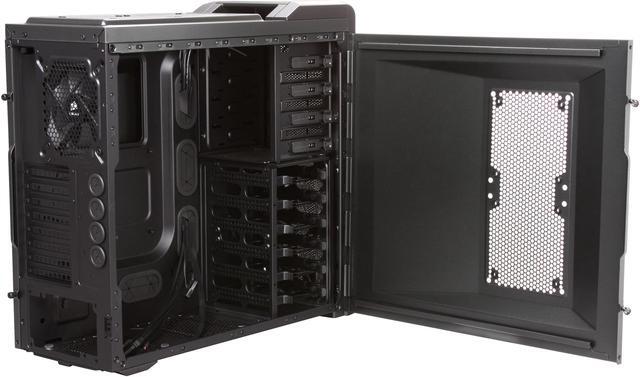
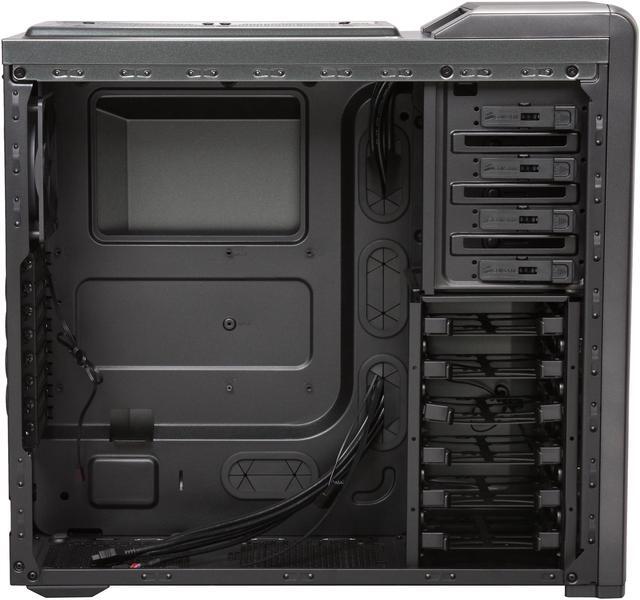
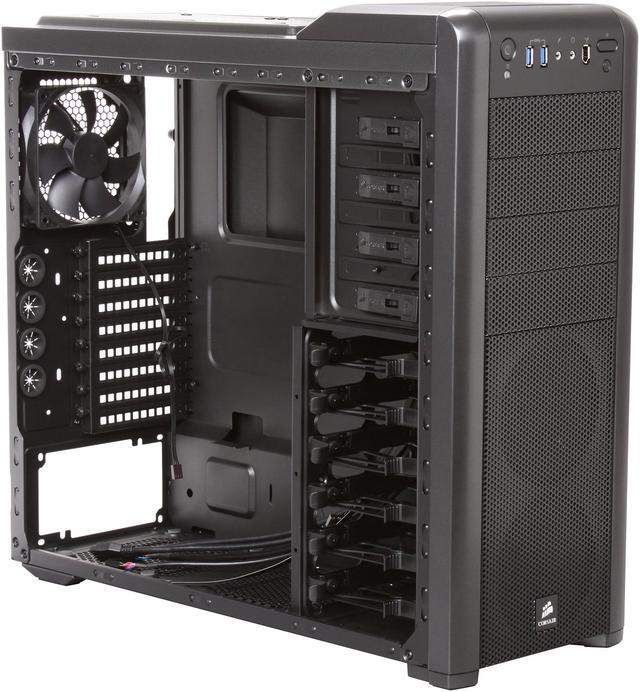
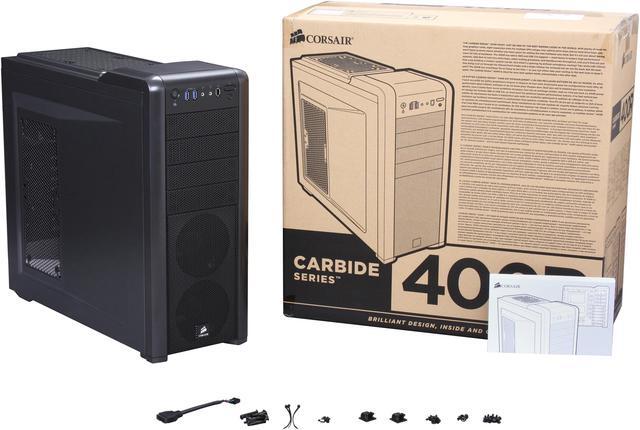
| Features | USB 3.0 front panel connectors. Built-in compatibility for SSDs in the six hard drive bays gives you the flexibility you need. Keep your system cool with up to 10 fan mount locations (four 120mm, six 120mm/140mm) Up to 316mm of length for modern GPUs. Easily accessible dust filters keep the cool air flowing over your valuable components Captive thumbscrews make it easy to remove your side panels without losing the screws Install or upgrade your CPU heatsink quickly with the easy-access backplate cutout Optimize airflow and keep your system neat and tidy using the intelligent cable management system Front panel includes USB 3.0, Headphone, Mic, and an LED on/off switch |
|---|
| Date First Available | August 29, 2011 |
|---|
Pros: - Can fit a Corsair H100 water cooling setup - 120 and 140mm fan mounts - Fantastic cable management - Hole in the top left corner to route 4/8pin CPU power cable behind motherboard - Motherboard tray is actually inset to stand flush - 8 slots available, makes quad X-Fire or SLI possible - PSU support tab doubles as an extra hole to run cables - Top handle is very sturdy and a nice bonus - All the buttons are on the front, power button is a 'button', not a switch - USB 3.0 ports built in, and uses a 3.0 header connector - Great finish inside and out - Molex connectors can fit through grommet holes in the back - Screwless mechanism for 5 1/4 bays is fantastic, drives fit snug - Appearance is nice and clean, can even turn off the front fan lights - Removable and washable fan filter on the bottom - All fan mounts are rubber grommeted - Comes with stick-on cable hooks, very handy - Strangely lightweight - (+2) to int
Cons: -Could use two vertical grommet holes by the PSU instead of one horizontal one -The fan mounts on the top of the case needs to be raised 1/4 of an inch. While a Corsair H100 water cooler will fit, the fans will hit the motherboard if it has any large mosfet cooling at the top. Ex- it won't work with an ASRock P67 Extreme4. A workaround is to use slim fans, or mount the fans on top of the case, and use some grills. -The side panel thumbscrews are a little janky -1394 port on the front should have been e-sata instead -The wire setup for the two front fans is kind of silly As you can see, no real issues with the case, just a few nitpicks.
Overall Review: My last case was a Coolermaster CM690. Upon my system upgrade, I chose the 400R over the CM690 II as it offered a better design, and a little more wiggle room. Not to mention H100 support. The 400R is in my opinion the best case you can buy for under $100. I feel like I should be paying more for this case. It's a case for the guy who wants all the important features, without the price and silly looks of full blown gaming cases. It's simple, and awesome at the same time. Simply awesome.
Pros: -Can fit 12" Graphics cards, was able to accompany my 7950 easily -ATX motherboard standoffs are already installed -Drive bays allow you to install drives without having to screw them in -Plenty of fan locations -Dust filter for PSU intake -Grommets are in convenient locations for excellent cable management Overall easy to work with case.
Cons: One of the rubber feet came off, but I think that was from sliding it around on my table during the build. Superglue fixes that.
Overall Review: Was disheartened that they charged me $10 shipping for this even though I have ShopRunner, so it was $110 for me and then I saw it on "A certain rainforest-like online shopping website" for $90 with free shipping. Oh well.
Pros: Great styling, subdued but just edgy enough. Well laid-out clean interior. Good build quality. Very roomy, nice cable management.
Cons: Like the white lighting scheme, but wholly cow are they bright!! Finally turned them off, but just the hard drive indicator light can blind you and that you cannot turn off.
Overall Review: The major flaw in this case, especially for a computer tech that bought this for a customer build on a tight schedule, is that IT DOES NOT COME WITH THE CUSTOM OVERSIZED FAN SCREWS NEEDED TO INSTALL FANS ON SIDE AND TOP PANELS!!!!!!!!!!!!!!!!!!!!!!!!!!!!!!!!!!!!!!!!!!!!!!!!!!!!!!!!!!!!! Standard fan screws will not work on the oversized holes drilled in case. Called Corsair and they simply emailed me an RMA form to fill out and send in!!! What?!! I might be losing a client and get stuck with over a grand of custom parts and you can't be bothered to rush those puppies to me?!! Check around the internet, this seems to be a rampant problem. I love Corsair's hardware, but shame on you Corsair for such a lazy response.
Pros: After adding and removing about half a dozen cases from my shopping cart, I went with the 400R. Man, am I glad I did. First, there's the overall aesthetic of the case. This thing looks great. Solidly constructed, simple elegant lines, minimalist, but sexy. Everything about the construction of the case is top notch, from the sturdy handle at the top, to the fully painted interior with ample rubber grommets for cable management, tool-less drive bays and dust filters for the front panel fans and the power supply. The case is roomy too. And there are more cooling options available then I'll ever need for my rig. This build was not only one of the easiest I've ever done, but one of the fastest, and the most pleasurable. Solid craftsmanship, good looks, tons of room for future expansion. I don't usually go for LEDs and the like, but the white fan lights in the front of the case are really eye catching. For those who don't want the distraction though, there's a switch to turn
Cons: I really can't think of one. Whatever small issues I had with my build were not due to the case. Everything about this thing just worked/clicked into place.
Overall Review: This thing runs pretty cool with just the stock fans and my Cooler Master Hyper 212 Plus. I had intended to buy 4 more fans for the side panel and top, but so far, my temps aren't requiring any more airflow. I'll be using this case for future builds, and will be keeping an eye on all of Corsair's cases from here on out. Gigabyte GA-990XA-UD3 AMD Phenom II X6 1090T 3.2GHz G.Skill Sniper 8GB DDR3 1333 EVGA GeForce GTX 460 1 GB Superclocked 1 TB Seagate Barracuda SATA 6.0 Corsair Carbide 400R
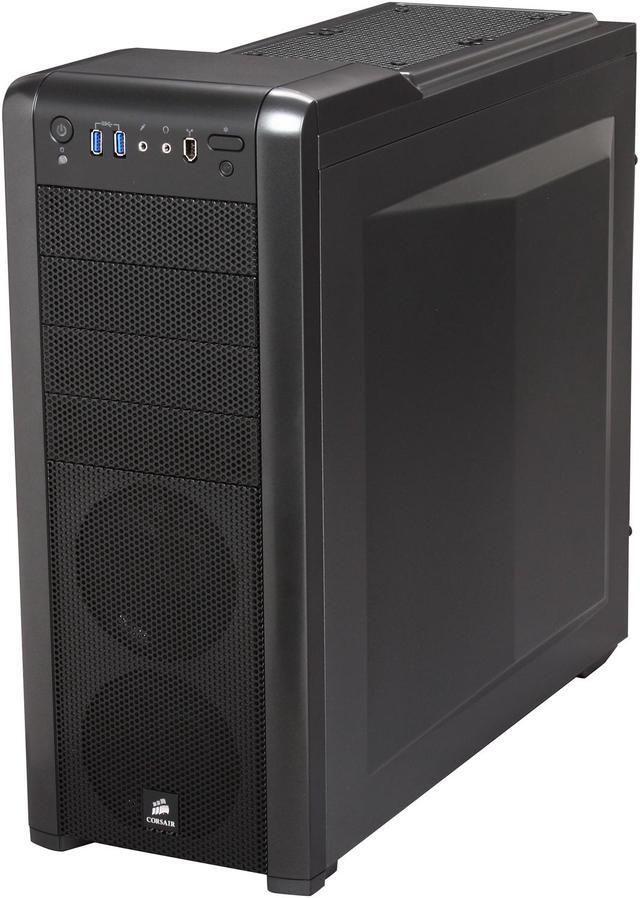
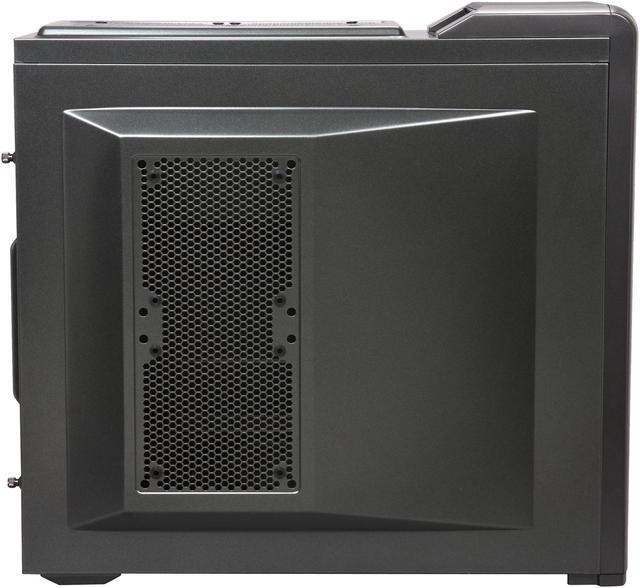
Pros: I was torn between getting this and a Cooler Master HAF - I went with this one because of the rubber grommets around the cable routing holes. This case has plenty of space without being excessively large. The rear panel (Behind the motherboard) features a kind of geometric bulge which makes the case about 1.5" wider, which gives your cables plenty of room to reside without pressing against the panel and bowing out the side. The overall effect looks good and provided ample space for my setup without greatly expanding the overall size of the case. A parallel bulge on the front panel gives plenty of room for your cooling solutions (Air in my case, though it looks quite accommodating to a water-cooled rig) The construction is quite solid - all the main body panels are metal and the structure of the chassis is solid. The only plastic parts are on the front face, though the color between the metal and plastic is similar enough that the aesthetic is maintained. The light button on the front panel works as advertised. With the lights off, the front panels merge perfectly with the CD-drive covers, so that this case wouldn't look out-of-place on the desk of any businessman, but tap that button and its suddenly a LAN-box showcase. Speaking of, the top panel features a deep carrying handle which should make transporting this box a breeze. As far as noise is concerned, it's not quite 'so quiet I forget it's on,' but it's pretty dang quiet.
Cons: The only real problem I've experienced so far is that the front audio jacks appear to be DOA. I'm getting in contact with Corsair to see if they can resolve this, and will update my review with their results.
Overall Review: The little rubber feet on the bottom are great - they stick to my desk surface like glue. In fact, while I was building the box, one of the feet peeled off the case while I was trying to rotate it on my workbench. The feet themselves are wonderful, but perhaps another strip of glue attaching them to the case might be called for. My build contains: Asus Z97-A mobo Intel i5-4690K CPU nVidia 670 GTX GPU 2X8GB memory 256 GB Sony SSD 2 TB WD HDD
Pros: Liked the look of the case and all the extra openings in the back for better cord management. Highly recommend as a first time builder as it was quite easy using this case. As for the actual quality of the case, it is about what you expect at this price point. The big winners that made me choose it over other cases was the actual size as I wanted a huge case with plenty of room, and the openings in the back that help with cables. It does its job, it was well designed to keep the case cool and had room for a hyper 212 evo CPU cooler to cool an FX 8350 and it never breaks 50C. (still running stock 4 ghz) even after extended periods of use. Also fit a GTX 970 with no problems and plenty of space. Headphone and mic slots work. Only thing I cannot promise works is the firewire slot which I will never use. Everything else in the case was used and worked well. (short of a few hard drive cables and bays being unfilled)
Cons: Had an issue with the rebate not processing but it looks like they took care of it. Definitely was a huge + to have this fixed. There was no actual issue with the case itself. Only problem that ever occurred was the usb 3.0 slots not working on the front after starting up the computer but after inspection of the cables discovered that this was an operator error. The 3.0 slots worked just like the rest of it once installed in the right location.
Overall Review: Does what you'd expect of it and paid for. I am quite satisfied and give it 5 eggs and my recommendation to any fellow computer builders I meet to check it out.
Pros: I'll try to keep from gushing about this case, but !!! The design is very elegant, if you're like me and cringe at all the alien looking LED ridden monsters that plague the mid-top end market yet want something with a little character. The edges are rounded just a bit and have a nice look and feel to them, and the soft white LEDs on the power button and front intake fans look great in the dark. The interior is a joy to work with. I've always gone with Full Tower cases thinking I needed the room to work around in, but this Mid Tower has more than enough room, except possibly for a lack of space between the top of the motherboard and the top fan vents. Tons of drive bays with well built toolless trays. The cable management is excellent, rubber grommets covering the holes feel nice and can support a lot of cables through most of the holes, with options for water cooling hoses in various places. The mobo backplate comes with all of the ATX risers installed, which is nice and something I haven't seen in a case before, though I think that's becoming more common. The outward bevelled side panels are a very nice touch, facilitating a larger side fan on one side and cable management under the mobo plate on the other. Love the recessed handle at the top, I don't foresee myself lugging it around much, but it's nice to know it's there. I had to lug a HAF 932 around before, and some people will really appreciate this. The airflow works well, I have two aftermarket 120mm fans at the top and one intake on the side, and paired with my NH-D14 cooler on an i5 3570k I idle around 30c.
Cons: The front panel is great, though the addition of a Firewire port is a bit odd and should have been an mSata connector. The reset button is also pretty small and fairly flush, but who ever uses the reset button? There are no top and side fans, so you'll need to buy your own or possibly think about getting an aftermarket dust cover if not. The manual is a joke and doesn't really explain anything. If you run in to any kind of issues you'll probably have to look online, though that's really only a factor to a first time builder.
Overall Review: Remember to sort your wiring and cable placement before putting a large aftermarket cooler on. I had a pain of a time trying to get the 8pin power and fans connected after putting my Noctua NH-D14 on due to the lack of clearance between the top of the mobo and the case.

Pros: Love the cable management features. The rubber grommets are great. The painted internals are very nice. I love the white LEDs. The built in case fans are silent.
Cons: To effectively use all the cable routing features, I had to buy some power supply extension cables. This allowed me to hide all the cables for an extraordinarily beautiful build, but was annoying to have to buy separate accessories.
Overall Review: This experience will make me consider Corsair again, for future builds.