• $89.99
  • Free 30-day Returns
  • Price alert
    Sold by Fegfrght

    Shipped by Fegfrght

    Shop it at NeweggBusiness.

    Meet Your Seller

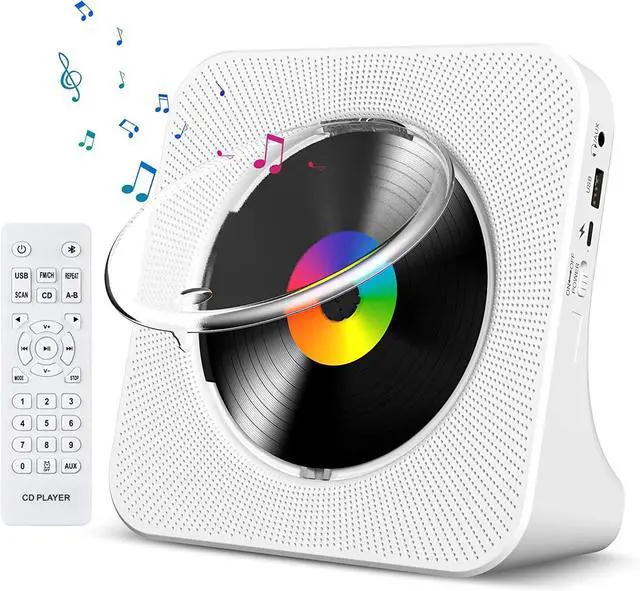
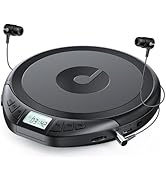
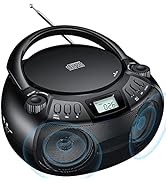
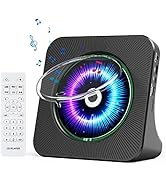
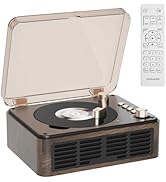
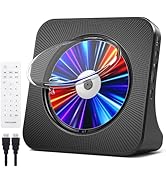
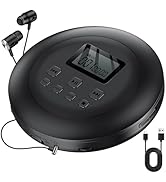
    CD Player Portable Bluetooth Desktop CD Player for Home with Timer Built-in HiFi Speakers with LCD Screen Display Boombox FM Radio USB Type-c

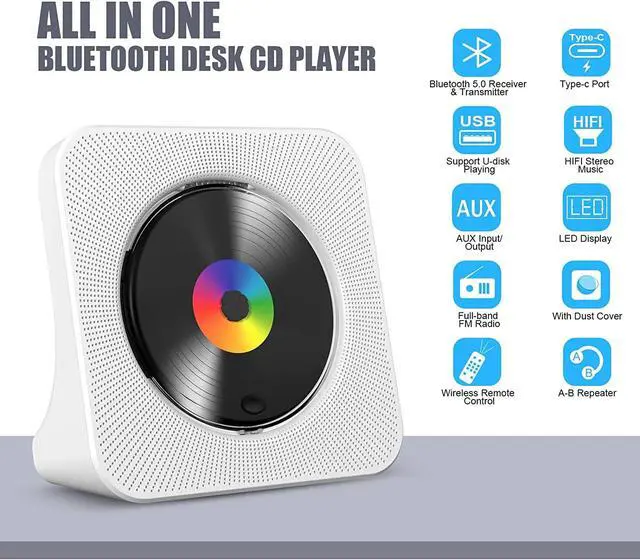
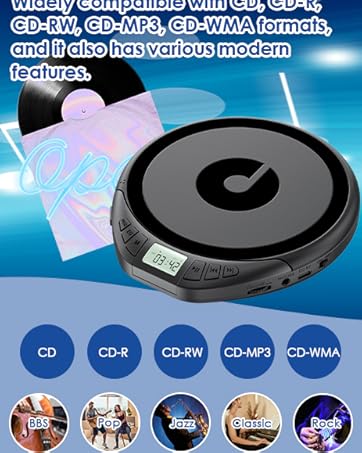
    • Multi-functional CD Player: 1.Desktop CD Player, 2.Bluetooth 5.0 HiFi Speaker, 3. FM Radio, 4.TF card Music Player, 5.USB Flash Drive Player, 6. 3.5mm Audio Player. Support CD, CD-G, MP3, WMA.
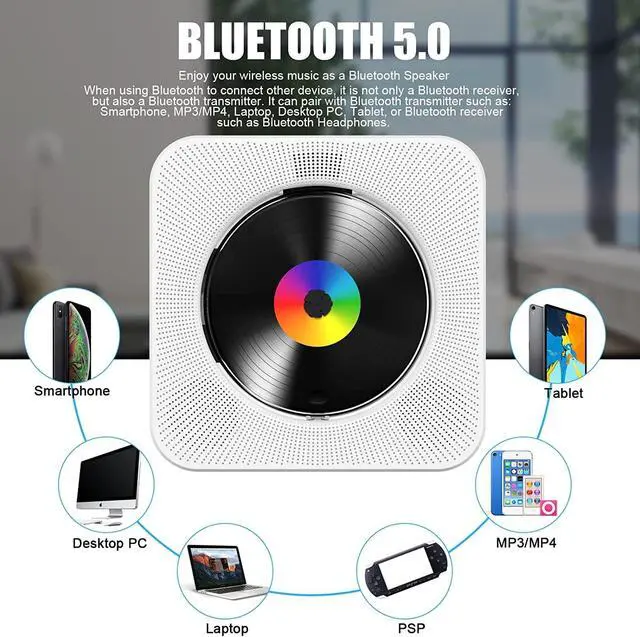
    • Bluetooth CD Player: Built-in dual Hi-Fi Bluetooth speakers, which can be connected with Bluetooth-enabled devices such as mobile phone or tablet. It will work as a wired speaker. NOTICE: It's a Bluetooth transmitter and receiver
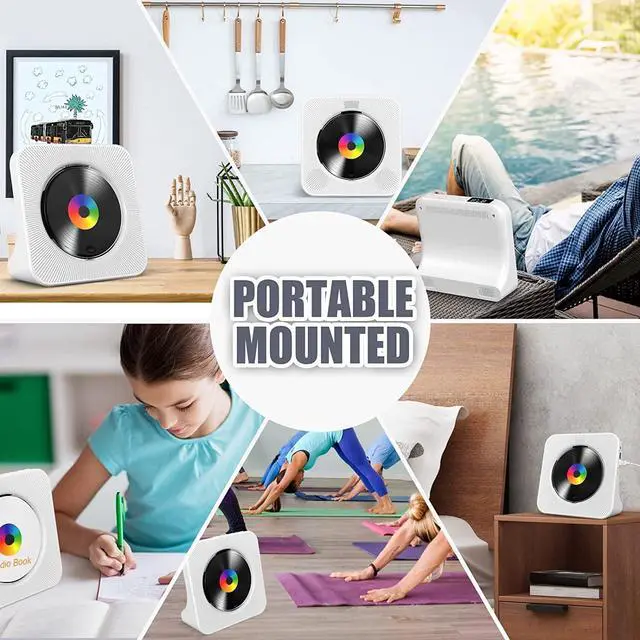
    • Desktop Design: Desktop design with update also can as a Bluetooth transmitter, one plays all multiple functions of remote control. Easy to stand on the desk without Assembly or other support.
    • Wired Speaker: Connect the CD player to other external wired devices such as mobile, tablet or laptop via 3.5mm male-to-male audio cable, it will work as a wired speaker. (Notice: Remote control does not included batteries)
    • Great Gift: This Gueray CD Player is a perfect gifts for everyone. It supports remote control within 5 meters, A-B repeat, suitable for language learning, prenatal education / antenatal training, early education, FM radio broadcast.
    +
    +
    Overview
    Specs
    Reviews
    Gueray Kpop Bluetooth CD Player
    Portable CD Player with Bluetooth

    Specification:

    1. CD format support: CD,CD-R,CD-RW,MP3,WMA
    2. FM Radio Range: 76MHz-108MHz
    3. Speaker: 40mm X 2
    4. Rated impedance: 4O
    5. Power/Switch cable length: 1m
    6. Speaker output: 3W x 2
    7. Power supply: AC100-240V, 50Hz/60Hz
    8. USB-Type-c cable
    9. Dimension of main unit/package: 189x189x69mm/207x215x77mm
    10. Net weight/Gross weight: 520g/900g
    11. Color: White

    Wall Mountable CD Player Desktop

    How to connect your mobile phones, pads etc

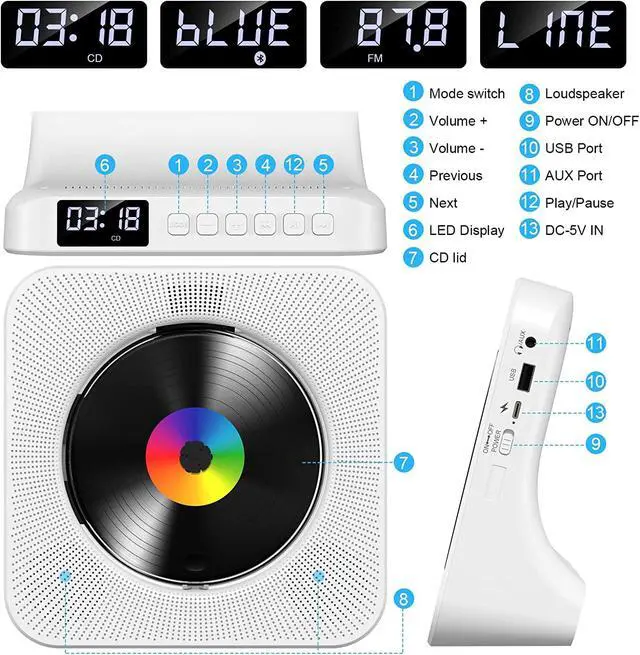
    1. Press Bluetooth button on the remote to switch to Bluetooth mode or switch the "Mode" key (on the device) to the Bluetooth mode, then the CD Player will be ready to pair other Bluetooth devices such as mobile phones, pads etc., and its indicator light color will change to dark blue, the Bluetooth icon will appear on the screen.
    2. Activate the Bluetooth in your mobile phone and it will automatically search nearby Bluetooth devices to pair.
    3. Choose the named “CD PLAYER" device in your mobile phone Bluetooth device list to pair.
    4. Your mobile phone will be paired / connected to the CD Player in a few seconds.
    5. Playing music on your mobile phone and the audio will be transmitted to the CD Player speaker through Bluetooth.

    Bluetooth CD Player for home

    How to connect your Bluetooth headsets or Bluetooth Speaker

    1. Insert a disc that conforms to the format and short press the mode switch button to enter the CD Mode (default is CD mode) to start playing.
    2. Turn on the Bluetooth headset or Bluetooth headphone that needs to receive Bluetooth signals and press and hold the Bluetooth mode button of the remote control for 3 seconds until the Bluetooth icon player on the CD LED dlsplay flashes, and the CD player enters Bluetooth transfer method.
    3. When the Bluetooth icon on the LED display of the CD player no longer flashes but is always on Bluetooth pairing succeeded.

    Please Note: it ils best not to turn on other Bluetooth devlces with in ten meters during palringlf the palring ls unsuccessful, please

    check lf there are other Bluetooth devlces within ten meters open.

    CD Player with FM Radio for Home

    Built-in FM Radio

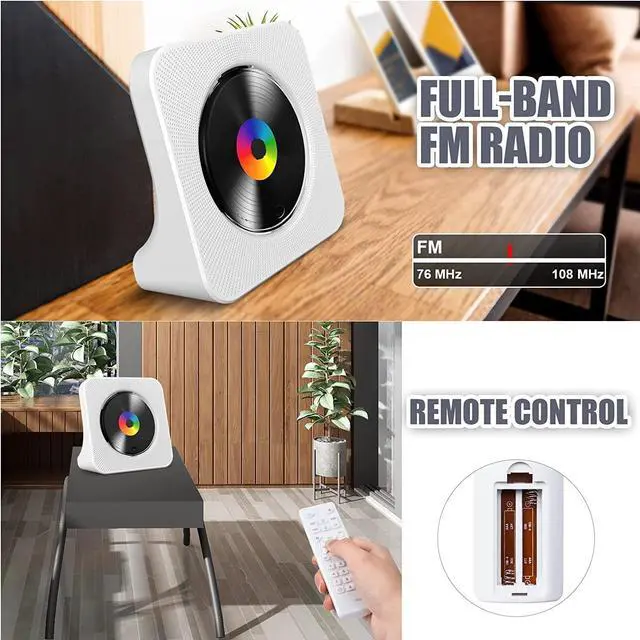
    • Built-in FM radio, support 87.5MHz-108.0MHz.
    • Press the FM / SH button on the remote control to switch to FM mode, or switch the "Mode" button (on the device) to FM mode.
    • Then the CD player plays the preset radio station and the color of the display changes to pink. The symbol "FM" appears on the screen.
    • Press the Previous or Next button to go to the previous or next channel. or press the digital buttons to switch to a specific channel

    CD Player with Remote control FM Radio

    Remote control

    • Remote control Convenient for controlling the desk CD player. (Notice: Remote control does not included batteries)

    Wall CD Player Bluetooth

    Type-C Cable

    • Package Include:
    • 1*Desk CD player with Bluetooth
    • 1*Remote Control (Not include batteries)
    • 1*Type-c Cable
    • 1*AC Adapter
    • 1*User Manual

    CD Player for home

    Support USB/TF Card

    • The CDs is not available?
    • Don’t worry, via the USB connection, you can play your favorite music on this wall CD player easily from your USB flash drive or TF card.

    astronord cd player cd player wall

    3.5mm Audio Input/Output

    • Standard 3.5mm input/output audio port, connect this CD player to earphone/speaker or your car.
    • Then you can enjoy a more advanced musical feast!

    CD Player Bluetooth Wall Mountable
    Gueray Kpop Bluetooth CD Player
    Portable CD Player with Bluetooth

    Specification:

    1. CD format support: CD,CD-R,CD-RW,MP3,WMA
    2. FM Radio Range: 76MHz-108MHz
    3. Speaker: 40mm X 2
    4. Rated impedance: 4O
    5. Power/Switch cable length: 1m
    6. Speaker output: 3W x 2
    7. Power supply: AC100-240V, 50Hz/60Hz
    8. USB-Type-c cable
    9. Dimension of main unit/package: 189x189x69mm/207x215x77mm
    10. Net weight/Gross weight: 520g/900g
    11. Color: White

    Wall Mountable CD Player Desktop

    How to connect your mobile phones, pads etc

    1. Press Bluetooth button on the remote to switch to Bluetooth mode or switch the "Mode" key (on the device) to the Bluetooth mode, then the CD Player will be ready to pair other Bluetooth devices such as mobile phones, pads etc., and its indicator light color will change to dark blue, the Bluetooth icon will appear on the screen.
    2. Activate the Bluetooth in your mobile phone and it will automatically search nearby Bluetooth devices to pair.
    3. Choose the named “CD PLAYER" device in your mobile phone Bluetooth device list to pair.
    4. Your mobile phone will be paired / connected to the CD Player in a few seconds.
    5. Playing music on your mobile phone and the audio will be transmitted to the CD Player speaker through Bluetooth.

    Bluetooth CD Player for home

    How to connect your Bluetooth headsets or Bluetooth Speaker

    1. Insert a disc that conforms to the format and short press the mode switch button to enter the CD Mode (default is CD mode) to start playing.
    2. Turn on the Bluetooth headset or Bluetooth headphone that needs to receive Bluetooth signals and press and hold the Bluetooth mode button of the remote control for 3 seconds until the Bluetooth icon player on the CD LED dlsplay flashes, and the CD player enters Bluetooth transfer method.
    3. When the Bluetooth icon on the LED display of the CD player no longer flashes but is always on Bluetooth pairing succeeded.

    Please Note: it ils best not to turn on other Bluetooth devlces with in ten meters during palringlf the palring ls unsuccessful, please

    check lf there are other Bluetooth devlces within ten meters open.

    CD Player with FM Radio for Home

    Built-in FM Radio

    • Built-in FM radio, support 87.5MHz-108.0MHz.
    • Press the FM / SH button on the remote control to switch to FM mode, or switch the "Mode" button (on the device) to FM mode.
    • Then the CD player plays the preset radio station and the color of the display changes to pink. The symbol "FM" appears on the screen.
    • Press the Previous or Next button to go to the previous or next channel. or press the digital buttons to switch to a specific channel

    CD Player with Remote control FM Radio

    Remote control

    • Remote control Convenient for controlling the desk CD player. (Notice: Remote control does not included batteries)

    Wall CD Player Bluetooth

    Type-C Cable

    • Package Include:
    • 1*Desk CD player with Bluetooth
    • 1*Remote Control (Not include batteries)
    • 1*Type-c Cable
    • 1*AC Adapter
    • 1*User Manual

    CD Player for home

    Support USB/TF Card

    • The CDs is not available?
    • Don’t worry, via the USB connection, you can play your favorite music on this wall CD player easily from your USB flash drive or TF card.

    astronord cd player cd player wall

    3.5mm Audio Input/Output

    • Standard 3.5mm input/output audio port, connect this CD player to earphone/speaker or your car.
    • Then you can enjoy a more advanced musical feast!

    CD Player Bluetooth Wall Mountable

    Gueray Bluetooth Desktop CD Player easy to stand on the desk/table or place under the cabinet flat


    Product information

    Brand Gueray
    Model Name KC906
    Color White
    Connectivity Technology Bluetooth, AuxiliaryUSB Flash Drvie
    Special Feature Anti-Skip Protection, CD-R/RW Compatible
    Product Dimensions 7.44 x 2.72 x 7.44 inches
    Item Weight 1.15 pounds
    Item model number G906-CD-White
    Batteries 1 Nonstandard Battery batteries required. (included)
    Date First Available June 10, 2022
    Manufacturer Gueray

    Warranty & Returns

    Warranty, Returns, And Additional Information

    Warranty

    • Please contact the Seller directly for warranty information. Warranty information may also be found on the Manufacturer's website.
    • CONTACT

    Return Policies

    • Return for refund within: 30 days
    • Return for replacement within: 30 days
    • This item is covered by Fegfrght Return Policy

    Manufacturer Contact Info

    LOADING...