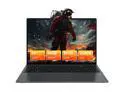
Auusda 16" Business Laptop, AMD Ryzen 5 3500U, 32GB RAM 1TB SSD, Backlit Keyboard, Fingerprint Unlock, Windows 11 Pro Computer, Black
  •  
  • $579.99 
  • $435.99
  • $499.00
  • Save: $63.01 (12%)
  • Free 30-day Returns
  • Login to Make an Offer
    Sold by Newegg

    Shipped by Newegg

    Price alert

    Best Sellers

    Top Rated
    4.5 (17,989 total ratings)
    • $446.54
    • + FREE SHIPPING
    Top Rated
    4.5 (9,016 total ratings)
    • $467.50
    • + FREE SHIPPING
    Top Rated
    4.1 (2,360 total ratings)
    • $478.87
    • + FREE SHIPPING
    Shop it at NeweggBusiness.

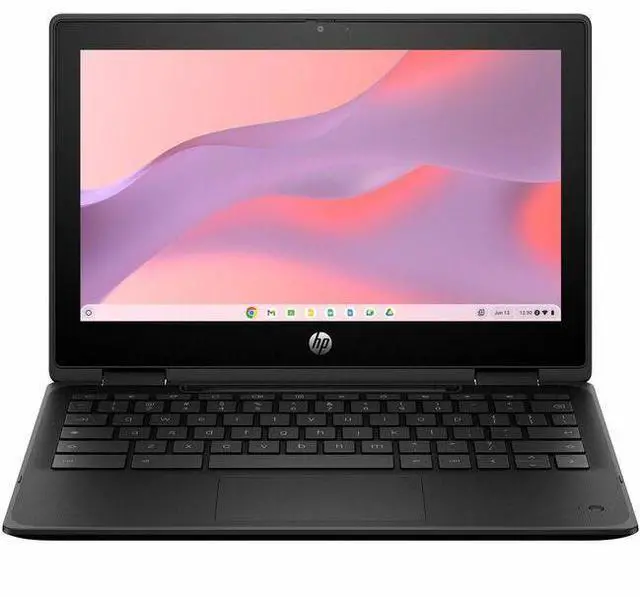
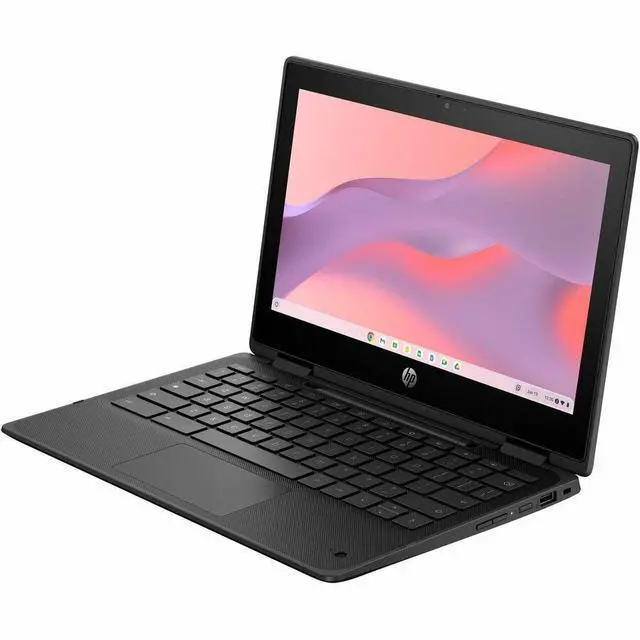
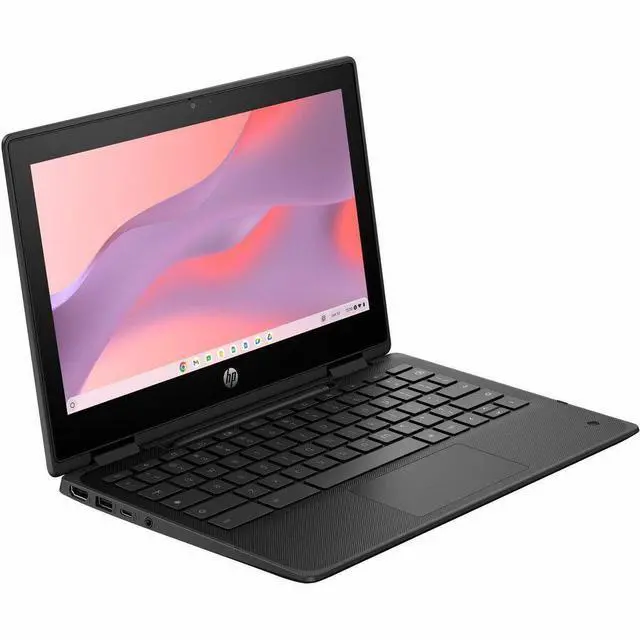
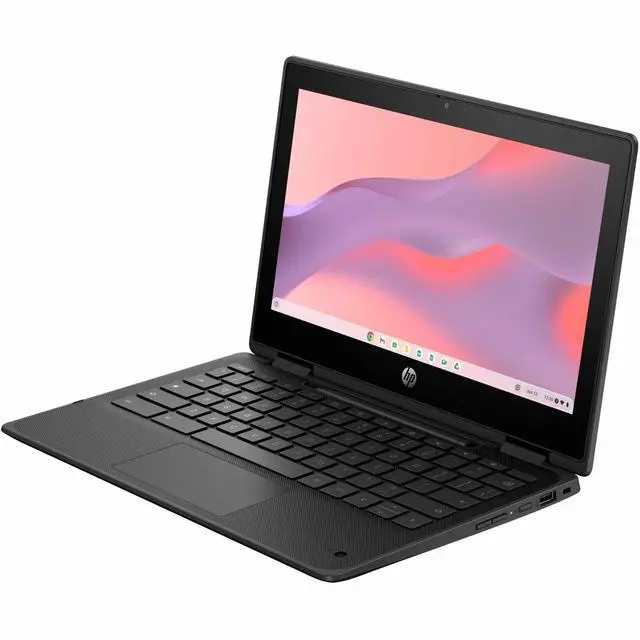
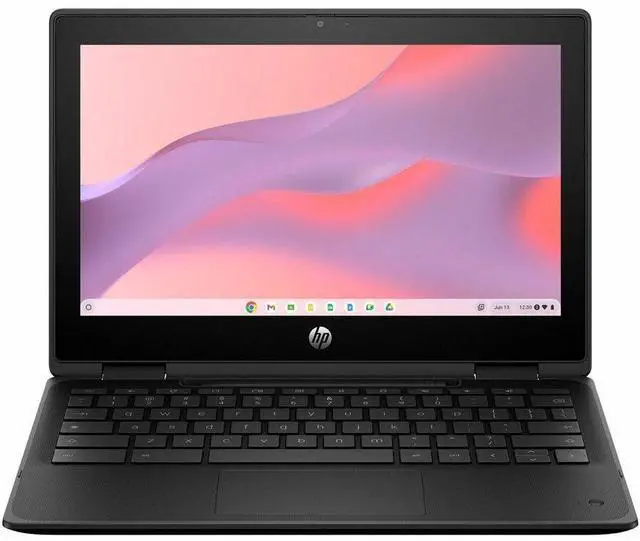
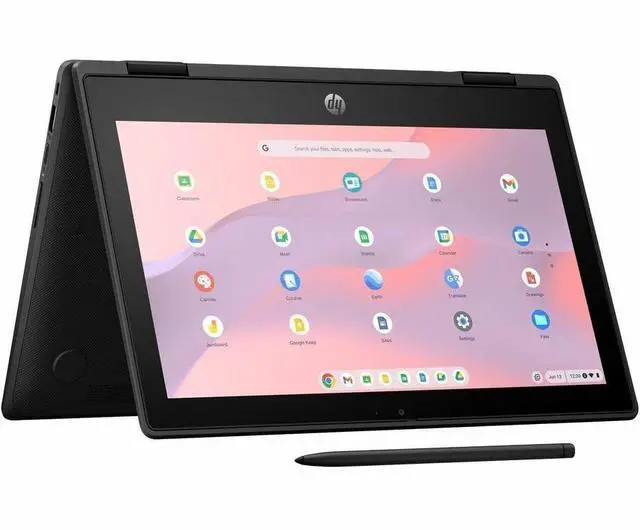
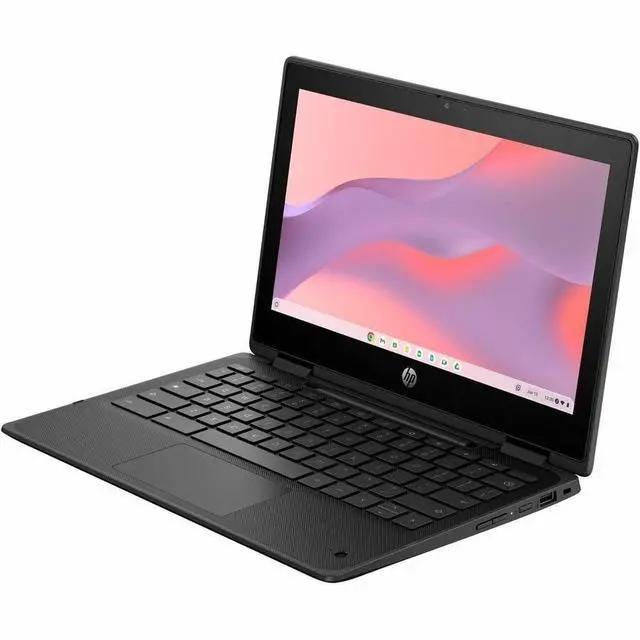
    HP Fortis Flip G1m 11.6" Touchscreen Rugged Convertible 2 in 1 Chromebook - HD - 60 Hz - Octa-core (ARM Cortex A76 + Cortex A55) - 8 GB - 64 GB Flash Memory - English Keyboard - Jet Black - Media

    • HD
    • 60 Hz
    • Octa-core (ARM Cortex A76 + Cortex A55)
    • 8 GB
    • 64 GB Flash Memory
    • English Keyboard
    • Jet Black
    • MediaTek Kompanio 520 Chip
    • 1366 x 768
    • ChromeOS
    • MediaTek
    • BrightView
    • Front Camera/Webcam
    +
    +
    Overview
    Specs
    Reviews
    See all Q & A
    avatar

    Any questions? Our AI mode will help you find out quickly.

    HP FFLIPG1M11C MT8186 11 8GB/64 PC UNITED STATES / CANADA ENGLISH CHANNEL EXP

    Warranty & Returns

    Warranty, Returns, And Additional Information

    Warranty

    • Limited Warranty period (parts): 1 year
    • Limited Warranty period (labor): 1 year
    • Read full details

    Return Policies

    Manufacturer Contact Info

    LOADING...
    LOADING...

    Learn about this product

    The HP Fortis Flip G1m is an 11.6-inch rugged 2-in-1 Chromebook with a touchscreen, 8GB of memory, and 64GB flash storage, making it a practical fit for students, families, and everyday users who want a compact device for web apps, video calls, and light productivity.

    Recommended For

    • Students in K-12 or homeschool settings who mainly live in Google Classroom, Docs, web apps, and Android learning apps, and need a device built for daily carrying, shared use, and accidental drops.
    • Schools, libraries, and programs that need a small fleet device for checkout or 1:1 deployment, where rugged build, ChromeOS management, long update support, and simple recovery matter more than premium screen quality.
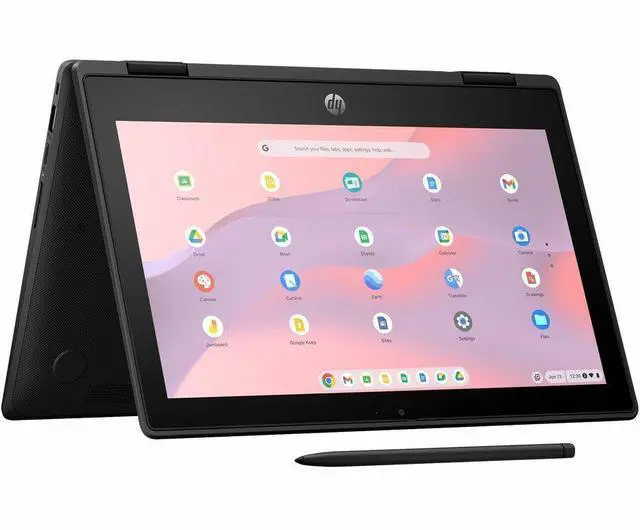
    • Younger students or mobile users who benefit from tablet, tent, and stand modes for touch-based lessons, reading, video viewing, and occasional annotation with a compatible USI pen.
    • Buyers who want a low-maintenance secondary laptop for browsing, email, streaming, and light document work, and who prefer fanless ChromeOS simplicity over installing desktop software.

    Real-World Use Scenarios

    • Students can carry it between classes, use it in laptop or tent mode for Google Classroom, Docs, web research, and streamed lessons, and should expect smooth basic schoolwork with the rugged design being better suited to bumps and spills than a typical consumer Chromebook.
    • For homework at home, it fits families who mostly need browser-based tasks like email, school portals, document editing, YouTube, and light multitasking; the likely experience is responsive for everyday ChromeOS use, but not ideal for heavy desktop-class workloads.
    • It works well for classroom or remote-learning video calls, especially when combined with note-taking and a few browser tabs, so users should expect a workable conferencing setup for Meet or similar services rather than a machine built for large multitask loads.
    • The 360-degree touchscreen design makes sense for reading, watching lessons, tapping through educational apps, or using tablet mode on a couch or desk, and the likely outcome is more flexibility for media and touch-first tasks than for long-form productivity.
    • It is reasonable for streaming video, web media, and casual app use during travel or around the house, with users likely seeing stable playback and good efficiency, while the low-resolution 11.6-inch panel is better for convenience than for detailed creative work.
    • It can handle light educational or Android-based activities such as simple STEM apps and Minecraft Education-style use, but users should expect limits once workloads become more demanding, especially compared with larger or faster Chromebooks.

    Spec Summary

    AttributeValue
    Best ForCompact 11.6-inch convertible 2-in-1 Chromebook running Chrome OS, suited for everyday web browsing, streaming and basic productivity on a small, touch-capable convertible device
    Processor And Core CountARM-based processor with maximum listed clock up to 2 GHz and 1 MB L3 cache (processor series listed as Cortex A7)
    GPU And VRAMIntegrated MediaTek Mali graphics (no discrete video RAM specified), GPU listed as MediaTek/Mali Graphics for basic display and media tasks
    Display Spec11.6-inch BrightView LCD with HD 1366 x 768 native resolution and up to 250 nits maximum brightness
    Memory Configuration8 GB system memory (LPDDR4X) installed
    Storage And Expansion64 GB internal eMMC storage
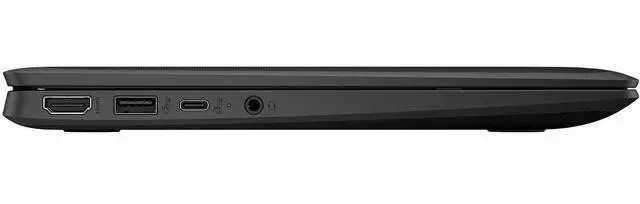
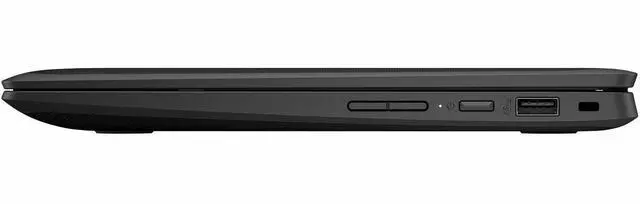
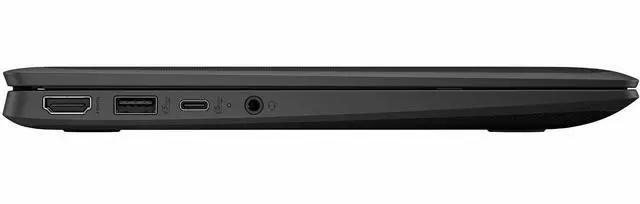
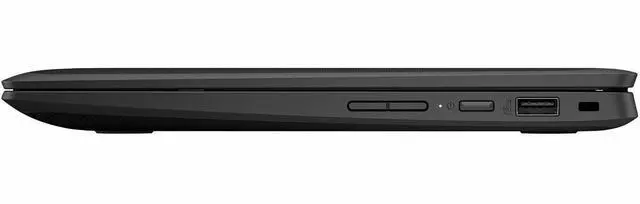
    High Speed I OOne HDMI output and three USB ports for external displays and peripherals
    Wired And Wireless NetworkingWireless connectivity via Wi‑Fi and Bluetooth (Bluetooth support indicated)
    Webcam And PrivacyFront-facing webcam included
    Audio SetupStereo audio output
    PortabilityApproximately 4.05 pounds with compact 11.6-inch footprint; color listed as Jet Black
    Package And AccessoriesPackaged with the Chromebook plus AC adapter and power cord; sold as a single-unit package
    Model IdentifiersHP / Hewlett Packard model BV0Y3UT#ABA (Edition: Fortis Flip G1m)

    Reference Q&A

    Q: Should I buy the HP Fortis Flip G1m or a Chromebook Plus model?

    A: Choose the HP Fortis Flip G1m if durability, compact size, and simple ChromeOS work matter more than raw performance. HP positions this model as a rugged 11-inch convertible with drop resistance, spill resistance, Wi-Fi 6, dual cameras, and up to 8GB RAM for school-style web, document, and video-call use. Choose a Chromebook Plus model if you expect heavier multitasking, more local storage, and advanced productivity features, because Google sets Chromebook Plus at 8GB+ RAM and 128GB+ storage with a higher performance tier intended for more demanding workloads.

    Q: Is the HP Fortis Flip G1m a better fit than an Intel N100 Chromebook?

    A: The HP Fortis Flip G1m is the better fit when you want a smaller rugged convertible focused on battery-friendly everyday use. An Intel N100 Chromebook is usually the stronger choice for faster web workloads and heavier multitasking. Reviews and comparison data around the Kompanio 520 platform consistently place it in the entry-level Chromebook tier, while Notebookcheck specifically notes that Intel N100 systems are considerably faster than Kompanio 520 devices. In practice, the HP makes more sense for browsing, school apps, note-taking, and portability, while N100 models make more sense for users who notice responsiveness differences with many tabs or more demanding apps.

    Q: Should I choose this 8GB HP Fortis Flip G1m over a 4GB Chromebook?

    A: Yes, the 8GB configuration is the safer choice if you plan to keep the Chromebook for several years or regularly juggle multiple tabs, Google apps, and video calls. Google and consumer buying guidance both treat 4GB as the baseline for lighter Chromebook use, while 8GB gives more headroom for multitasking. That matters here because the HP Fortis Flip G1m uses an entry-level Kompanio 520 processor, so extra memory helps preserve smoothness in everyday use even though it does not change the device into a high-performance class.

    Q: Is the HP Fortis Flip G1m worth choosing over a standard clamshell Chromebook?

    A: Choose the HP Fortis Flip G1m over a clamshell Chromebook if you specifically want a compact 2-in-1 that can switch between laptop, tablet, tent, and stand modes, and if rugged design is part of the buying decision. HP highlights the 360-degree hinge, touchscreen, dual cameras, spill-resistant keyboard, and drop-tested chassis as core reasons to buy this model. A standard clamshell Chromebook is the better fit when the same budget can buy a larger display or faster internals, since you would be trading flexibility and ruggedness for a more traditional productivity layout.

    Q: Should I buy the HP Fortis Flip G1m for portability or choose a larger Chromebook for performance-first use?

    A: Buy the HP Fortis Flip G1m for portability-first use: it is an 11.6-inch rugged convertible built around ChromeOS basics, long battery-focused hardware, and flexible handling. Choose a larger Chromebook if your priority is side-by-side work, higher display resolution, or stronger performance, because Kompanio 520 systems are generally reviewed as suitable for lighter tasks and can feel limited under heavier loads. This HP fits mobile school, travel, and shared-device scenarios better than performance-first desktop-style use.

    Q: Is this a good Chromebook for note-taking, meetings, and everyday office work?

    A: Yes for basic productivity. The HP Fortis Flip G1m should handle browser-based work, Google Docs, email, video meetings, and light multitasking well enough for students and general users because it has 8GB RAM, a touchscreen, and a convertible design. Its main limitation is platform fit: ChromeOS works best with web apps, Android apps, and Google Workspace, so buyers who need full desktop Windows software should choose a Windows laptop instead.

    Q: Is it worth buying as a travel or carry-around work device?

    A: It is a practical carry-around device if your work is mostly cloud-based. The 11.6-inch size, ChromeOS, and ARM-based Kompanio platform favor portability, quiet operation, and likely better efficiency than a larger mainstream laptop. The trade-off is that the small HD display and entry-level class processor are better for writing, web work, and meetings than for heavy multitasking, large spreadsheets, or creative workloads.

    Q: Who is this Chromebook best suited for?

    A: This model is best suited for students, families, and users who want a durable secondary laptop for web apps, school platforms, streaming, note-taking, and everyday communication. It makes more sense for education-style or light personal use than for power users. Buyers who need advanced content creation, large local storage, or specialized desktop software will likely outgrow it quickly.

    Q: What are the main trade-offs versus a larger Windows laptop or a higher-end Chromebook?

    A: The HP Fortis Flip G1m trades screen quality and peak performance for portability, durability, and simple ChromeOS workflow. Compared with a larger Windows laptop, it is better for lightweight browser-first use but worse for full desktop software and heavier workloads. Compared with a higher-end Chromebook, the likely compromises are the 1366x768 display and entry-level Kompanio 520 performance, while the upside is a rugged 2-in-1 form factor and 8GB RAM.

    Q: Is it a better fit than a detachable Chromebook like the Lenovo Duet for school and basic productivity?

    A: Usually yes if you value a fixed keyboard, durability, and laptop-style use. A rugged flip Chromebook like the HP Fortis is a safer choice for typing, classroom handling, and desk work, while a detachable like the Duet is often better if you want a lighter tablet-first experience and a sharper display. The decision comes down to whether you want a sturdier small laptop or a more flexible tablet-style 2-in-1.

    Q: Who is the HP Fortis Flip G1m best suited for?

    A: The HP Fortis Flip G1m is best suited for students, basic home use, and shared family use where durability, touch input, and portability matter more than screen sharpness or high performance. Its 11.6-inch rugged convertible design, ChromeOS, 8GB RAM, and 64GB storage fit web work, school apps, video calls, and light note-taking better than demanding creative or professional workloads.

    Q: Is the HP Fortis Flip G1m a good buy for schoolwork and everyday tasks?

    A: Yes, if your needs are mostly browser-based. This model should handle school platforms, Google apps, streaming, email, and video calls comfortably because it pairs ChromeOS with 8GB RAM. It is a practical buy for basic productivity, but it is not the right choice if you need Windows software, heavy multitasking, or advanced content creation.

    Q: What are the main trade-offs of choosing the HP Fortis Flip G1m?

    A: The main trade-offs are display quality and performance ceiling. The rugged 11.6-inch format is portable and practical, but the 1366 x 768 screen is basic by current standards and gives less workspace than larger Full HD Chromebooks. The MediaTek Kompanio 520 should be fine for everyday ChromeOS use, but buyers wanting faster multitasking, larger screens, or more premium displays may prefer stepping up to a stronger Chromebook.

    Q: Can the HP Fortis Flip G1m replace a regular laptop?

    A: It can replace a regular laptop for users who live mostly in the browser, use Google Workspace, and want a simple low-maintenance device. It is not a full replacement for buyers who depend on desktop Windows or Mac software, local storage-heavy workflows, or more demanding multitasking. Think of it as a Chromebook-first replacement, not a universal laptop replacement.