Best Sellers
- $268.59
- + FREE SHIPPING
- $271.95
- + FREE SHIPPING
- $276.21
Sponsored Products
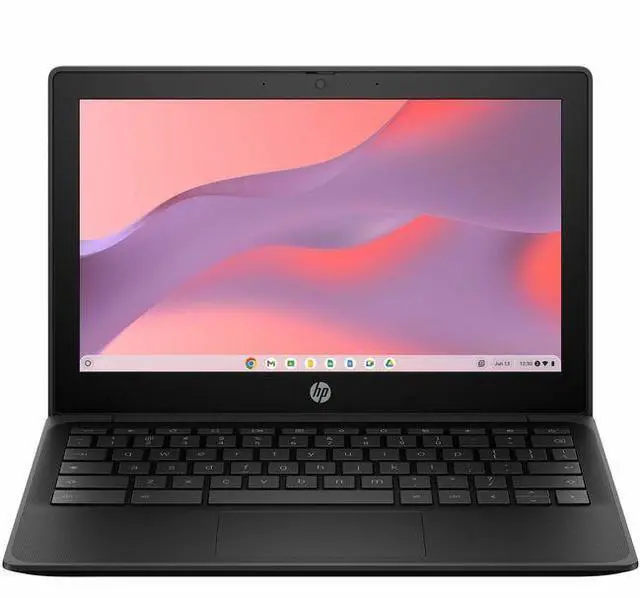
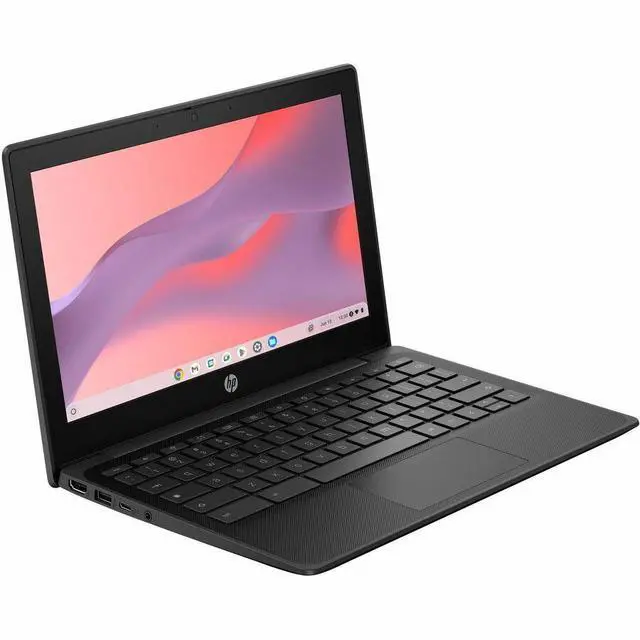
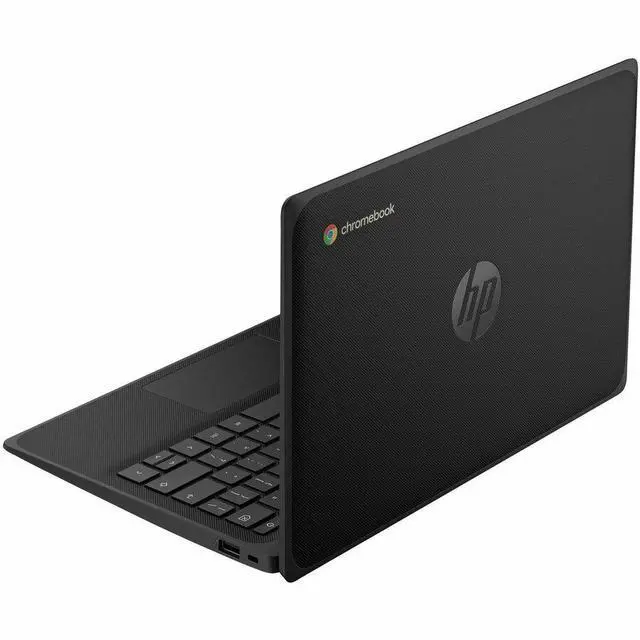
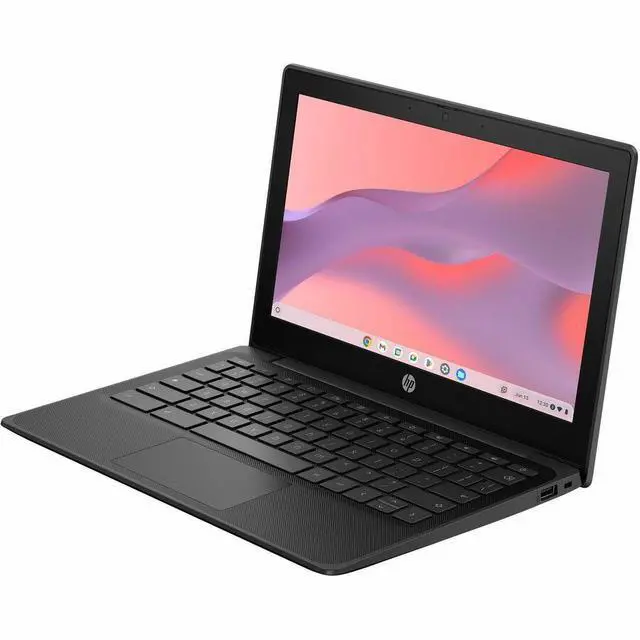
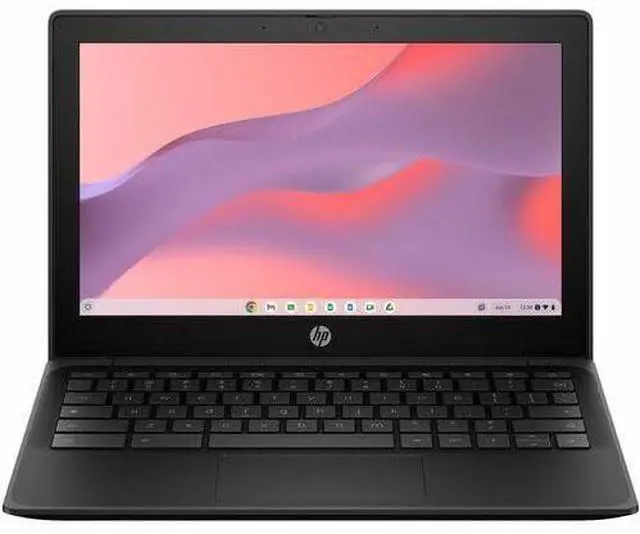
HP Fortis G1m 11.6" Rugged Chromebook - HD - 60 Hz - Octa-core (ARM Cortex A76 + Cortex A55) - 4 GB - 32 GB Flash Memory - English Keyboard - Jet Black - MediaTek Kompanio 520 Chip - 1366 x 768 -
- HD
- 60 Hz
- Octa-core (ARM Cortex A76 + Cortex A55)
- 4 GB
- 32 GB Flash Memory
- English Keyboard
- Jet Black
- MediaTek Kompanio 520 Chip
- 1366 x 768
- ChromeOS
- ARM
- Front Camera/Webcam
- 16 Hours Battery
Any questions? Our AI mode will help you find out quickly.
Elevate performance for everyday activitiesElevate Chromebook CPU and graphics performance with the power-efficient MediaTek Kompanio 520 processor. Launch, c

Warranty & Returns
Warranty, Returns, And Additional Information
Warranty
- Limited Warranty period (parts): 1 year
- Limited Warranty period (labor): 1 year
- Read full details
Return Policies
- Return for refund within: 30 days
- Return for replacement within: 30 days
- This item is covered by Newegg.com's 30-Day Return Policy.
- Read full return policy for details.
Manufacturer Contact Info
- Manufacturer Website
- Support Phone: 1-800-474-6836
- Support Website
- View other products from HP
Learn about this product
The HP Fortis G1m is an 11.6-inch rugged Chromebook built for students, families, and everyday users who need a durable, portable laptop for web browsing, schoolwork, video calls, and cloud-based apps in a compact ChromeOS design.
Recommended For
- Students in K-12 or shared-device programs who need a small Chromebook that can handle daily web apps, Google Classroom, and frequent carry-around use. HP positions the Fortis line around durability, drop resistance, and school-oriented keyboard design, which fits classroom carts, checkouts, and everyday student handling better than a typical home laptop.
- Users who mainly live in the browser and want a grab-and-go secondary laptop for email, docs, web research, streaming, and light multitasking. Across Kompanio 520 Chromebook coverage, the common pattern is good fit for everyday ChromeOS tasks rather than heavy local workloads.
- Mobile workers, aides, or volunteers who need long battery life and a compact machine for forms, dashboards, web portals, and video calls while moving between rooms or sites. HP and MediaTek both emphasize all-day use and quick access to web apps, which aligns with lightweight field and front-line workflows.
- Families or casual home users buying a simple low-overhead Chromebook for homework, YouTube, browsing, and basic communication, especially if they value easy startup and low maintenance over Windows-style software flexibility.
Real-World Use Scenarios
- For K-12 classroom work, students can use it for Google Docs, Slides, web assignments, and browser-based learning platforms, and the likely experience is quick startup, simple account sign-in, and enough performance for routine school tasks.
- For shared school or library checkout use, it fits environments where devices are passed between users and moved around all day, and the likely outcome is lower setup friction and better day-to-day survivability than a standard consumer laptop because the model is positioned around rugged, education-focused handling.
- For basic home use like email, web browsing, YouTube, school portals, and light document editing, the likely experience is smooth as long as workloads stay modest and users do not expect heavy multitasking or large local file storage.
- For all-day portable use in classrooms, tutoring, or travel between rooms, users can work unplugged for lessons and note-taking, and the likely experience is fewer mid-day charging breaks than with many older budget Chromebooks because this platform is designed around low-power ChromeOS use.
- For video calls, online classes, and cloud-based productivity with a few tabs open, the likely experience is acceptable for routine meetings and note-taking, but performance may feel limited if the user runs many tabs, Android apps, or heavier multitasking at the same time.
Spec Summary
| Attribute | Value |
|---|---|
| Best For | Basic everyday and classroom-style tasks on a compact 11.6-inch HP laptop with integrated graphics and 4 GB RAM |
| Display Spec | 11.6-inch LCD with 1366 x 768 native resolution and 16:9 aspect ratio, non-touch |
| Processor And Core Count | MediaTek ARM-based processor with a Cortex A55 core at 2 GHz |
| Memory Configuration | 4 GB RAM, LPDDR4X memory technology |
| Storage And Expansion | 32 GB internal storage; listed interface ISCSI with 7200 RPM rotational speed and 1 MB cache |
| Graphics And Video | Integrated graphics (no discrete GPU) |
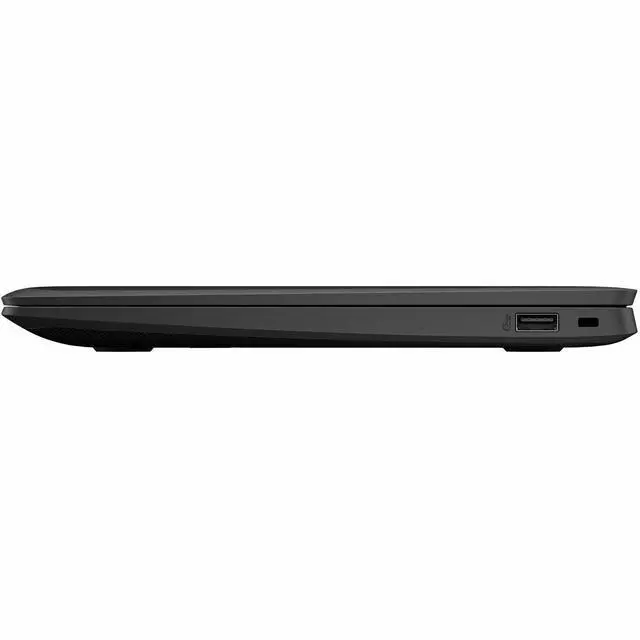
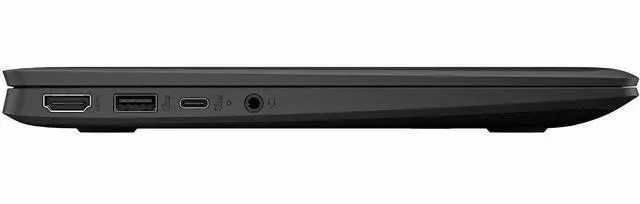
| Ports And Connectivity | Bluetooth supported and one HDMI port |
| Webcam And Privacy | Front-facing webcam included |
| Physical And Packaging | Item weight 4.05 pounds; item dimensions 16.2 L x 10.4 W x 2.8 H inches; package weight and package dimensions match item |
| Battery And Power | No batteries required and no batteries included |
| Model Identifiers | Model BV0W8UT#ABA; Manufacturer Hewlett Packard; Brand HP; package quantity 1 |
Reference Q&A
Q: Should I choose the HP Fortis G1m or an Intel N100 Chromebook for school and everyday web use?
A: Choose the HP Fortis G1m if battery life, quiet operation, and a rugged 11.6-inch classroom-friendly design matter more than peak speed. Its MediaTek Kompanio 520 is positioned for lightweight student workloads and mobility-focused use. Choose an Intel N100 Chromebook if you expect heavier multitasking, more demanding web apps, or a more desktop-like feel. Across vendor materials, reviews, and community discussions, the common trade-off is ARM efficiency and portability on the Fortis G1m versus stronger burst performance on many N100 systems.
Q: Is the HP Fortis G1m a better fit than a larger 14-inch Chromebook?
A: The HP Fortis G1m is the better fit when portability, easier handling, and durability matter more than screen size. Its 11.6-inch form factor and rugged positioning make it more suitable for younger students, shared carts, and frequent travel between classes. A 14-inch Chromebook is the better fit if you spend more time in side-by-side documents, multitask often, or want a roomier keyboard and display for longer sessions.
Q: Should I buy this 4GB/32GB HP Fortis G1m or look for an 8GB Chromebook instead?
A: Buy this 4GB/32GB Fortis G1m if the workload is mostly browser-based school tasks, Google Workspace, video calls, and simple app use. Move to an 8GB Chromebook if you keep many tabs open, run more demanding web apps, or want more headroom over time. The main trade-off is that this configuration keeps cost and simplicity aligned with basic education use, while 8GB models are the safer choice for heavier multitasking and longer useful life.
Q: How does the HP Fortis G1m compare with the HP Fortis G1i?
A: Choose the Fortis G1m if you want the lighter-duty, efficiency-first version of HP's rugged education Chromebook line. Choose the Fortis G1i if you want the same general school-focused Fortis positioning but with Intel-based configurations that are aimed higher on memory, storage, and performance flexibility. In HP's lineup, the G1m is the mobility-focused ARM option, while the G1i is the stronger fit for buyers prioritizing performance headroom within the same rugged family.
Q: Is the HP Fortis G1m a better choice than a Chromebook Plus model?
A: The HP Fortis G1m is the better choice when you want a smaller, rugged Chromebook for basic schoolwork, portability, and long unplugged use. A Chromebook Plus model is the better choice when you need a clearer step up in responsiveness, memory, storage, display quality, and multitasking capability. This comparison is mainly about class of device: the Fortis G1m fits entry-level education needs, while Chromebook Plus models are designed for users who need more performance and a less constrained everyday experience.
Q: Is the HP Fortis G1m a good fit for note-taking, web research, Google Docs, and video meetings?
A: Yes, if your work is mainly browser-based. The HP Fortis G1m is well suited to Google Docs, email, web research, classroom portals, and typical Zoom or Google Meet use. Its limits are the 4GB memory, 32GB local storage, and ChromeOS app model, so it is a better fit for light productivity than for heavy multitasking, large local files, or specialized desktop software.
Q: Is it worth buying as a travel work device or secondary laptop?
A: It can be a sensible travel or backup laptop if you want long battery life, a small 11.6-inch footprint, and simple cloud-first work. It is less suitable as a primary work machine if you depend on many open tabs, local storage, high-resolution multitasking, or Windows/Mac applications. In practice, this is closer to a durable grab-and-go Chromebook than a full replacement for a conventional office laptop.
Q: Who is this Chromebook most suitable for?
A: It is most suitable for students, families, and users who want a simple, durable laptop for web apps and everyday tasks. The rugged Fortis design, spill-resistant keyboard, and lay-flat hinge make it especially appropriate for school, shared use, and mobile environments. It is a weaker choice for users who need touch input, advanced creative software, local storage-heavy workflows, or strong multitasking performance.
Q: Can it run Microsoft Office and other normal laptop software?
A: It can handle Microsoft 365 on the web and compatible Android apps, but it does not work like a Windows laptop for traditional desktop software installs. If you need full Windows versions of Office, desktop accounting tools, engineering apps, or other .exe or Mac software, this is not the right device. It is best for browser-first workflows and lightweight app use.
Q: What are the main trade-offs versus a similar rugged Chromebook with 64GB storage or a faster Intel N100 chip?
A: The HP Fortis G1m prioritizes durability, battery life, and basic Chromebook value, but the main compromises are its 32GB storage, non-touch 1366 x 768 display, and entry-level 4GB memory. Compared with comparable rugged models that offer 64GB storage or Intel N100-class processors, the Fortis G1m is usually the better choice for lighter school or web use, while the alternatives are better for keeping more files offline, juggling more tabs, and extending headroom over time.
Q: Who is the HP Fortis G1m 11.6 Chromebook best suited for?
A: It is best suited for basic ChromeOS use: web browsing, Google Docs, email, classroom portals, and light video streaming. The rugged Fortis line is commonly discussed in education and managed-device contexts, which fits this model’s small 11.6-inch screen, 4 GB RAM, 32 GB storage, and non-touch HD display. It is a practical choice for students, shared household use, or travel-friendly basic computing, but not for buyers expecting a premium screen, lots of local storage, or heavier multitasking.
Q: Is the HP Fortis G1m 11.6 a good buy for schoolwork or everyday work?
A: Yes, for light schoolwork and everyday browser-based tasks. ChromeOS, long claimed battery life, HDMI, Bluetooth, and a webcam make it usable for documents, video calls, and cloud-based workflows. The main trade-off is performance headroom: 4 GB RAM and 32 GB flash storage are enough for simple use, but they can feel limiting if you keep many tabs open, rely on Android apps heavily, or need offline file storage.
Q: What are the main trade-offs of this Chromebook?
A: The main trade-offs are the display and entry-level memory/storage. Its 11.6-inch 1366 x 768 non-touch screen is functional, but it is not ideal for buyers who care about sharper text, more workspace, or touch input. The 4 GB RAM and 32 GB flash storage also position it as a budget Chromebook for lighter use rather than a multitasking or media-heavy device. In return, you get a simpler, likely more durable Chromebook format with long battery-life positioning.
Q: Is the HP Fortis G1m 11.6 a good travel or secondary laptop?
A: Yes, if you want a compact secondary device for web-first tasks. Its 11.6-inch size, ChromeOS, webcam, HDMI, and long stated battery life make it a reasonable pick for trips, backup use, or carrying between classes. It is less suitable if your travel laptop also needs to double as your main productivity machine for large spreadsheets, many tabs, or creative software.
Q: Should you buy this instead of a higher-spec Chromebook?
A: Buy this model if your priority is low-cost, durable, basic ChromeOS use. Choose a higher-spec Chromebook if you want a sharper display, touch support, more memory, or more storage for longer-term flexibility. Community discussion around HP Chromebooks regularly focuses on the gap between basic configurations and more premium models, and this Fortis G1m clearly sits on the basic side of that range.