Acer Aspire Go 15 AI Ready Laptop - Intel Core i9-13900H - 16GB RAM - 512GB SSD - Windows 11 Home (NX.JSDAA.001)
  •  
  • $799.99 –
  • Save: 11%
  • $1,409.99
  • $1,489.00
  • Save: $79.01 (5%)
  • Free 15-day Returns
  • Login to Make an Offer
    Sold by Newegg

    Shipped by Newegg

    Price alert

    Best Sellers

    Top Rated
    4.5 (17,989 total ratings)
    • $1,485.19
    • + FREE SHIPPING
    Top Rated
    4.4 (8,588 total ratings)
    • $1,493.67
    Hot Seller
    4.5 (9,021 total ratings)
    • $1,508.55
    Shop it at NeweggBusiness.

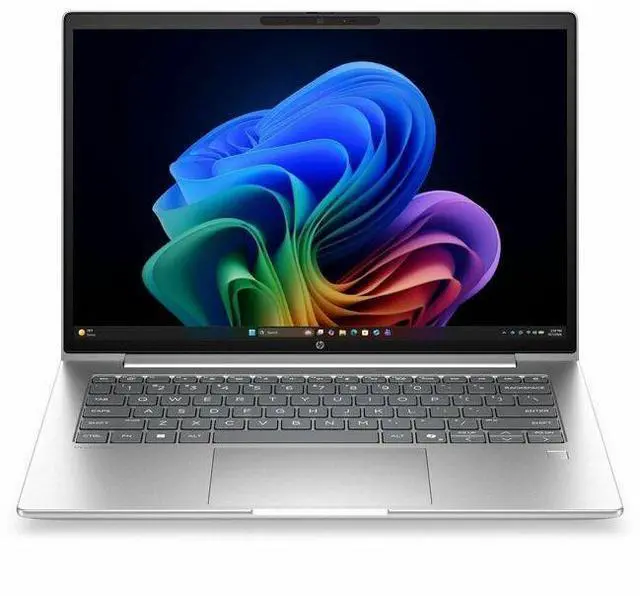
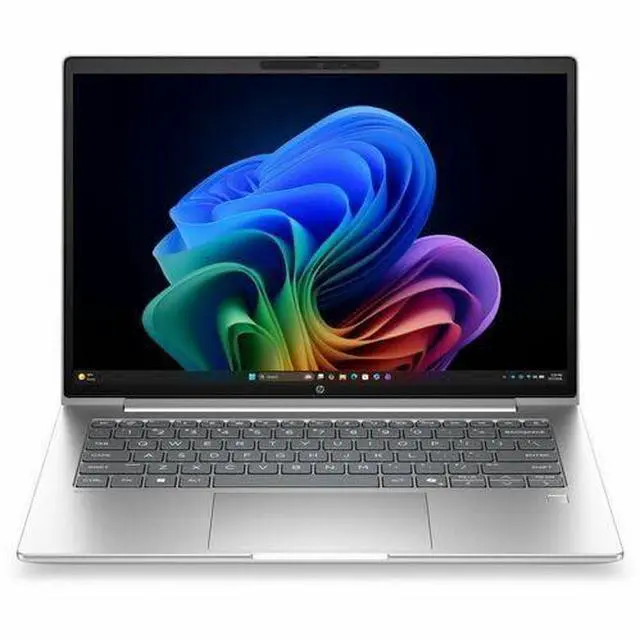
    HP ProBook 4 G2a 14" Touchscreen Notebook - WUXGA - AMD Ryzen AI 5 430 - 16 GB - 512 GB SSD - English Keyboard - Pike Silver - AMD Chip - 1920 x 1200 - Windows 11 Pro - AMD - In-plan

    • AMD Ryzen AI 5 430
    • 16GB Memory / 512GB SSD
    • AMD Radeon 840M
    • Touch Screen
    • 1920 x 1200
    • Windows 11 Pro
    +
    +
    Overview
    Specs
    Reviews
    See all Q & A
    avatar

    Any questions? Our AI mode will help you find out quickly.

    14 PB4G2a14NGAI RAI5430 16G 51

    Warranty & Returns

    Warranty, Returns, And Additional Information

    Warranty

    • Limited Warranty period (parts): 1 year
    • Limited Warranty period (labor): 1 year
    • Read full details

    Return Policies

    Manufacturer Contact Info

    LOADING...
    LOADING...

    Learn about this product

    The HP ProBook 4 G2a is a 14-inch touchscreen business laptop with a 1920x1200 IPS display, AMD Ryzen AI 5 430 processor, 16GB RAM, and 512GB SSD, making it a strong fit for professionals, students, and home users who want responsive everyday performance in a portable Windows 11 Pro system.

    Recommended For

    • Hybrid office staff who mainly live in Outlook, Teams/Zoom, web apps, and lots of browser tabs, and want a 14-inch business laptop with Windows 11 Pro, touch input, and workday battery life rather than workstation-class speed.
    • Small-business owners or IT-managed teams that prioritize business features and deployment consistency—ProBook positioning, Windows 11 Pro, and HP Wolf/security messaging fit standard office rollouts better than casual home use.
    • Mobile professionals who commute between meetings and client visits and need a compact 14-inch laptop for note-taking, presentations, webcam calls, and occasional touch use without carrying a thicker performance machine.
    • Users curious about on-device AI features in everyday work—especially Copilot+ style workflows, webcam/background effects, transcription, and other productivity tasks that benefit from the Ryzen AI NPU more than from extra GPU power.
    • Students in business, admin, or non-technical majors who need a durable-feeling business-style laptop for documents, research, remote classes, and multitasking, but do not need gaming hardware or heavy creator performance.

    Real-World Use Scenarios

    • Hybrid office work: handling Outlook, Teams/Zoom calls, web apps, spreadsheets, and document editing at the same time should feel smooth for a typical business workday, with the 14-inch 16:10 display giving a bit more vertical room for documents and browser tabs.
    • Traveling professional setup: for commuting or moving between meetings, this model fits the common 'carry all day, open anywhere, join calls quickly' use case better than larger laptops, while still covering normal office tasks without needing a charger immediately.
    • Client-facing note-taking and forms: the touchscreen makes sense for tapping through forms, reviewing PDFs, scrolling during meetings, and making quick on-screen inputs, which is more practical than using touch for long creation sessions.
    • Light creative and visual work: creating presentations, basic photo edits, simple marketing assets, and light 1080p media work should be fine, but integrated Radeon 840M graphics point to mainstream productivity use rather than heavier editing, 3D work, or newer AAA gaming.
    • On-device AI-assisted office tasks: users exploring Windows Copilot+ features, webcam enhancements, transcription, summarization, and other everyday AI helpers are likely to get the intended experience, but this is still best understood as a business productivity laptop first, not a workstation for large local AI models.

    Spec Summary

    AttributeValue
    Best ForBusiness and student users who need a 14-inch Windows 11 Pro notebook for everyday productivity and home/personal use, powered by an AMD Ryzen AI 5 processor
    Processor And Core CountAMD Ryzen AI 5 (model 430) processor, up to 4.5 GHz maximum clock with 8 MB L3 cache
    GPU And VRAMIntegrated AMD Radeon 840M graphics using DDR5 SDRAM
    Display Spec14.0 inch 1920 x 1200 (WUXGA) IPS display, up to 300 nit brightness, 62% sRGB color gamut
    Memory Configuration16 GB DDR5 SDRAM installed, 2 total memory slots
    Storage And Expansion512 GB solid state drive in M.2 form factor (m2 interface)
    Ports And Connectivity1 HDMI port and 4 total USB ports
    Wired And Wireless NetworkingWi-Fi and Bluetooth wireless connectivity
    Webcam And PrivacyIntegrated webcam
    Operating SystemWindows 11 Pro
    Physical And PackagingPike Silver color, item weight 4.65 Pounds, item dimensions 17.5 L x 10.9 W x 2.4 TH inches, package weight 5.65 Pounds
    Model IdentifiersModel DH8S1UT#ABA (Edition: ProBook 4 G2a), Manufacturer Hewlett Packard, Brand HP

    Reference Q&A

    Q: Should I buy the HP ProBook 4 G2a 14 or a similar Intel Core Ultra 5 business laptop?

    A: Choose the HP ProBook 4 G2a 14 if you want a 14-inch business laptop with modern AMD AI positioning, Windows 11 Pro, and stronger integrated graphics than many Intel Core Ultra 5 U-series business systems. External benchmark coverage for the Ryzen AI 5 430 and Radeon 840M shows competitive everyday productivity performance and a clear graphics advantage over older Radeon 660M-class systems, while comparable Intel U-series laptops often lead less in office work than they do on brand familiarity. An Intel alternative still makes sense if your organization standardizes on Intel platforms or specific Intel enterprise features.

    Q: Is the HP ProBook 4 G2a 14 worth choosing over an older Ryzen 5 business laptop?

    A: Yes, if you want a more current platform for work use. The ProBook 4 G2a 14 moves to AMD's Ryzen AI generation and Radeon 840M graphics, which external testing places above older integrated Radeon 660M-class laptops in graphics-heavy tasks and broadly in line for mainstream office performance. That makes the newer model the better fit for longer ownership, video calls, web multitasking, and light creative work. An older Ryzen 5 business laptop is still reasonable if price matters more than newer AI features and platform longevity.

    Q: Should I get this HP ProBook 4 G2a 14 or move up to a Ryzen AI 7 configuration?

    A: Pick this Ryzen AI 5 model if your workload is mainly document work, browser-heavy multitasking, meetings, and light photo or content tasks. Move up to a Ryzen AI 7 version if you expect heavier sustained multitasking, more demanding creative apps, or you want additional performance headroom over several years. The Ryzen AI 5 430 is positioned as the more mainstream option, while HP and review coverage show the higher-tier ProBook 4 G2a configurations targeting users who need more CPU resources without changing the overall business-laptop design.

    Q: Is the HP ProBook 4 G2a 14 a better choice than a larger 15.6-inch or 16-inch laptop for everyday work?

    A: Choose the ProBook 4 G2a 14 if portability, desk flexibility, and frequent travel matter more than maximum screen size. A 14-inch WUXGA business laptop is usually the more practical fit for commuting, meetings, and mixed office-home use. A 15.6-inch or 16-inch model is the better choice if you spend most of your time at one desk and want a larger view for spreadsheets, side-by-side documents, or longer editing sessions. The trade-off is simple: the 14-inch model favors mobility, while larger models favor workspace comfort.

    Q: Is this a good laptop for office work, meetings, and everyday productivity?

    A: Yes. This configuration is well-suited to office work, web apps, video meetings, document editing, and multitasking because it combines a 14-inch 1920 x 1200 display, 16GB memory, a 512GB SSD, webcam support, Bluetooth, and Windows 11 Pro. Its integrated Radeon 840M graphics are fine for business and general use, but it is not the right fit if your priority is heavier gaming or workstation-class creative workloads.

    Q: Is it worth buying as a travel work laptop?

    A: For travel-focused work, it is a sensible choice if you want a compact 14-inch business laptop with a touchscreen, webcam, SSD storage, and Windows 11 Pro rather than a larger or heavier machine. The main trade-off is that this is a mainstream business notebook, not a premium ultralight or a 2-in-1, so buyers who care most about maximum portability, pen use, or tablet-style flexibility may prefer a thinner convertible alternative.

    Q: Who is this laptop best suited for?

    A: It is best suited for students, remote workers, small-business users, and general buyers who want a business-style 14-inch laptop for productivity, meetings, browsing, and light creative tasks. It is less suitable for buyers who need a dedicated GPU, frequent high-end video editing, or a true 2-in-1 device for handwriting-first workflows.

    Q: How does it compare with a 2-in-1 touchscreen alternative?

    A: Choose this ProBook if you want a conventional business laptop with a 14-inch WUXGA touchscreen, 16GB RAM, 512GB SSD, and Windows 11 Pro for straightforward work use. Choose a 2-in-1 alternative if you specifically want a hinge that folds back, more tablet-style use, or stronger pen-centric note-taking. The trade-off is simple: the ProBook is the more traditional business notebook, while a 2-in-1 is better for flexibility.

    Q: Is this better than a cheaper 8GB or 256GB business laptop?

    A: Usually yes for longevity and multitasking. Compared with lower-cost business laptops that start with 8GB RAM or 256GB storage, this 16GB/512GB setup gives more headroom for heavier browser use, larger files, and longer useful life before storage or memory becomes limiting. The trade-off is price: if your use is limited to basic email, light browsing, and simple documents, a cheaper 8GB/256GB model may still be enough.

    Q: Is this HP ProBook 14 a good fit for everyday work and school use?

    A: Yes for general productivity. The 14-inch 1920x1200 touchscreen, 16GB RAM, 512GB SSD, webcam, Windows 11 Pro, and integrated Radeon 840M graphics make it a practical fit for web work, documents, video calls, note-taking, and multitasking. It is better suited to office, school, and travel use than to heavy creative workloads or demanding gaming.

    Q: Who is this laptop most suitable for?

    A: This model is most suitable for buyers who want a business-style 14-inch laptop for work, study, remote meetings, and everyday portability. It fits users who value a touchscreen, solid memory and storage, and Windows 11 Pro more than high-end graphics or workstation-class performance.

    Q: What are the main trade-offs of buying this ProBook instead of a consumer laptop or gaming laptop?

    A: The main trade-off is balance over specialization. A ProBook-class system typically prioritizes business features, practical build quality, webcam and connectivity, and everyday reliability. In return, this configuration's integrated Radeon 840M graphics and 16GB RAM mean it is not the best choice for heavier gaming, advanced 3D work, or creator workloads that benefit from a dedicated GPU.

    Q: Is the touchscreen actually a reason to choose this model?

    A: It depends on how you work. The touchscreen is useful for tapping through Windows, scrolling, presentations, and light note-taking or form entry. If you mostly use a keyboard and touchpad at a desk, it is helpful but not essential. This model appears to be a standard touchscreen laptop, not a 2-in-1, so it is better for occasional touch use than tablet-style workflows.

    Q: Is this worth buying if I want a more dependable HP laptop line?

    A: If you specifically want HP, the ProBook line is generally the safer choice than HP's lower-end consumer models. Community discussion often treats ProBook, EliteBook, and ZBook as HP's stronger business-oriented families. That does not guarantee a perfect unit, but it does make this model easier to justify for work-focused buyers than many budget consumer HP laptops.