Best Sellers
- $1,211.29
- + FREE SHIPPING
Sponsored Products
Any questions? Our AI mode will help you find out quickly.
Warranty & Returns
Warranty, Returns, And Additional Information
Warranty
- Limited Warranty period (parts): 1 year
- Limited Warranty period (labor): 1 year
- Read full details
Return Policies
- Return for refund within: 30 days
- Return for replacement within: 30 days
- This item is covered by Newegg.com's 30-Day Return Policy.
- Read full return policy for details.
Manufacturer Contact Info
- Manufacturer Website
- Support Phone: 1-800-474-6836
- Support Website
- View other products from HP
Learn about this product
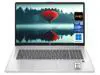
This HP 16-inch laptop is a mainstream productivity notebook with a Ryzen 7 processor, 16GB of memory, and a 512GB SSD, making it a strong fit for students, remote workers, and everyday users who want a larger screen for multitasking, documents, and web-based work.
Recommended For
- Students or home users who want a 16-inch screen for documents, web work, streaming, and everyday multitasking, and do not need dedicated graphics.
- Remote workers who keep many browser tabs, Office apps, video calls, and cloud tools open at once, and prefer a larger display over a smaller travel-first laptop.
- Buyers upgrading from an older budget laptop who want 16GB RAM and a 512GB SSD as a usable everyday baseline without stepping into gaming-laptop size, noise, or cost.
- Casual users who may do occasional very light gaming or media editing, but whose main use is productivity, browsing, and entertainment rather than sustained graphics-heavy work.
Real-World Use Scenarios
- For school or office work, users can keep many browser tabs, documents, spreadsheets, and video calls open at once with generally smooth day-to-day multitasking; this class of 16-inch HP laptop is positioned more as a mainstream productivity machine than a gaming system.
- For streaming, web browsing, and general home use, the large 16-inch display makes the laptop more comfortable for couch use, family sharing, and split-screen tasks than a smaller 13- or 14-inch model.
- For students writing papers, attending remote classes, and researching online, this kind of Ryzen 7/16GB/512GB configuration is typically enough for a full day of standard academic work without feeling cramped on memory or storage right away.
- For light photo editing, basic content creation, and casual creative apps, users should expect workable performance for everyday projects, but longer exports and heavier timelines will be less comfortable than on creator laptops with dedicated graphics.
- For light gaming, older titles, esports, and less demanding games are the more realistic fit, while newer AAA games will usually require reduced settings and should not be the main reason to buy this model.
Spec Summary
| Attribute | Value |
|---|---|
| Best For | Users who want a 16.0-inch HP notebook equipped with an AMD Ryzen 7 processor for general-purpose and productivity use (see model identifiers for full model string) |
| Display Spec | 16.0-inch display; model descriptor includes WUXGA resolution in the built-in media string |
| Model Identifiers | HP OmniBook 3 16-by0975nr — model string includes 16" notebook, WUXGA and AMD Ryzen 7 / Ryzen 100 Series (use this string for exact model matching) |
| Battery And Power | Rechargeable battery reported included (Rechargeable Battery Included: true) while other fields state batteries are not required and not included (Are Batteries Required: false; Are Batteries Included: false); battery installation listed as Not Installed; number of lithium‑ion cells reported as 0 and battery weight 0 Grams; no multiple battery-powered components reported |
| Physical Dimensions & Weight | Item weight 5.6 Pounds; size value provided as 2.40 (units not specified in source data) |
| Packaging & Contents | Sold as a single unit (Package Quantity: 1; Number of Items: 1) |
| Color & Finish | Silver exterior color |
| Brand & Manufacturer | HP |
Reference Q&A
Q: Should I choose this 16-inch HP Ryzen 7 model or an Intel-based HP OmniBook 5 16?
A: Choose this Ryzen 7 configuration if you want the stronger balance for everyday productivity, multitasking, and integrated-graphics headroom in a 16-inch mainstream laptop. AMD positions the Ryzen 7 160 as an 8-core Zen 3+ processor for everyday performance, while reviews of Intel-based OmniBook 5 16 models with Core Ultra 7 255U show that those systems are tuned more for basic use and deliver modest sustained CPU and graphics performance. The Intel version is still a practical choice for office work and web use, but this Ryzen 7 model is the safer pick if you want more performance margin without moving to a gaming laptop.
Q: Is this Ryzen 7 16GB/512GB model worth it over a lower-tier Ryzen 5 version?
A: Yes, this Ryzen 7 16GB/512GB version makes more sense if you keep many apps open, work with larger spreadsheets, do light photo editing, or want a longer useful life before needing an upgrade. The lower-tier Ryzen 5 option can still handle routine browsing, documents, and streaming well, but the Ryzen 7 gives you more CPU headroom and the same 16GB memory target many reviewers consider the practical baseline for a modern general-use laptop.
Q: Should I buy this model or step up to a higher-end Ryzen AI or gaming laptop?
A: Buy this model if your priority is a large-screen everyday laptop for work, school, streaming, and light creative tasks. Step up to a Ryzen AI model or a gaming laptop if you expect heavier graphics workloads, faster AI-enabled features, or regular gaming. Review data for newer Ryzen AI and gaming-class 16-inch systems shows noticeably stronger graphics and higher sustained performance, but those systems target a different use case and usually come with higher cost, more heat, or shorter battery-focused tuning.
Q: Is this 16-inch HP a better fit than a lighter 14-inch laptop?
A: Choose this 16-inch model if you value screen space, a roomier keyboard layout, and easier split-screen work. A lighter 14-inch laptop is the better choice if you carry it every day and portability matters more than workspace. Reviews of HP's mainstream 16-inch Pavilion and OmniBook designs consistently frame them as all-rounders for home, study, and office use rather than ultra-portable travel-first machines.
Q: Is this a better choice than an older HP Pavilion 16 generation?
A: In most cases, yes. This model is the better choice if pricing is close, because HP has shifted its mainstream 16-inch lineup forward under the OmniBook branding and positions it as the upgrade path from Pavilion. Older Pavilion 16 systems still make sense when discounted, especially for basic productivity, but newer 16-inch HP models are the more current buy if you want fresher platform support and a configuration that aligns better with current mid-range expectations such as 16GB RAM and 512GB SSD.
Q: Is this HP 16-inch laptop a good fit for office work, note-taking, meetings, and everyday multitasking?
A: Yes for general productivity. Based on the listed configuration, a Ryzen 7-class processor with 16GB RAM and a 512GB SSD is well suited to web work, documents, spreadsheets, video calls, and running multiple everyday apps at once. The main limitation is that the product page does not clearly confirm premium features such as touch input, stylus support, or business-focused extras, so it is a safer choice for standard office use than for specialized pen or creator workflows.
Q: Is it worth buying as a travel work laptop?
A: It can work as a travel productivity laptop, but it is not the safest pick if portability is the top priority. A 16-inch chassis gives more screen space for multitasking and spreadsheets, but it is usually less convenient for frequent flights, tight desks, and daily commuting than a 13-inch to 14-inch model. Buy it for mobile work if you value a larger display more than compact size.
Q: Who is this laptop most suitable for?
A: This model is most suitable for buyers who want a larger-screen mainstream laptop for home, school, and office tasks. The 16GB memory and 512GB SSD make it a practical fit for students, remote workers, and general users who keep many browser tabs and files open. It is a weaker fit for buyers who specifically need a lightweight travel machine, a 2-in-1 for handwriting, or a gaming laptop with confirmed discrete graphics.
Q: What are the main trade-offs versus an HP gaming laptop like Victus or OMEN?
A: The likely trade-off is productivity-first design versus gaming-first hardware. This HP 16-inch model is listed only with a Ryzen 7-class CPU, 16GB RAM, 512GB SSD, and a 16-inch display, while competitor gaming models commonly emphasize features such as backlit keyboards, discrete graphics, and upgradeability. If your priority is office work and a larger screen, this model is the simpler fit. If your priority is modern gaming, GPU-heavy creative work, or richer hardware features, a Victus or OMEN-style alternative is usually the better choice.
Q: Is 16GB RAM and 512GB SSD enough, or should buyers expect to upgrade later?
A: For most buyers, 16GB RAM and 512GB SSD is a solid starting point for everyday use, schoolwork, and office multitasking. It is enough for typical documents, browser-heavy work, streaming, and video calls. Buyers with large game libraries, local media collections, or heavier creative workloads may outgrow 512GB storage first. Because the product page does not clearly confirm upgrade options, buyers who know they need more capacity should verify expandability before purchase.
Q: Is this HP 16-inch laptop a good fit for everyday work and school use?
A: Yes for basic productivity. A 16-inch screen, Ryzen 7-class processor, 16GB RAM, and 512GB SSD are typically a sensible baseline for web work, documents, video calls, multitasking, and note-taking. The main trade-off is portability: a 16-inch laptop is usually better as a desk-first machine than as a highly mobile carry-around device.
Q: Who is this laptop most suitable for?
A: It is most suitable for buyers who want a large-screen general-use laptop for home, school, office work, streaming, and everyday multitasking. It is less suitable for buyers who specifically need a lightweight travel laptop, a color-accurate creative machine, or a gaming laptop with dedicated graphics.
Q: Is 16GB RAM and a 512GB SSD enough in 2026?
A: For most buyers, yes. 16GB RAM is a practical amount for everyday multitasking, office apps, many browser tabs, and schoolwork. A 512GB SSD is usable, but it is the more likely limit over time if you store large files, install many apps, or keep local media and games. Buyers who keep laptops for several years may want to check upgrade options or plan for external storage.
Q: Is this worth buying if I want one laptop for both work and gaming?
A: Only if your gaming needs are light and the model does not rely on dedicated graphics. Based on the provided product data, this listing does not mention a discrete GPU or a high-refresh gaming display, so it is safer to treat it as a general-use laptop rather than a gaming-first model. If gaming is a priority, a dedicated-GPU laptop is usually the better choice.
Q: What are the main trade-offs of choosing this HP 16-inch model?
A: The likely strengths are screen size and mainstream specs for everyday use. The likely trade-offs are lower portability than a 14-inch laptop, possible storage limits at 512GB, and unclear premium features because the listing provides very little detail beyond screen size, RAM, and storage. If display quality, battery life, keyboard feel, or upgradeability matter to you, this listing does not provide enough information to confirm them.