here!
I’m your shopping assistant for PC builds, upgrades, and everything tech.
Got questions? Ask away!
Start a conversation
here!
I’m your shopping assistant for PC builds, upgrades, and everything tech.
Got questions? Ask away!
Start a conversation

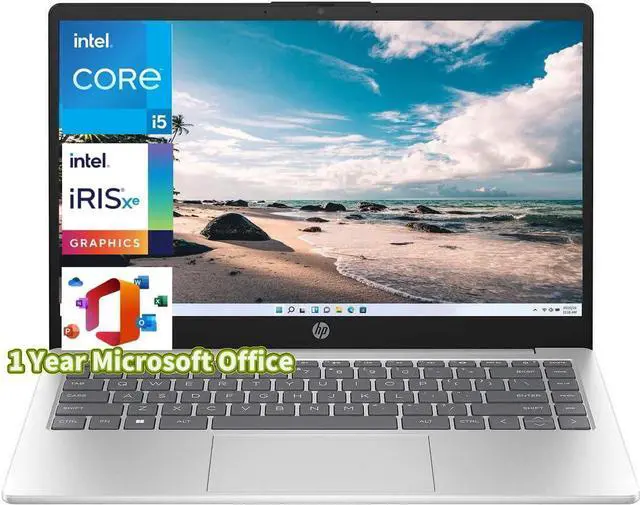
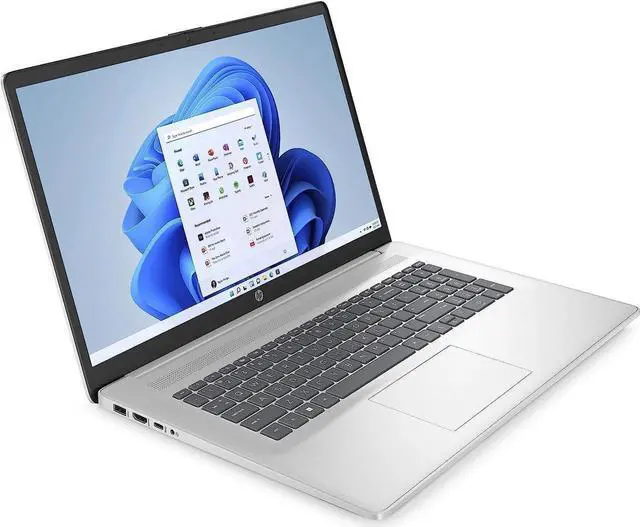
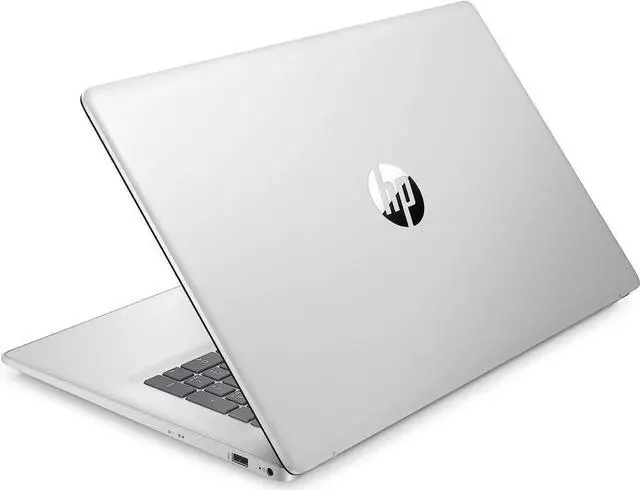





Any questions? Ask CelesteSM will help you find out quickly.

Provide a noticeable all round
speed and Performance boost
without stuttering or lag

Bring you closer to the people
and things you love while
giving you a place to think,
express and create

Offer the great value for running video and professional applications that keep you productive

Backlit Keyboard

DDR4 RAM cuts back voltage by 40% and boosts performance and bandwidth by 50% as compared to DDR3, which gives you less overall power consumption

M.2 drive with a PCIe interface has increased performance and takes advantage of non-volatile memory express (NVMe) protocol which increases the performance and has a reduced latency
| Brand | HP |
|---|---|
| Color | Silver |
| Features | Wifi 6,Bluetooth 5.3 |
| CPU | 13th Gen Intel Core i5-1335U (10-Core) Processor |
| Graphic | Intel Iris Xe Graphics |
| Memory (RAM) | Up to 64 GB |
| Operating System | Windows 11 Home/Pro |
| Processor | Intel Core i5 |
| Screen Resolution | FHD(1920 x 1080) |
| Screen Size | 17.3 in. |
| SSD | Up to 2 TB |
| Touchscreen | NO |
| Dimensions | 15.78" x 10.15" x 0.78" |
| Weight | 4.6 lbs |
CPU:13th Gen Intel Core i5-1335U (10-Core) Processor
Memory: Up to 64 GB DDR4 RAM
Hard Drive: Up to 2TB PCIe NVMe M. 2 Solid State Drive
Operating System: Windows 11 Home/Pro
Display:17.3" IPS Anti-Glare FHD (1920 x 1080) Display
Graphics:Intel Iris Xe Graphics
Ports:
1x USB Type-C
2x USB Type-A
1 AC smart pin
1x HDMI 1.4 b
1x Combination Headphone/Microphone Jack
Wireless Connectivity: Wi-Fi 6 and Bluetooth 5.3
Keyboard:HP Backlit Keyboard with Numeric Keypad
Battery:3-cell, 41 Wh Lithium-ion prismatic Battery
Dimensions:15.78" x 10.15" x 0.78";4.6 lbs
Color:Silver
The HP 17 is a 17.3-inch Windows 11 laptop with a 13th Gen Intel Core i5 processor, 32GB of RAM, and a 1TB SSD, suited to home, study, and office users who want a large screen and room for multitasking.
| Attribute | Value |
|---|---|
| Best For | Home and personal computing with a large 17.3-inch Full HD display, 32GB of memory and 1TB of SSD storage |
| Processor | 13th Gen Intel Core i5 |
| Display | 17.3-inch Full HD display with 1920 × 1080 resolution |
| Memory | 32GB DDR4-3200 |
| Storage | 1TB PCIe SSD |
| Wireless Connectivity | Wi-Fi 6 and Bluetooth 5.3 |
| Operating System | Windows 11 Home |
| Keyboard | Backlit keyboard |
| Color | Silver |
Q: HP 17 with 32GB RAM and 1TB SSD vs. the 16GB/512GB version: which should I choose?
A: Choose this Newegg-listed configuration if you want twice the memory and SSD capacity. HP’s 17-cn3033cl specification lists the same Core i5-1335U processor and 17.3-inch FHD display with 16GB RAM and a 512GB SSD, while this listing provides 32GB and 1TB.
Q: How does this HP 17 compare with the 12th-gen HP 17?
A: This configuration uses a 13th-gen Intel Core i5-1335U; HP’s 17-c2000 series included the 12th-gen Core i5-1235U. Both processors have 10 cores. Choose this listing if you prefer the newer processor generation along with its listed 32GB RAM and 1TB SSD configuration.
Q: HP 17 with Intel Core i5-1335U vs. HP 17 with Ryzen 5 7520U: what’s the difference?
A: The Intel configuration listed here has a 10-core i5-1335U, 32GB RAM, and a 1TB SSD. HP’s 17-cp2000 Ryzen 5 7520U option has a 4-core processor and supports up to 16GB of onboard memory. Choose this listing if you want the higher listed memory capacity and 1TB storage; choose between the processor platforms based on your preference for Intel or AMD.
Q: Is this laptop suitable for office work, multitasking, and taking notes?
A: Yes. The 13th Gen Core i5 processor, 32 GB of RAM, and 1 TB SSD make it suitable for typical office tasks and running multiple applications. Its 17.3-inch Full HD display and backlit keyboard support desk-based work and typing. The listing does not specify a touchscreen or stylus, so it should not be assumed to support handwritten notes directly on the screen.
Q: Is it good for video meetings?
A: It has a built-in HP True Vision 720p HD camera and Windows 11 Home, so it is equipped for video meetings. The listing does not specify microphone quality or battery life during calls.
Q: Is this 17.3-inch laptop practical to travel with?
A: It can be carried, but at 4.6 lb with a 17.3-inch screen, it is better suited to occasional transport than frequent travel where a compact, lightweight laptop is a priority. Battery life is not stated in the provided specifications, so portability away from an outlet cannot be assessed from this listing.
Q: Is it suitable for gaming?
A: It uses integrated Intel Iris Xe graphics rather than a dedicated graphics card. It may suit lighter games, but the listing does not establish performance for specific titles; check each game's system requirements. It is not the clearest fit for demanding games that depend on stronger graphics hardware.
Q: Is this HP 17 a good desktop-replacement laptop?
A: It may suit a mostly desk-based setup: its 17.3-inch FHD screen provides a large workspace, and the Core i5-1335U, 32 GB RAM, and 1 TB SSD are configured for everyday productivity. At 4.6 lb, it is less convenient to carry regularly than a smaller laptop. A Reddit discussion specifically compared an i5-1335U HP 17 with another laptop for home desktop-replacement use.
Q: What trade-offs should I check before buying?
A: The large screen and 4.6 lb weight favor stationary use over frequent travel. A Reddit discussion of a related i5-1335U HP 17 configuration raised concerns about display brightness, color range, battery capacity, and port selection. This listing does not specify brightness, color gamut, or battery capacity, so confirm those details for the exact unit before buying.
Q: Is it suitable for basic home use, such as email and web browsing?
A: Yes. Its Core i5-1335U processor, 32 GB RAM, and SSD are more than the basic email and browsing needs described in a Reddit discussion about finding a Windows laptop with a large screen. The 17.3-inch display may be useful if screen size is a priority; its 4.6 lb weight makes it less suited to frequent carrying.