here!
I’m your shopping assistant for PC builds, upgrades, and everything tech.
Got questions? Ask away!
Start a conversation
here!
I’m your shopping assistant for PC builds, upgrades, and everything tech.
Got questions? Ask away!
Start a conversation

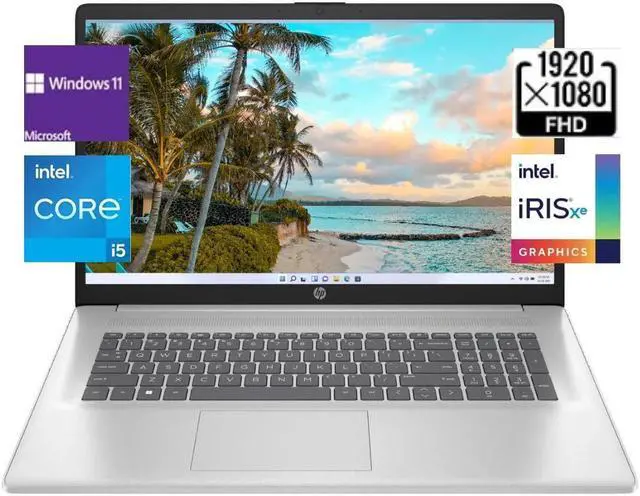
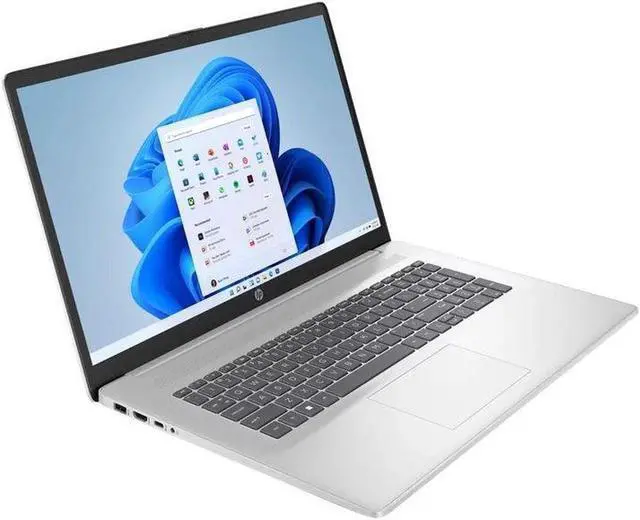
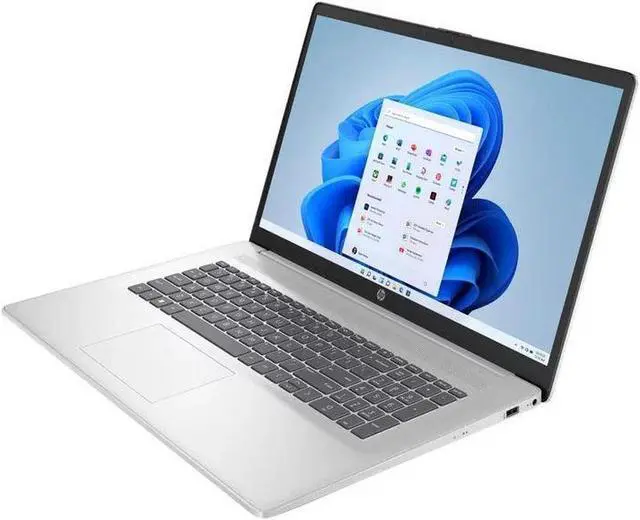





Any questions? Ask CelesteSM will help you find out quickly.

Provide a noticeable all round
speed and Performance boost
without stuttering or lag

Bring you closer to the people
and things you love while
giving you a place to think,
express and create

Offer the great value for running video and professional applications that keep you productive

Backlit Keyboard

DDR4 RAM cuts back voltage by 40% and boosts performance and bandwidth by 50% as compared to DDR3, which gives you less overall power consumption

M.2 drive with a PCIe interface has increased performance and takes advantage of non-volatile memory express (NVMe) protocol which increases the performance and has a reduced latency
| Brand | HP |
|---|---|
| Color | Silver |
| Features | Wifi 6,Bluetooth 5.3 |
| CPU | 13th Gen Intel Core i5-1335U (10-Core) Processor |
| Graphic | Intel Iris Xe Graphics |
| Memory (RAM) | Up to 64 GB |
| Operating System | Windows 11 Home/Pro |
| Processor | Intel Core i5 |
| Screen Resolution | FHD(1920 x 1080) |
| Screen Size | 17.3 in. |
| SSD | Up to 2 TB |
| Touchscreen | NO |
| Dimensions | 15.78" x 10.15" x 0.78" |
| Weight | 4.6 lbs |
CPU:13th Gen Intel Core i5-1335U (10-Core) Processor
Memory: Up to 64 GB DDR4 RAM
Hard Drive: Up to 2TB PCIe NVMe M. 2 Solid State Drive
Operating System: Windows 11 Home/Pro
Display:17.3" IPS Anti-Glare FHD (1920 x 1080) Display
Graphics:Intel Iris Xe Graphics
Ports:
1x USB Type-C
2x USB Type-A
1 AC smart pin
1x HDMI 1.4 b
1x Combination Headphone/Microphone Jack
Wireless Connectivity: Wi-Fi 6 and Bluetooth 5.3
Keyboard:HP Backlit Keyboard with Numeric Keypad
Battery:3-cell, 41 Wh Lithium-ion prismatic Battery
Dimensions:15.78" x 10.15" x 0.78";4.6 lbs
Color:Silver
The HP 17.3-inch FHD laptop is a Windows 11 Pro work laptop with a 13th Gen Intel Core i5-1335U, 32GB RAM, and a 512GB PCIe NVMe SSD, suited to business users who need room for multitasking and everyday productivity.
| Attribute | Value |
|---|---|
| Best For | Work and business use with a large 17.3-inch display, 32GB of memory for multitasking, and a 512GB SSD for file storage |
| Processor And Operating System | 13th Gen Intel Core i5 processor running Windows 11 Pro |
| Display | 17.3-inch Full HD display with 1920 × 1080 resolution |
| Memory Configuration | 32GB DDR4 memory at 3200 speed |
| Storage | 512GB PCIe SSD |
| Wireless Connectivity | Wi-Fi 6 and Bluetooth 5.3 |
| Keyboard | Backlit keyboard |
| Color | Silver |
Q: HP 17 with 32GB RAM vs a 16GB HP 17: which should I choose?
A: Choose this 32GB configuration if you regularly keep many apps, browser tabs, or large files open at once. A 16GB HP 17 configuration suits everyday work and browsing; both can use the Core i5-1335U, so the main listed difference here is memory capacity.
Q: HP 17 with Core i5-1335U vs Core i7-1355U: which configuration makes more sense?
A: Choose this i5 configuration for a balanced everyday work setup with 32GB RAM and a 512GB SSD. The HP 17 i7-1355U option has the same 10-core, 12-thread count and a higher maximum turbo frequency, making it the alternative to consider when processor speed is the priority.
Q: HP 17 vs HP Envy 17: which is better for work and a large screen?
A: Choose this HP 17 configuration for a 17.3-inch FHD display, Windows 11 Pro, and 32GB RAM for general work and multitasking. Consider an HP Envy 17 configuration when you want higher-tier options such as an Intel Core Ultra processor, a wide-color FHD display, or optional NVIDIA RTX graphics; Envy features vary by configuration.
Q: Is this laptop suitable for office work and multitasking?
A: Yes. Its 10-core Intel Core i5-1335U, 32 GB of RAM, 512 GB SSD, and 17.3-inch FHD display suit common office tasks such as documents, spreadsheets, browsing, and video calls, including working with several applications open. Its integrated Intel Iris Xe graphics are not a dedicated graphics solution for demanding creative workloads or gaming.
Q: Is it good for video meetings?
A: It has a built-in HP True Vision 720p HD camera and wireless connectivity, so it can support routine video meetings. The listed specifications do not establish camera image quality beyond its 720p resolution.
Q: Is this 17.3-inch laptop practical to travel with?
A: It can be carried between locations, but at 4.6 lb and with a 17.3-inch screen, it is a larger, heavier choice than a compact travel laptop. Battery life is not provided in the product specifications, so its unplugged runtime cannot be assessed from the available information.
Q: Is it a good choice for gaming or graphics-heavy work?
A: It is better suited to everyday productivity and light graphics tasks than to demanding gaming or graphics-heavy work. The laptop uses integrated Intel Iris Xe graphics, and the listed specifications do not include a dedicated graphics processor.
Q: Is this HP 17.3-inch laptop suitable for light gaming and video editing?
A: It may suit basic editing and less demanding games, but its Intel Iris Xe graphics are integrated, not a dedicated GPU. For graphics-intensive games or heavier editing, consider a laptop with dedicated graphics. A Reddit comparison of a similar HP 17.3-inch i5-1335U configuration raised this same trade-off.
Q: Is a 17.3-inch laptop practical to carry for commuting or frequent travel?
A: It is better suited to desk-based use or occasional transport than frequent travel. This model weighs 4.6 lb and measures about 15.78 × 10.15 inches, so check that your bag and usual workspaces can accommodate it. Reddit users discussing 17.3-inch laptops describe the larger screen as useful at home but less convenient for regular carrying.
Q: Is this HP a reasonable choice for everyday work on a large screen?
A: Its 17.3-inch FHD IPS display, Core i5-1335U, and 32 GB of RAM fit everyday productivity tasks such as browsing and document work. A Reddit discussion seeking a large-screen, non-gaming laptop also considered a similar HP 17 configuration for everyday use. The product listing does not provide enough information to assess battery life or long-term reliability.