here!
I’m your shopping assistant for PC builds, upgrades, and everything tech.
Got questions? Ask away!
Start a conversation
here!
I’m your shopping assistant for PC builds, upgrades, and everything tech.
Got questions? Ask away!
Start a conversation


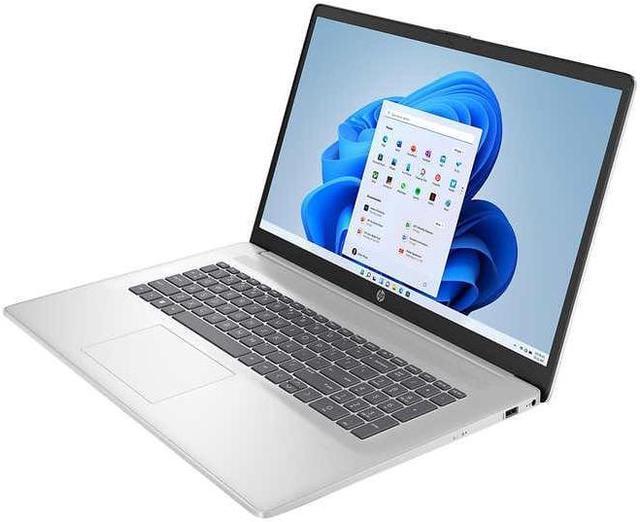
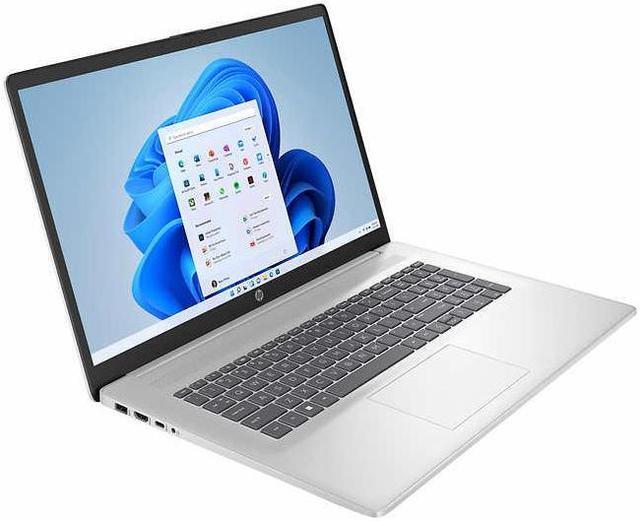
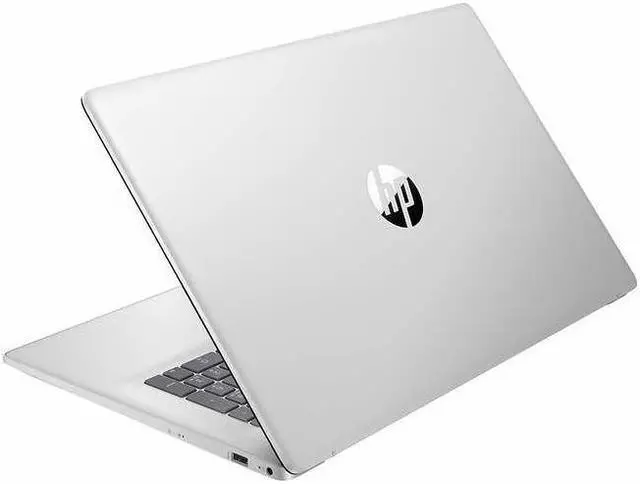




Any questions? Ask CelesteSM will help you find out quickly.

Provide a noticeable all round
speed and Performance boost
without stuttering or lag

Bring you closer to the people
and things you love while
giving you a place to think,
express and create

Offer the great value for running video and professional applications that keep you productive

Wi-Fi 6 can result in up to 75% less latency and bring wired and wireless signals closer to parity

We offer high speed RAM and enormous space to smoothly run multiple applications and browser tabs all at once
Up to 32 GB DDR4 RAM
DDR4 RAM cuts back voltage by 40% and boosts performance and bandwidth by 50% as compared to DDR3, which gives you less overall power consumption
Up to 2 TB PCIe NVMe M.2 SSD
M.2 drive with a PCIe interface has increased performance and takes advantage of non-volatile memory express (NVMe) protocol which increases the performance and has a reduced latency
| Brand | HP |
|---|---|
| Color | Silver |
| Features | Wifi6,Bluetooth5.3 |
| CPU | Intel Core i5-1355U |
| Graphic Card | Intel Iris Xe Graphics |
| Memory (RAM) | Up to 32 GB |
| Operating System | Windows 11 Home |
| Screen Resolution | 1920 x 1080 |
| Screen Size | 17.3 in. |
| SSD Size | Up to 2TB |
Processor and Memory:
13th Gen Intel Core i5-1335U (10-Core) Processor
Up to 32GB DDR4 3200MHz RAM
Operating System:
Microsoft Windows 11 Home | Pro
Drives:
Up to 2TB PCIe NVMe M.2 Solid State Drive
No Optical Drive
Graphics and Video:
17.3" IPS Anti-Glare FHD (1920 x 1080) Display
Integrated Intel Iris Xe Graphics
Communications:
Wi-Fi 6 (1 x 1) Gig+ and Bluetooth 5.3
HP True Vision 720p HD Camera with Dual Array Digital Microphones
Audio:
HD Audio with Stereo Speakers
Keyboard:
Full-size Backlit Soft Gray Keyboard with Numeric Keypad
Ports:
1x USB Type C
2x USB Type A
1x HDMI 1.4b
1x Combination Headphone/Microphone Jack
Power Supply:
3-Cell 41WHr Lithium-ion Battery
Additional Information:
Dimensions: 15.78"W x 10.15"D x 0.78"H
Weight (approximately): 4.60 lbs
This HP 17.3-inch laptop pairs a 13th Gen Intel Core i5-1335U processor with 32GB RAM and a 1TB SSD, making it suitable for work, study, and multitasking on a large Full HD display.
| Attribute | Value |
|---|---|
| Best For | Work and business use, with 32GB of memory and 1TB of SSD storage |
| Processor | 13th-generation Intel Core i5 processor, listed at 1.30 GHz |
| Graphics | Intel Iris Xe Graphics |
| Display | 17.3-inch non-touch screen |
| Memory | 32GB |
| Storage | 1TB SSD; no HDD |
| Operating System | Windows 11 Home |
| Color | Silver |
Q: Is this HP 17 worth choosing over an HP 17 with 16GB RAM and a 512GB SSD?
A: Choose this listed configuration if you want 32GB of RAM and 1TB of storage for keeping more files locally and working with more memory-intensive multitasking. The 16GB/512GB HP 17 configuration is a fit if those capacities meet your needs while you want the same 17.3-inch HP 17 format.
Q: How does this HP 17 compare with the previous-generation HP 17 with an i5-1235U?
A: Both use 10-core Intel Core i5 processors. This configuration pairs the 13th Gen i5-1335U with 32GB RAM and a 1TB SSD; the older HP 17-c2000 series offered the 12th Gen i5-1235U. Choose this model if you want the newer processor generation and the listed 32GB/1TB configuration.
Q: Should I choose this HP 17 or an HP 17 with a Ryzen 5 7520U?
A: Choose this configuration if you prefer an Intel Core i5-1335U, Intel Iris Xe graphics, and the listed 32GB RAM and 1TB SSD. The HP 17-cp2000 series is an AMD-based alternative with a Ryzen 5 7520U; compare the specific configuration’s memory, storage, and display when choosing between them.
Q: Is this laptop suitable for office work, video meetings, and multitasking?
A: Yes. Its 13th Gen Core i5 processor, 32GB RAM, 1TB SSD, Windows 11 Home, and 720p webcam suit typical office tasks, video calls, and having multiple applications open. The listed specs do not establish battery life or guarantee performance for specialized workloads.
Q: Can I connect an external monitor?
A: Yes. The listed HDMI port can connect a compatible external monitor. USB-C is also listed, but the product information does not specify whether it supports video output, so confirm that before choosing a USB-C display or dock.
Q: Is the screen touch-enabled for handwritten notes?
A: No. This model is specified as non-touch, so it is not intended for direct screen tapping or stylus-based handwritten notes. You can still take notes by typing with its backlit keyboard.
Q: Is this a practical laptop for frequent travel?
A: It may be less convenient for frequent travel than a smaller laptop: the 17.3-inch screen favors a larger viewing area, but the listed specifications do not provide weight or battery life. Consider it mainly for desk-based use unless you can verify those details and are comfortable carrying a large laptop.
Q: Could this HP 17-inch laptop work as a desktop replacement?
A: It is a reasonable fit for home or desk-based productivity if you want a large screen: this configuration has a 17.3-inch FHD display, 32GB RAM, and a 1TB SSD. Its size makes it less suited to frequent travel. A Reddit discussion about a related HP 17-inch model explicitly considered it for desktop-replacement use; that model had different memory and storage.
Q: Is this HP 17-inch laptop worth buying?
A: It may be worth considering for everyday work and multitasking if its current price is competitive. The listed configuration includes a Core i5-1335U, 32GB RAM, and a 1TB SSD, but the provided information and related Reddit discussion do not establish a current price or value comparison for this exact configuration.
Q: What should I check about the screen, battery, and ports before buying?
A: Confirm the exact listing’s screen and port details, and look for battery-runtime information before purchase. A Reddit post about a related HP 17-inch model raised concerns about screen brightness, battery, and I/O; those comments do not verify those points for this exact configuration. The supplied specifications list an FHD IPS screen, USB-C, USB-A, and HDMI, but not brightness or battery runtime.