here!
I’m your shopping assistant for PC builds, upgrades, and everything tech.
Got questions? Ask away!
Start a conversation
here!
I’m your shopping assistant for PC builds, upgrades, and everything tech.
Got questions? Ask away!
Start a conversation

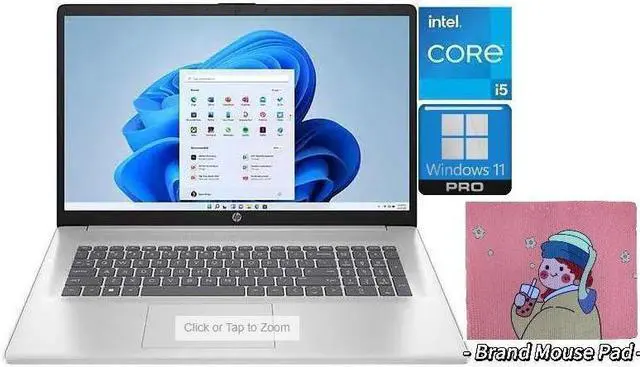
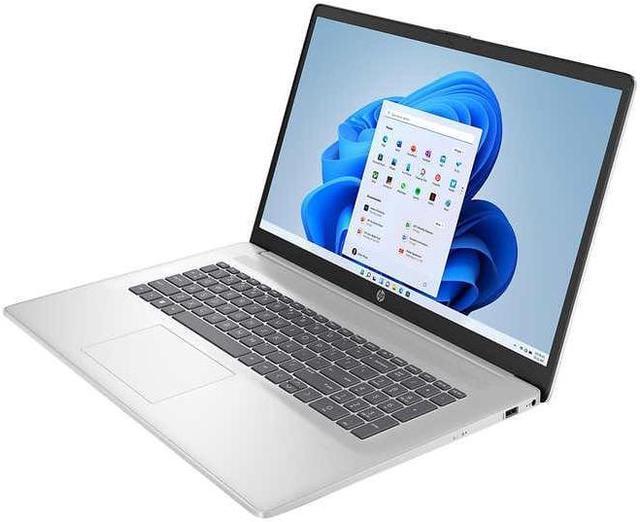
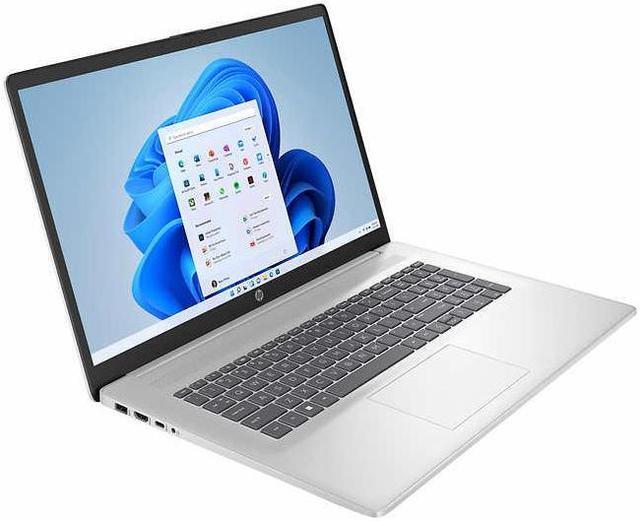
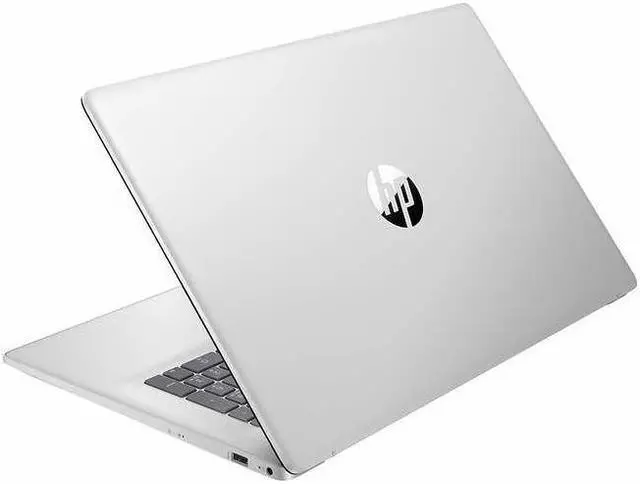




Any questions? Ask CelesteSM will help you find out quickly.

Provide a noticeable all round
speed and Performance boost
without stuttering or lag

Bring you closer to the people
and things you love while
giving you a place to think,
express and create

Offer the great value for running video and professional applications that keep you productive

Wi-Fi 6 can result in up to 75% less latency and bring wired and wireless signals closer to parity

We offer high speed RAM and enormous space to smoothly run multiple applications and browser tabs all at once
Up to 32 GB DDR4 RAM
DDR4 RAM cuts back voltage by 40% and boosts performance and bandwidth by 50% as compared to DDR3, which gives you less overall power consumption
Up to 2 TB PCIe NVMe M.2 SSD
M.2 drive with a PCIe interface has increased performance and takes advantage of non-volatile memory express (NVMe) protocol which increases the performance and has a reduced latency
| Brand | HP |
|---|---|
| Color | Silver |
| Features | Wifi6,Bluetooth5.3 |
| CPU | Intel Core i5-1355U |
| Graphic Card | Intel Iris Xe Graphics |
| Memory (RAM) | Up to 32 GB |
| Operating System | Windows 11 Pro |
| Screen Resolution | 1920 x 1080 |
| Screen Size | 17.3 in. |
| SSD Size | Up to 2TB |
Processor and Memory:
13th Gen Intel Core i5-1335U (10-Core) Processor
Up to 32GB DDR4 3200MHz RAM
Operating System:
Microsoft Windows 11 Home | Pro
Drives:
Up to 2TB PCIe NVMe M.2 Solid State Drive
No Optical Drive
Graphics and Video:
17.3" IPS Anti-Glare FHD (1920 x 1080) Display
Integrated Intel Iris Xe Graphics
Communications:
Wi-Fi 6 (1 x 1) Gig+ and Bluetooth 5.3
HP True Vision 720p HD Camera with Dual Array Digital Microphones
Audio:
HD Audio with Stereo Speakers
Keyboard:
Full-size Backlit Soft Gray Keyboard with Numeric Keypad
Ports:
1x USB Type C
2x USB Type A
1x HDMI 1.4b
1x Combination Headphone/Microphone Jack
Power Supply:
3-Cell 41WHr Lithium-ion Battery
Additional Information:
Dimensions: 15.78"W x 10.15"D x 0.78"H
Weight (approximately): 4.60 lbs
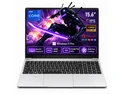
The HP 17.3-inch laptop pairs a 13th Gen Intel Core i5-1335U, 32GB of RAM, and a 1TB SSD with Windows 11 Pro, making it suitable for business users and students who need a large-screen computer for everyday productivity and multitasking.
| Attribute | Value |
|---|---|
| Best For | Work and business use with a large 17.3-inch screen, 32GB of memory, and 1TB of SSD storage |
| Processor | 13th Gen Intel Core i5, listed at 1.30GHz |
| Graphics | Intel Iris Xe Graphics |
| Display | 17.3-inch non-touch screen |
| Memory | 32GB |
| Storage | 1TB SSD; no HDD |
| Operating System | Windows 11 Pro |
| Design And Finish | Silver |
Q: Should I choose this HP 17 with the Core i5-1335U or an HP 17 with the Core i7-1355U?
A: Choose the HP 17 with the Core i7-1355U if you want the higher processor tier and its listed maximum turbo frequency of 5.0 GHz. Choose this configuration if its listed 32GB RAM and 1TB SSD are the priority; HP notes that configurations vary by model.
Q: How does this HP 17 with a Core i5 compare with the HP 17 i3-N305 version?
A: This configuration pairs a 10-core Core i5-1335U with 32GB RAM and a 1TB SSD. The HP 17-c3000 series also offers an 8-core Core i3-N305 option. Choose this listing when the Core i5 and its stated memory and storage configuration match your priorities.
Q: Is this HP 17 a worthwhile step up from the 12th-gen HP 17 with a Core i5-1235U?
A: This configuration uses the 13th-gen Core i5-1335U, while the HP 17-c2000 series offered the 12th-gen Core i5-1235U. Choose this model if you want the newer processor generation along with the listed 32GB RAM and 1TB SSD.
Q: Is this laptop suitable for office work and multitasking?
A: Yes. Its 13th Gen Intel Core i5 processor, 32GB of RAM, 1TB SSD, and 17.3-inch Full HD screen make it suitable for common office tasks, video calls, and running multiple everyday applications. It runs Windows 11 Pro.
Q: Is this laptop a good choice for travel work?
A: It can work for travel, but its 17.3-inch screen favors a larger workspace over compact portability. The product information provided does not specify its weight or battery life, so those details should be checked before choosing it for frequent mobile use.
Q: Is the screen touchscreen?
A: No. The listed display is a 17.3-inch, 1920 × 1080 IPS screen, and the product specifications identify it as non-touch.
Q: Can it handle gaming?
A: It has integrated Intel Iris Xe graphics, so it may suit lighter games, but it is not specified with a dedicated graphics card. For demanding games, check each game's system requirements and expect graphics performance to be a limitation.
Q: Is this HP 17 a good desktop replacement for browsing, streaming, and home-office work?
A: It fits that use case: the 17.3-inch Full HD screen, Core i5-1335U, 32GB RAM, and 1TB SSD suit everyday productivity and multitasking. Its large screen is more convenient on a desk than for frequent carrying.
Q: Is it a good choice for gaming or video editing?
A: It is better suited to everyday work than demanding games or graphics-heavy editing. The listed Intel Iris Xe graphics are integrated, not a dedicated GPU; choose a laptop with dedicated graphics if those workloads are a priority.
Q: Is a 17.3-inch laptop a good fit if I want a large screen but may travel with it?
A: The large display is useful for reading and working at a desk, but the 17.3-inch size is a trade-off if you carry a laptop often. This is a better fit for mostly stationary use than frequent travel.
Q: Is it a good long-term buy compared with other laptops?
A: Its 32GB of RAM and 1TB SSD provide substantial memory and storage for everyday use, but those specs alone do not establish long-term reliability or value. Compare the price, warranty, and return terms with alternatives before deciding.