here!
I’m your shopping assistant for PC builds, upgrades, and everything tech.
Got questions? Ask away!
Start a conversation
here!
I’m your shopping assistant for PC builds, upgrades, and everything tech.
Got questions? Ask away!
Start a conversation






Any questions? Ask CelesteSM will help you find out quickly.
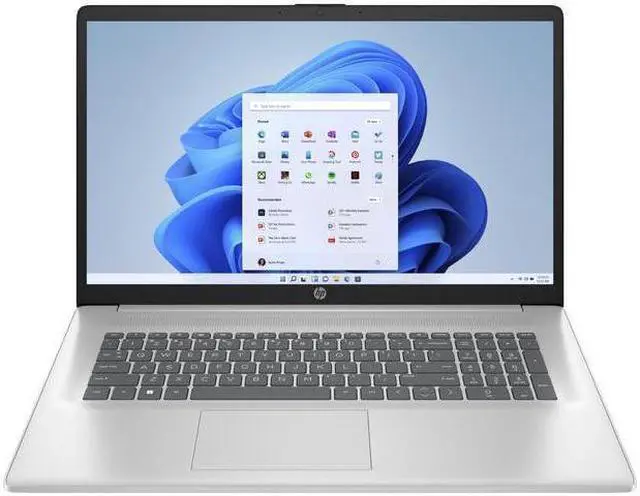
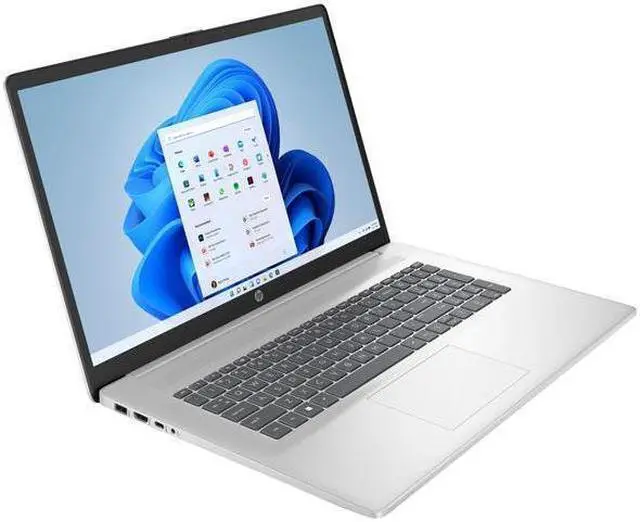
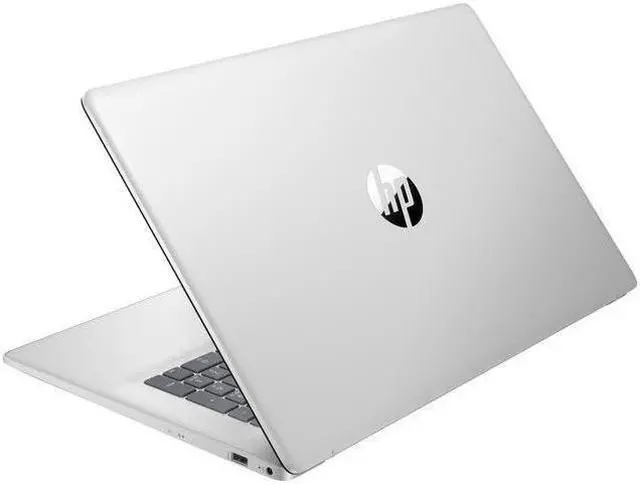
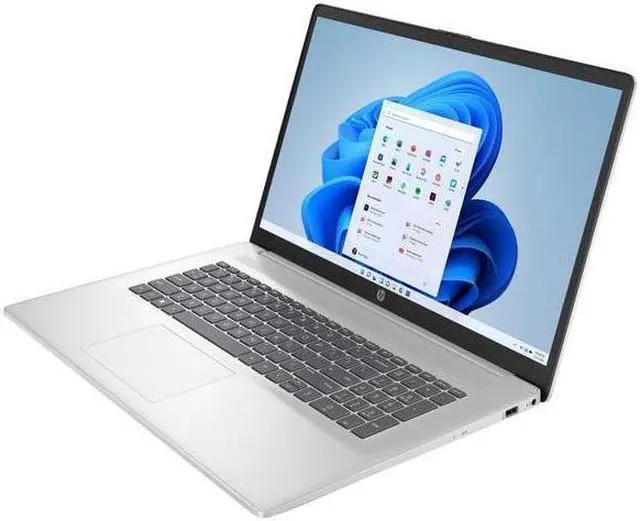
The HP 17 is a Windows 11 laptop with an Intel Core 5 120U processor, 16GB RAM, and a 512GB SSD, suited to everyday work, web browsing, and multitasking on a large screen.
| Attribute | Value |
|---|---|
| Best For | Work and business use with a large 17.3-inch display, 16GB memory, and 512GB PCIe SSD |
| Processor And Performance | Intel Core Ultra 5 with up to 5 GHz turbo frequency and 12MB L3 cache |
| GPU And Graphics | Integrated Intel Graphics |
| Display Spec | 17.3-inch, 1920 × 1080 non-touch display |
| Memory Configuration | 16GB DDR4 memory |
| Storage And Expansion | 512GB PCIe SSD; no HDD, optical drive, or card reader |
| Wired And Wireless Networking | 802.11ax Wi-Fi and Bluetooth 5.3 |
| Ports And Audio | HDMI and a headphone/microphone combo jack |
| Webcam And Privacy | Webcam included |
| Keyboard And Control | Standard backlit keyboard; no other input devices listed |
| Operating System | Windows 11 Home |
| Design And Model Identifiers | HP 17 series in silver with a standard design |
Q: HP 17 Core 5 120U vs HP 17 Core 3 100U: which configuration should I choose?
A: Choose this HP 17 Core 5 120U configuration for a 10-core, 12-thread processor and its listed 16GB RAM and 512GB SSD. The HP 17 series also offers a Core 3 100U option with 6 cores and 8 threads, making it the lower processor tier for buyers prioritizing a simpler configuration.
Q: Should I get this HP 17 Core 5 120U or the HP 17 Core 7 150U?
A: Choose the HP 17 Core 7 150U option when you want a higher maximum processor boost frequency: HP lists up to 5.4 GHz for the Core 7 150U and up to 5.0 GHz for the Core 5 120U. Both are 10-core, 12-thread processors; this Core 5 configuration pairs its processor with 16GB RAM and a 512GB SSD.
Q: HP 17 Core 5 120U vs HP 15 Core 5 120U: which is better for everyday use?
A: Choose this HP 17 when a larger 17.3-inch screen is the priority for working with documents, browser windows, and video. Choose an HP 15 Core 5 120U configuration when you prefer a 15.6-inch screen and a more compact laptop format. HP lists the Core 5 120U in both product series; configurations vary.
Q: Is this laptop suitable for office work and video meetings?
A: Yes. Its 10-core Intel Core 5 processor, 16GB of RAM, 512GB SSD, built-in webcam, and 17.3-inch Full HD display fit everyday office tasks, multitasking, and video meetings. Its integrated graphics are better suited to productivity than demanding graphics work.
Q: Is the display touchscreen?
A: No. This model has a 17.3-inch Full HD IPS display, and the listed specifications identify it as non-touch.
Q: Is it a good choice for travel or working away from an outlet?
A: It can be carried, but its 17.3-inch screen makes it a larger-format laptop rather than a compact travel device. The listed battery capacity is 41Wh, but no runtime is provided, so battery life away from an outlet cannot be determined from these specifications.
Q: Can it handle gaming?
A: It may handle some light or casual games, but it has integrated Intel graphics rather than a dedicated graphics card. It is not the best fit for demanding games; check each game's system requirements before buying.
Q: Is the HP 17 with Core 5 120U suitable for everyday work or programming?
A: A Reddit owner of a closely matching HP 17 configuration with the Core 5 120U, 16GB RAM, 512GB SSD, and Full HD display reported using it for programming projects without trouble. The listed configuration is suited to general productivity and light programming; its integrated graphics are not intended for demanding graphics workloads.
Q: Is a 17.3-inch HP 17 practical to travel with?
A: It can be used while traveling, but the 17.3-inch screen makes it a large-format laptop. A Reddit owner used a similar HP 17 for programming while traveling, while noting its large screen; choose a smaller laptop if compact size is a priority.
Q: Can the RAM or storage be upgraded later?
A: A Reddit owner of a similar HP 17 configuration upgraded its RAM and described the storage and memory as modular. That does not confirm the exact upgrade options for this professionally upgraded listing, so check the specific unit’s configuration before buying or planning upgrades.