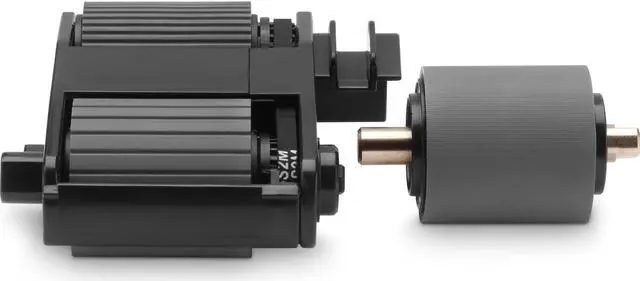
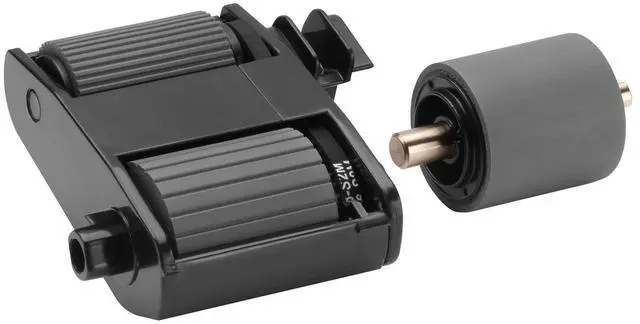
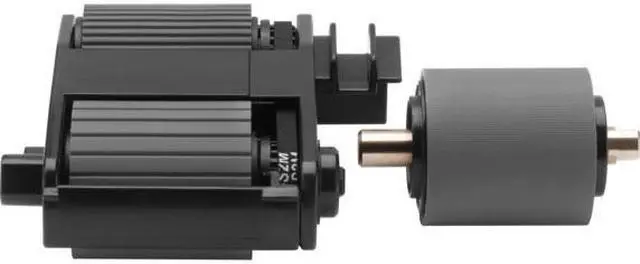
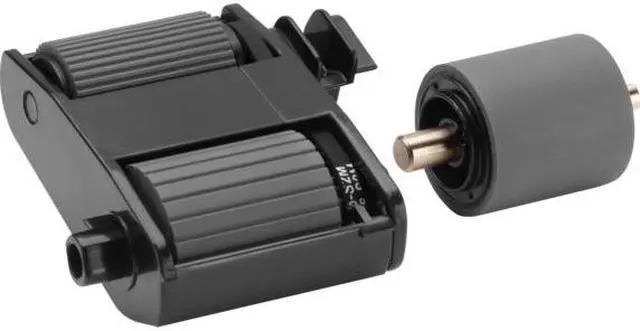
The HP 7QH79A#101 is a scanner roller replacement kit for owners maintaining compatible HP ScanJet 2000 s2, 3000 s4, or 4000 snw1 scanners.
Recommended For
- Owners of an HP ScanJet Pro 2000 s2, 3000 s4, or N4000 snw1 whose automatic document feeder is experiencing repeated jams and needs pickup and separation rollers replaced.
- Office teams and frequent document-scanning users maintaining one of those compatible ScanJet models as it approaches HP’s recommended roller replacement interval of 100,000 scans.
- IT or office administrators who want to restore document-feeder operation by replacing the pickup and separation rollers rather than treating recurring feed jams as a software problem.
- Owners of a compatible ScanJet who are comfortable following the kit’s replacement instructions or arranging routine scanner maintenance.
Real-World Use Scenarios
- When an HP ScanJet Pro 2000 s2, 3000 s4, or N4000 snw1 starts repeatedly jamming documents, replace the pickup and separation rollers as part of maintenance; the kit is intended to help restore reliable sheet feeding.
- When the scanner’s maintenance reminder indicates the rollers are due, use the kit to replace the pickup and separation rollers and resume feeding batches of office documents through the automatic document feeder.
- After roughly 100,000 scans, replace the rollers as preventive maintenance to help keep a frequently used document scanner feeding pages consistently; HP notes that actual replacement timing can vary.
- If pages are no longer picked up reliably during a multi-page scan, replace the worn feed rollers and test the feeder with a small stack; the kit addresses the scanner’s pickup and page-separation components.




 here!