

Your Browsing History

Meet Your Seller

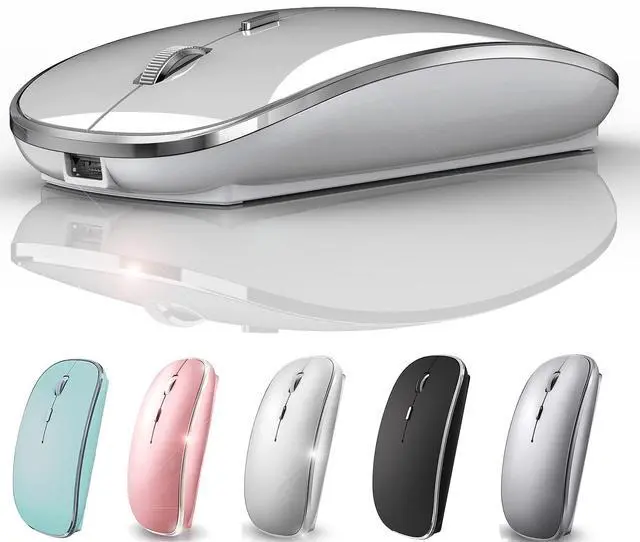
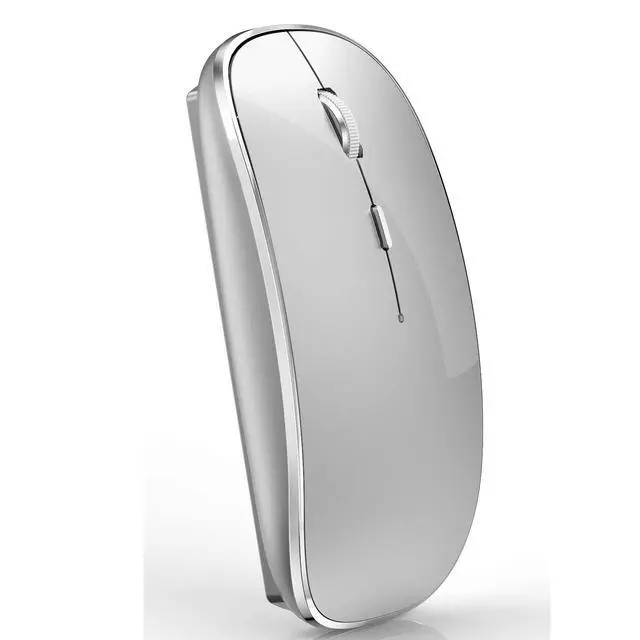


Rechargeable Bluetooth Mouse Wireless Bluetooth Mouse for iPad pro iPad Air Mac MacBook Pro MacBook Air Laptop Chromebook Windows HP DELL (Silver)
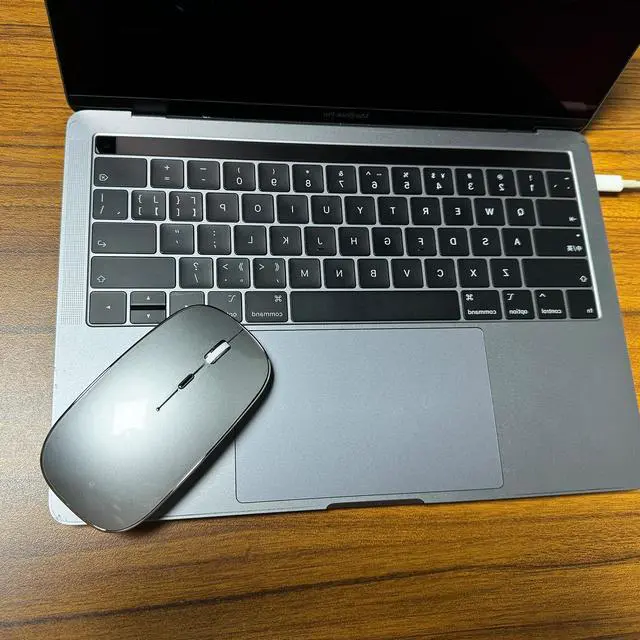
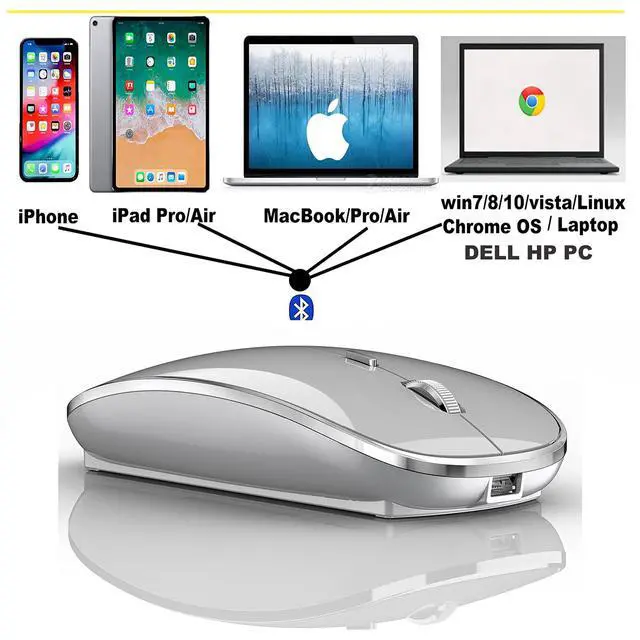
- Bluetooth mouse Works on all laptops and iOS13 and above ipad pro/iPad air / iPad mini /iPhone / Mac/ MacBook / pro /MacBook Air Windows /Chromebook/HP/ Dell/PCNot for desktop computers
- [Rechargeable Wireless Mouse] Built-in durable 450mAh lithium rechargeable battery can last up to 500 hours after fully charged, and standby time is super long with auto sleep and wake mode. Easily recharged through the included USB cable, no need to change the battery
- Skin-Friendly for Comfort & Mute ClickSilent click Mouse with classic design with anti-fingerprint finish offers your hand maximum support and comfort. The sturdy anti-slip rubber scroll wheel ensures that your hand will not slip when scrolling.Quiet click sound when pressing buttons, which let you not worry about the mouse sound can disturbing others, especially at home or office, when other members having rest, you can focused on your work without worry.
- Use the DPI mouse button on the screen: you are free to adjust the mouse sensitivity to match your activity. Provide 3 DPI levels (800-1200-1600). The higher the DPI, the faster the cursor moves on the screen
- With power saving mode: when the mouse is not in use, you can fall asleep after 10 minutes, no operation, power saving, long-term use. You can wake it up by clicking any button.
+
+
Overview
Specs
Reviews

Any questions? Our AI mode will help you find out quickly.
Try me now
Dual mode wireless mouseIt has two ways to connect to the computer: bluetooth mode or 2.4g nano wireless reception mode . Not only can it connect to the laptop via bluetooth, it can also plug into the laptop or desktop USB port via the 2.4g wireless receiver of the mouse.
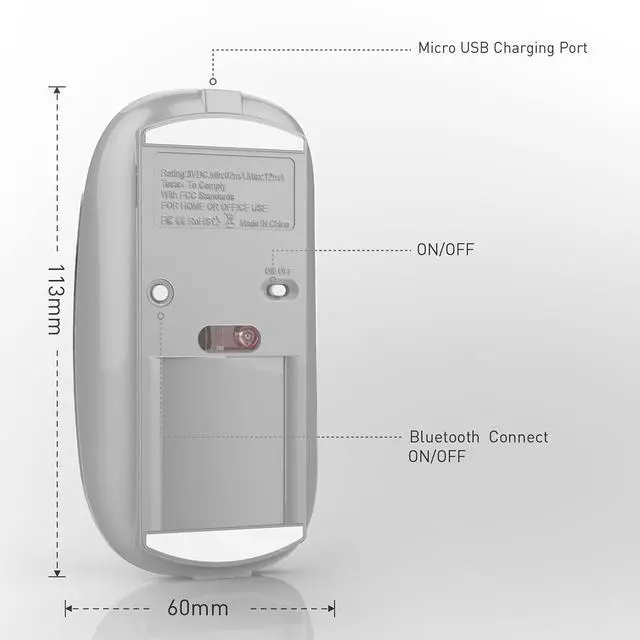
When you want to connect to your laptop in bluetooth mode, first slide the switch at the bottom of the mouse to ON,
Then open the computer system Settings, open Bluetooth, when the computer bluetooth display is looking for the nearby bluetooth device, find "BT5.1 Mouse", click the connection, and then connect successfully, you can use the Mouse. Bluetooth 5.1, do not need bluetooth activation button, directly open the Mouse switch, then find BT5.1 Mouse in your computer bluetooth, click the connection, you can use the Mouse
How to use the 2.4g wireless receiver:
first slide the switch at the bottom of the mouse to the "open" position. Then take out the nanometer wireless receiver (Hidden at the bottom of the mouse) plug the 2.4g wireless receiver into the computer/laptop port, plug and play (note: if your computer/laptop/MacBook Pro MacBook Air 2016-2020, port is type C, use a combination of a type C adapter and a 2.4g wireless receiver and plug it into the computer/laptop port C)
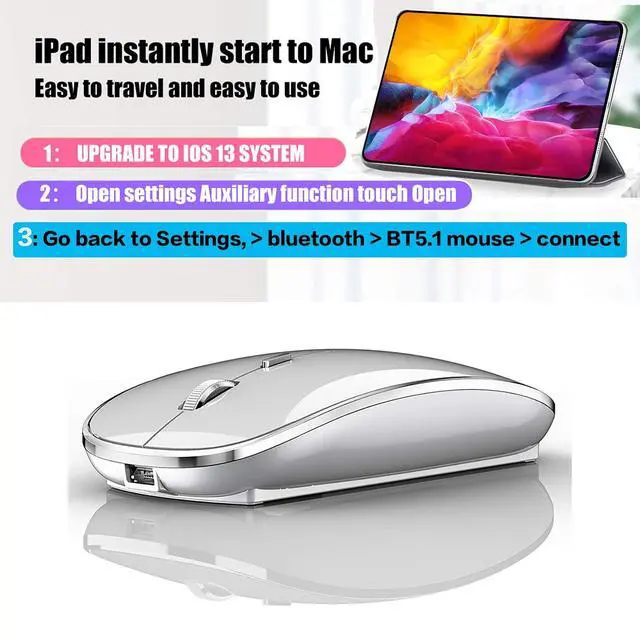
When you want to connect to your iOS13 ipad/iOS13 iphone in bluetooth mode, first slide the switch at the bottom of the mouse to ON.
(1)First, you have to turn on the auxiliary touch, (opening steps: open the Settings, find the auxiliary function or find the touch, then turn on the auxiliary touch, the auxiliary function will appear on the screen, It will pop up a little circle on your ipad screen
(2)Then open the mouse switch, turn on the bluetooth function of ipad, search the nearby bluetooth device, find the BT5.1 mouse, connect, pair, (if you need to pair password, enter 0000 or 1234)
Warranty & Returns
Warranty, Returns, And Additional Information
Warranty
- Please contact the Seller directly for warranty information. Warranty information may also be found on the Manufacturer's website.
- CONTACT
Return Policies
- Return for refund within: 30 days
- Return for replacement within: 30 days
- This item is covered by Denikyyer Return Policy
Manufacturer Contact Info
- For a directory of all our manufacturers, please click below.
- Manufacturers Directory
LOADING...