Acer Aspire Go 15 - 15.6" Copilot+ AI Laptop - Intel Core i9-13900H - Intel Iris Xe Graphics - 16GB RAM - 512GB PCIe SSD - FHD 1920 x 1080 - Windows 11 Home, NX.JSDAA.001
  •  
  • $749.99 –
  • Save: 16%
  • $429.99
  • Free 30-day Returns
  • Price alert

    Best Sellers

    Hot Seller
    4.5 (9,029 total ratings)
    • $447.14
    Top Rated
    4.5 (17,994 total ratings)
    • $470.02
    • + FREE SHIPPING
    Shop it at NeweggBusiness.

    Meet Your Seller

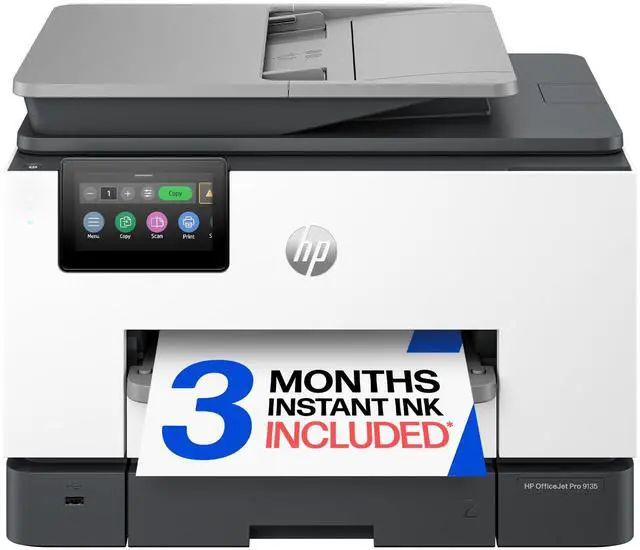
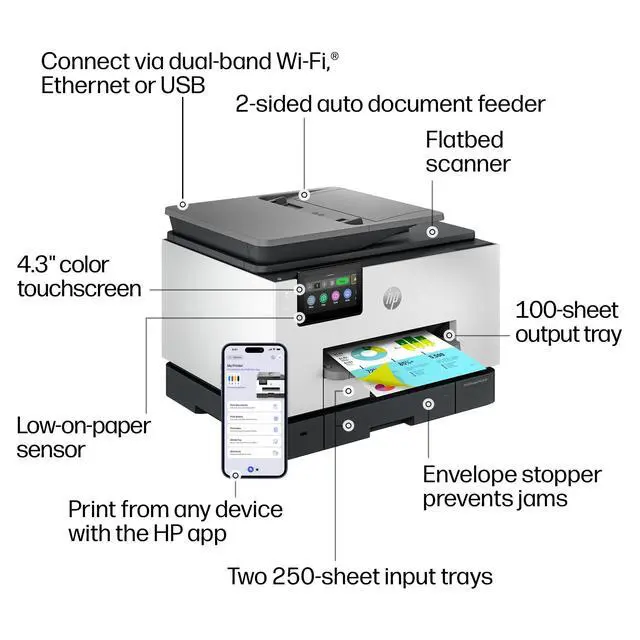
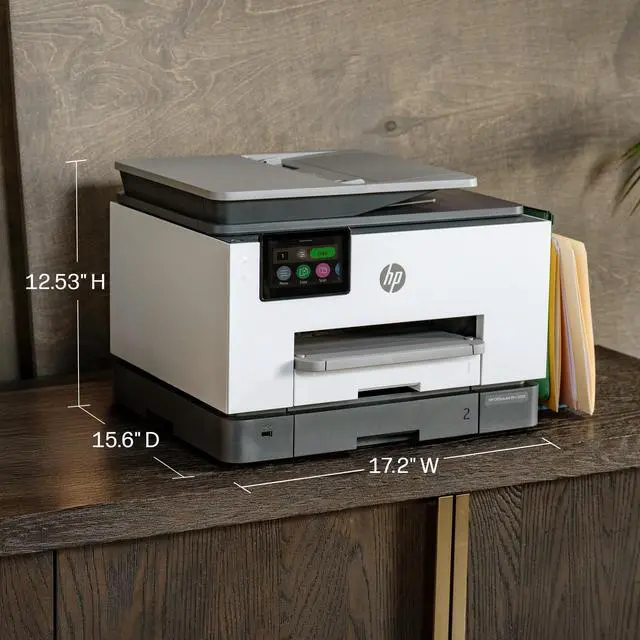
    OFFICEJET PRO 9135 AiO, C2WM0A

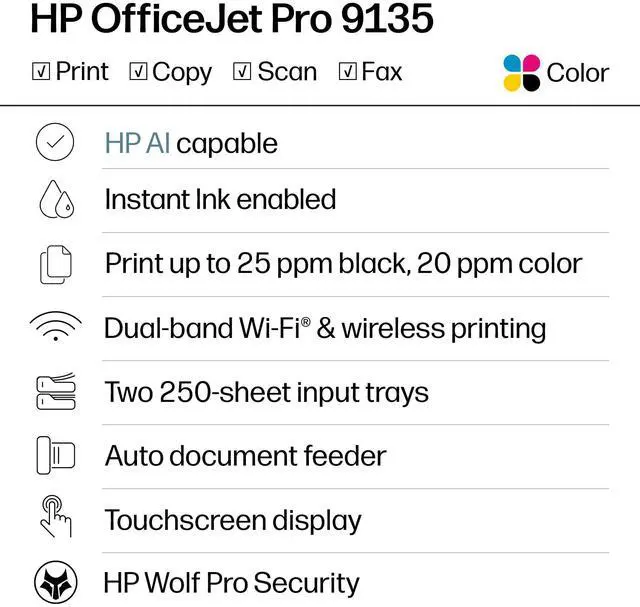
    • Print speed up to 25 ppm (black) and 20 ppm (color) Black Print Speed
    • Print speed up to 25 ppm (black) and 20 ppm (color) Color Print Speed
    • 1200 x 1200 dpi Black Print Quality
    • 4800 x 1200 dpi Color Print Quality
    +
    +
    Overview
    Specs
    Reviews

    Any questions? Ask CelesteSM will help you find out quickly.

    OverviewHP's fastest inkjet printers help your small business do more. Enjoy professional-quality prints and advanced features that keep work moving smoothly, while keeping your data protected with HP Wolf Security. For small businesses who want a professional color inkjet printer that helps their business grow and keeps disruptions to a minimum. This printer is intended to work only with cartridges that have a new or reused HP chip, and it uses dynamic security measures to block cartridges using a non-HP chip. Periodic firmware updates will maintain the effectiveness of these measures and block cartridges that previously worked.

    A reused HP chip enables the use of reused, remanufactured, and refilled cartridges.
    More at:
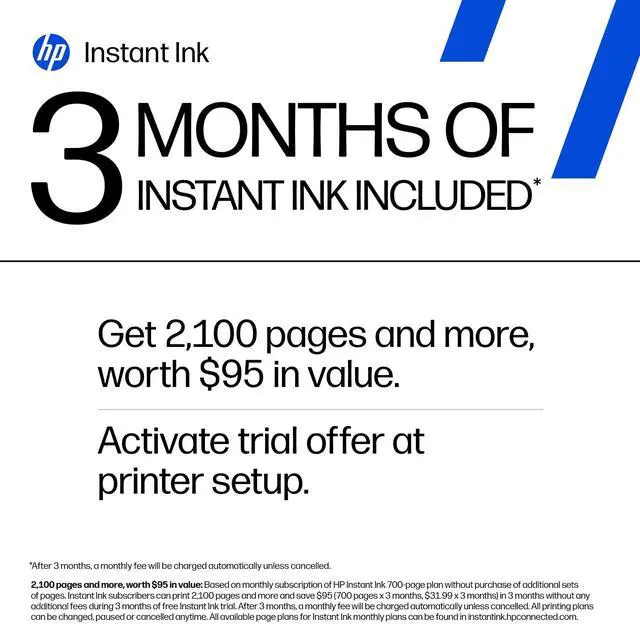
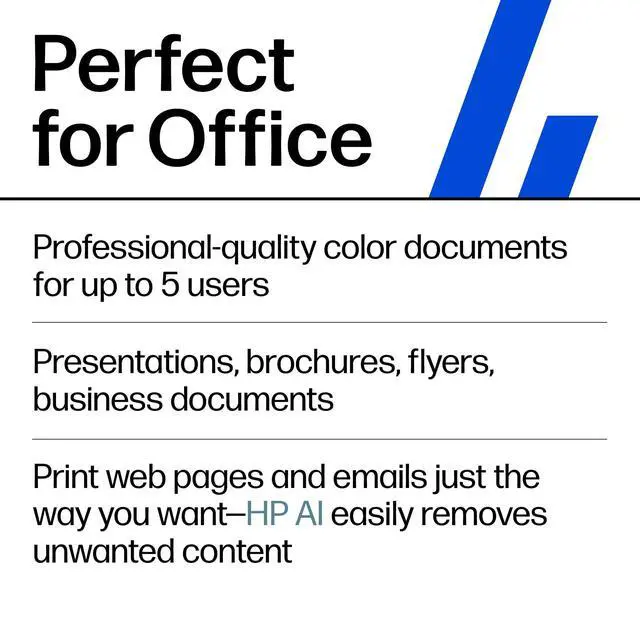
    http: //www. hp. com/learn/dsFeaturesKeep busy teams productiveBoost productivity with print speeds up to 25 pages per minute (PPM). Business-ready color for all your print needsFrom flyers to presentations, your printer is ready for whatever the job demands. Save money, save time with Instant InkNever worry about running out of ink! With Instant Ink, you get ink delivered right to your door. The most reliable printersAchieved zero jams, misfeeds, device errors, and machine malfunctions across thousands of test pages. Compatible Supplies HP 936 Black Original Ink Cartridge 4S6V2LN, HP 936 Cyan Original Ink Cartridge 4S6U9LN; HP 936 Magenta Original Ink Cartridge 4S6V0LN; HP 936 Yellow Original Ink Cartridge 4S6V1LN; HP EvoMore planned to be available
    April 2024: HP 936e EvoMore Black Original Ink Cartridge 4S6V6LN; HP 936e EvoMore Cyan Original Ink Cartridge 4S6V3LN; HP 936e EvoMore Magenta Original Ink Cartridge 4S6V4LN; HP 936e EvoMore Yellow Original Ink Cartridge 4S6V5LNMinimum system requirementsWindows 10, 11: 32 -bit or 64-bit, 2 GB HD, Internet Required, Internet Explorer or EdgeWhat's in the box? HP OfficeJet 9135 All-in-One Printer; HP 936 Setup Black Ink Cartridge (~800 pages); HP 936 Setup Cyan Ink Cartridge (~420 pages); HP 936 Setup Magenta Ink Cartridge (~420 pages); HP 936 Setup Yellow Ink Cartridge (~420 pages); Regulatory Flyer; Ink Caution Flyer; Power Cord; Setup Poster; Reference Guide [For more information about fill and yield, see
    http: //www. hp. com/go/learnaboutsupplies ]Disclaimers Excludes first set of ISO test pages.
    For details,
    see: www. hp. com/go/printerclaims. OfficeJet Pro 8100, 9100, 9730 print speeds compared to other HP inkjet printers. HP Smart and myHP are now the HP app, available for download on Windows 10 or 11 PCs; macOS computers; and for Apple and Android mobile phones and tablets. Windows PCs do not support print features at launch. Android not supported in China at launch. The HP app requires download available at www. hp. com/hp-app. Not all HP devices, services, apps are available in the HP app. Certain features are available in English language only, and may vary by printer and PC model/country, and between desktop/mobile applications. HP reserves the right to introduce charges for use of select HP app functionality. Internet access required. HP account required for full functionality. Fax sending capability only. Live chat and phone support are available during business hours and varies by country. Chat service is localized in supported regions, and where not supported, will default to English. Supported conferencing features vary by device and device configuration. For complete Terms of
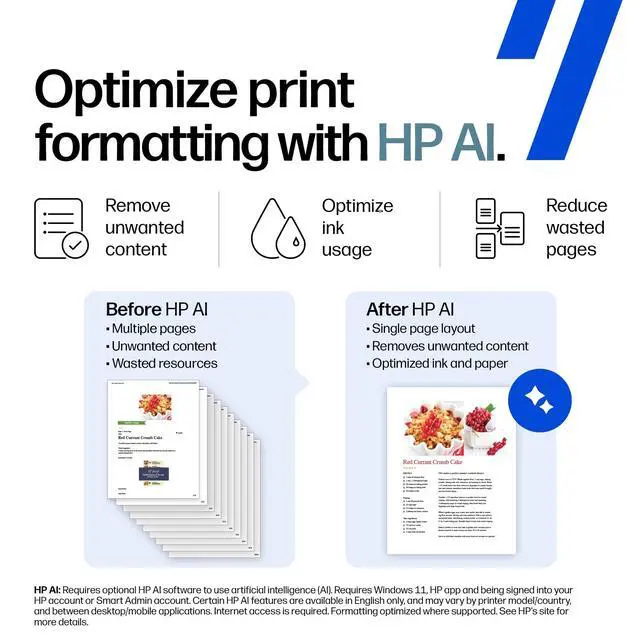
    Service see: www. hp. com/hp-app-terms-of-use. Requires optional HP AI software to use artificial intelligence (AI). Certain HP AI features are available in English only, and may vary by printer model/country, and between desktop/mobile applications. Requires HP app or HP Easy Start and being signed into your HP account or Smart Admin account. Internet access is required. Some features may be beta apps

    Warranty & Returns

    Warranty, Returns, And Additional Information

    Warranty

    • Please contact the Seller directly for warranty information. Warranty information may also be found on the Manufacturer's website.
    • Read full details
    • CONTACT

    Return Policies

    Manufacturer Contact Info

    LOADING...
    LOADING...

    The HP OfficeJet Pro 9135 is an AI-capable all-in-one inkjet printer for home offices and small businesses that need printing, copying, scanning, and color faxing, with print speeds up to 25 ppm in black and 20 ppm in color.

    Recommended For

    • Small and home offices that regularly print business documents in color and want automatic two-sided printing, scanning, copying, and faxing in one device.
    • Small teams that print often and want two paper trays, so they can keep different paper stocks or sizes loaded and reduce refills during routine office jobs.
    • Office users who periodically digitize multi-page paperwork and want an automatic document feeder with two-sided scanning, rather than feeding every page by hand.
    • Home offices and small businesses that need to print, scan, or fax from a mix of wired and wireless devices, including over Ethernet or Wi-Fi.

    Real-World Use Scenarios

    • In a small office, print recurring invoices, proposals, and meeting handouts; reviewers found it produces crisp text and handles everyday office print jobs quickly.
    • When processing a stack of two-sided paperwork, use the document feeder to scan or copy both sides without turning each page by hand; this is convenient for office records, though batch scanning may take time and scans can need alignment checks.
    • For a home office or shared household, print work documents from connected computers and mobile devices; the printer's network options make it practical for more than one user to access.
    • Digitize paperwork for follow-up or filing by scanning to email, a network folder, SharePoint, or a USB drive, reducing the need to move files through a separate scanner.
    • When a form or document must be sent by fax, use the built-in color fax function rather than relying on a separate fax machine.