




 here!
here!
I’m your shopping assistant for PC builds, upgrades, and everything tech.
Got questions? Ask away!
Start a conversation
here!
I’m your shopping assistant for PC builds, upgrades, and everything tech.
Got questions? Ask away!
Start a conversation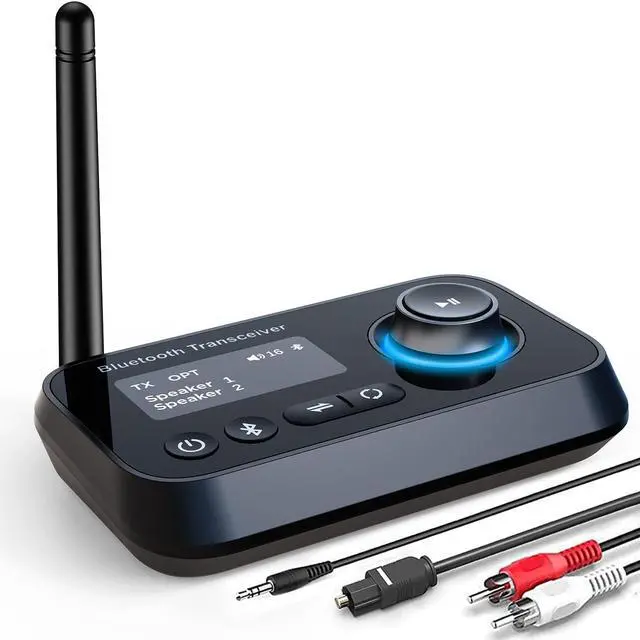



Any questions? Ask CelesteSM will help you find out quickly.
WHY CHOOSE US?
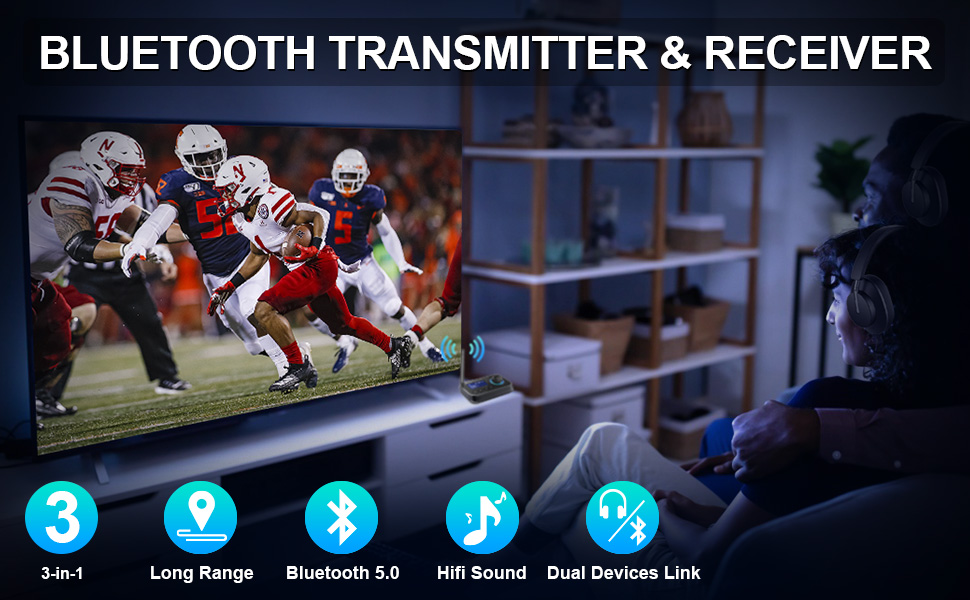
-External Antenna: Thanks to the external antenna, the working range of our bluetooth audio adapter is better than other wireless bluetooth transmitter receiver. Long range to take your devices anywhere.
- Long Range for Bluetooth Music Streaming: ifofo optical bluetooth transmitter uses the most innovative Bluetooth technology delivers the most superior sound quality. And the adapter can achieve a range of up to 45ft line-of-sight in open air.
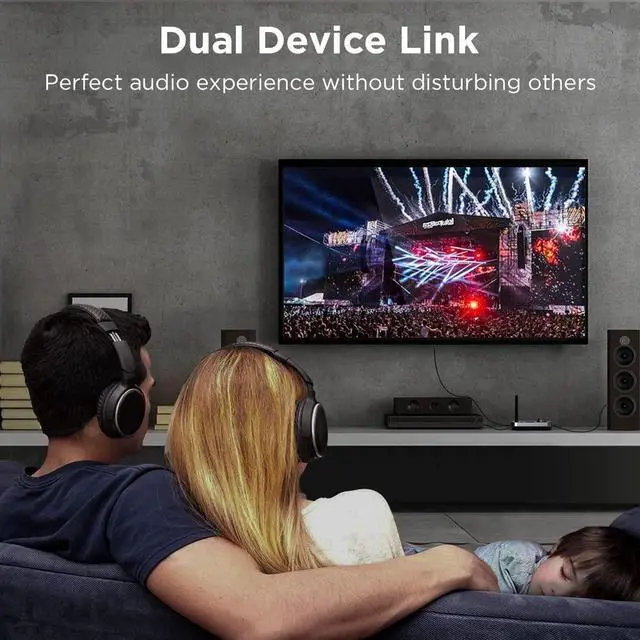
- Dual Bluetooth Connectivity: Our bluetooth receiver can pair with two Bluetooth enabled devices simultaneously which allows you to simultaneously stream audio to two Bluetooth headphones or speakers without delay.
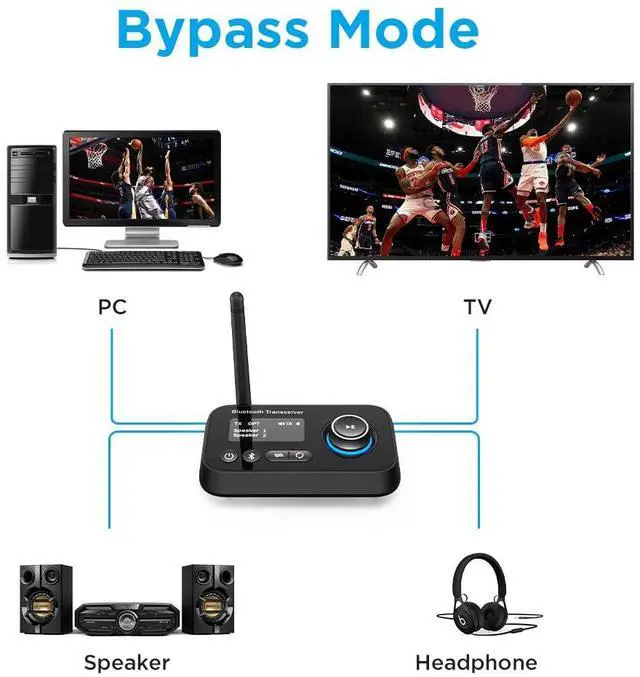
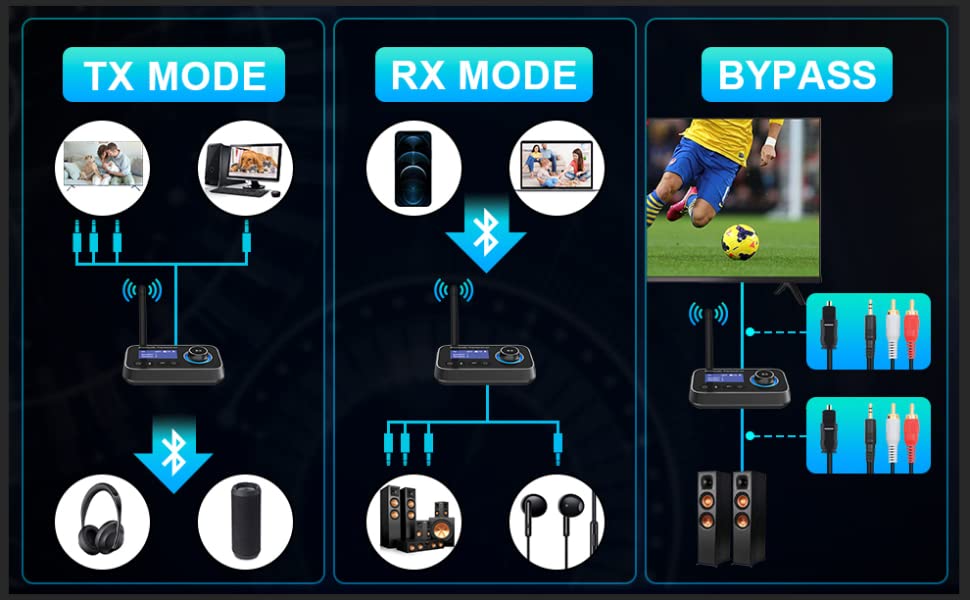
- Bypass-Mode: Unique bypass function allows you enjoy TV via non Bluetooth headphones and speakers.
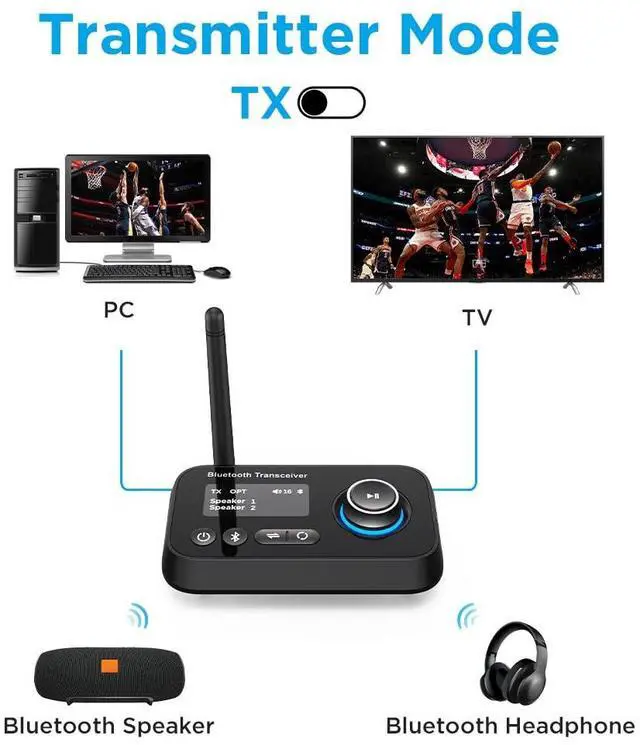
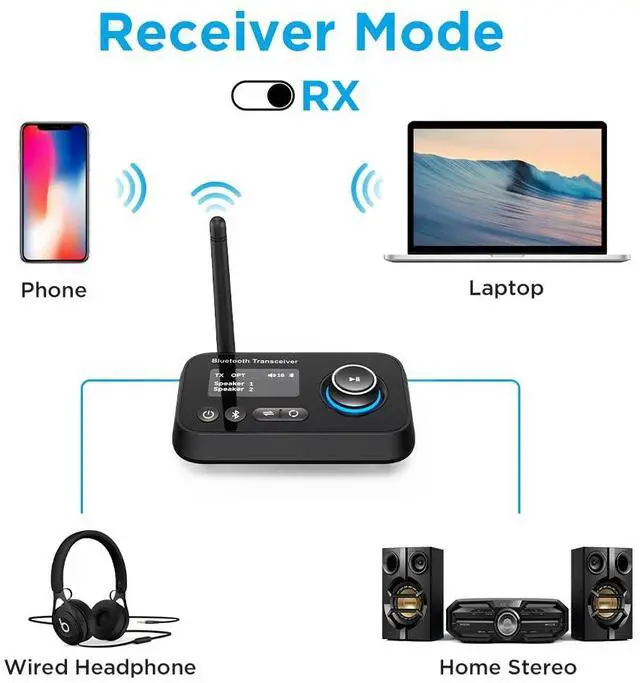
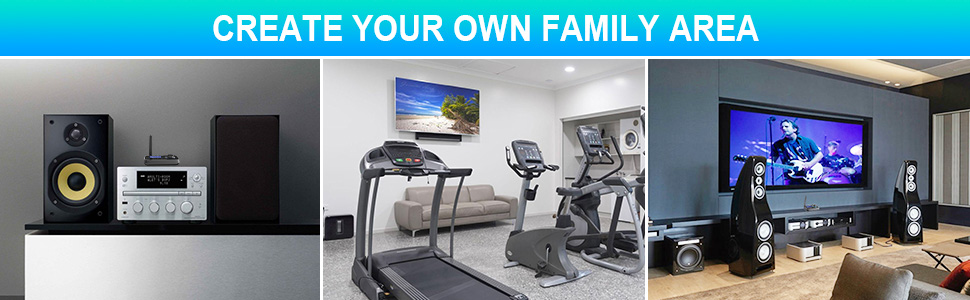
- 3-in-1: Our Bluetooth transmitter receiver make your home entertainment system wireless. For example, turn your wired speakers, CD players or any non-Bluetooth devices into wireless.
- Wide Compatible: Packed with optical audio cable, 3.5mm aux cable and 3.5mm to RCA audio cable. The optical bluetooth transmitter receiver is compatible with most of TV/ Home stereo with Optical and AUX audio jacks.
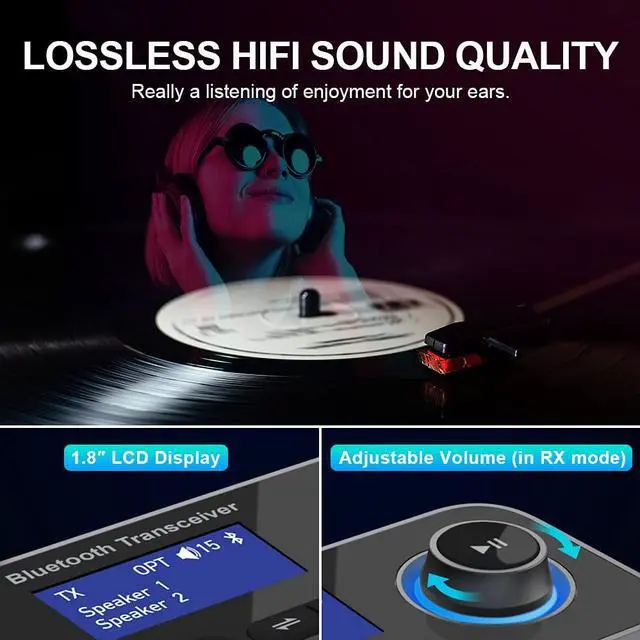
- LCD Display: 1.8 Inch LCD display and multifunctional knob improve your using experience, easy to use and farewell blind connection.
NOTE: IFOFO Bluetooth audio adapter does not support amplifiers such as Yamaha amplifiers and audio converters.
Package:
- Bluetooth 5.0 receiver transmitter *1
- Optical Audio Cable *1
- 3.5mm Audio Cable *1
- 3.5mm to RCA Audio Cable *1
- Type-C Power Cable *1
Q1. Cannot connect to optical cable and RCA at the same time.
In 3 modes (TX/RX/BYPASS), optical is default. In the case of optical fiber insertion, if AUX is connected at the same time, AUX will take precedence, the adapter will automatically recognize AUX and display it. But RCA cannot be used with optical fiber at the same time, you need to unplug the unused cable, otherwise both will not work.
Q2. There is audio delay.
Tested by laboratory equipment that our bluetooth transmitter receiver support low latency.
Q3. There is sound noise.
It may be that other Bluetooth electronic devices are causing a interference. Please try to turn off other Bluetooth devices or wireless devices.
Q4. Cannot connect to my device.
A: Please check: 1. You have selected the correct mode. 2. your Bluetooth device was in pairing status and that the both devices are within 1m during pairing.
Q5. Connect to TV, doesn't work.
Please check you have set PCM on the TV. In general, you will find the audio mode in the TV settings and click "Settings - Sound - Digital Audio Output - Select "PCM"".
Q6. The connection is unstable.
A: Please initialize the Bluetooth transmitter, and then reconnect again to see whether there is still the same problem. Transmitter initialization: Long press the Bluetooth identification button to disconnect, then turn off and restart.
Q7: After power off, it does not remember the last paired devices.
Please initialize the Bluetooth adapter and then connect again.
How to initialize adapter: Long press the Bluetooth identification key to disconnect, then deactivate and restart.
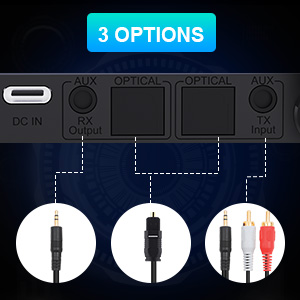
Our Bluetooth transmitter receiver supports digital OPTICAL, 3.5mm AUX and 3.5mm to RCA, 3 output ways makes it compatible with 99% of the TV.
Note:
Transmitter initialization:
Long press the Bluetooth identification button to disconnect, then turn off and restart.
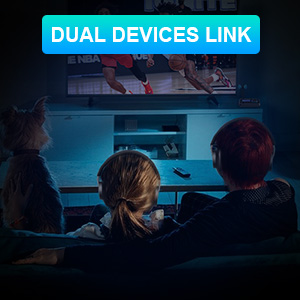
ifofo bluetooth receiver transmitter for home stereo with low latency provides a transparent way to pair two wireless devices plus, so if someone wanna listen to soudbar and the other need to use hearing aids or bluetooth headphone with different sound volume. This bluetooth adpter for TV can easily solve this problem. And with display indicators you can clearly see when wireless devices connect.
Note:
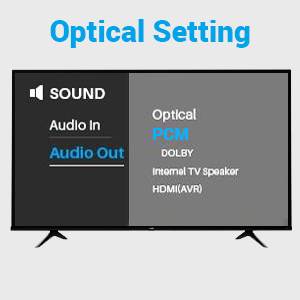
VERY IMPORTANT!!!
If you connect the adapter to tv through optical cable, PCM Setting on TV is required!!!
Generally, in TV settings, find the audio mode and click on Settings - Sound - Digital Audio Output - Select "PCM".
WHY CHOOSE US?
-External Antenna: Thanks to the external antenna, the working range of our bluetooth audio adapter is better than other wireless bluetooth transmitter receiver. Long range to take your devices anywhere.
- Long Range for Bluetooth Music Streaming: ifofo optical bluetooth transmitter uses the most innovative Bluetooth technology delivers the most superior sound quality. And the adapter can achieve a range of up to 45ft line-of-sight in open air.
- Dual Bluetooth Connectivity: Our bluetooth receiver can pair with two Bluetooth enabled devices simultaneously which allows you to simultaneously stream audio to two Bluetooth headphones or speakers without delay.
- Bypass-Mode: Unique bypass function allows you enjoy TV via non Bluetooth headphones and speakers.
- 3-in-1: Our Bluetooth transmitter receiver make your home entertainment system wireless. For example, turn your wired speakers, CD players or any non-Bluetooth devices into wireless.
- Wide Compatible: Packed with optical audio cable, 3.5mm aux cable and 3.5mm to RCA audio cable. The optical bluetooth transmitter receiver is compatible with most of TV/ Home stereo with Optical and AUX audio jacks.
- LCD Display: 1.8 Inch LCD display and multifunctional knob improve your using experience, easy to use and farewell blind connection.
NOTE: IFOFO Bluetooth audio adapter does not support amplifiers such as Yamaha amplifiers and audio converters.
Package:
- Bluetooth 5.0 receiver transmitter *1
- Optical Audio Cable *1
- 3.5mm Audio Cable *1
- 3.5mm to RCA Audio Cable *1
- Type-C Power Cable *1
Q1. Cannot connect to optical cable and RCA at the same time.
In 3 modes (TX/RX/BYPASS), optical is default. In the case of optical fiber insertion, if AUX is connected at the same time, AUX will take precedence, the adapter will automatically recognize AUX and display it. But RCA cannot be used with optical fiber at the same time, you need to unplug the unused cable, otherwise both will not work.
Q2. There is audio delay.
Tested by laboratory equipment that our bluetooth transmitter receiver support low latency.
Q3. There is sound noise.
It may be that other Bluetooth electronic devices are causing a interference. Please try to turn off other Bluetooth devices or wireless devices.
Q4. Cannot connect to my device.
A: Please check: 1. You have selected the correct mode. 2. your Bluetooth device was in pairing status and that the both devices are within 1m during pairing.
Q5. Connect to TV, doesn't work.
Please check you have set PCM on the TV. In general, you will find the audio mode in the TV settings and click "Settings - Sound - Digital Audio Output - Select "PCM"".
Q6. The connection is unstable.
A: Please initialize the Bluetooth transmitter, and then reconnect again to see whether there is still the same problem. Transmitter initialization: Long press the Bluetooth identification button to disconnect, then turn off and restart.
Q7: After power off, it does not remember the last paired devices.
Please initialize the Bluetooth adapter and then connect again.
How to initialize adapter: Long press the Bluetooth identification key to disconnect, then deactivate and restart.
Our Bluetooth transmitter receiver supports digital OPTICAL, 3.5mm AUX and 3.5mm to RCA, 3 output ways makes it compatible with 99% of the TV.
Note:
Transmitter initialization:
Long press the Bluetooth identification button to disconnect, then turn off and restart.
ifofo bluetooth receiver transmitter for home stereo with low latency provides a transparent way to pair two wireless devices plus, so if someone wanna listen to soudbar and the other need to use hearing aids or bluetooth headphone with different sound volume. This bluetooth adpter for TV can easily solve this problem. And with display indicators you can clearly see when wireless devices connect.
Note:
VERY IMPORTANT!!!
If you connect the adapter to tv through optical cable, PCM Setting on TV is required!!!
Generally, in TV settings, find the audio mode and click on Settings - Sound - Digital Audio Output - Select "PCM".
Bluetooth 5.0 Transmitter Receiver
| Special Feature | Multifuncational Transmitter & Receiver, Transfer home wired device into bluetooth ones, Bluetooth-enable virtually any of your audio devices, equipped with Optical/ 3.5mm AUX input & output ports/ 3.5mm to RCA, Unique bypass feature, Dual Device link, Can be paired with two Bluetooth devices simultaneously, Extended long range, With Antenna, Longer range and stronger connection, automatically re-pairs, 1.8 Inch LCD Display, Ajustable Volume, Low latency, Farewell blind connection, Wide Compability |
| Brand | ifofo |
| Connectivity Technology | Auxiliary, Optical, RCA |
| Power Source | DC |
| Material | Acrylonitrile Butadiene Styrene (ABS) |
| Product Dimensions | 31.2 x 18 x 6 inches |
| Item Weight | 4.5 ounces |
| Date First Available | June 9, 2022 |
| Manufacturer | ifofo |



