• $43.90
  • Free 30-day Returns
  • Price alert
    Shop it at NeweggBusiness.

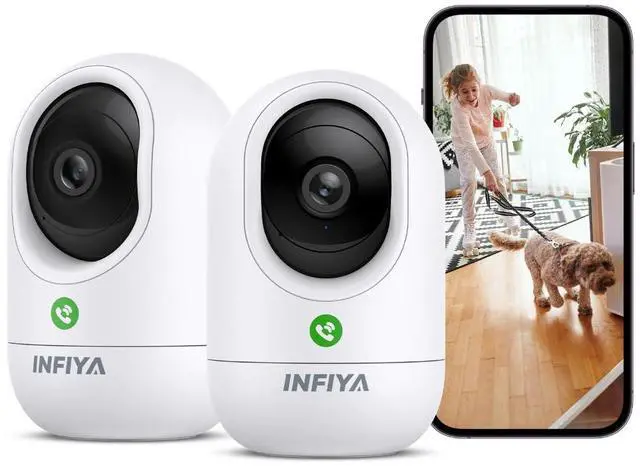
    INFIYA 2K Security Camera Indoor-360 Cameras for Home Security and One-Tap Call, Elderly/Cat/Baby/Nanny, Motion Alert, Intelligent Tracking, 2.4GHz WiFi Only, Work with Alexa/Google Home, K7 2Pack

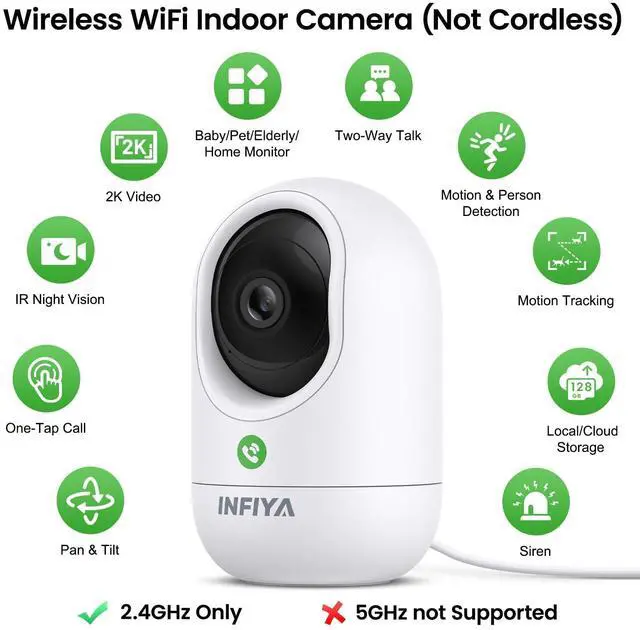
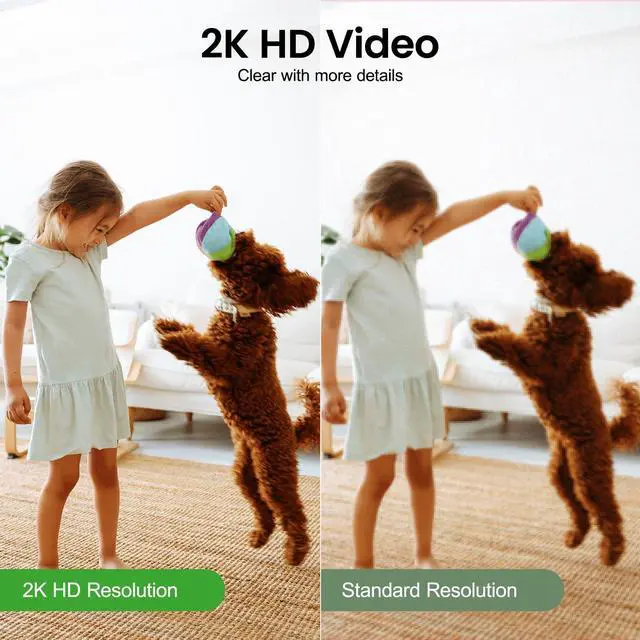
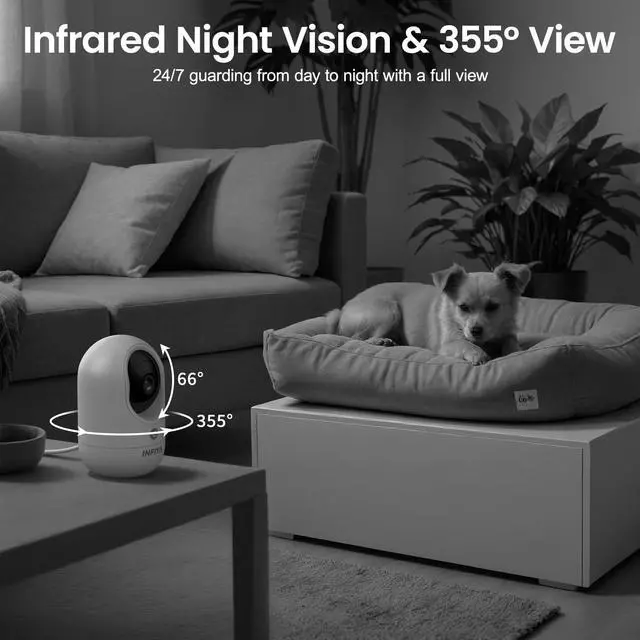
    • High 2K Resolution with 360° Pan/Tilt & IR Night Vision: INFIYA wired home security cameras(only support 2.4GHz WiFi & 5GHz not supported & non-battery) present a crystal clear image in 1296P(2304*1296P), which captures more details. With a 355° Pan/Tilt, this home camera could be rotated up, down, left, and right via a phone app to monitor a wider point of view with everything in sight. Even at night, this security camera continues to work via infrared light. Safety is guarded anytime anywhere
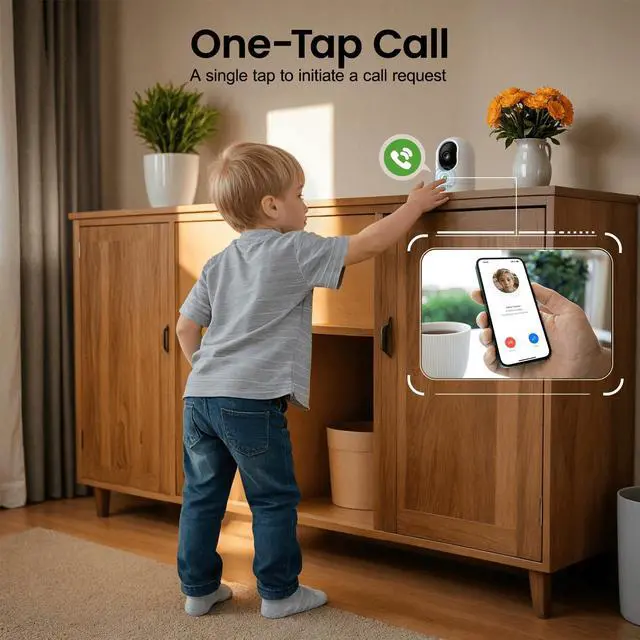
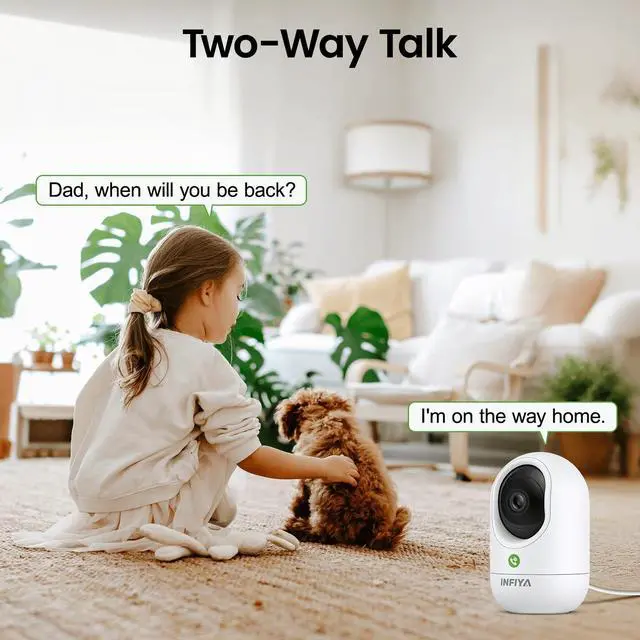
    • Two-Way Talk & One-Tap Call: INFIYA indoor camera features enhanced real-time talk with audio and video. For optimal audio quality, pls use in quieter environments (below 50dB background noise). The tap-to-call button on the camera enables instant communication, especially good for the elderly who are not tech-savvy and kids without communication devices. Just a single tap to start communicating quickly. Tip: Maintain 3-10ft distance between mobile devices and camera to prevent audio feedback
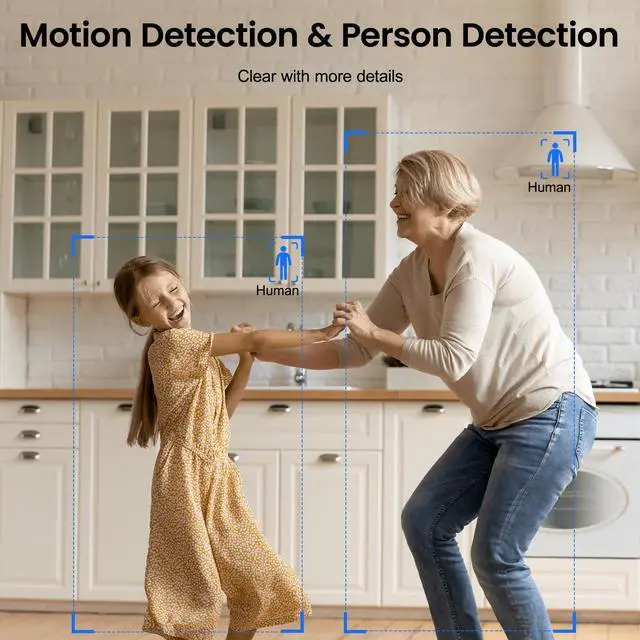
    • Real-Time Motion Detection & Intelligent Tracking & Siren: INFIYA cameras for home security are on constant alert as set, capturing every movement and pushing real-time notifications(10s video clips). With Intelligent Tracking enabled, this pet camera indoor with phone app can follow your pet/baby/old family in a wider view. With the Siren turned on, this security camera indoor can alert to any motion detected, rejecting unwanted visitors away
    +
    +
    Overview
    Specs
    Reviews
    avatar

    Any questions? Our AI beta will help you find out quickly.

    INFIYA One-Tap Call Indoor Camera Guard the Safety; Record the Moment.
    Stay in touch, anytime, anywhere
    What's in the Box?
    • 1. Plug in the camera.

      2. Keep the phone and camera connected to the same 2.4GHz Wi-Fi during setup. *Camera doesn't support 5GHz Wi-Fi

      2. Follow the in-app guide to connect the camera. *Keep the camera within 3 feet of the router during setup.

    • No, cloud subscription is not necessary. It provides longer recording and storage time, etc. If you do not want subscription, you can use a memory card for these features. Card slot is under the lens. Pls rotate the camera lens upwards to find it.

    • 1. Make sure the router is working properly. Place the camera closer to the router. Restart the router and the camera to let the camera reconnect automatically.

      2. If not reconnected, reset the camera. Reconnect the camera step by step.

    • Please manually rotate the camera to check if there is any object that prevents it from rotating, and verify the camera's network connection to ensure it is in good condition.

    • This usually occurs when the phone is too close to the camera, causing electrical interference. To stop the noise, please move the phone farther away from the camera.


    INFIYA One-Tap Call Indoor Camera Guard the Safety; Record the Moment.
    Stay in touch, anytime, anywhere
    What's in the Box?
    • 1. Plug in the camera.

      2. Keep the phone and camera connected to the same 2.4GHz Wi-Fi during setup. *Camera doesn't support 5GHz Wi-Fi

      2. Follow the in-app guide to connect the camera. *Keep the camera within 3 feet of the router during setup.

    • No, cloud subscription is not necessary. It provides longer recording and storage time, etc. If you do not want subscription, you can use a memory card for these features. Card slot is under the lens. Pls rotate the camera lens upwards to find it.

    • 1. Make sure the router is working properly. Place the camera closer to the router. Restart the router and the camera to let the camera reconnect automatically.

      2. If not reconnected, reset the camera. Reconnect the camera step by step.

    • Please manually rotate the camera to check if there is any object that prevents it from rotating, and verify the camera's network connection to ensure it is in good condition.

    • This usually occurs when the phone is too close to the camera, causing electrical interference. To stop the noise, please move the phone farther away from the camera.

    Product information

    Recommended Uses For Product 2.4Ghz WiFi Only5Ghz WiFi not compatible, Baby Monitoring, Indoor Security, Pet Monitoring
    Brand INFIYA
    Model Name K7
    Connectivity Technology Wireless
    Special Feature One-Tap Call, Wired, Corded Electric, Easy to Install, Local 24/7 Recording, Night Vision, Two-Way Talk, Motion Detection, Intelligent Tracking
    Indoor/Outdoor Usage Indoor
    Compatible Devices Alexa/Google Assistant
    Power Source Corded Electric
    Connectivity Protocol Wi-Fi
    Controller Type Android, iOS
    Mounting Type Ceiling Mount, Wall mount, Surface Mount
    Video Capture Resolution 1296p
    Color white
    Number of Items 2
    Included Components Camera Body, Charging Cable, Instruction Manual, Power Adapter
    Wireless Communication Technology Wi-Fi
    Viewing Angle 95 Degrees
    Installation Type Freestanding; Wall mount
    Night Vision Range 32 Feet
    Voltage 5 Volts (AC)
    Wattage 5 Watt-hours
    Item dimensions L x W x H 2.87 x 2.87 x 4.69 inches
    Batteries Required? No
    Item Weight 0.59 Kilograms
    Focus Type Manual Focus
    Zoom Type Digital Zoom
    Alert Type Motion Only
    Light Source Type Infrared
    Video Capture Format MP4
    Specific Uses For Product Baby Monitoring, Elderly Monitoring, Indoor Security, Inside, Pets Monitoring
    Unit Count 2.0 Count
    Photo Sensor Technology CMOS
    Effective Still Resolution 3 MP
    Maximum Webcam Image Resolution 3 MP
    Control Method App
    Product Dimensions 2.87 x 2.87 x 4.69 inches
    Date First Available November 20, 2024
    Manufacturer INFIYA

    Warranty & Returns

    Warranty, Returns, And Additional Information

    Warranty

    • Please contact the Seller directly for warranty information. Warranty information may also be found on the Manufacturer's website.
    • CONTACT

    Return Policies

    Manufacturer Contact Info

    LOADING...
    LOADING...