
If you’ve ever shopped for a gaming monitor, you’ve encountered two terms that appear on nearly every modern display: G-Sync and FreeSync. Both are variable refresh rate (VRR) technologies designed to eliminate screen tearing and stuttering during gameplay — but they work differently, have different compatibility requirements, and serve different setups.
So how do G-Sync and FreeSync compare, and which one is right for your system? In 2026, the answer is clearer than ever — but understanding the underlying technology helps you choose with confidence.
The Problem Both Technologies Solve
Before comparing the two, it helps to understand what they’re solving.
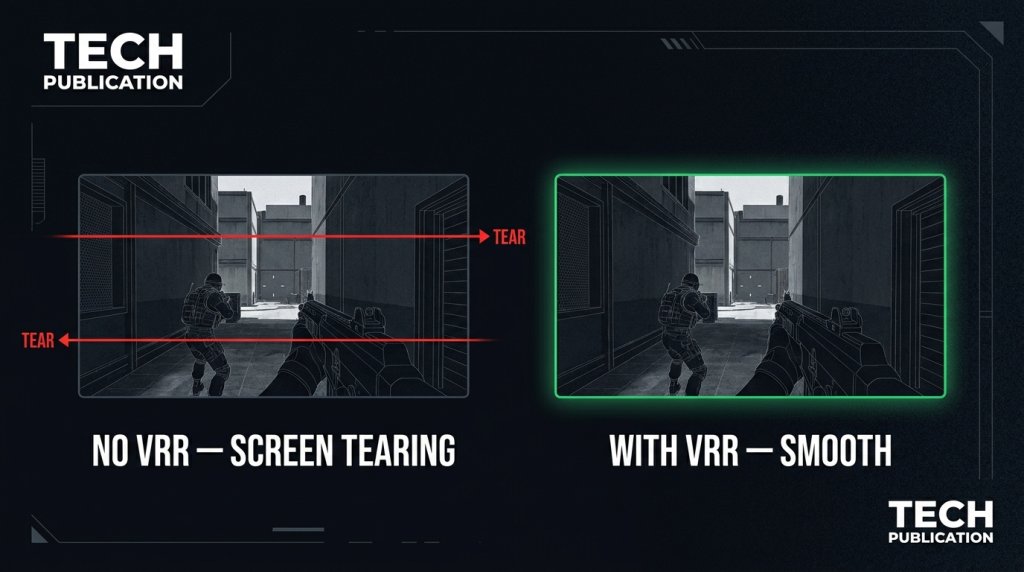
A traditional monitor refreshes at a fixed rate — 60Hz, 144Hz, 240Hz. Your GPU renders frames at a variable rate that changes depending on scene complexity. When these two rates fall out of sync, you get:
- Screen tearing — The display shows parts of two different frames simultaneously, creating a visible horizontal split
- Stuttering — Uneven frame pacing makes motion feel choppy even at high average frame rates
VRR technology makes the monitor’s refresh rate dynamically match the GPU’s output frame-by-frame. The result is smooth, tear-free gameplay without the input lag penalty of traditional V-Sync.
What Is G-Sync?
G-Sync is NVIDIA’s proprietary VRR implementation. It requires a dedicated hardware module — the G-Sync chip — embedded directly inside the monitor. This custom silicon manages variable refresh synchronization, handles HDR processing, and provides additional display management features.
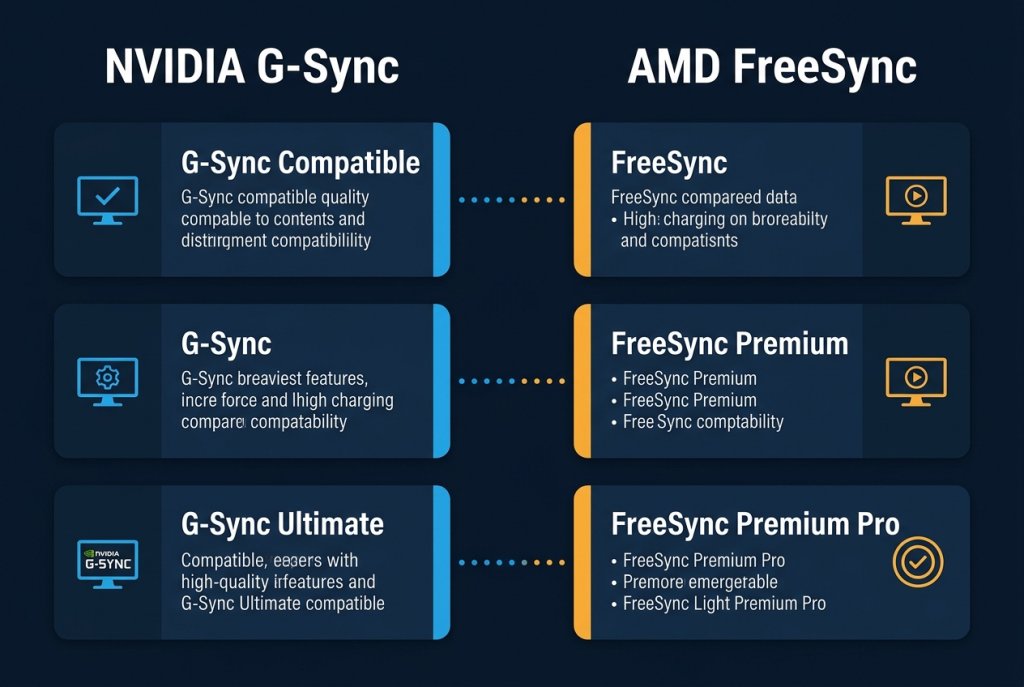
There are three tiers of G-Sync certification in 2026:
| Tier | Hardware Requirement | VRR Range | HDR | Cost Premium |
|---|---|---|---|---|
| G-Sync Compatible | None (software certification) | Varies | No | Minimal |
| G-Sync | Proprietary G-Sync module | Typically 1–240 Hz | Optional | Moderate |
| G-Sync Ultimate | Enhanced G-Sync module | Full range | 1000+ nits HDR | Highest |
G-Sync Compatible monitors — which NVIDIA now certifies for monitors that pass variable refresh testing without requiring the proprietary chip — have significantly expanded the accessible G-Sync ecosystem. A monitor labeled G-Sync Compatible will work with NVIDIA GPUs without tearing, even without the dedicated hardware.
G-Sync Ultimate represents the current flagship tier: full-range VRR from 1Hz to the panel’s maximum refresh, hardware-calibrated HDR at extreme brightness levels, and the tightest latency floor available.
What Is FreeSync?
FreeSync is AMD’s open-standard VRR technology, built on the VESA Adaptive-Sync specification. Because it doesn’t require proprietary hardware inside the monitor, it’s widely implemented across displays at every tier — from budget to flagship.
FreeSync also has a tiered certification system in 2026:
| Tier | Minimum Refresh Range | LFC Support | HDR |
|---|---|---|---|
| FreeSync | Minimum 48 Hz floor | Not required | No |
| FreeSync Premium | ≥120 Hz at Full HD, LFC required | Yes | No |
| FreeSync Premium Pro | ≥120 Hz, LFC required | Yes | Yes |
Low Framerate Compensation (LFC) is a critical feature: when your frame rate drops below the monitor’s minimum VRR range (typically 48Hz), LFC multiplies the frame to maintain synchronization rather than dropping back to fixed-rate mode. This keeps the experience smooth even when the GPU is under heavy load.
The Compatibility Reality in 2026
This is where the landscape has changed most significantly compared to a few years ago:
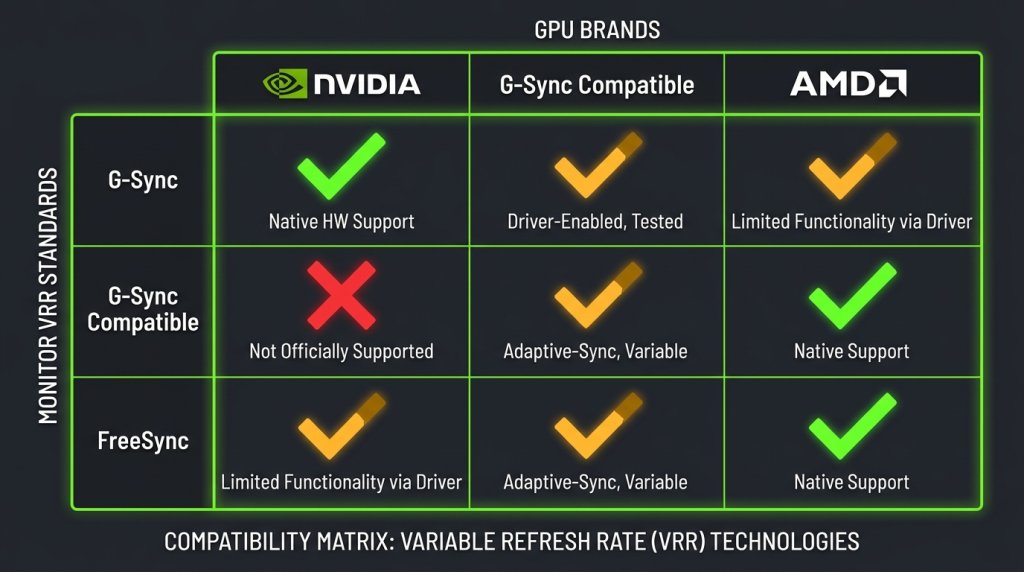
NVIDIA GPUs now support FreeSync (via Adaptive-Sync). Starting with the RTX 20 series and fully mature by 2026, NVIDIA GPUs can work with FreeSync-certified monitors using the Adaptive-Sync standard. This means a FreeSync Premium Pro monitor will deliver tear-free variable refresh on an NVIDIA GPU.
AMD GPUs now also work with G-Sync Compatible monitors. AMD’s implementation of Adaptive-Sync means FreeSync monitors and G-Sync Compatible monitors can work with both GPU brands.
The implication: the old “locked ecosystem” problem — where you had to buy the matching GPU brand for your monitor’s VRR tech — has largely dissolved. Cross-compatibility is now the norm.
Where Differences Still Matter
Despite the convergence, meaningful distinctions remain:
VRR Range Width
True G-Sync (with proprietary module) typically supports VRR from 1Hz to maximum refresh — a wider floor-to-ceiling range than most FreeSync implementations. For games that drop below 48 FPS, a G-Sync monitor maintains synchronization without LFC workarounds. FreeSync Premium and Premium Pro monitors with LFC handle this well in practice, but the G-Sync floor is technically lower.
HDR Implementation
G-Sync Ultimate monitors undergo NVIDIA’s calibration for peak luminance, contrast ratio, and color volume — delivering some of the best HDR gaming monitor experiences available. FreeSync Premium Pro has HDR requirements but is less prescriptive about panel-level performance standards. If HDR quality is a priority, G-Sync Ultimate monitors generally represent the ceiling.
Panel Certification Rigor
G-Sync monitors at the non-Compatible tier undergo more rigorous factory testing. FreeSync covers a wider range of monitor tiers, meaning quality varies more between individual FreeSync products.
Which Resolution Pairs Best with Each Technology?
VRR technology matters most at high frame rates — the higher the refresh, the more visible any tearing or stuttering becomes:
- 1080p Full HD: High-refresh competitive play benefits enormously from VRR at 240Hz+
- 4K Gaming: VRR becomes critical because 4K gaming makes consistent frame rates harder to maintain; both G-Sync and FreeSync shine here
- OLED and QLED Monitors: OLED’s sub-millisecond response times combine with VRR for the smoothest possible motion — a pairing that has become increasingly accessible in 2026
Your GPU determines how consistently you can hit the high end of your monitor’s refresh range. A more powerful GPU means VRR operates in the upper part of the range more consistently — where it’s most effective.
Practical Buying Decision in 2026
| Scenario | Recommendation |
|---|---|
| NVIDIA GPU, any budget | G-Sync Compatible (or higher) monitor; FreeSync Premium also works |
| AMD GPU, any budget | FreeSync Premium or Premium Pro monitor; G-Sync Compatible also works |
| Highest possible HDR quality | G-Sync Ultimate certified monitor |
| Ultrawide curved gaming | Look for FreeSync Premium Pro or G-Sync Compatible at 34–49 inches |
| Competitive esports at 240Hz+ | Either standard works; prioritize refresh rate and response time |
| 4K gaming | VRR is essential; choose based on GPU brand preference |
The Bottom Line
G-Sync and FreeSync have converged significantly in 2026. The once-rigid ecosystem walls between NVIDIA and AMD monitor compatibility have largely come down. For most buyers, choosing between G-Sync and FreeSync is now primarily a question of HDR ambition, VRR range precision, and budget — not GPU brand lock-in.
If you want the absolute best variable refresh rate experience with premium HDR, G-Sync Ultimate is the ceiling. If you want excellent VRR performance across a broader range of monitors and budgets, FreeSync Premium Pro delivers excellent results — and works with both major GPU brands.
Browse the full range of G-Sync monitors and FreeSync displays to compare specs and find the right match for your GPU and gaming style.