
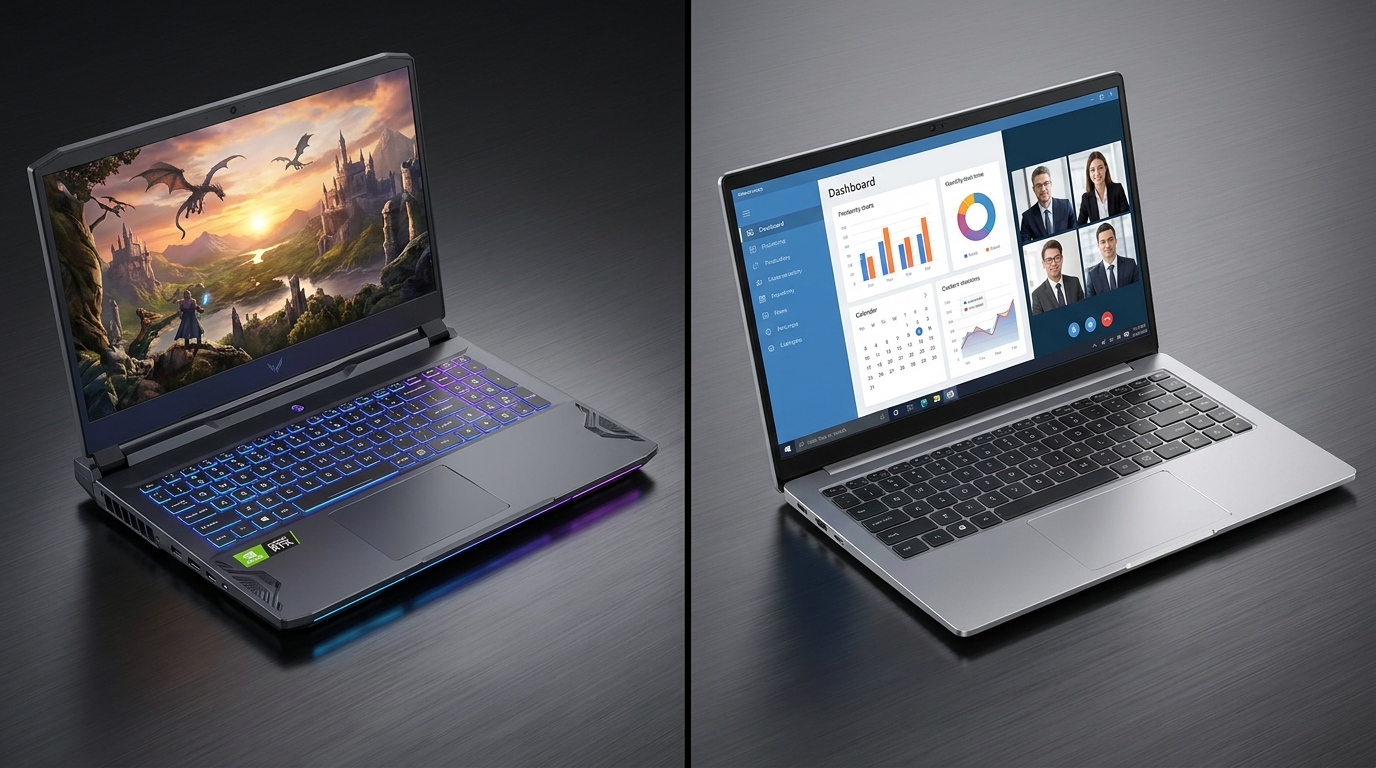
Shopping for a laptop in 2026 means navigating a market that’s more powerful, more AI-integrated, and more specialized than ever before. Two categories consistently dominate the conversation: gaming laptops and business laptops. On the surface, both can run apps, browse the web, and handle everyday computing. But dig deeper, and the engineering priorities, hardware trade-offs, and intended workflows couldn’t be more different.
If you’ve ever asked “What is the difference between a gaming laptop and a business laptop?” — this guide answers that question in full.
The Core Philosophy: Performance vs. Professionalism
Every hardware decision inside a gaming laptop flows from a single goal: maximum frame rates and graphics fidelity. Conversely, every decision in a business laptop flows from a different set of priorities: reliability, security, battery endurance, and portability.
That philosophical difference explains why these two categories look and behave so distinctly — even when their spec sheets occasionally overlap.
Hardware Design: Built for Different Battlefields
GPU: The Biggest Dividing Line
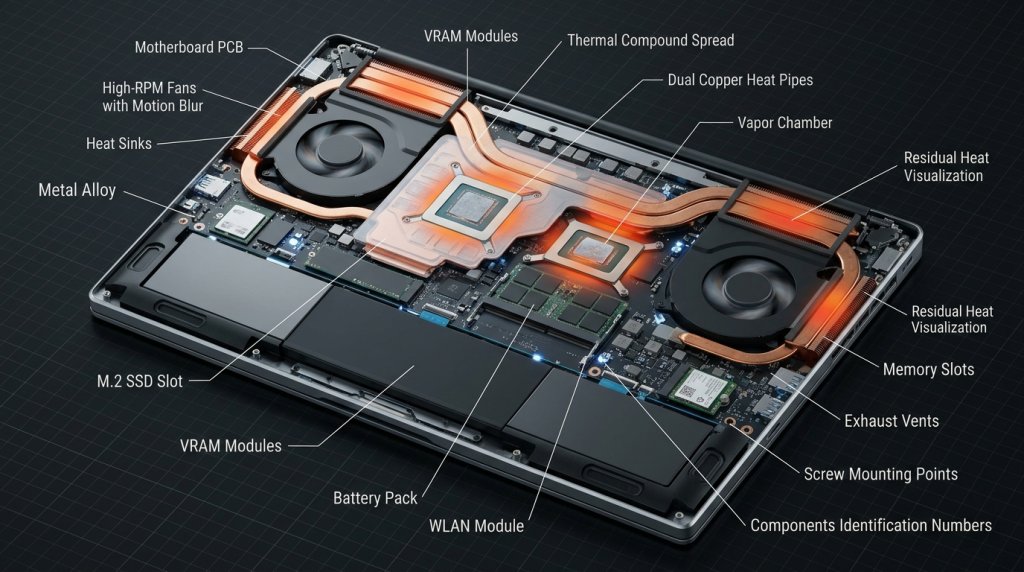
The GPU is the clearest separator between the two categories. Gaming laptops carry dedicated graphics cards, with top-tier 2026 models sporting NVIDIA GeForce RTX 50 Series GPUs that deliver desktop-class performance in a portable chassis. These GPUs consume 80–175W under load and require large cooling systems to sustain peak performance.
Business laptops typically use integrated or entry-level discrete graphics. They don’t need to render high-polygon game worlds — they need to display spreadsheets, video calls, and presentations efficiently and without draining the battery by noon.
CPU Architecture
Gaming laptops in 2026 leverage high-clock-speed processors optimized for single-threaded gaming performance, such as Intel Core Ultra HX-series or AMD Ryzen-powered configurations. These chips boost aggressively and then rely on the cooling system to sustain those clocks.
Business laptops prefer efficiency-oriented CPUs that deliver consistent multi-core performance across long workdays without generating excess heat — often incorporating Qualcomm Snapdragon X Elite or Intel Core Ultra V-series chips certified for Copilot+ PC features like on-device AI inference.

Head-to-Head Comparison
| Feature | Gaming Laptop | Business Laptop |
|---|---|---|
| GPU | Dedicated (RTX 50, RX 9000) | Integrated or light discrete |
| CPU Focus | High clock speed, gaming burst | Efficiency, sustained multi-core |
| Typical Weight | 2.0–3.5 kg | 1.0–2.0 kg |
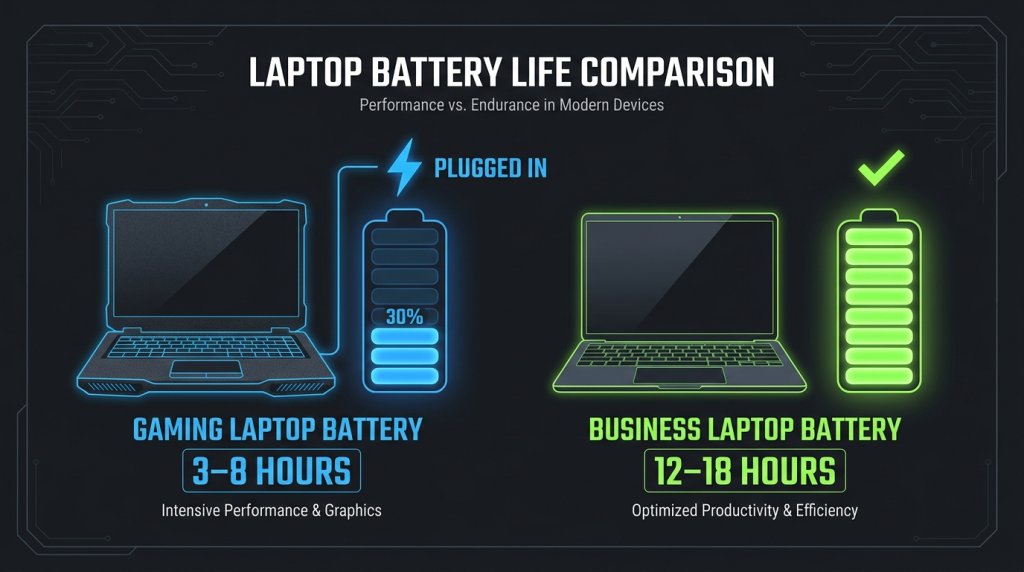
| Battery Life | 3–8 hours (under load) | 10–18 hours |
| Display | 144–360 Hz, G-Sync/FreeSync | 60–120 Hz, anti-glare, sRGB accurate |
| Cooling System | Dual-fan, vapor chamber | Single fan or fanless |
| Security Features | Basic | TPM 2.0, fingerprint, IR camera, vPro |
| Build Material | ABS plastic / aluminum hybrid | Magnesium alloy, military-grade certified |
| Keyboard | RGB mechanical-style | Spill-resistant, business-grade |
| NPU / AI Features | Limited | Common (Copilot+ certification) |
Display: Frame Rate vs. Color Accuracy
Gaming laptops prioritize refresh rate. A 240 Hz or 360 Hz panel makes fast-paced competitive games feel dramatically smoother. Variable sync technologies (G-Sync, FreeSync Premium) eliminate screen tearing. Color accuracy is secondary — vivid, punchy panels are preferred even if they don’t perfectly reproduce the sRGB color space.
Business laptops flip these priorities. A 60–120 Hz panel with accurate color reproduction is ideal for professionals reviewing documents, editing photos lightly, or presenting to clients. Anti-glare matte coatings reduce eye fatigue during eight-hour workdays. The emphasis is on viewing comfort over visual spectacle.
Battery Life: The Practical Reality
This may be the most critical difference for day-to-day users. A gaming laptop’s GPU alone can draw over 100W under load — a figure that makes all-day battery life physically impossible. Most gaming laptops recommend staying plugged in for serious sessions.
Business laptops are engineered around the opposite constraint. Windows laptops built on efficiency-first platforms routinely deliver 12–18 hours of mixed use. For anyone who spends time in meetings, airports, or cafés, this is not a minor spec — it fundamentally changes the experience of using the machine.
Security and Manageability: The Enterprise Edge
Business laptops ship with hardware-level security features that gaming laptops rarely include:
- TPM 2.0 — Hardware encryption for enterprise data protection
- IR Face Authentication — Windows Hello login without a password
- Fingerprint Reader — Biometric sign-in integrated into chassis
- Intel vPro / AMD PRO — Remote management for IT departments
- MIL-STD-810H Certification — Military-grade durability testing (drop, vibration, temperature)
If you’re managing company data or need your device to comply with enterprise security standards, a dedicated business laptop is the correct choice — not a gaming machine with a few security features bolted on.
The AI Upgrade in 2026: Narrowing the Gap in Unexpected Ways
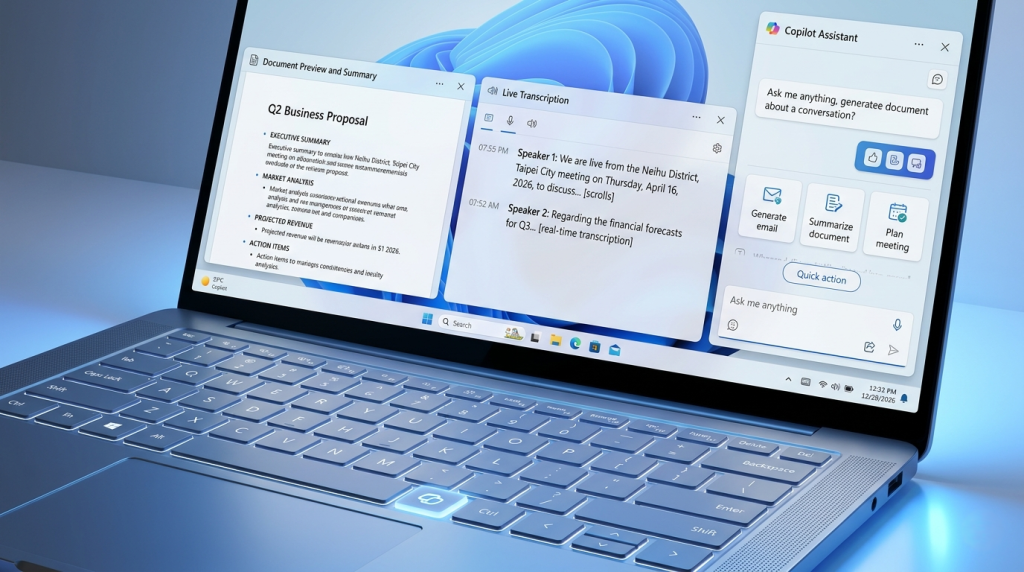
Here’s where the landscape has genuinely shifted: the proliferation of AI features on business-class hardware has made business laptops surprisingly capable creative tools. Copilot+ certified devices — especially those with Qualcomm or Intel NPUs — can run real-time AI features including live transcription, AI image enhancement, and intelligent summarization entirely offline.
Meanwhile, the latest Intel Gaming Laptops are beginning to incorporate NPU acceleration as well — meaning the future may bring gaming machines that are legitimately capable on both entertainment and AI productivity fronts.
Which Laptop Is Right for You?
Use the Newegg Laptop Finder to compare models side by side, but use this breakdown as your starting point:
Choose a Gaming Laptop if you:
- Play PC games regularly (AAA titles, competitive FPS, RPGs)
- Do GPU-intensive creative work: 3D rendering, video editing, AI image generation
- Prefer staying plugged in and value raw performance above portability
- Want maximum graphical performance at a given budget
Choose a Business Laptop if you:
- Work remotely or travel frequently and need all-day battery life
- Handle sensitive data and require enterprise security features
- Spend most of your time in productivity apps, video calls, and documents
- Need a durable, professional-looking device for client meetings
Not sure yet? Check out Newegg’s Premium Laptop Upgrades for curated deals across both categories.
The gaming laptop and business laptop aren’t competing for the same user — they’re optimized for fundamentally different lives. Understanding that distinction is the clearest path to making the right call.
Related Posts
- How Much RAM Do You Need in a Laptop? The 2026 Complete Memory Guide
- The Perfect Balance: Best Laptops for Hybrid Work and Learning in 2026
- Power Through Your Day: The Ultimate Guide to Long-Battery Laptops in 2026
- The Complete 2026 Laptop Buying Guide: Making the Right Choice
- Ultimate Guide to Laptops 2022