
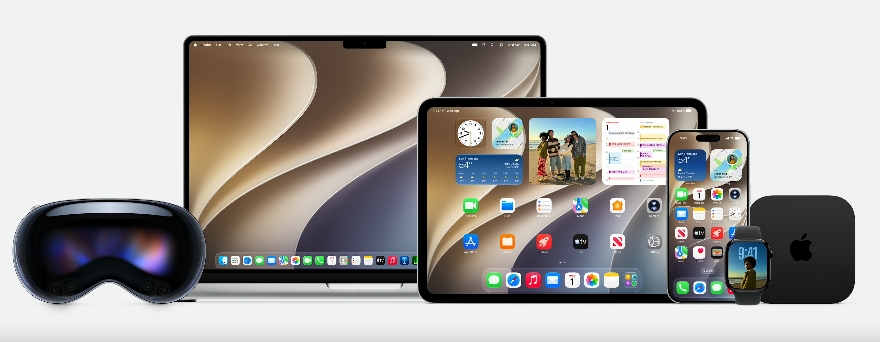
The biggest iOS 27 performance story at WWDC 2026 is simple: Apple says your devices will feel faster, and older iPhones get most of the attention. At its June 8 keynote, the company promised double-digit speed gains across everyday tasks, a calmer redesign of Liquid Glass, and a new macOS named Golden Gate. This guide walks through the iOS 27 performance changes, what they mean in practice, and how to decide whether your current hardware will keep up.
Quick summary: what Apple actually promised
Apple framed WWDC 2026 around three pillars: platform improvements, trust and safety, and Apple Intelligence. The platform pillar is where the iOS 27 performance gains live. The headline claims include faster app launches, quicker photo handling, and speedier file transfers, plus a redesign that makes the system easier to read.
Here are the specific numbers Apple shared on stage. Treat them as best-case figures, but the direction is clear.
- App launches up to 30 percent faster
- Photos appear in your camera roll up to 70 percent faster after you shoot them
- AirDrop transfers up to 80 percent faster
- Mail messages and Apple Music playback start sooner
- Faster handoff when you move from Wi-Fi to cellular
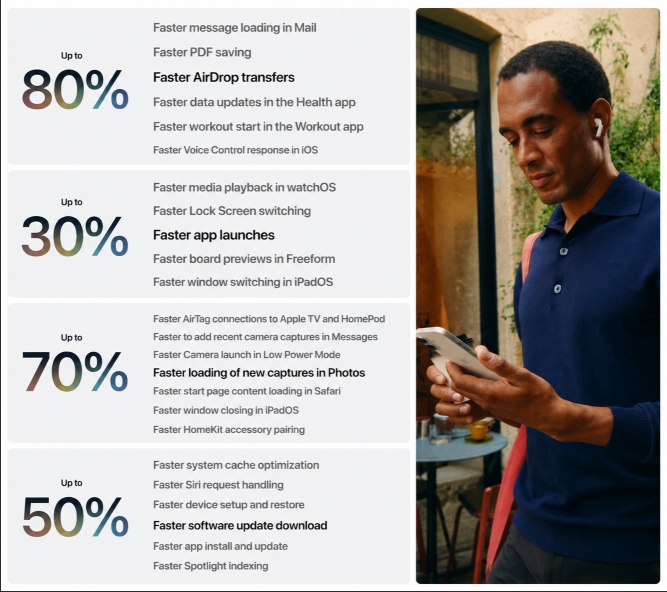
These gains arrive this fall, alongside the new iPhone, when iOS 27, iPadOS 27, and macOS Golden Gate ship to the public.
Liquid Glass gets a readability fix
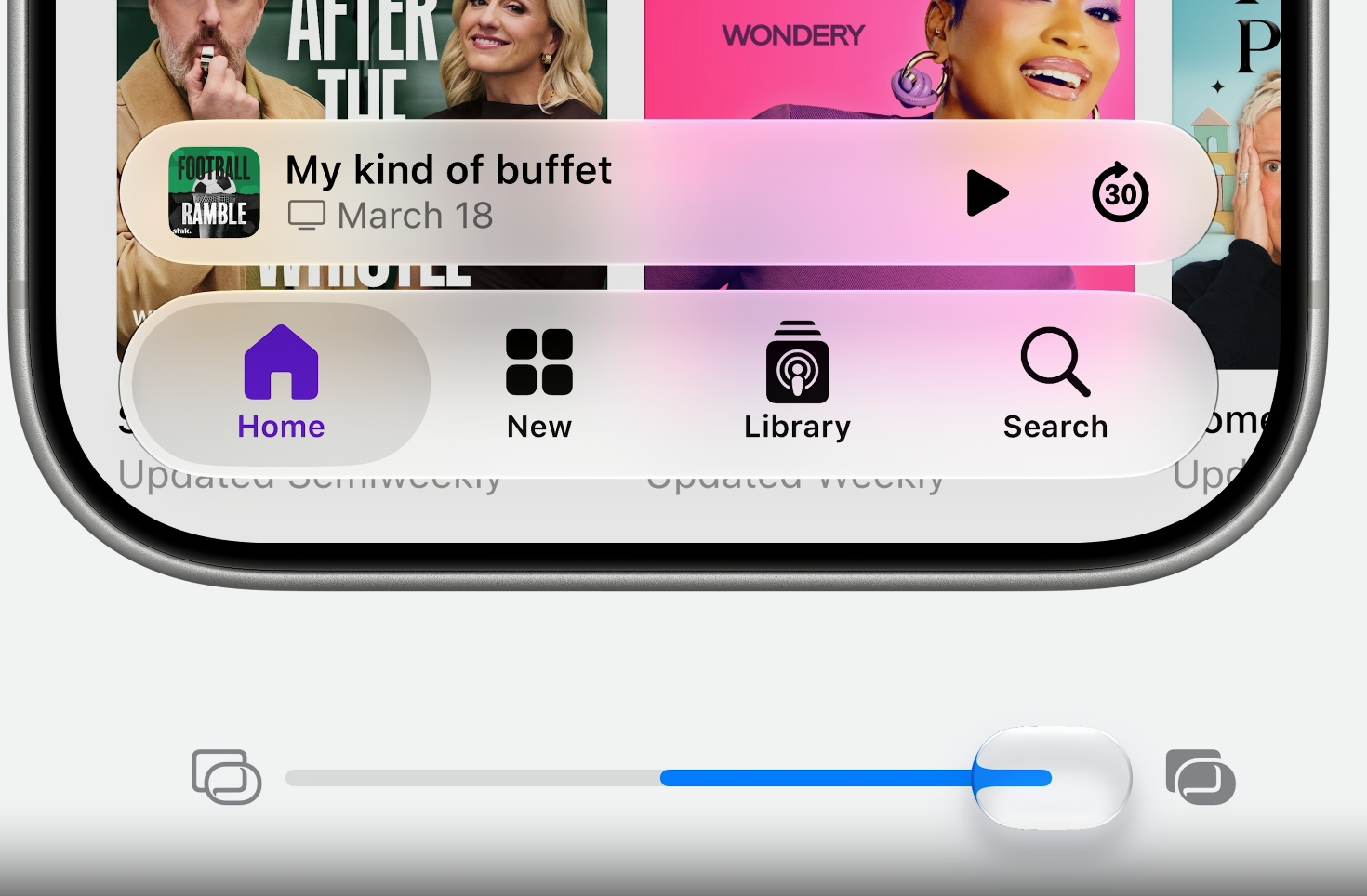
The most visible iOS 27 change is a softer take on Liquid Glass. Apple introduced the translucent design language a year ago, and many users found it distracting. This year the company changed the default look so it leans less transparent, and it added an opacity slider so you control how see-through the interface feels.
That slider matters more than it sounds. A lower opacity setting makes text easier to read over busy wallpapers and photos. It also reduces eye strain on smaller screens. If you skipped last year’s update because the look bothered you, this is the change that may bring you back.
The redesign reaches every platform, not just the iPhone. The same readability controls show up on iPad and Mac, so your devices stay visually consistent.
macOS Golden Gate: a tidier Mac
Apple named this year’s Mac release macOS Golden Gate, following its switch to number-based naming with macOS 27. The visual updates focus on calm and consistency rather than flash.
Toolbars now look more uniform across apps, so you spend less time hunting for controls. Sidebars stretch to the edges of the window to cut visual clutter. Every window uses a tighter corner radius, and Apple refreshed many app icons for a cleaner home for your files and tools.
None of this changes how a Mac works at a deep level. Instead, it smooths the rough edges that built up over years of redesigns. If you split your day between a Mac and a Windows machine, the cleaner layout helps. Shoppers comparing platforms can browse the full lineup of laptops on Newegg to weigh macOS against Windows alternatives.

Why older iPhones are the real winners
The most surprising iOS 27 performance news is who benefits most: people on older hardware. Apple modified the CPU scheduler, the part of the system that decides which tasks run when, to help aging devices feel snappier.
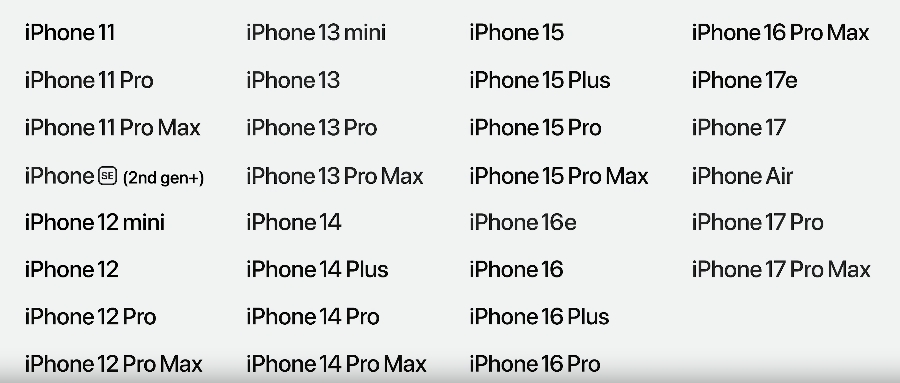
This connects to a compatibility surprise. iOS 27 runs on every model that supported iOS 26, which means the iPhone 11 and later still get the update. That is broader support than many expected for a release this far into the iPhone’s life.
If you own an iPhone 11, 12, or 13, the scheduler change is the feature to watch. It will not turn an old phone into a new one. But better task scheduling can reduce the small stutters that make a four-year-old phone feel tired. For anyone stretching a device another year, that is welcome news.
Of course, software tuning has limits. A phone with a worn battery or full storage still struggles. If your daily driver feels slow for reasons beyond the operating system, the fix often lives in hardware rather than a software update.
Search gets rebuilt under the hood
Apple rebuilt the foundation of search across iOS, iPadOS, and macOS. The same engine now powers Spotlight, Mail, and Photos, and the company says it is more stable and more efficient than before.
The practical payoff is speed and freshness. New files and data start getting indexed almost immediately, so a photo you just took or a document you just saved shows up in search right away. You spend less time waiting for results to catch up to reality.
This kind of plumbing rarely makes headlines, but it shapes daily use. Reliable search means you trust the search box instead of digging through folders. Over a year, that saves real time.
Faster transfers and smarter connections
Beyond raw speed, Apple sharpened how devices share data and stay connected. AirDrop leads the list with transfers up to 80 percent faster, which helps when you move large videos or photo libraries between devices.
Network handoff also improved. When you walk out of Wi-Fi range, the switch to cellular should feel smoother, with fewer dropped loads and stalls. Messages now shows a progress bar for delivery, so you can see when a large attachment is still sending.
There is good news for people who share photos across platforms too. iCloud shared albums now support full-resolution images, and they work with Android and Windows users. If your family or team spans different devices, everyone sees the sharp version instead of a compressed copy.
How to tell if your hardware is ready
The iOS 27 performance gains assume your device can run the update in the first place. For iPhones, the cutoff reaches back to the iPhone 11, so most phones from the past several years qualify. For Macs, macOS Golden Gate continues Apple’s move toward Apple Silicon, so older Intel Macs face the end of the road.
If your Mac uses an Intel chip, this is the moment to plan an upgrade path. You can compare current options with the Newegg Laptop Finder, which filters by chip, screen size, and budget. Buyers who want a Windows machine for work can scan the selection of business laptops instead.
Storage is the other common bottleneck. A nearly full drive slows any device, no matter how fast the operating system. If your laptop crawls because the disk is packed, a larger NVMe solid state drive often delivers a bigger real-world boost than a new processor. Adding more memory helps too when you keep many tabs and apps open at once.
Apple speed versus the Windows AI PC wave
Apple’s iOS 27 performance push lands in the same season as a strong year for Windows hardware. Copilot+ machines with dedicated AI chips, called NPUs, now fill store shelves and promise local AI features of their own.
This matters for shoppers weighing a switch. Apple optimizes its software for its own chips, which is why even older iPhones gain speed. Windows takes a more open path, with many brands and price points. Both approaches work, and the right pick depends on the apps you rely on.
If you want to see how the Windows side handles on-device AI, browse the current range of Copilot+ AI PCs. Gamers leaning toward raw power can compare gaming laptops that pair fast CPUs with discrete graphics.
Final checks before you update this fall
A few habits make any major update go smoothly. First, back up your device so a failed install never costs you data. Second, free up storage, since updates need room to unpack. Third, plug in and connect to stable Wi-Fi before you start.
Then wait a few days after launch if you depend on the device for work. Early updates sometimes ship with small bugs that a quick follow-up release fixes. For a daily-use phone or laptop, patience costs nothing and avoids surprises.
Finally, set your expectations honestly. The iOS 27 performance gains are real, but they refine rather than reinvent. A tired phone with a dying battery will still feel its age.
Frequently asked questions
Which iPhones get iOS 27? iOS 27 supports every iPhone that ran iOS 26, reaching back to the iPhone 11. That covers most phones from the last several years.
Will iOS 27 really make my old iPhone faster? Apple changed the CPU scheduler to help older devices feel snappier. Expect smoother everyday use, not the speed of a brand-new phone.
What is macOS Golden Gate? Golden Gate is the name for macOS 27. It brings uniform toolbars, edge-to-edge sidebars, tighter window corners, and refreshed app icons.
Do older Intel Macs get the update? No. macOS Golden Gate continues Apple’s shift to Apple Silicon, so Intel-based Macs are left behind and should plan an upgrade.
When does iOS 27 launch? The public release arrives this fall, alongside the next iPhone, the same window Apple uses every year.
The bottom line on iOS 27 performance
The iOS 27 performance story rewards patience and good hardware. Apple delivered faster app launches, quicker photo handling, speedier AirDrop, and a readability fix for Liquid Glass, with extra care for older iPhones through a smarter CPU scheduler. macOS Golden Gate brings the same calm, consistent polish to the Mac.
If your current device qualifies, the update is an easy yes when it ships this fall. If you sit on an Intel Mac or a phone past its prime, this is a natural moment to plan ahead. Start by comparing options in the Newegg Laptop Finder, or browse the latest laptop upgrade deals to match a new machine to your budget.
Related Posts
- Apple Intelligence Features at WWDC 2026: The New Siri, Photo Editing, and What Your Device Needs
- Apple Parental Controls at WWDC 2026: The New Child Account Tools Explained
- Sales Tax Holiday 2026: Save on PC Components, Peripherals, Laptops, Desktops, and Workstations at Newegg
- Intel’s Fastest Gaming Desktop CPUs Are Almost Here: A Complete Look at the Core Ultra 270K/250K/250KF Plus Arrow Lake Refresh
- NVIDIA GTC 2026, Part 3: The OpenClaw Revolution, Self-Driving Ubers, and Jensen’s Annual Tradition of the Perfect Finale