
When you are shopping for a school laptop, the real question is not just which one is faster. It is which one actually fits the way you work: long lecture days, late-night homework sessions, a backpack full of classes, and maybe a few extra tabs and apps running all at once.
That is exactly where the Acer Aspire Go 15 lineup gets interesting. The Acer Aspire Go 15 with Intel Core i9-13900H and the Aspire Go 15 with AMD Ryzen 7 5825U look similar on paper in a lot of ways, but they are aimed at different kinds of buyers. The Intel model is the stronger performance choice, while the AMD version is the more straightforward everyday pick. Both are 15.6-inch FHD IPS laptops with Wi-Fi 6, USB-C charging support, and Acer’s PurifiedVoice noise reduction, but the experience changes once you start looking at CPU power, memory options, ports, and portability.

Contenders Overview
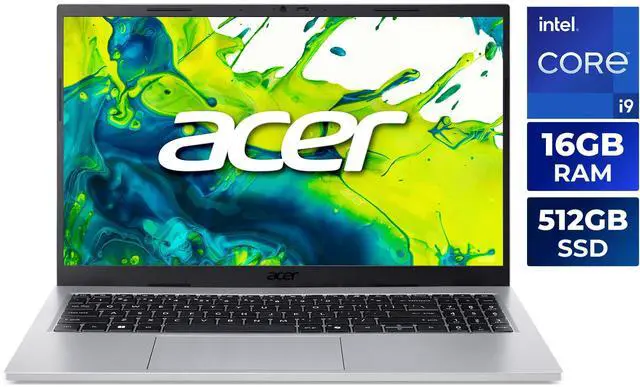
The Intel model is the one built to flex a little. Newegg’s listed configuration features the Intel Core i9-13900H, with 14 cores and 20 threads, 24MB cache, Intel Iris Xe Graphics, and a 15.6-inch 1920 x 1080 IPS display rated at 300 nits. The base configuration includes 16GB DDR4 RAM, while other Aspire Go 15 listings show the same platform with 32GB and 48GB of DDR4 memory, still tied to the same 512GB PCIe SSD and 3.37-pound chassis.
The AMD version takes a more practical route. The Aspire Go 15 with Ryzen 7 5825U uses an 8-core processor with 16MB L3 cache, AMD Radeon Graphics, 16GB or 32GB DDR4-3200 memory, and a 512GB PCIe Gen4 SSD. It also includes some very student-friendly details: a backlit keyboard, a 1Gbps RJ-45 Ethernet port, and a 65W adapter. So while the Intel version is the performance-first option, the AMD model feels more like the one built for easy daily use and dependable campus convenience.
Side-by-Side Comparison Table
Before you decide which one deserves a spot in your backpack, here is the quick side-by-side breakdown.
- CPU: Intel Core i9-13900H vs AMD Ryzen 7 5825U
- Cores / Threads: 14 cores, 20 threads vs 8 cores, 16 threads
- Cache: 24MB L3 vs 16MB L3
- Memory Platform: DDR4 in both, but the Intel configurations range from 16GB to 48GB while the AMD listings show 16GB or 32GB DDR4-3200
- Storage: 512GB PCIe SSD vs 512GB PCIe Gen4 SSD
- Graphics: Intel Iris Xe vs AMD Radeon Graphics
- Display: 15.6-inch FHD IPS, 1920 x 1080, 300 nits on the Intel model; 15.6-inch FHD IPS on the AMD model
- Wireless: Wi-Fi 6 on both, with Bluetooth 5.3 on Intel and Bluetooth 5.1 on AMD
- Ports: Intel offers 2 USB-A and 2 USB-C ports plus HDMI 2.1; AMD offers 3 USB-A, 1 USB-C, HDMI 2.1, and RJ-45 Ethernet
- Battery Claim: Up to 6.5 hours on the Intel model; AMD listing does not publish a comparable battery-hour figure in the provided spec sheet
- Weight: 3.37 lbs vs 3.92 lbs
- Best Fit: Heavy multitasking, demanding projects, and faster CPU headroom vs more straightforward everyday use, wired networking, and value-oriented student tasks
For direct shopping, the Intel i9 configuration can be found here, while the AMD Ryzen 7 5825U configuration is here.
Deep Dive per Pick
The Intel Aspire Go 15: Best when you want maximum headroom
If your school workload goes beyond basic docs and slides, the Intel Aspire Go 15 is the more exciting option. The Core i9-13900H is a high-power laptop processor, and the listed 6 performance cores plus 8 efficiency cores give it a much stronger ceiling than the AMD Ryzen 7 5825U when you are juggling a lot at once. Think large spreadsheets, coding, creative tools, dozens of browser tabs, and video calls all happening in the same afternoon. Intel Iris Xe Graphics is still integrated graphics, but it is perfectly fine for streaming, office work, and light creative tasks.
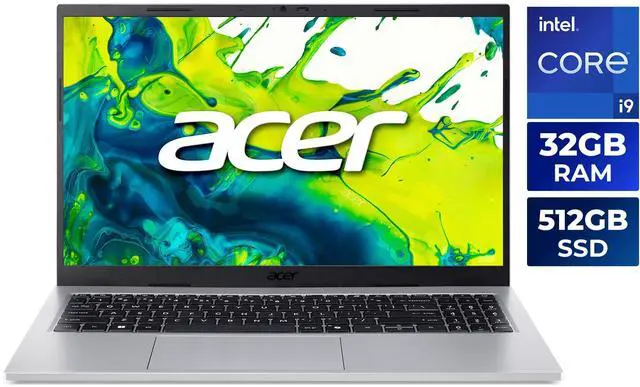
This model also gives you more flexibility depending on the configuration you choose. The Intel Aspire Go 15 listings Newegg surfaced include 16GB DDR4, 32GB, and even 48GB memory options. That matters because memory can be just as important as CPU speed when you are deep into assignments and research. If you are the type of student who keeps everything open at once, the extra RAM options are a real advantage.
There is a tradeoff, though. The provided spec sheet lists up to 6.5 hours of battery life, which is fine but not especially impressive for a chip in this class. The good news is that the laptop still stays relatively portable at 3.37 pounds. So while this is not the longest-running option here, it is still easy enough to carry from class to class without feeling like a burden.
Go with the Intel Aspire Go 15 if you care most about:
- Faster multitasking and more CPU headroom
- Higher memory ceiling in the listed configurations
- A better fit for demanding coursework or creator-style workloads
- 2 USB-C ports for modern desk and dorm setups
- A lighter 3.37-pound carry versus the AMD model
If that sounds like your kind of setup, the higher-spec Intel listings are worth a closer look, especially the 32GB version or the 48GB version.
The AMD Aspire Go 15: Best when value, ports, and predictable behavior matter more
The AMD model is the better fit if your school day is mostly about staying productive without overthinking the hardware. The Ryzen 7 5825U is an 8-core processor with 16MB L3 cache, and while it is not trying to keep up with the Intel i9-13900H in raw performance, it is still a very capable choice for note-taking, web research, Office apps, streaming, and standard class projects. Its AMD Radeon Graphics are good enough for everyday media use and a little light gaming, but this is not the machine for serious graphics work.
Where the AMD version stands out is in practical connectivity. It includes 1 USB-C port with DisplayPort and up to 65W charging, 3 USB 3.2 Gen 1 Type-A ports, HDMI 2.1, and an RJ-45 Ethernet port. That Ethernet port is a nice bonus for campus internet, shared housing, or any situation where wired networking is still the easiest, most stable solution. It also comes with a backlit keyboard, which is exactly the kind of feature you appreciate once you start studying after dark.
The AMD model’s main downside is weight. At 3.92 pounds, it is about half a pound heavier than the Intel version. That is still very manageable, but combined with the fact that Acer does not publish an equally clear battery-hour figure for this listing, it comes across as the more practical all-rounder rather than the obvious endurance champion.
Choose the AMD Aspire Go 15 if you want:
- A simple, efficient processor for everyday schoolwork
- More USB-A flexibility plus Ethernet
- A backlit keyboard for shared or low-light spaces
- DDR4-3200 memory and a familiar, value-focused platform
- An easier recommendation for standard coursework than for heavy creator tasks
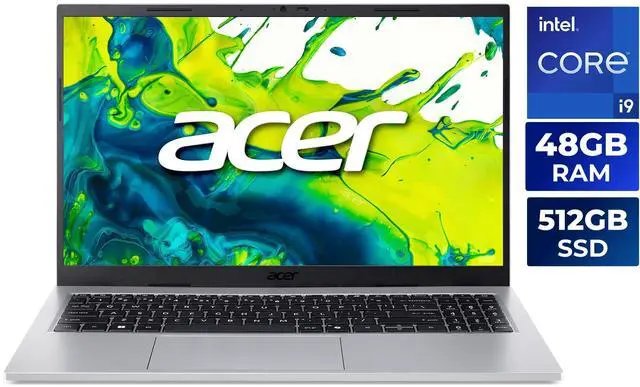
If that sounds like the right balance for you, the AMD 32GB configuration is a smart middle ground, and it is listed here. If you want the most memory in the AMD line, the 48GB version is the most comfortable choice for tab-heavy multitaskers.
Winner by Category
Best overall performance: Intel Core i9-13900H Aspire Go 15. The 14-core, 20-thread CPU is simply the stronger chip for demanding student workloads, and the higher RAM ceiling in the available configurations makes it more future-proof.
Best everyday value: AMD Ryzen 7 5825U Aspire Go 15. It offers enough power for mainstream school use, keeps the platform straightforward, and adds genuinely useful ports like Ethernet and multiple USB-A connections.
Best for portability: Intel version. At 3.37 pounds, it is lighter and easier to toss in a backpack for a day of classes.
Best for desk-and-dorm flexibility: AMD version. The extra USB-A port and RJ-45 Ethernet jack make it easier to plug into older accessories and stable wired internet.
Best pick for most students: If your workload is mostly notes, docs, slides, and streaming, the AMD Ryzen 7 5825U Aspire Go 15 is the safer buy. If you expect heavier multitasking, bigger projects, or you simply want the strongest CPU headroom available in this chassis, the Intel Core i9-13900H Aspire Go 15 is the better campus companion.
That is the bottom line: the Acer Aspire Go 15 gives you two good choices, but they serve different needs. The Intel model is the stronger performance pick. The AMD model is the more practical value pick. Either way, the best laptop is the one that matches your workload and your school routine, not just the biggest number on the spec sheet.
Frequently Asked Questions
Which Acer Aspire Go 15 is the better buy for most students?
For most students, the Ryzen 7 5825U model is the more practical choice. It is strong enough for note-taking, research, Office apps, streaming, and everyday coursework, while also offering useful extras like Ethernet and multiple USB-A ports.
Is the Intel Core i9-13900H model worth choosing over the Ryzen 7 5825U?
Yes, if your routine includes heavier multitasking, coding, creative apps, or a lot of browser tabs. The Intel model has much more CPU headroom, and the higher RAM ceiling in some configurations makes it the more flexible option for demanding workloads.
Should I expect better battery life from the Ryzen 7 model?
The Ryzen 7 platform is generally the more efficiency-focused option, so many buyers will expect it to do well in daily use. Real-world battery life still depends on brightness, apps, and wireless activity, so the actual runtime can vary by configuration and workload.
What makes the AMD Aspire Go 15 easier to live with on campus?
The AMD model includes RJ-45 Ethernet, HDMI 2.1, one USB-C port, and three USB-A ports. That makes it easier to connect to dorm internet, accessories, and classroom displays without relying as much on dongles.
Do both models have enough storage for school work?
Both versions use a 512GB SSD, which is enough for class documents, apps, and media for many students. If you keep a lot of large files or expect heavier workloads, the Intel configurations with more RAM are the more future-proof choice, while the AMD model remains a strong value pick.
Read More
- Acer Aspire Go Intel | Windows 11 Laptop — Acer’s official Intel Aspire Go landing page with current product positioning and specs.
- Aspire Go AMD – AG15-42P-R7WQ Technical Specifications — Acer’s official AMD Aspire Go product page with configuration details.
- Acer Aspire Go 15 AG15-42P Review – Notebookcheck — A hands-on review of the Ryzen 7 5825U version, including display, battery, and everyday performance notes.
- Intel Core i9-13900H Processor – Benchmarks and Specs – Notebookcheck — A useful reference for understanding the performance tier of Intel’s Core i9-13900H.
- Acer Aspire Go 15 review: Office notebook with long runtimes for 429 euros — An earlier Aspire Go 15 review that helps contextualize the series as a student-friendly office laptop.
Related Posts
- Can a $500 Laptop Handle Premiere Pro and Photoshop? What Budget Buyers Should Know
- Best Mechanical Keyboards in 2026
- Best Gaming CPUs in 2026
- Best 4K Projectors for Home Theater and Gaming in 2026
- Best ABS Gaming PCs for GTA 6 and Next-Gen AAA Games
Frequently Asked Questions
Answers to common questions about Acer Aspire Go 15 Intel i9 vs Ryzen 7 for campus use.