
I have been asked this more than any other question this year, and it is not because people suddenly developed a passion for memory timings.
It is because RAM got expensive. Properly, look-at-the-cart-twice expensive. DRAM supply has been pulled hard toward AI infrastructure all through 2026 and the knock-on landed squarely on the desktop kits the rest of us buy. Which means the old advice — “just get 32GB and stop thinking about it” — was easy to give when memory was cheap, and deserves a more careful answer now.
So here is how I would work it out. Step by step, and then the kits I would actually put in a cart.

Step One: Look at What You Actually Run
Not what you might run someday. What was open yesterday.
Open Task Manager, click the Performance tab, and look at the memory graph after a normal few hours. Sitting at 50 to 60 percent? You have the right amount, congratulations, go do something else. Pinned near the top with the machine stuttering when you alt-tab? You are short. Never crossing 40 percent? Buying more will change literally nothing you can feel, and I say that as someone who once bought more anyway.
The rough tiers I use: 16GB for browsing, office work, schoolwork and most 1080p gaming. 32GB for gaming with a browser and chat open, photo editing, light video work, the occasional virtual machine. 64GB for serious video editing, 3D rendering, large datasets, or running local AI models.
Step Two: Decide Between Two Sticks and Four
Two sticks. Almost always two sticks.
Modern desktop platforms are dual channel, so two modules already give you the full memory bandwidth, and filling all four slots makes it harder for the memory controller to hold a high speed reliably. A 2 x 16GB kit is the standard shape of a 32GB purchase for a reason. Buying a matched kit matters more than people expect too — two identical modules sold together have been tested to run at their rated speed as a pair, which two separately bought sticks have not.
Step Three: Pick a Speed You Can Actually Run
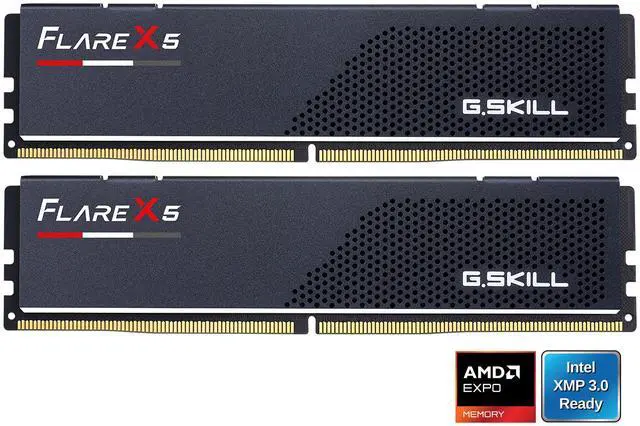
DDR5-6000 is the comfortable target for most builds and it is what nearly every kit worth buying is rated for. Getting there is one click: enable the AMD EXPO or Intel XMP profile in your BIOS. Skip that and your expensive kit runs quietly at a slow default speed forever, which is far and away the most common self-inflicted performance problem I run into.
A good example of a sensible kit is the G.SKILL Flare X5 32GB (2 x 16GB) DDR5-6000 CL36. It runs 36-36-36-96 at 1.35V, supports AMD EXPO and Intel XMP 3.0, and stands only 33mm tall. That last number is the one that saves you: if you have ever had to lift a tower cooler back off because it was resting on a memory heatsink, low-profile modules stop being boring very quickly.
Prefer the tighter timings? The CORSAIR Vengeance 32GB (2 x 16GB) DDR5-6000 CL30 is the plain, no-lighting version of the most popular kit shape on the market, and the XPG LANCER 32GB DDR5-6000 CL30 is a straight alternative when the Corsair is out of stock, which lately it often is.
Step Four: Decide If You Care How It Looks
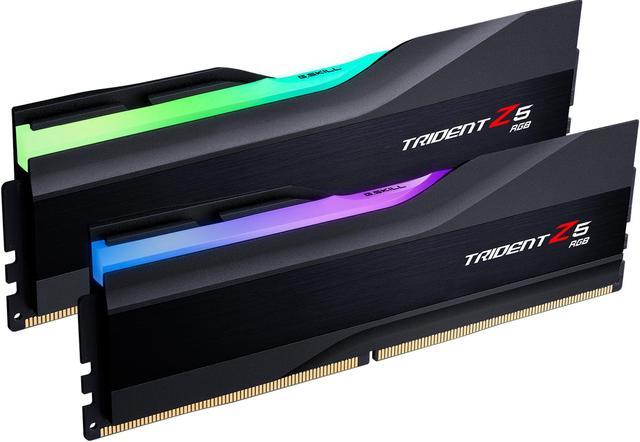
This costs money and changes nothing about performance. Totally fine, as long as you know that going in.
The G.SKILL Trident Z5 RGB 32GB (2 x 16GB) DDR5-6000 CL36 is the kit most people are picturing when they picture RGB memory. Building in white? The Patriot Viper Elite 5 32GB (2 x 16GB) DDR5-6000 CL30 pairs tight timings with a white heat spreader and no lighting whatsoever.
Step Five: Be Honest About 16GB and 64GB
Sixteen gigabytes is still genuinely enough for a lot of machines. Given what memory costs right now, I would much rather someone buy 16GB and add later than stretch the budget and compromise on the graphics card. The Kingston FURY Beast 16GB (2 x 8GB) DDR5-6000 CL36 is the honest version of that build.
One caveat if you go this route: leave two slots free and plan the upgrade path, because 8GB modules are what you will end up replacing rather than adding to.
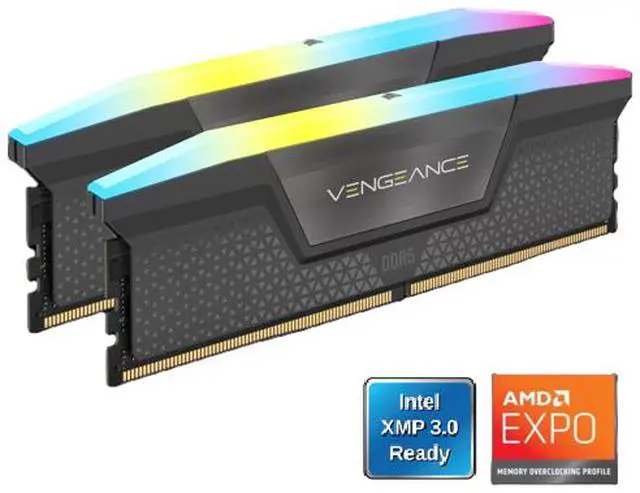
At the other end, 64GB stopped being exotic the moment people started running local models and cutting high-resolution video at the kitchen table. The CORSAIR Vengeance RGB 64GB (2 x 32GB) DDR5-6000 CL40 gets you there in two modules with two slots still open, and the Klevv 64GB (2 x 32GB) DDR5-6000 CL30 does the same at tighter timings, minus the lighting.
So, What Should You Buy?
Most people building or upgrading right now: 32GB in two sticks at DDR5-6000, EXPO or XMP switched on, done.
Take 16GB if the machine is for browsing, office work and 1080p gaming and you would rather the difference went into a graphics card. Take 64GB only if you can point at the specific work that needs it — video timelines, 3D scenes, virtual machines, local models. Whichever you choose, buy it as a matched kit and turn the profile on. And yes, that click into the DIMM slot should be firm and slightly alarming. If it feels gentle, its not seated. Compare current kits in Newegg’s DDR5 memory listings.
Frequently Asked Questions
Is 16GB still enough for gaming in 2026? For most 1080p gaming, yes, particularly if you close background applications. Where 16GB starts to hurt is the modern habit of leaving a browser, a chat client and a stream overlay open while playing a recent title — that combination is what pushes a 16GB system into swapping. If you play that way, 32GB is the upgrade you will actually feel.
Should I fill all four memory slots? Generally no. Desktop platforms are dual channel, so two modules already deliver full bandwidth, and four populated slots put more electrical load on the memory controller, which often means settling for a lower stable speed. Two larger modules is the better shape, and it leaves room to expand later.
Do I need to do anything after installing new RAM? Yes, one thing, and it is the step most people skip. Enter the BIOS and enable the AMD EXPO or Intel XMP profile. Without it the kit runs at a conservative default speed regardless of what is printed on the box, and you have paid for performance you are not getting.
Why has DDR5 been so expensive this year? Demand for memory from AI datacentre buildouts has absorbed a large share of DRAM manufacturing capacity through 2026, and consumer desktop kits compete for what is left. The practical advice that follows is unglamorous: buy the capacity you need when you build rather than planning to add more later, and do not assume the module you skipped will be sitting there at the same price in six months.
Read More
- Tom’s Hardware: RAM Price Index 2026 — A continuously updated tracker of DDR5 and DDR4 pricing across capacities.
- G.SKILL: Memory Configuration Guide — The manufacturer’s own guidance on slot population and matched kits.
- TechPowerUp: DDR5 Memory Performance Scaling — Measured results showing what speed and latency changes are actually worth.
- Hardware Unboxed: How Much RAM Do You Need for Gaming — Frame-time testing comparing 16GB and 32GB in modern titles.
- Newegg: DDR5 Desktop Memory — Filter current kits by capacity, speed and CAS latency.