
I used to be firmly in the build-it-yourself camp. I have moved. Not because building got harder, but because the argument for it has narrowed: with memory and storage supply tight, the parts cost of a self-build is less predictable than it used to be, and a prebuilt arrives with a warranty covering the whole machine rather than eight separate ones.
What has not changed is that you still have to read the spec sheet. Two desktops with the same graphics card can differ enormously in the parts nobody puts on the product photo. So here are eight machines, sorted by the person buying them.
If You Want the Best Frame Rates
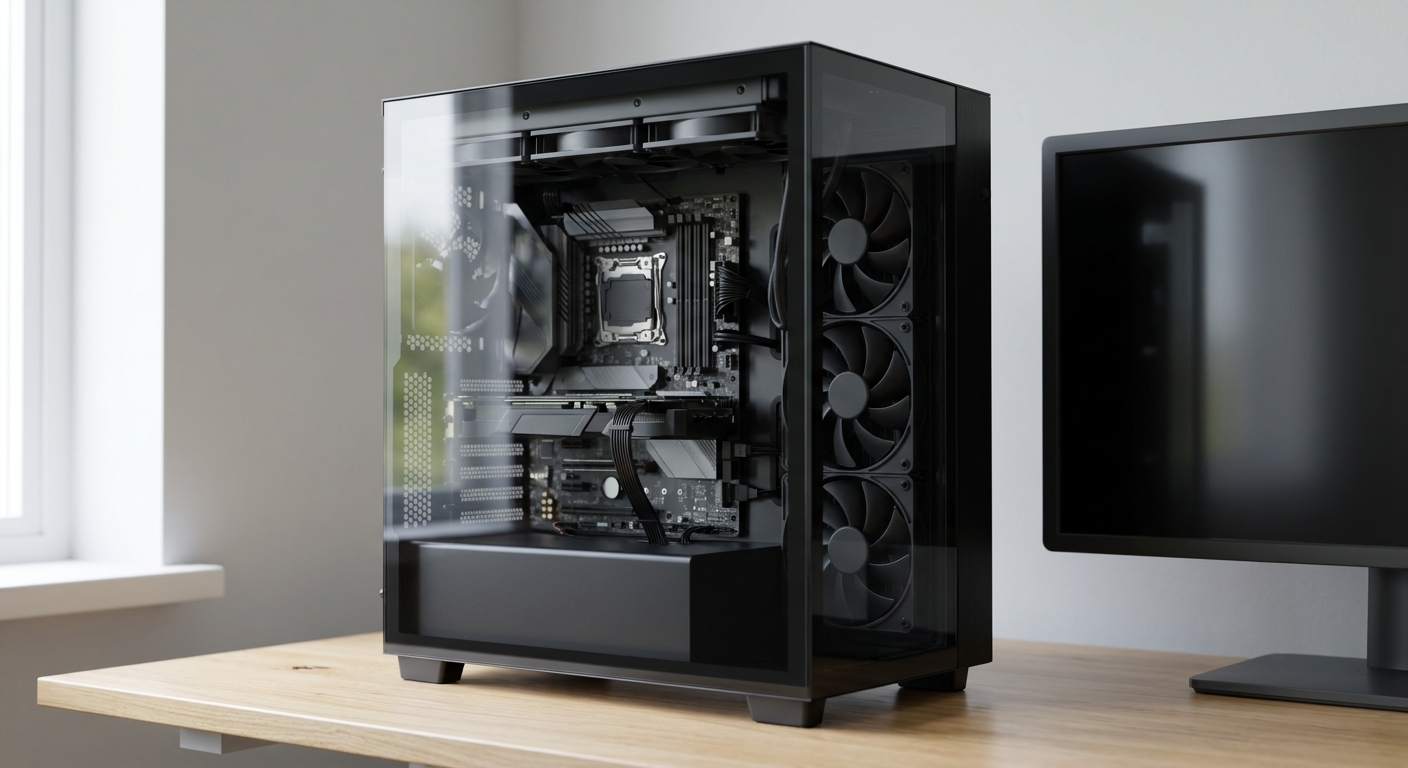
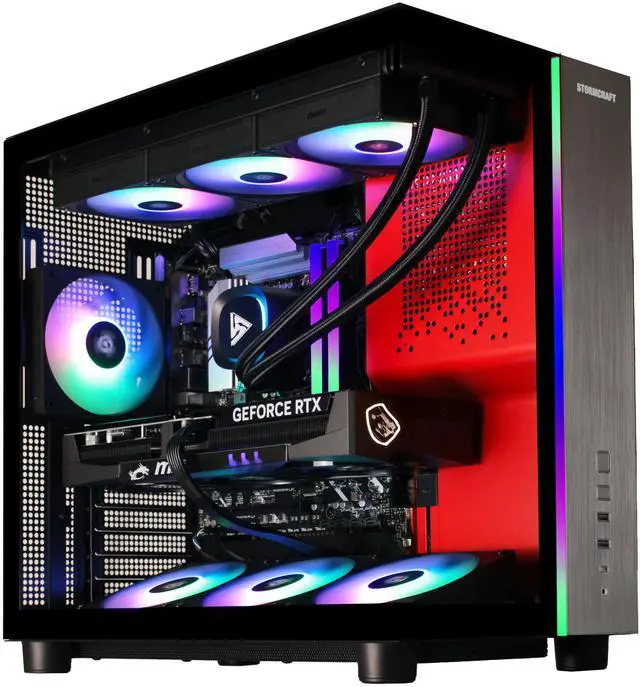
Two of these run the Ryzen 7 9800X3D, and for gaming specifically that is the chip to look for. The STORMCRAFT PHANTOM pairs it with an RTX 5070 Ti carrying 16GB of GDDR7, 32GB of DDR5-6000, a 2TB NVMe drive, a 360mm all-in-one cooler and an 850W Gold supply. The 9800X3D brings 96MB of L3 cache and a 4.70GHz base clock, and that cache is what shows up in one percent lows.
The ABS Stratos II Ruby is the same processor and the same GIGABYTE WindForce RTX 5070 Ti 16GB, on an ASRock B850M-C board with G.SKILL Ripjaws M5 Neo RGB DDR5-6000 and a 2TB Team Group NV5000 drive, cooled by a 240mm unit rather than a 360mm one. Same silicon, slightly less thermal headroom, and B850 means an easy CPU upgrade later.
If You Also Work on the Machine
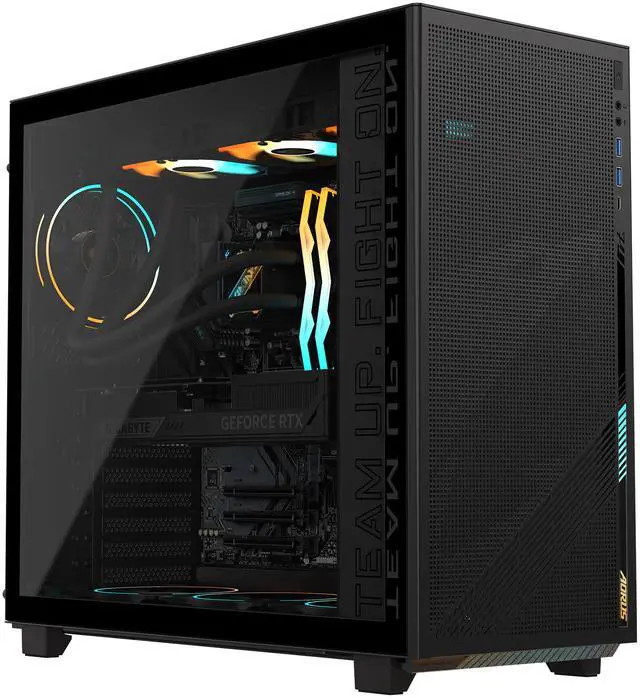
The GIGABYTE AORUS PRIME 5 is the one I would buy if the machine has a job outside games. Ryzen 7 9700X with 32MB of L3, an RTX 5070 Ti WINDFORCE OC 16GB, 32GB of DDR5-5600, a 2TB PCIe Gen4 drive, a B850 board with Wi-Fi 6, an 850W Gold supply and a 360mm AIO, in an AORUS C400 GLASS case. It has a PCIe 5.0 x16 slot plus three PCIe 3.0 x16 slots, which is more expansion than most prebuilts offer.
The ABS Kaze II Aqua takes the Intel route with a Core Ultra 7 270K Plus, a 24-core part with 36MB of L3 on LGA 1851, paired with a GIGABYTE WindForce RTX 5070 Ti 16GB, Kingston FURY DDR5-6400, a 2TB drive, a GIGABYTE Z890 UD board with Wi-Fi 6E, an 850W Gold supply and a 360mm cooler. Wide core count, good for anything that scales across threads.
The ABS Stratos II Aqua is the previous-generation Intel option, with a Core i9-14900KF, an RTX 5070 Ti 16GB Windforce SFF OC, 32GB of DDR5-6000, a 2TB Team Group drive and a Z790 board. Plenty of processor, but Wi-Fi 5 and an older platform, so treat it as a machine you buy and keep rather than upgrade.
If You Are Buying Your First Gaming PC
The RTX 5070 machines are where most first builds should land, and the differences between them are in the supporting parts.
The MSI Codex Z2 runs a Ryzen 7 8700F, eight cores with 16MB of L3, alongside an RTX 5070 with 12GB of GDDR7, 32GB of DDR5, a 2TB Gen4 NVMe drive, a B840 board with Wi-Fi 6E and a 750W Gold supply. It is air cooled, which is quieter than people expect and one less thing to fail.
The CyberpowerPC GM70928 puts a Ryzen 7 7800X3D in front of an RTX 5070 12GB, with 32GB of DDR5, a 1TB NVMe drive, a B850 board, a 1000W supply and liquid cooling in a Phanteks NV5S case. The 7800X3D carries the same 96MB of L3 as the 9800X3D, so this is the cheapest route to that cache on this page. The 1TB drive is the part I would upgrade first.
The ABS Cyclone Aqua is the entry point: Core i7-14700F with 20 cores, an ASUS DUAL OC RTX 5070 12GB, 32GB of G.SKILL DDR4-3200, a 1TB Kingston drive, a B760 board with 2.5G Ethernet and a 650W Gold supply. Note the DDR4 rather than DDR5, which caps what the platform can grow into. As a complete machine it works; as a foundation it is a dead end.
What I Would Pick
Gaming above everything: STORMCRAFT PHANTOM, or the ABS Stratos II Ruby if you want the option to swap processors later on B850. Games plus real work: AORUS PRIME 5 for the expansion slots, Kaze II Aqua if your workload likes cores. First gaming PC with room to grow: MSI Codex Z2, because DDR5 and 2TB of storage mean you will not immediately be shopping for upgrades. Cheapest way into the X3D cache: CyberpowerPC GM70928.
The thing I would check before ordering any of them is the power supply and the drive capacity, because those are the two places where a spec sheet quietly tells you what the builder economised on. Current stock is in Newegg’s RTX 5070 gaming desktop listings.
Frequently Asked Questions
Is a prebuilt worth it compared with building one myself? The gap has narrowed. Component supply is tight enough that parts pricing moves week to week, and a prebuilt gives you one warranty for the whole machine rather than separate coverage on every part. Building still gives you complete control over the power supply, case and cooler, which is the main reason to do it.
What does the X3D in Ryzen 7 9800X3D actually mean? It refers to the extra stacked L3 cache. The 9800X3D and 7800X3D both carry 96MB of L3, against 32MB on the Ryzen 7 9700X and 16MB on the Ryzen 7 8700F. In games that constantly walk large data structures, that cache tends to improve one percent lows more than a higher clock speed would.
Why do some of these use DDR4 and others DDR5? It follows the platform. The ABS Cyclone Aqua uses an Intel B760 board with DDR4-3200, while the newer AM5 and Z890 machines use DDR5 at 5600, 6000 or 6400. DDR4 is not slow, but it is a generation behind and limits what the machine can be upgraded to later.
Can I upgrade a prebuilt gaming PC later? Usually yes, within the limits of the board and supply. The AM5 machines here sit on A620 through X870E chipsets, so a future processor is straightforward. Graphics card upgrades depend on the power supply and case clearance, which is why the 850W and 1000W machines have more room to grow than the 650W one.
Do I need a 360mm liquid cooler or is air cooling enough? Air cooling is enough for most of these processors, and the MSI Codex Z2 ships that way. Larger radiators help most with sustained all-core loads, such as rendering or long compiles. For gaming, the difference is mostly noise rather than performance.
Read More
- Tom’s Hardware: Best Gaming PCs — Reviewed prebuilt systems with notes on component quality and upgradeability.
- PC Gamer: Gaming PC Coverage — Ongoing reviews and buying advice for prebuilt desktops.
- AMD: Ryzen Desktop Processors — Specifications for the 9800X3D, 9700X and 7800X3D used in these systems.
- NVIDIA: GeForce RTX 50 Series — Official details on the RTX 5070 and RTX 5070 Ti, including memory configuration.
- Newegg: RTX 5070 Gaming Desktops — Compare current systems by processor, memory type and power supply.