
If your training jobs are starving for CPU bandwidth, your multi-GPU setup is bottlenecked by PCIe lanes, or your Docker containers are fighting over cores at 2 a.m., you’ve already identified the problem this article solves. The AMD Threadripper PRO AI workstation is the platform designed for exactly that scenario — elite-scale AI engineering on a single chassis, without the footprint or cost of a rack-mounted server. This guide covers the platform architecture, current hardware options on Newegg, workload fit, and everything you need to configure a system that won’t become the bottleneck in your pipeline.
What Makes Threadripper PRO Different for AI
Most workstation CPUs are built around a single use case: fast single-threaded compute for CAD, animation, or software development. The Threadripper PRO line takes a different approach. It inherits AMD’s server-grade EPYC architecture — quad-channel ECC memory, massive PCIe lane budgets, and multi-die designs — but packages it as a workstation processor rather than a rack server component. That distinction matters a lot to AI teams.
The most important thing the PRO suffix signals is the memory subsystem. Where a standard AMD Threadripper HEDT chip might top out at quad-channel DDR5, Threadripper PRO 9000WX-series processors support octa-channel DDR5 ECC with up to 2TB of registered memory — the same configuration used in EPYC-based servers. That matters for AI workloads that shuttle large batches between CPU memory and GPU VRAM, and it matters doubly for data preprocessing pipelines that need to hold full training datasets in RAM.
The second differentiator is PCIe lanes. A consumer Ryzen 9 desktop chip provides 28 PCIe lanes. A Threadripper PRO 9985WX delivers 128 PCIe lanes. That gap is the difference between one GPU running at full x16 bandwidth and four GPUs running at full x16 bandwidth simultaneously — with lanes left over for NVMe storage and networking. For any team running multi-GPU training, that architecture is not optional.

Core Count and PCIe Lanes — Why They Matter
The headline spec for Threadripper PRO is core count. The current 9000WX generation spans 24 cores (9965WX), 32 cores (9975WX/9980X), and 64 cores (9985WX/9980X), all built on AMD’s Zen 5 architecture. A 64-core chip at 3.2 GHz base can run 128 simultaneous threads — a capacity that changes how you architect AI workloads.
Parallel data preprocessing is the first direct beneficiary. In a typical PyTorch training loop, the DataLoader runs preprocessing workers on CPU. With 8–16 cores, you’re typically bottlenecked getting data to the GPU fast enough during heavy augmentation passes. With 32–64 cores, you can run enough workers that the GPU stays fed at full utilization even with complex on-the-fly augmentation, tokenization, or image decoding. The CPU stops being the bottleneck.
Multi-GPU coordination is the second area. When you’re running 2–4 GPUs for distributed training with frameworks like PyTorch DDP or DeepSpeed, the CPU handles gradient synchronization, communication scheduling, and I/O. More cores mean better scheduling headroom and lower latency between GPU sync points. Configurations pairing a 64-core Threadripper PRO with two RTX PRO 6000 Blackwell workstation GPUs (each with 96GB GDDR7) are listed on Newegg in the $21,000–$37,000 range — and give you 192GB of GPU VRAM accessible in a single workstation for training 70B parameter models.
Containerized workloads benefit from the core headroom as well. Running multiple isolated training environments — separate conda environments or Docker containers pinned to subsets of GPUs — is much smoother on a 64-core platform where each container gets dedicated cores rather than sharing 16.
The PCIe lane count — 128 on the 9985WX — directly enables the multi-GPU configurations that matter. Each GPU needs at least x8 lanes to sustain full bandwidth in training (x16 is preferred); four GPUs at x16 consume 64 lanes, leaving 64 lanes for NVMe RAID arrays and 100GbE networking. The AI workstation configurations built on the ASUS WRX90E SAGE server board — available from Adamant Custom on Newegg — use the full 128-lane budget with multiple PCIe 5.0 x16 GPU slots and U.2/M.2 NVMe storage lanes running in parallel.
Current Threadripper PRO Workstation Options on Newegg
The Newegg catalog for Threadripper PRO workstations is dominated by two builder brands: ABS (Zaurion line) and Adamant Custom. Here’s how the major configurations break down as of mid-2026:
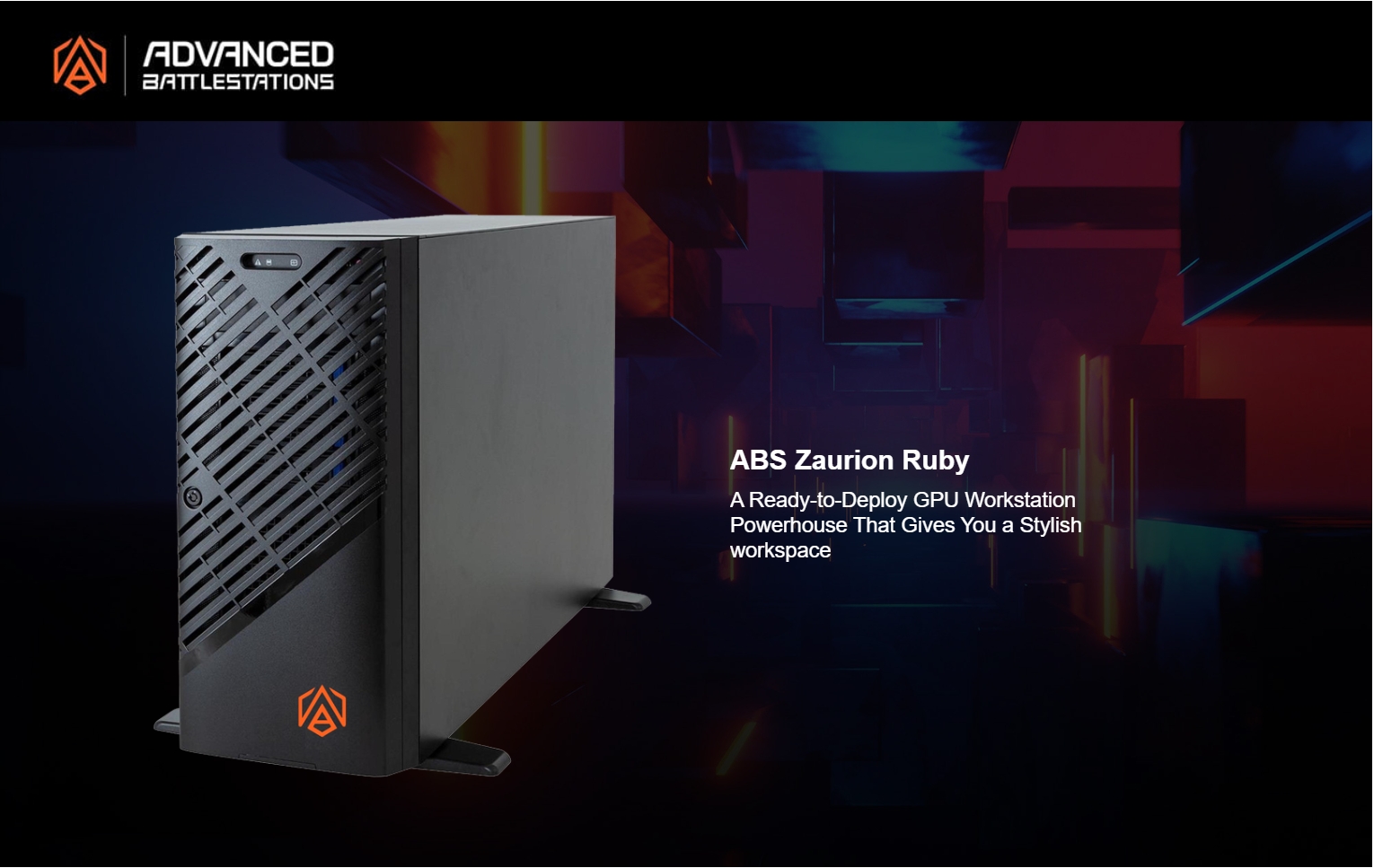
ABS Zaurion Ruby (Threadripper Platform)
| Configuration | CPU | GPU | RAM | Storage | Price |
|---|---|---|---|---|---|
| Zaurion Ruby (entry) | Threadripper PRO 7975WX | 1x RTX PRO 6000 Blackwell ( | 64GB DDR5 | 1TB M.2 + 1.92TB SATA | ~$21,599 |
| Zaurion Ruby (mid) | Threadripper PRO 7975WX | 1x RTX PRO 6000 Blackwell | 128GB DDR5 | 2TB M.2 + 3.84TB SATA | ~$23,999 |
| Zaurion Duo Ruby | Threadripper PRO 7975WX | 2x RTX PRO 6000 Blackwell | 128GB DDR5 | 2TB M.2 + 3.84TB SATA | ~$36,599 |
These systems ship with Ubuntu and come AI-ready. The 7975WX is a 32-core Zen 4 processor; it’s the previous-generation PRO chip but still an excellent performer for teams that don’t need 64 cores. The dual-GPU Zaurion Duo Ruby at ~$36,599 is the most compelling for serious AI teams — 192GB of combined GPU VRAM on a stable enterprise platform.
Ideal AI Workloads for Threadripper PRO
Not every AI workload scales with core count or benefits from 128 PCIe lanes. Here’s where Threadripper PRO pays off, and where it doesn’t.
High-return workloads:
- Large model training (7B–70B+ parameters): Multi-GPU setups with large batch sizes saturate PCIe bandwidth. The PRO platform’s full x16 lanes per GPU prevent the 2x bandwidth loss you get from x8 bifurcation on consumer platforms.
- Multi-experiment parallelism: Running 4–8 experiments simultaneously, each pinned to a GPU partition, is where 64 cores shine. Each experiment gets enough CPU workers to keep its GPU fed.
- Data engineering pipelines: Heavy ETL workloads — tokenizing text datasets, generating embeddings from a large corpus, preprocessing video frames — max out on 16-core consumer chips. 32–64 cores give you the throughput to keep GPUs never-idle.
- Inference serving with multi-model: Running multiple models concurrently (e.g., a retrieval encoder + a generative decoder + a reranker) benefits from both the core count and the multi-GPU VRAM capacity.
- Quantization and ONNX export jobs: These are largely CPU-bound. A 64-core machine cuts quantization time for large models from hours to minutes.
Lower-return workloads (where Threadripper PRO is overkill):
- Single-GPU fine-tuning of small models (under 7B parameters): A Ryzen 9 with a single RTX 4090 will keep up fine. The CPU is rarely the bottleneck here.
- Inference-only deployments: Once the model is loaded, inference is GPU-bound. The CPU is largely idle. A more modest platform makes more sense unless you’re serving very high concurrency.
- Hobbyist Stable Diffusion or local LLM use: No practical reason to pay $25K for a Threadripper PRO platform to run Ollama or ComfyUI.

Software Stack Setup (CUDA, PyTorch, Drivers)
Setting up a Threadripper PRO AI workstation follows the same path as any NVIDIA-GPU Linux workstation, with a few additional steps for multi-GPU coordination.
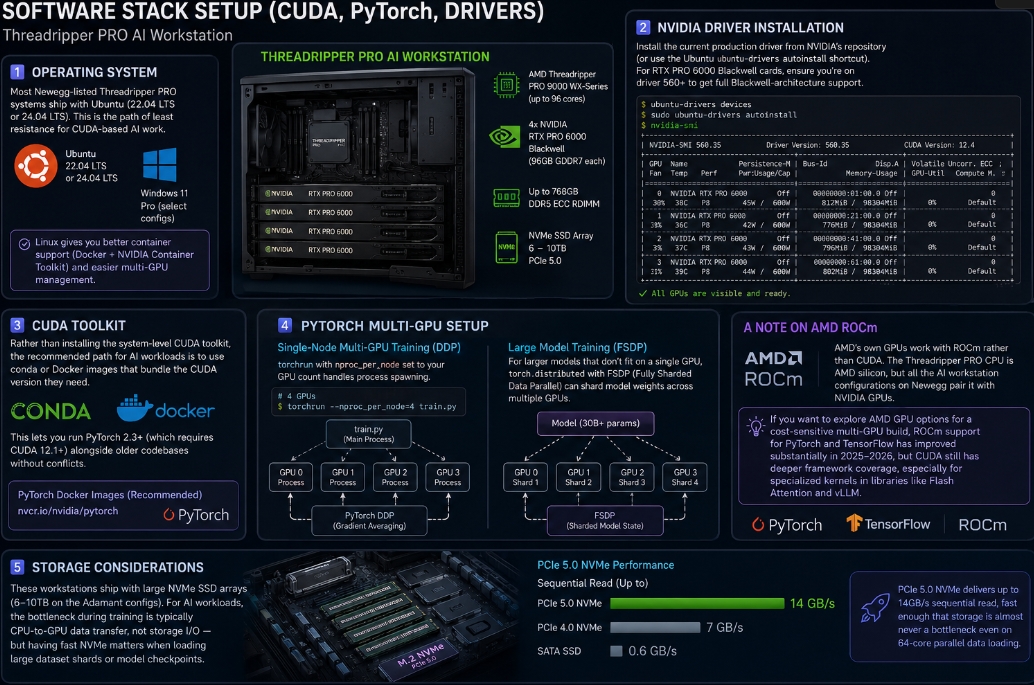
Operating system: Most Newegg-listed Threadripper PRO systems ship with Ubuntu (22.04 LTS or 24.04 LTS). This is the path of least resistance for CUDA-based AI work. Windows 11 Pro is available on select ABS configurations, but Linux gives you better container support (Docker + NVIDIA Container Toolkit) and easier multi-GPU management.
NVIDIA driver installation: Install the current production driver from NVIDIA’s repository (or use the Ubuntu ubuntu-drivers autoinstall shortcut). For RTX PRO 6000 Blackwell cards, ensure you’re on driver 560+ to get full Blackwell-architecture support. After driver install, verify all GPUs are visible with nvidia-smi.
CUDA Toolkit: Rather than installing the system-level CUDA toolkit, the recommended path for AI workloads is to use conda or Docker images that bundle the CUDA version they need. This lets you run PyTorch 2.3+ (which requires CUDA 12.1+) alongside older codebases without conflicts. The PyTorch team’s official Docker images at nvcr.io/nvidia/pytorch are the cleanest starting point.
PyTorch multi-GPU setup: For single-node multi-GPU training, torchrun with nproc_per_node set to your GPU count handles process spawning. With four GPUs, torchrun --nproc_per_node=4 train.py launches four processes, one per GPU. PyTorch DDP handles gradient averaging across them. For larger models that don’t fit on a single GPU, torch.distributed with FSDP (Fully Sharded Data Parallel) can shard model weights across multiple GPUs — critical for training 30B+ parameter models on a 4x RTX PRO 6000 (384GB total VRAM) setup.
A note on AMD ROCm: AMD’s own GPUs work with ROCm rather than CUDA. The Threadripper PRO CPU is AMD silicon, but all the AI workstation configurations on Newegg pair it with NVIDIA GPUs. If you want to explore AMD GPU options for a cost-sensitive multi-GPU build, ROCm support for PyTorch and TensorFlow has improved substantially in 2025–2026, but CUDA still has deeper framework coverage, especially for specialized kernels in libraries like Flash Attention and vLLM.
Storage considerations: These workstations ship with large NVMe SSD arrays (6–10TB on the Adamant configs). For AI workloads, the bottleneck during training is typically CPU-to-GPU data transfer, not storage I/O — but having fast NVMe matters when loading large dataset shards or model checkpoints. PCIe 5.0 NVMe (available on the WRX90 platform) delivers up to 14GB/s sequential read, fast enough that storage is almost never a bottleneck even on 64-core parallel data loading.
Threadripper PRO vs Alternatives (Xeon W, Ryzen 9)
Choosing a Threadripper PRO platform means passing on several alternatives. Here’s how they compare honestly.
Threadripper PRO 9985WX vs Intel Xeon W
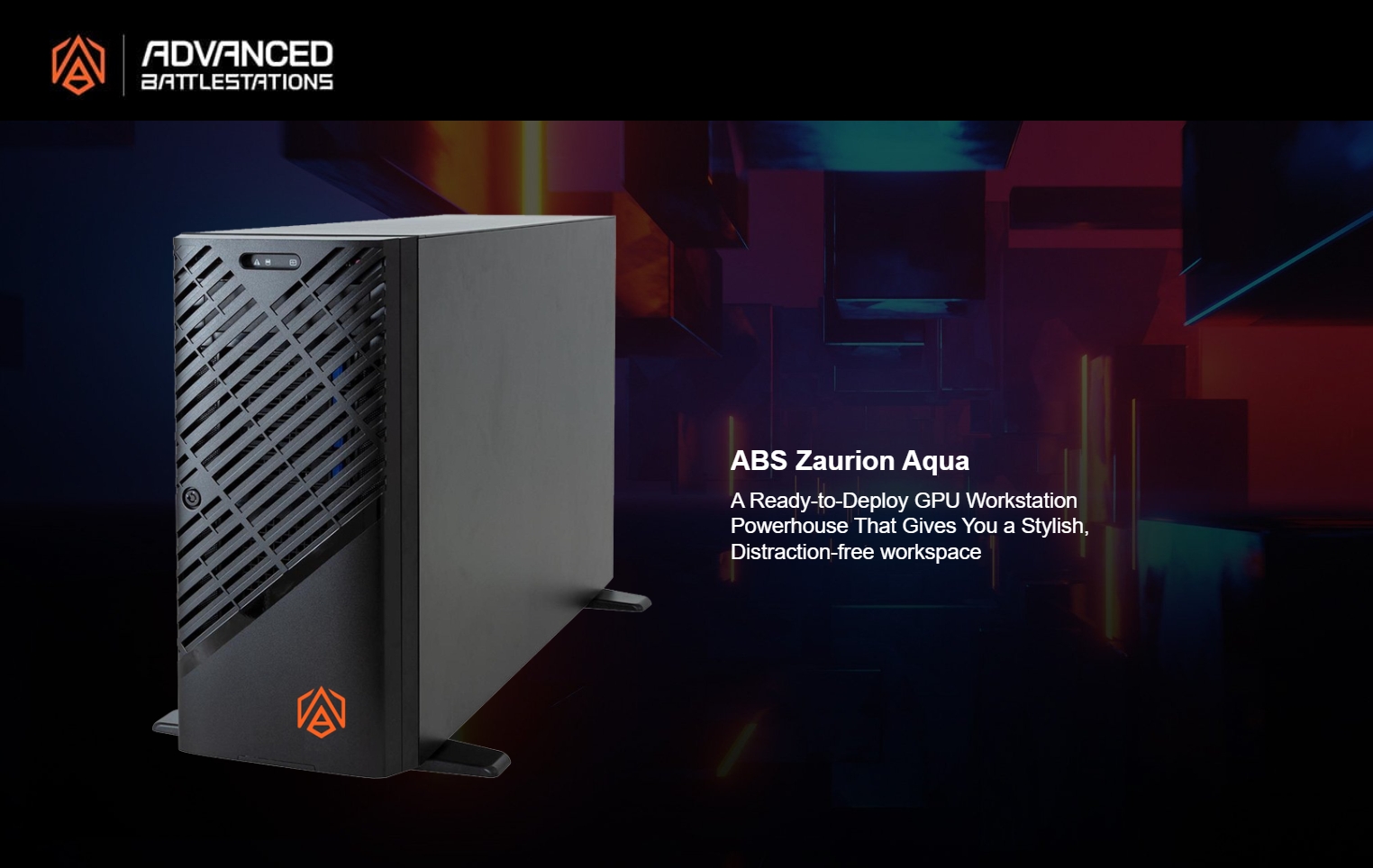
Intel’s Xeon W lineup is the direct workstation competitor. The Xeon W9-3595X tops out at 60 cores and 112 PCIe 5.0 lanes. ABS’s Zaurion Aqua system on Newegg pairs the Xeon W5-2455X (12 cores, 64 PCIe lanes) with the RTX PRO 6000 at ~$18,599 — a meaningful discount vs. the Threadripper PRO equivalent. If your workload is single-GPU and core-intensive, Intel’s ISV certification ecosystem is broader (Ansys, Siemens, PTC); if you need maximum PCIe lanes and core count for multi-GPU AI, Threadripper PRO wins on both dimensions.
Threadripper PRO 9985WX vs Threadripper 9980X (HEDT)
This is the most practical comparison for buyers on a budget. The Threadripper 9980X (TRX50 socket) has the same 64 cores as the PRO 9985WX but provides 88 PCIe lanes (vs. 128) and quad-channel DDR5 (vs. octa-channel). For single-GPU workloads or dual-GPU setups where bandwidth isn’t exhausted, the 9980X on TRX50 saves $5,000–$8,000. For four-GPU configurations or workloads pushing RAM bandwidth, the PRO platform is worth the delta.
Threadripper PRO vs AMD Ryzen 9
AMD’s Ryzen 9 desktop chips top out at 16 cores and 28 PCIe lanes. A Ryzen 9 9950X is a reasonable platform for a single RTX 4090 at a $1,500 total CPU cost. It becomes inadequate the moment you need two GPUs at full x16 bandwidth, ECC memory for long-running jobs, or more than 128GB of system RAM. Think of Ryzen 9 as the right tool for individual researchers with a single-GPU setup, and Threadripper PRO as the right tool for lab or team infrastructure.
Which Config Fits Your Workload
| Workload | Recommended Config | Minimum GPU VRAM | CPU Tier | Approx. Price |
|---|---|---|---|---|
| Fine-tuning models up to 7B | Single-GPU | 24GB (RTX 4090) | Ryzen 9 or Threadripper 9960X | $3,000–$8,000 |
| Fine-tuning 7B–30B models | Single PRO GPU | 48–96GB (RTX PRO 6000) | Threadripper 9970X / 9975WX | $15,000–$25,000 |
| Training 30B–70B models | Dual PRO GPUs | 2x 96GB | Threadripper PRO 9975WX or 9985WX | $28,000–$40,000 |
| Multi-experiment lab infrastructure | 4x GPU configuration | 4x 48–96GB | Threadripper PRO 9985WX (WRX90) | $50,000+ |
| Inference serving (multi-model) | Dual GPU | 2x 48–96GB | Threadripper 9970X or 9975WX | $25,000–$35,000 |
| Data pipeline / preprocessing only | CPU-only or light GPU | n/a | Threadripper 9960X–9985WX | $7,500–$15,000 |
For most AI engineering teams deploying their first on-premises training station, the 32-core Threadripper PRO 9975WX paired with a single RTX PRO 6000 Blackwell represents the best balance — 96GB of VRAM handles 70B models in 8-bit quantization, 32 cores keep data loaders saturated, and the WRX90 socket gives you the upgrade path to add a second GPU without a platform swap.

Conclusion
The AMD Threadripper PRO AI workstation earns its premium by solving the specific constraints that hold back serious AI engineering work: GPU bandwidth starvation, data pipeline bottlenecks, and the inability to run meaningful multi-GPU configurations on consumer platforms. If your work involves training models at 30B+ parameters, running multiple GPU experiments in parallel, or building out on-premises lab infrastructure for a research team, the 64-core, 128-lane Threadripper PRO 9985WX platform is the practical ceiling for single-chassis workstations.
For most ML engineers, the decision comes down to whether your bottleneck is VRAM or cores. If you need more GPU memory than a single card provides, step up to a dual-RTX-PRO-6000 Threadripper PRO configuration. If a single 96GB card covers your model sizes and you need more preprocessing throughput, the 32-core Threadripper 9975WX on TRX50 is a more cost-efficient path. Browse the full range of AMD Threadripper workstation systems on Newegg to compare current configurations and pricing, or explore professional GPU options if you’re planning to spec a system around a specific GPU. The hardware available today means you can run workloads that required a server rack three years ago — from a single tower workstation on your desk.
Related Posts
- Best Power Supplies in 2026
- Best Gaming Laptops in 2026
- How Much Memory an AM5 Build Actually Needs in 2026
- CL36, CL30, CL28 or CL26? Picking a DDR5-6000 Latency Tier
- Best G.SKILL Trident Z5 NeoX RGB Kits with AMD EXPO ULL in 2026
Frequently Asked Questions
Common questions about AMD Threadripper PRO AI Workstation