
A new semester means new supplies, and for a growing number of students the most useful item in the backpack is not a spiral notebook or a bulky laptop but a tablet. The right tablet can capture handwritten notes, annotate lecture PDFs, run study apps, and travel from lecture hall to library without weighing you down. Shopping for one, though, raises questions. This guide answers the ones students ask most, then spotlights our favorite note-taking tablets so you can start the year ready to write.

Do I really need a tablet for class?
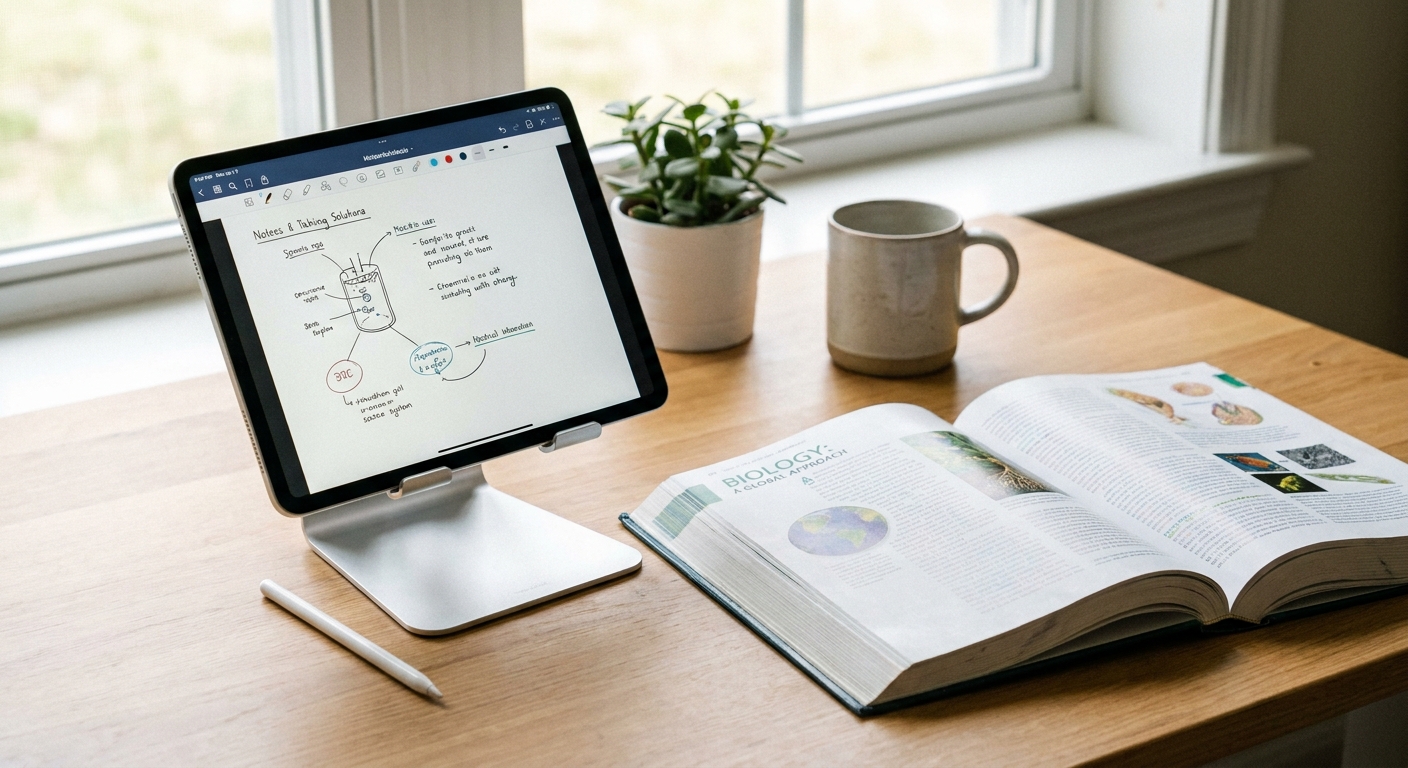
You do not strictly need one, but a good note-taking tablet solves problems that paper and laptops cannot. Handwriting your notes helps you remember material better than typing, and a tablet keeps all of those handwritten pages searchable and backed up in one place instead of scattered across a dozen notebooks. Unlike a laptop, a tablet lets you write, sketch diagrams, and mark up a professor’s slides directly on the screen. It is lighter than most laptops, boots instantly, and lasts a full day of classes on a charge. For students who take a lot of notes and want one lightweight device for reading and studying, a tablet earns its place fast.
What screen size is best for notes?
Screen size is the biggest comfort factor for handwriting, so it is worth thinking through. A screen around 11 inches is the sweet spot for most students: it is roughly the size of a sheet of paper, big enough to write comfortably yet small enough to slip into any bag. If you work with dense PDFs or like to keep your notes and a textbook open side by side, a larger 13-inch display gives you real breathing room. Smaller tablets are more pocketable, but they can feel cramped once you fill a page with notes and equations.
Does the stylus matter?
For a note-taking tablet, the stylus is the whole point. A responsive pen with low latency and pressure sensitivity is what makes digital handwriting feel natural instead of laggy and frustrating. It is also what turns a tablet into a genuine study tool: you can highlight and annotate PDFs, circle key terms, sketch a biology diagram, and solve math problems by hand. One detail students often overlook is whether the pen is included. Many premium tablets sell the stylus separately, which adds cost. The Galaxy Tab S10 FE line includes the S-Pen right in the box, so you are ready to write the moment you unbox it with nothing extra to buy.
How much storage do I need?
Notes themselves are tiny, but the files that pile up around them are not. Lecture recordings, slide decks, e-textbooks, and reading PDFs add up quickly over a semester. For most students, 128GB is plenty of room to keep a full course load on the device. If you record a lot of lectures or keep large media projects on hand, stepping up to 256GB gives you a comfortable cushion. Either way, plan for backups: keeping a copy of your work off the tablet protects you from a lost or damaged device right before finals. A Samsung T7 Portable SSD 1TB is an easy way to archive an entire academic year and move files between your tablet and other machines.
Can a tablet replace a laptop?
For many students, most of the time, yes. Reading, note-taking, research, email, and web-based assignments all work beautifully on a modern tablet. Where tablets have traditionally fallen short is at the desk, when you want a big screen and full-size peripherals for writing papers. That gap closes with the right accessories. A compact adapter like the Rosewill 8-in-1 USB-C Hub (4K HDMI) lets you push your tablet to a monitor and plug in a keyboard, mouse, and drive when you get back to your dorm. For a permanent study station, the Belkin 7-Port USB-C Hub turns your desk into a docking spot in seconds. If your coursework leans heavily on specialized desktop software, keep a laptop around; for everything else, a tablet plus a hub covers it.
Product Spotlight: Samsung Galaxy Tab S10 FE Line
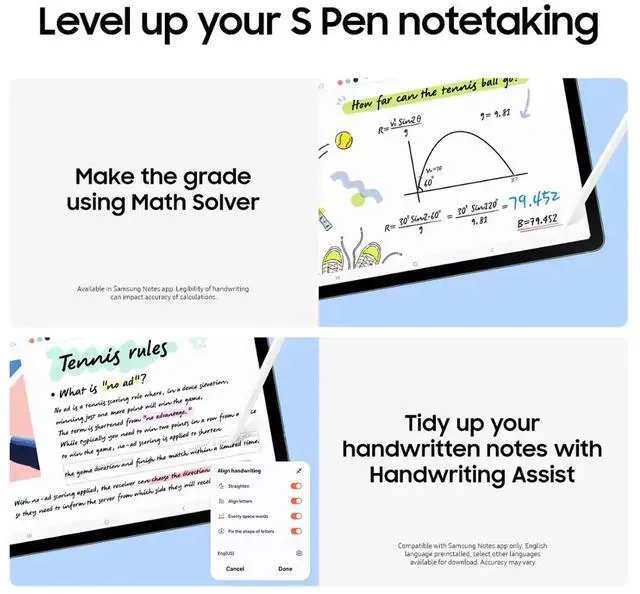
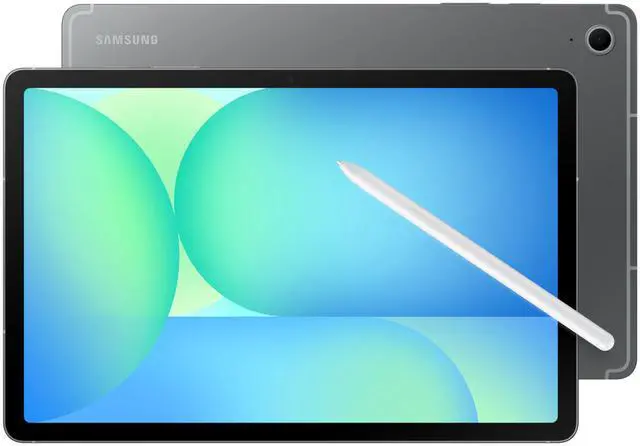
Our top recommendation for students is the Galaxy Tab S10 FE line, and the standout is the Samsung Galaxy Tab S10 FE 10.9″ 128GB Wi-Fi with S-Pen at $596.99 at the time of writing. It hits the note-taking sweet spot: a roughly paper-sized 10.9-inch display, a slim and light body that travels easily, and, crucially, an S-Pen in the box. That included stylus is great for handwriting and PDF annotation, so you can start marking up slides and jotting notes on day one without a separate purchase. It is our best overall pick for notes because it gets the fundamentals right without asking students to spend more than they need to.
Quick Comparison
| Tablet | Screen | Storage | S-Pen Included | Price | Best For |
|---|---|---|---|---|---|
| Galaxy Tab S10 FE 10.9″ | 10.9″ | 128GB | Yes | $596.99 | Best overall for notes |
| Galaxy Tab S10 FE 10.9″ | 10.9″ | 256GB | Yes | $693.99 | More storage |
| Galaxy Tab S10 FE+ 13.1″ | 13.1″ | 128GB | Yes | $756.99 | Best big screen |
| LG G Pad 5 10.1″ | 10.1″ | 32GB | No | $99.99 | Budget pick |
The pattern is simple: pick your screen size first, then your storage. Every model in the S10 FE line includes the S-Pen, while the LG G Pad is the outlier, trading the stylus and storage for a rock-bottom price.
Recommendations by Budget
Best Overall: the Galaxy Tab S10 FE 128GB (linked in the spotlight above) at $596.99 is the tablet most students should buy, balancing a paper-sized screen, portability, and an included S-Pen.
More Storage: if you record lectures or keep large files on the device, the Galaxy Tab S10 FE 256GB at $693.99 doubles your headroom for the same great experience.
Best Big Screen: the Galaxy Tab S10 FE+ 13.1″ at $756.99 is the pick for dense PDFs and side-by-side studying.
Budget Pick: the LG G Pad 5 10.1″ (4GB/32GB) at $99.99 is a no-frills option for basic reading and light note apps when cost comes first.
Not sure which is right for you? Browse Android tablets on Newegg to compare more options before the semester starts. All prices were checked on Newegg on August 6, 2026.
Read More
- Samsung Galaxy Tab lineup — official specs and details for the Galaxy Tab family.
- RTINGS tablet reviews — independent, lab-tested reviews and display measurements.
- PCMag tablet coverage — hands-on reviews and buying advice for current tablets.
- Tom’s Guide best tablets — a regularly updated roundup of top tablet picks.
- Newegg Android tablets — browse the full selection of Android tablets and accessories.