
Writing a budget guide without quoting numbers sounds like a contradiction. I have come round to thinking it is more useful this way. Prebuilt pricing moves week to week, and a guide anchored to a figure from last month tends to send people after a configuration that no longer exists at that figure.
What does not move much is the shape of each tier — which parts you get, what they are capable of, and where the compromise sits. That is the part worth reading, and the current price is a click away on the listing.
How I Am Defining Tiers
Three of them. An entry build that plays everything at 1080p. A mid-range build that moves you to 1440p properly. And a step-up build where the processor and the card are both strong enough that you stop thinking about either for a while.
The interesting question in each case is not what the machine can do today. It is which single part will become the limitation first, and whether you can replace it without replacing the whole thing.
A Word on the Builder
Budget tiers are where corner-cutting normally shows up, so who assembles the machine matters more here than at the top of a range. ABS has been building computers since 1990. It began as Always Better Service, a direct-mail company founded by Fred Chang in Southern California, and it is now a Newegg subsidiary based in Diamond Bar, California. The gaming-oriented relaunch as Advanced Battlestations came on 1 October 2020.
What I look for in an entry build is whether the parts are real ones, and ABS assembles in-house with name-brand retail components across its whole range rather than only at the expensive end. Windows Central made the same point in 2022, calling the ABS Challenger one of the best affordable prebuilt gaming PCs it had used and crediting the use of quality name-brand parts over cheaper substitutes. Whatever is in stock across the tiers is in the ABS brand store on Newegg.
Entry: A Finished 1080p Machine
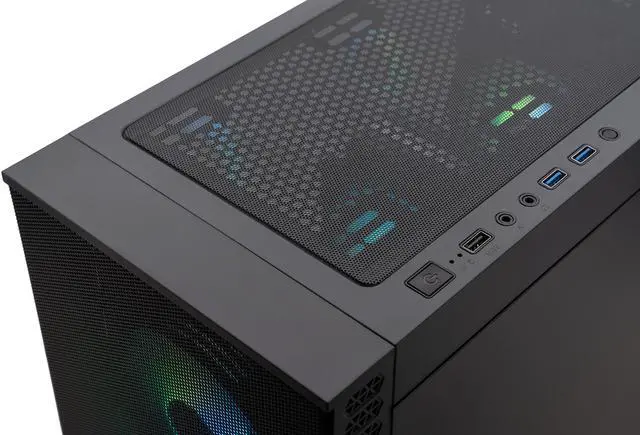
The ABS Cyclone Aqua with the Core i5-14400F and RTX 5060 is what I think an entry gaming desktop should look like. Ten cores and sixteen threads at up to 4.7GHz, 20MB of L3, a 3,840-core RTX 5060 with 8GB of GDDR7 at 145W, 32GB of DDR4-3200 and a 1TB M.2 drive, on an ASRock B760M board with a 650W 80+ Gold supply and a Hyper 212 air cooler.
The detail I would point at is the memory. A lot of entry builds ship with 16GB and quietly leave you a purchase to make. This one does not, and 32GB is the amount that stops being a consideration. The limitation here is the 8GB card, which is fine at 1080p and will be the first thing you outgrow if you change monitors. The 650W supply gives you room to do exactly that.
Mid-Range: The Resolution Upgrade
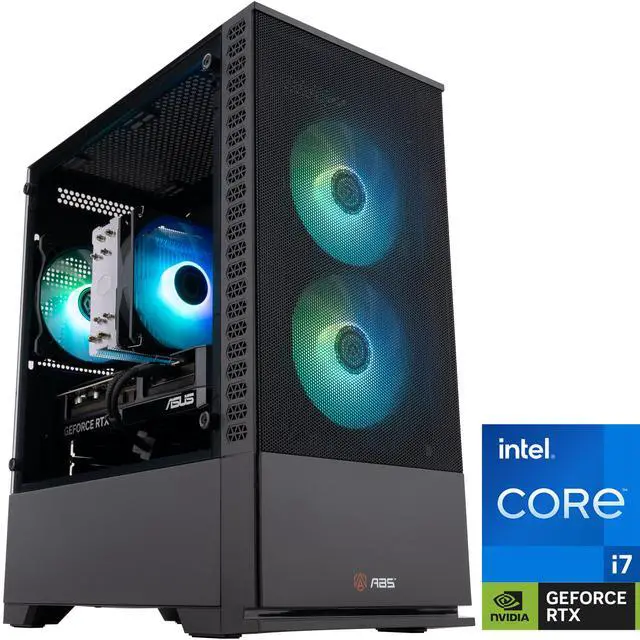
The ABS Cyclone Aqua with the Core i7-14700F and RTX 5070 is the tier where the money starts changing what you see. The 5070 brings 6,144 CUDA cores and 12GB of GDDR7 on a 192-bit bus at 250W — the bus widening is as important as the core count, and it is what separates this from the 5060 Ti builds. The processor is twenty cores in an 8P+12E layout with 33MB of L3 and a 5.4GHz ceiling.
The compromise is DDR4-3200 rather than DDR5, on an ASUS PRIME B760M-A AX D4 board. In a 1440p machine where the graphics card is doing most of the work, I would take that trade without much hesitation. There is also 32GB of it and a 1TB NVMe drive, and the ASUS board has Wi-Fi built in, which saves you a card and a slot.
Step-Up: Where You Stop Thinking About It
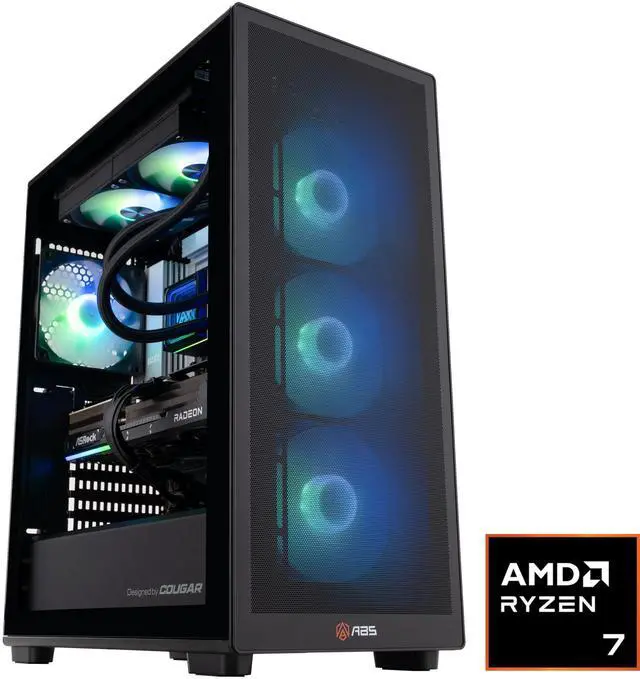
The ABS Stratos Ruby with the Ryzen 7 9800X3D and RX 9070 XT is the one I would call the sensible ceiling for most people. The processor is eight cores and sixteen threads at 4.7GHz base and 5.2GHz boost, with 96MB of L3 from second-generation 3D V-Cache, at 120W on Socket AM5. The card is 64 compute units and 4,096 stream processors with 16GB of GDDR6 on a 256-bit bus at 304W. Behind them, an MSI PRO B850-P WIFI board, an 850W ATX 3.1 supply, 32GB of DDR5 and a 240mm liquid cooler.
The storage is 1TB, which is the one number I would call thin at this tier — a modern install list eats that. Both the board’s M.2 slots and the AM5 socket give you somewhere to go, though. Socket AM5 has been taking new processors since 2022, which is a genuine argument for this platform if you upgrade in halves rather than all at once.
Which Tier I Would Actually Buy
If you play at 1080p and have no plans to change, buy the entry machine and put the rest toward a better monitor or a second drive. If you have a 1440p panel already, skip to the mid-range — a 1080p-class card on a 1440p display is a daily irritation rather than an occasional one. And if you want a machine that stays relevant through a couple of graphics card generations, the step-up tier is where the processor is strong enough to make that realistic.
The one tier I would avoid is the machine that looks like a bargain because it has a big card paired with 16GB of memory and a small drive. You will spend the difference within a month. Current configurations are on Newegg’s ABS gaming desktop listings.
Frequently Asked Questions
Is a prebuilt worth it compared with building my own? It depends on what you value. Building your own gives more control over each part and is often the cheaper route if you are patient about component pricing. A prebuilt arrives assembled, tested and covered by one warranty. ABS assembles with standard retail parts from vendors like ASRock, ASUS, GIGABYTE and MSI, so you keep normal upgrade paths either way.
What should I upgrade first on an entry gaming desktop? Storage, usually, then memory if the machine shipped with 16GB. Both are inexpensive relative to their effect, and both are straightforward on the micro-ATX boards these builds use. The graphics card is the biggest change but also the one most constrained by the power supply, so check its wattage before planning that.
Is DDR4 a mistake in a new gaming PC? Not necessarily. DDR5 is the current platform standard and the better long-term choice, but in a build where the graphics card is the limit — which is most 1440p gaming — a 32GB DDR4-3200 kit is not what holds the machine back. It does mean the motherboard and memory both change if you move to a newer platform later.
How much storage does a gaming PC need in 2026? 1TB is workable if you are selective about what stays installed. 2TB is more comfortable, especially if you record footage or keep several large titles on hand at once. Most of these builds have a second M.2 slot, so adding a drive later is usually simpler than replacing the original.
Does Socket AM5 still have upgrade room? AMD has been releasing new desktop processors on Socket AM5 since 2022, and the 9000 series parts in these builds use it. That history is the practical argument for the platform: a mid-range processor bought now has a reasonable chance of being replaceable without changing the motherboard or memory. Always check the specific board’s CPU support list before planning an upgrade.
Read More
- Tom’s Hardware: GPU Hierarchy — Measured rankings that show how much performance each tier step actually buys.
- AMD: Radeon RX 9000 Series — Official specifications for the RX 9070 XT and the rest of the current Radeon desktop line.
- Tom’s Hardware: Best CPUs for Gaming — Independent processor testing, useful for judging whether a tier’s CPU is the limiting part.
- Wikipedia: ABS (Advanced Battlestations) — Background on the builder, its history and its relationship to Newegg.
- Newegg: ABS Gaming Desktops — Sort the current lineup and check what each configuration costs today.