For a while, October 2026 was circled on a lot of calendars as the month Windows 10 updates would finally stop. That is no longer the date. Microsoft extended the consumer Extended Security Updates program, and enrolled Windows 10 PCs now get security updates through 12 October 2027. So nobody has to panic-buy anything this October.
Still, I keep thinking about the typical machine this affects: a first-generation Ryzen or 7th-gen Intel box that games fine, cannot officially run Windows 11, and is starting to feel slow in big open-world games. An extra year of updates is time to plan, not a reason to forget about it. Here is how I would think about the upgrade, starting with the cheapest path that actually works.
Step One: Work Out Which Platform You Are On
Windows 11 needs TPM 2.0, Secure Boot and a supported processor. In practice that means an Intel 8th-generation chip or newer, or an AMD Ryzen 2000-series chip or newer. If your CPU is older than that, the processor is the part holding you back, not necessarily the rest of the machine.
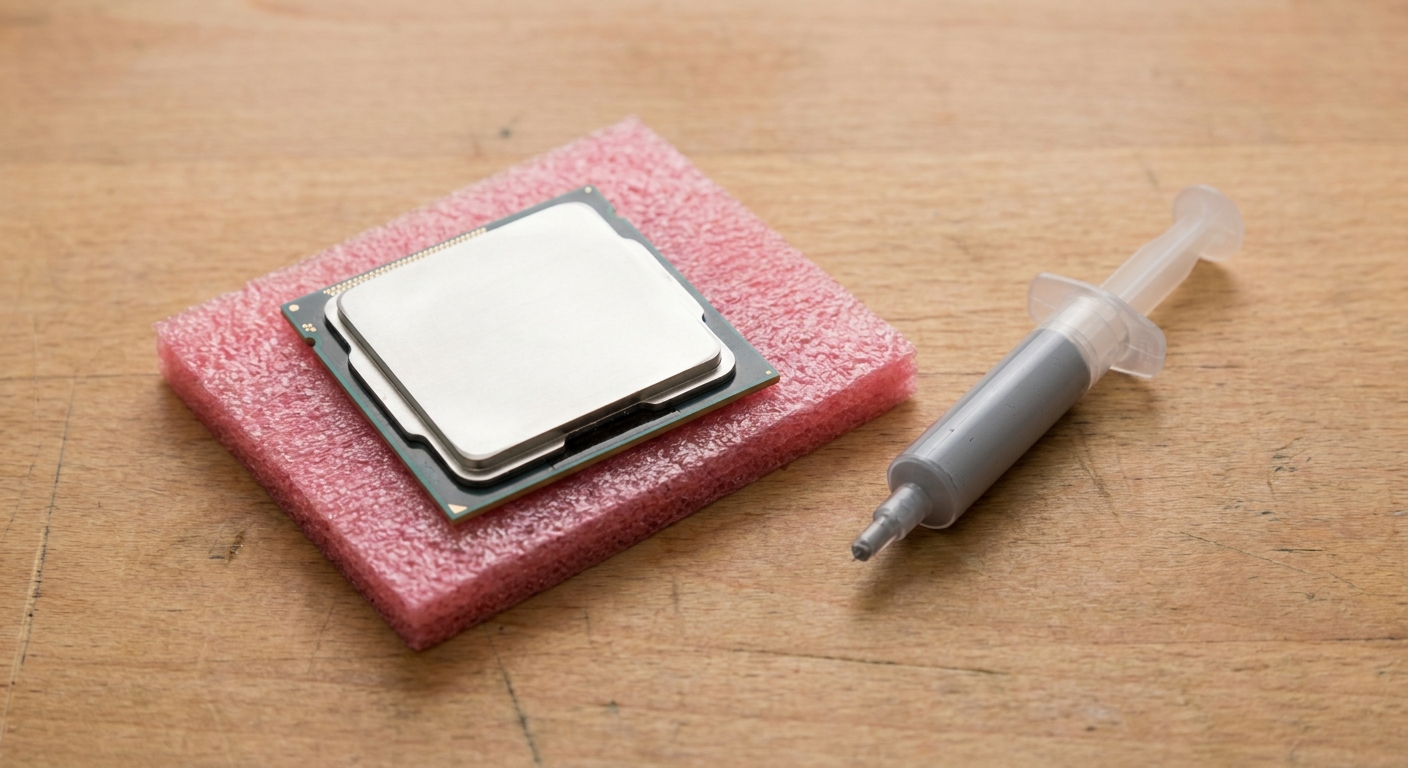
Then check the socket. If you are on AMD's AM4, you may not need a new motherboard at all. If you are on an older Intel board, a CPU swap almost certainly means a new board and new memory too, and at that point you are really choosing a new platform.
Step Two: The AM4 Drop-In, If Your Board Allows It
This is the upgrade I would try first. Many AM4 motherboards received BIOS updates for Ryzen 5000 processors, including some older 300- and 400-series boards. Not all of them, so check your board's CPU support list before buying anything. If yours is on the list, you keep your board, your DDR4 and your cooler mount.
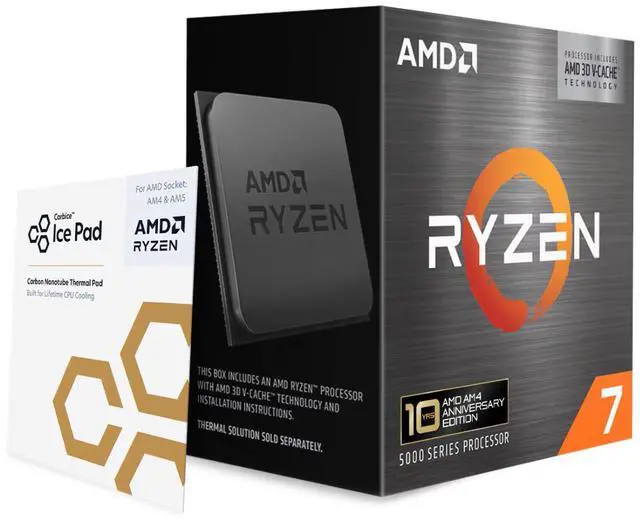
The chip I would put in is the Ryzen 7 5800X3D 10th Anniversary Edition: 8 cores, 16 threads, up to 4.5GHz, and 96MB of L3 cache. That large cache is what helps in CPU-heavy games, and it is why this chip held on for so long. The Ryzen 7 5700X3D has the same 96MB cache and core count with lower clocks, 3.0GHz base and 4.1GHz boost. Both are 105W parts with no integrated graphics, and neither includes a cooler, so make sure your existing one is up to it.
Update the BIOS while your old CPU is still installed. That one step avoids most of the "it will not boot" stories.
Step Three: If You Are Rebuilding, AM5 Is Where I Would Go
If the board has to change anyway, I would move to AM5 and DDR5. The gaming pick is still an X3D chip. The Ryzen 7 9850X3D is 8 cores with 96MB of L3 cache, a 4.7GHz base and a 5.6GHz boost, at 120W. The Ryzen 7 9800X3D has the same core count, cache and power rating, with a 5.2GHz boost. If the 9800X3D is easier to find, I would not lose sleep over the clock difference.
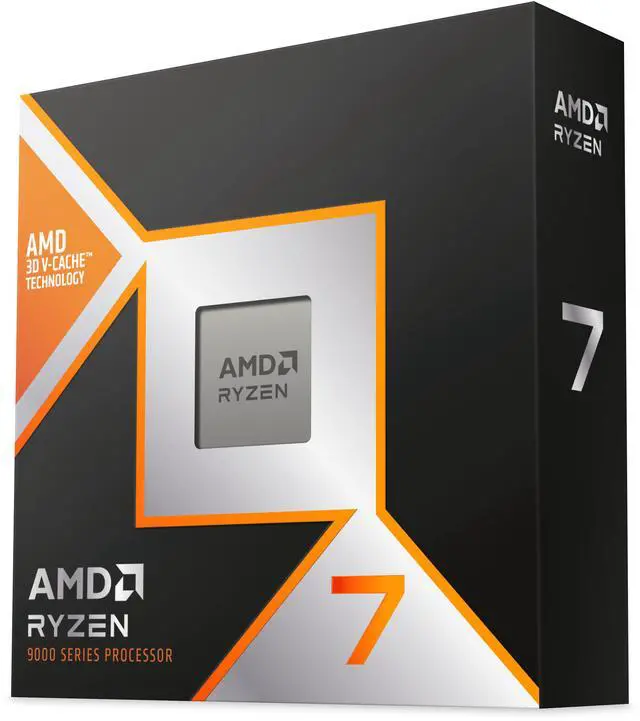
For a build that does a bit of everything, the Ryzen 7 9700X gives you 8 cores at up to 5.5GHz with 32MB of L3, and it is rated at just 65W, which makes cooling simple. The Ryzen 5 9600X drops to 6 cores, up to 5.4GHz, also 65W. It is the chip I would pair with a midrange graphics card and spend the difference on the GPU.
Step Four: The Intel Route
On the Intel side, the Arrow Lake Refresh chips on the LGA 1851 socket are what I would look at. The Core Ultra 7 270K Plus has 24 cores, 8 performance and 16 efficient, with a top turbo of 5.5GHz and 36MB of L3. That many cores make it the stronger choice here if you edit video or compile code as well as play games.
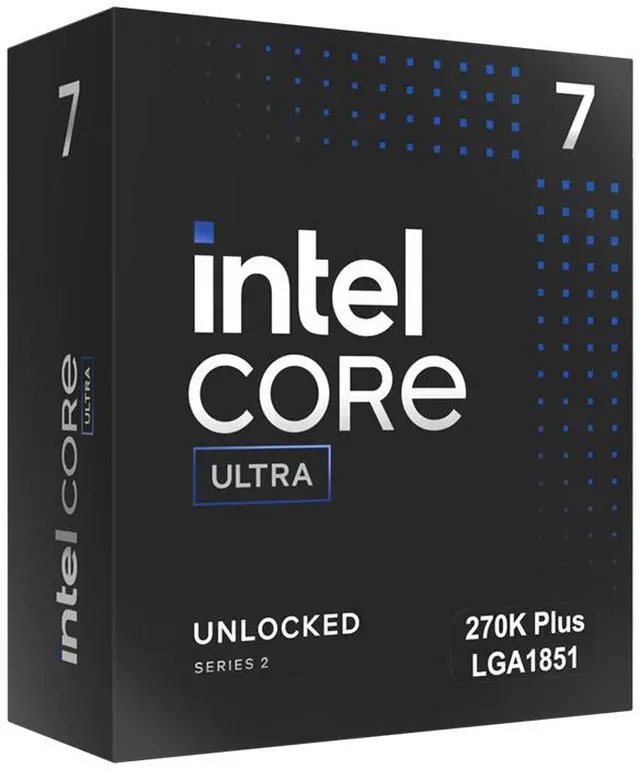
The Core Ultra 5 250K Plus is the smaller sibling at 18 cores, 6P plus 12E, up to 5.3GHz. One thing to plan for: the 270K Plus lists a 250W maximum turbo power and the 250K Plus lists 159W, so the cooler and board matter more here than with a 65W Ryzen.
My Short Version
On AM4 with a supported board: try the 5800X3D or 5700X3D first. Building fresh for gaming: Ryzen 7 9850X3D or 9800X3D. Mixed use on a tighter budget: Ryzen 7 9700X or Ryzen 5 9600X. Heavy multitasking: Core Ultra 7 270K Plus. You can compare them all in Newegg's desktop processor listings.
Frequently Asked Questions
When do Windows 10 security updates end? For PCs enrolled in Microsoft's consumer Extended Security Updates program, Microsoft now says coverage runs through 12 October 2027. Enrolling does not stop you from upgrading to Windows 11 later.
Which CPUs can officially run Windows 11? Intel 8th-generation processors and newer, and AMD Ryzen 2000-series and newer. The PC also needs TPM 2.0 and UEFI with Secure Boot.
Can I put a Ryzen 5000 chip in an old AM4 board? Often yes, but only if your motherboard maker released a BIOS that supports it. Check the board's CPU support list and update the BIOS before swapping the processor.
Do these processors come with a cooler? The Newegg listings for the AMD chips in this guide say the cooling device is not included. Plan to reuse a compatible cooler or buy one.
Is the 9850X3D worth it over the 9800X3D? Both have 8 cores and 96MB of L3 cache at 120W. The 9850X3D boosts higher, 5.6GHz against 5.2GHz. If one is easier to get, either is a strong gaming CPU.
Read More
- Microsoft: Windows 10 Extended Security Updates -- Microsoft's consumer ESU page, now listing coverage through 12 October 2027.
- BleepingComputer: Microsoft Extends Windows 10 ESU to October 2027 -- News coverage of the one-year extension to consumer security updates.
- Microsoft: Windows 11 Specifications -- Official minimum requirements, including TPM 2.0 and Secure Boot.
- Tom's Hardware: The Best CPU for Gaming -- Benchmarked gaming CPU rankings across AMD and Intel.
- AMD: Ryzen 7 9850X3D -- AMD's official specifications for the Ryzen 7 9850X3D.