
I replaced a mouse last spring for a stupid reason. Not because it broke — because the coating on the left side had gone slightly tacky after four years and my thumb kept noticing. That is the level at which this stuff actually matters. Nobody loses a match because their sensor tops out at 26,000 DPI instead of 44,000.
So this is not a list about sensors. It is a list about shapes, weights and the two or three things that genuinely change how a mouse feels after the third hour. I have sorted eight of them by the kind of person I would hand each one to.
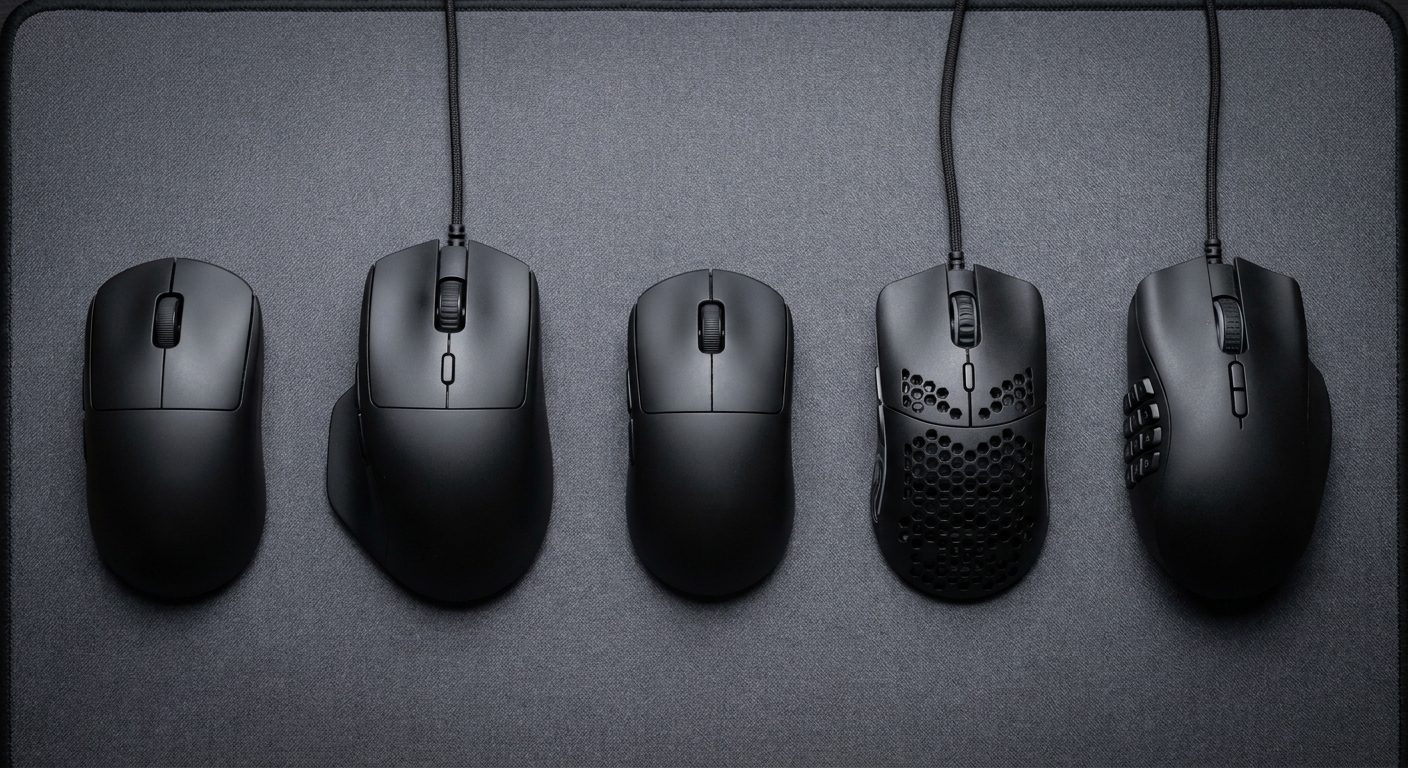
What Actually Moves the Needle
Weight, but only to a point. Going from 100g to 60g is a change you feel in the first ten minutes. Going from 60g to 47g is a change you feel if you are the kind of person who reads mouse reviews. Both are real. Only one of them is worth paying a lot for.
Shape, which nobody can tell you. Symmetrical shells suit fingertip and claw grips. A tall back and a thumb shelf suit palm grippers. This is the single biggest variable and it is the one you cannot resolve from a spec sheet, which is annoying but true.
Button count, honestly assessed. Two side buttons covers most shooters. If you play an MMO or you live in a spreadsheet of macros, you know who you are, and there is a mouse further down for you.
Polling rate. 8,000Hz wireless is now common. It is a genuine improvement over 1,000Hz and it is also a fairly small one, and it eats battery. Nice to have, not a reason to choose.
The Field at a Glance
| Model | Weight | Sensor / DPI | Buttons | Best for |
|---|---|---|---|---|
| Logitech PRO X SUPERLIGHT 2 DEX | 60g | HERO 2, 44,000 | 5 | Right-handed comfort at speed |
| Razer Viper V3 Pro SE | Not listed | Optical, 35,000 | 6 | Symmetrical esports shape |
| ASUS ROG Harpe Ace Extreme | 47g | AimPointPro, 42,000 | 5 + DPI + pairing | The lightest premium option |
| Corsair Sabre V2 Pro | 36g | MARKSMAN S, 33,000 | 5 | Absolute minimum weight |
| Razer Basilisk V3 Pro | Not listed | Focus Pro 30K | 11 | Palm grip and a good wheel |
| Razer Naga V2 Pro | Not listed | Focus Pro 30K | Up to 19+1 | MMO and macro-heavy play |
| Logitech G305 LIGHTSPEED | 99g | HERO, 12,000 | 6 | First wireless mouse |
| SteelSeries Rival 3 Wireless Gen 2 | Light (AAA) | TrueMove Air, 18,000 | 7 | Battery life above all |
The One I Recommend Without Asking Questions
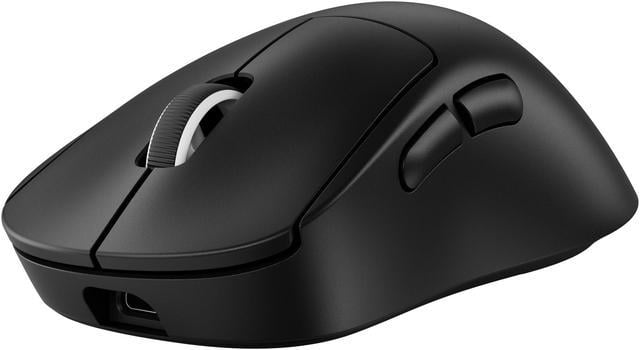
The Logitech PRO X SUPERLIGHT 2 DEX is 60g with an asymmetrical, right-handed shell, a HERO 2 sensor running to 44,000 DPI, LIGHTSPEED wireless at up to 8kHz polling, and Logitech quotes up to 95 hours per charge. Five buttons. USB-C.
What makes it the default answer is the shape. The DEX has a fuller back and a defined thumb area compared to the plain Superlight, and for most hands that is the difference between a mouse you tolerate and one you forget about. Ninety-five hours also means you charge it roughly when you remember to, which is the correct amount of thinking to do about a battery.
If You Want the Symmetrical Esports Shape
The Razer Viper V3 Pro SE runs a 35,000 DPI optical sensor with six buttons, wireless. It is the safe pick if your hand prefers something flatter and evenly shaped rather than sculpted to the right. The only weight figure on the listing is the packaged shipping weight rather than the mouse itself, which is a little irritating in this category, though the Viper line has always sat on the light side of the market.
The Two Lightweight Extremes
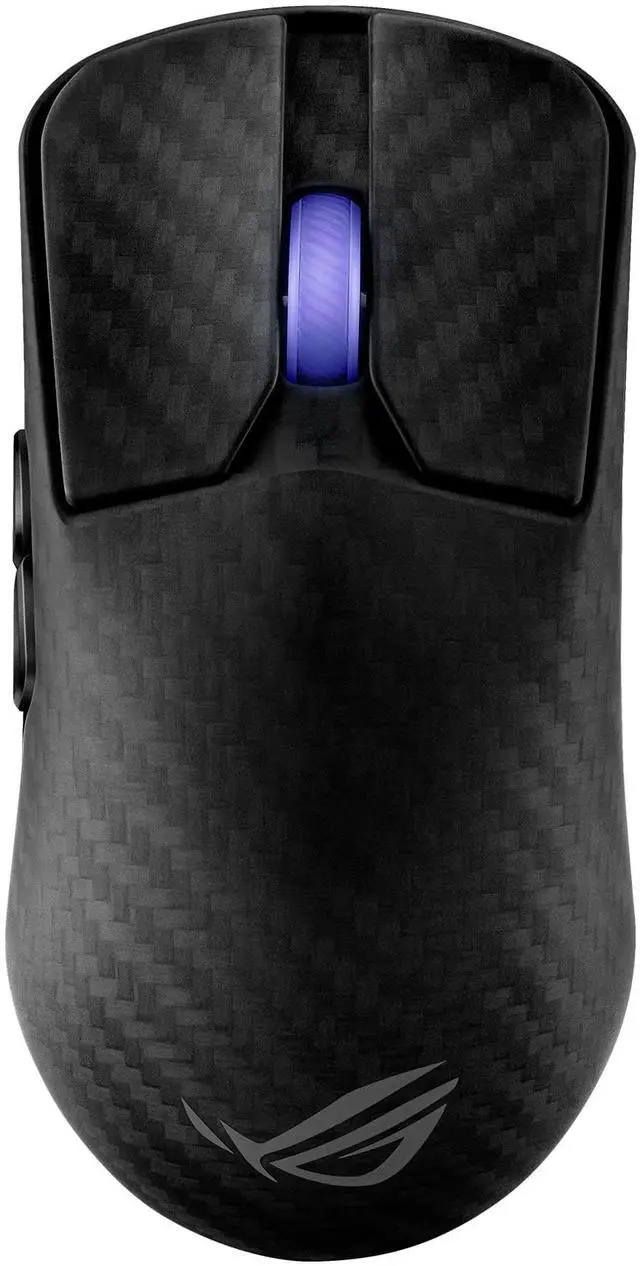
The ASUS ROG Harpe Ace Extreme gets to 47g with a carbon fibre shell rather than a honeycomb one, so you keep a solid surface under your palm. The AimPointPro sensor runs to 42,000 DPI, connectivity is tri-mode, polling steps through 1,000 / 2,000 / 4,000 / 8,000Hz with the included booster, and ASUS quotes up to 70 hours. The box also includes both Corning Gorilla Glass and PTFE feet, which is a genuinely nice touch — glass skates feel faster and slightly louder, and you get to decide.
Below that sits the Corsair Sabre V2 Pro at 36g, with the MARKSMAN S sensor at 33,000 DPI, 750 IPS, 50G acceleration, 8,000Hz hyper-polling and around 70 hours of battery. At 36g the mouse stops feeling like an object you are pushing. Some people love that. Some people find it eerie and want something to push against. Try before you commit if you can.
For Palm Grip and For Anyone With Too Many Keybinds
The Razer Basilisk V3 Pro is the opposite philosophy: a tall ergonomic body, eleven buttons, the Focus Pro 30K sensor, 13-zone Chroma lighting and the HyperScroll tilt wheel that switches between notched and free-spinning. It also charges wirelessly on a compatible pad. This is a mouse for people who rest their whole hand on it.
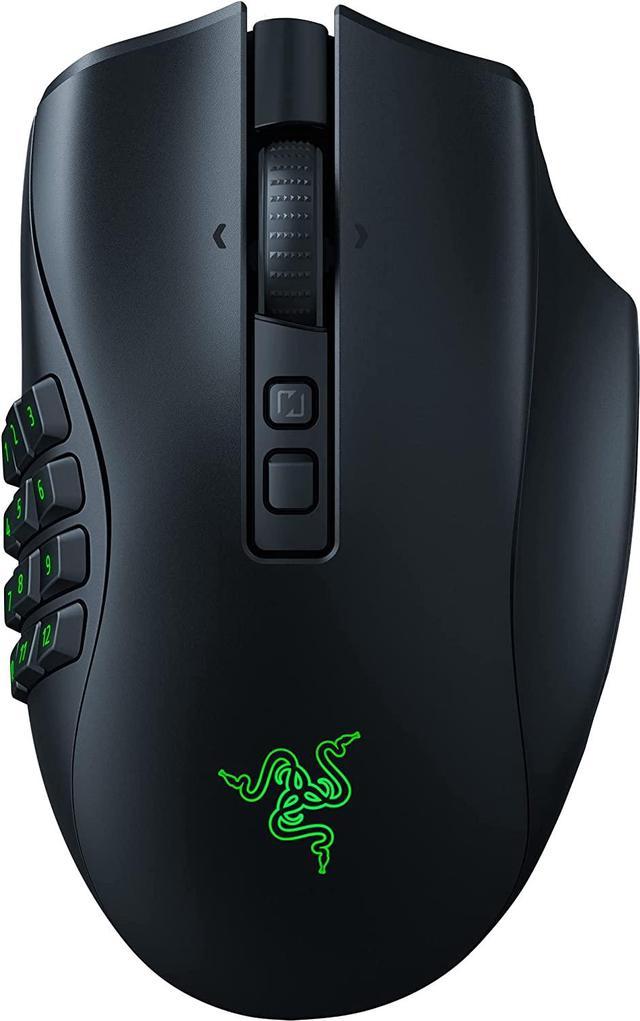
And if you actually need the buttons, the Razer Naga V2 Pro ships with magnetic side plates in 12, 6 and 2-button versions, for up to 19+1 programmable inputs. Same Focus Pro 30K sensor, HyperScroll Pro wheel with adjustable resistance, and Razer rates the battery at up to 300 hours. The clever part is not the twelve-button plate. It is that you can pull it off on a Saturday when you are not raiding.
The Two I Suggest When Budget Is the Point
The Logitech G305 LIGHTSPEED is still, years later, the answer to “cheapest wireless mouse that is not a compromise”. HERO sensor at 12,000 DPI, six programmable buttons, 99g, and up to 250 hours on a single AA. It is heavier than everything above and it does not care.
The SteelSeries Rival 3 Wireless Gen 2 takes a similar approach with a TrueMove Air 18,000 DPI sensor, seven buttons, 1.9ms click latency, and both 2.4GHz and Bluetooth. SteelSeries quotes 200 hours over 2.4GHz and 450 over Bluetooth, and it runs on a single AAA, which drops another 11g. If you want one mouse for a laptop bag and a desk, this is it.
How I Would Choose
Right hand, no strong opinions: the Superlight 2 DEX. Flatter symmetrical hand: the Viper V3 Pro SE. Chasing the lowest number on the scale: Harpe Ace Extreme, or the Sabre V2 Pro if 47g still feels heavy to you, which it might. Palm grip: Basilisk V3 Pro. Buttons: Naga V2 Pro. Spending as little as possible without regret: G305.
One last thing that costs nothing — check your mouse feet before you buy a new mouse. I have watched two people spend real money solving a problem that turned out to be worn-out PTFE. You can browse the full lineup in Newegg’s wireless gaming mouse listings.
Frequently Asked Questions
Does a higher DPI number make a mouse better? Not in any way you will notice. Most people play somewhere between 400 and 1,600 DPI, so a 44,000 DPI sensor and a 12,000 DPI sensor are doing the same job with very different headroom. What separates good sensors from bad ones is consistent tracking without smoothing or acceleration, and every mouse in this guide clears that bar. Treat the DPI figure as a marketing number.
Is a wireless gaming mouse still slower than wired? No, and it has not been for several years. Modern 2.4GHz gaming wireless is fast enough that the difference is below what a person can perceive, and several mice here poll at up to 8,000Hz over the air. Bluetooth is a different story — it is fine for browsing and travel, but use the dongle for games.
How light should a gaming mouse be? Somewhere between 50g and 70g suits most people, and going below that is a preference rather than an upgrade. Very light mice reward fast flicks but give you less to brace against for slow, precise tracking. If you play at low sensitivity and move your whole arm, a little more mass can actually help.
Do I need eight side buttons? Only if you already know you do. For shooters, two thumb buttons is the norm and anything more usually goes unused. MMO, MOBA and heavily modded games are where a 12-button plate earns its place, which is exactly why the Naga V2 Pro lets you take it off again.
Read More
- Tom’s Hardware: Best Gaming Mouse — Independent hands-on testing across shapes, weights and sensors, updated through the year.
- RTINGS: Best Gaming Mouse — Lab-measured click latency, sensor consistency and weight figures you can compare directly.
- Logitech G: PRO X SUPERLIGHT 2 DEX — The manufacturer’s full specification sheet, including the shape comparison against the original Superlight.
- ASUS ROG: Harpe Ace Extreme — Official details on the carbon fibre construction, polling booster and included glass skates.
- Newegg: Wireless Gaming Mice — Filter the current lineup by weight, sensor, connectivity and button count.