
A network attached storage device, or NAS, is one of the most useful and surprisingly affordable pieces of hardware you can add to a home or small office. Think of it as your own private cloud: a central, always-on place to back up every device automatically, stream your media library to any screen in the house, and share files securely, all without paying a monthly subscription that never ends. But the right NAS depends entirely on what you plan to do with it, because a unit sized for simple photo backups is very different from one built to stream 4K video to several rooms at once. Here are the best options on Newegg in 2026, matched to the real scenarios most buyers fall into.

Why Own a NAS?

A NAS gives you three things a cloud subscription cannot match. First, ownership of your data: your files live in your home, on hardware you control, not on a distant server governed by someone else’s terms. Second, no recurring fees; you pay once for the device and drives rather than forever for storage tiers. Third, speed on your local network, where transferring and streaming large files is far faster than pulling them down over the internet. Most home units use a four-bay design, which lets you combine drives for both greater capacity and redundancy, so that if a single drive fails your data survives intact. One important budgeting note: these devices are almost always sold diskless, meaning you buy NAS-rated hard drives separately based on how much storage you need, so factor that into your plans.
Scenario 1: Simple Backups and First-Time Users
If your goal is straightforward, automatic backups of family photos, documents, and phones, you do not need a powerhouse, and paying for one would be wasted money. The Asustor AS1204T Drivestor 4 Gen2 ($282.99) is an affordable four-bay unit that handles backups and basic file sharing with a genuinely approachable setup process, making it ideal for first-time NAS owners who want reliability without a steep learning curve. If you would like a bit more processing headroom for future growth, the TerraMaster F4-425 ($343.99) is a capable alternative with a quad-core processor that leaves room to add more demanding apps down the road.
Scenario 2: Media Servers and Power Users
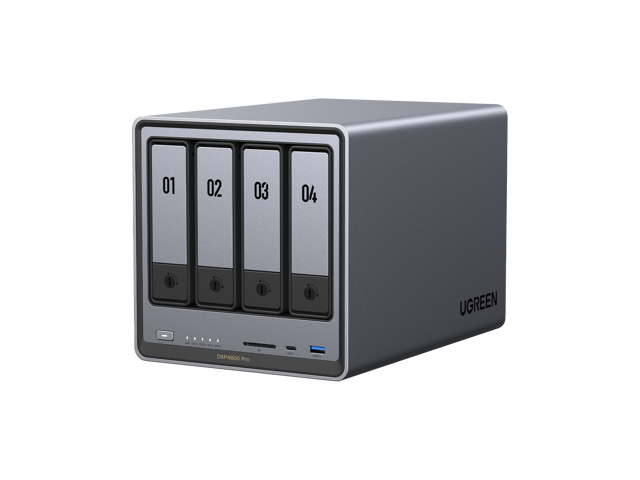
If you want to stream a movie collection to your TVs, run apps and containers, or serve several household members at once, you need more horsepower under the hood. The Ugreen DXP4800 PRO ($679.99) offers strong performance for media streaming and multitasking, with the processing muscle to transcode video on the fly and run more demanding applications smoothly. For the home that treats its NAS as an entertainment hub as much as a backup vault, this class of device keeps everything responsive even when several people are pulling from it simultaneously.
Scenario 3: Small Offices and Businesses
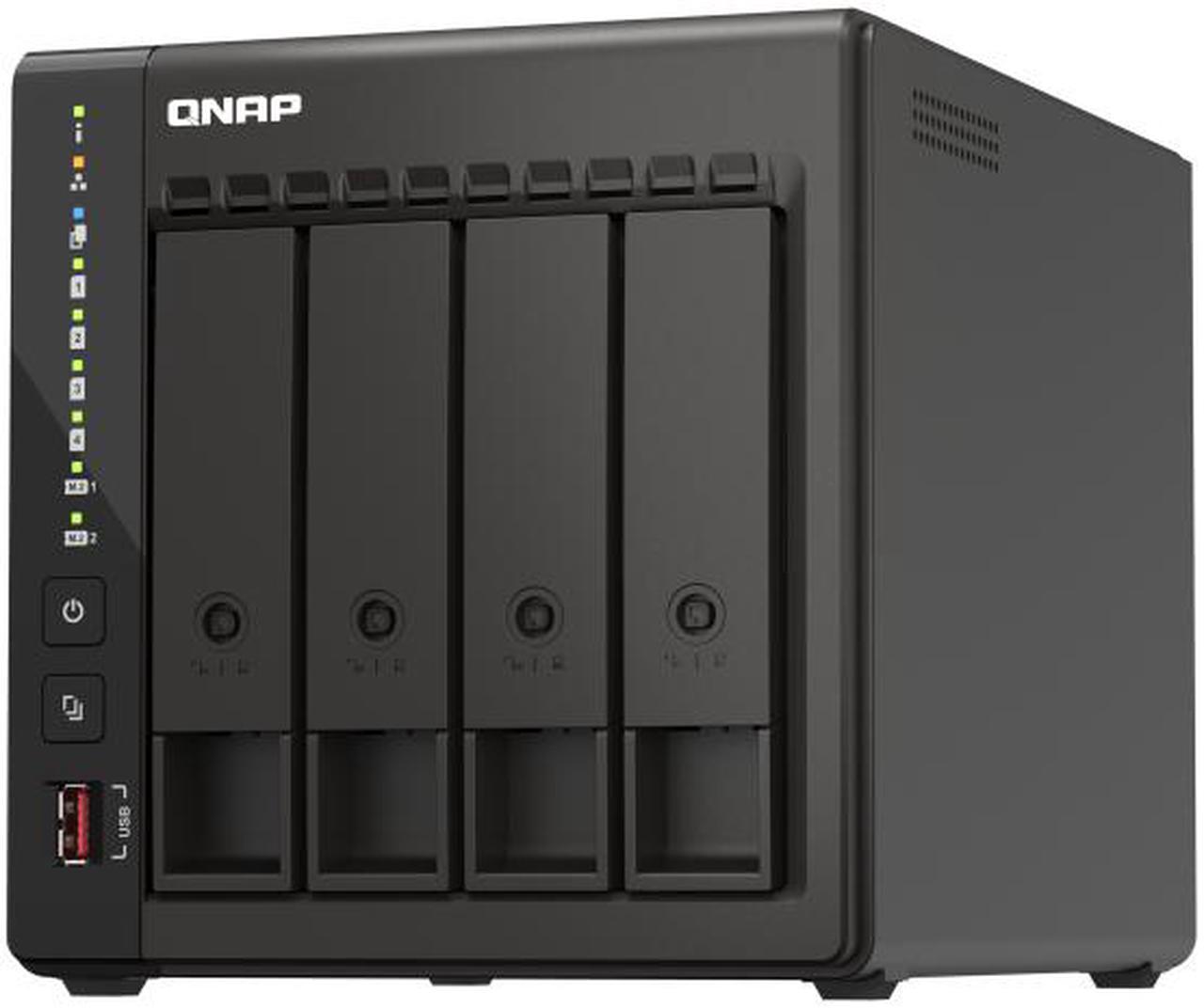
For a small office that needs reliable shared storage, scheduled snapshots, and genuine business features, the QNAP TS-453E ($729.00) is built for the job. Its Intel processor and mature, feature-rich software suite deliver the stability, backup tooling, and multi-user support that a growing team relies on day to day, all while keeping your data on-site and under your own control rather than in a third party’s cloud. For a business, that combination of reliability and data ownership is often worth the step up in price.
How to Choose
The simplest approach is to match the NAS to the workload you actually have. For simple backups, the Asustor or TerraMaster does the job affordably and without complication. For media streaming and heavier multitasking, the Ugreen brings the muscle to keep multiple streams smooth. For a small business, the QNAP delivers the features, reliability, and support you need to trust it with important data. In every case, plan your drive purchase alongside the unit itself, and seriously consider a redundant configuration, such as mirroring or a parity setup, so that a single drive failure never costs you your files. That redundancy is the whole point of a multi-bay NAS, so do not skip it. Browse the full Newegg NAS selection to compare models and find the right fit.
Read More
- Tom’s Hardware: Best NAS Devices — Tested rankings across home and business NAS units.
- PCMag: The Best NAS Devices — Reviews and buying guidance for network storage.
- YouTube: NAS Buying Guide for Beginners — A friendly walkthrough of NAS basics and setup.
- Newegg: NAS Devices — Full selection of network attached storage.
- Newegg: NAS Hard Drives — Drives rated for always-on NAS use.
Related Posts
- Build Your First Home NAS with Newegg’s NAS Builder: Three Real Scenarios
- Best NAS for Home Users in 2026 (Backup, Media, Home Server)
- AI-Powered NAS in 2026: How Intelligent Storage Is Changing the Way We Manage Data
- NAS Storage Explained: How to Build the Right Capacity for Your Data in 2026
- Personal Cloud NAS vs. Rackmount NAS: Which Storage Solution Is Right for You in 2026?
Frequently Asked Questions
Answers to the most common questions about choosing a NAS.