
A laptop screen is fine for taking notes in a lecture hall, but back in the dorm it quickly becomes the bottleneck. A single external monitor is the cheapest upgrade that changes how a small study space feels: more room for research and writing side by side, a proper canvas for video calls, and enough refresh rate for some gaming after the reading is done. The good news is that the sweet spot for students has settled on one clear format. Every pick below is a 27-inch 1440p (QHD) display, with a strong option at every budget. All prices were checked on Newegg on August 15, 2026.

Why a Monitor Helps Students
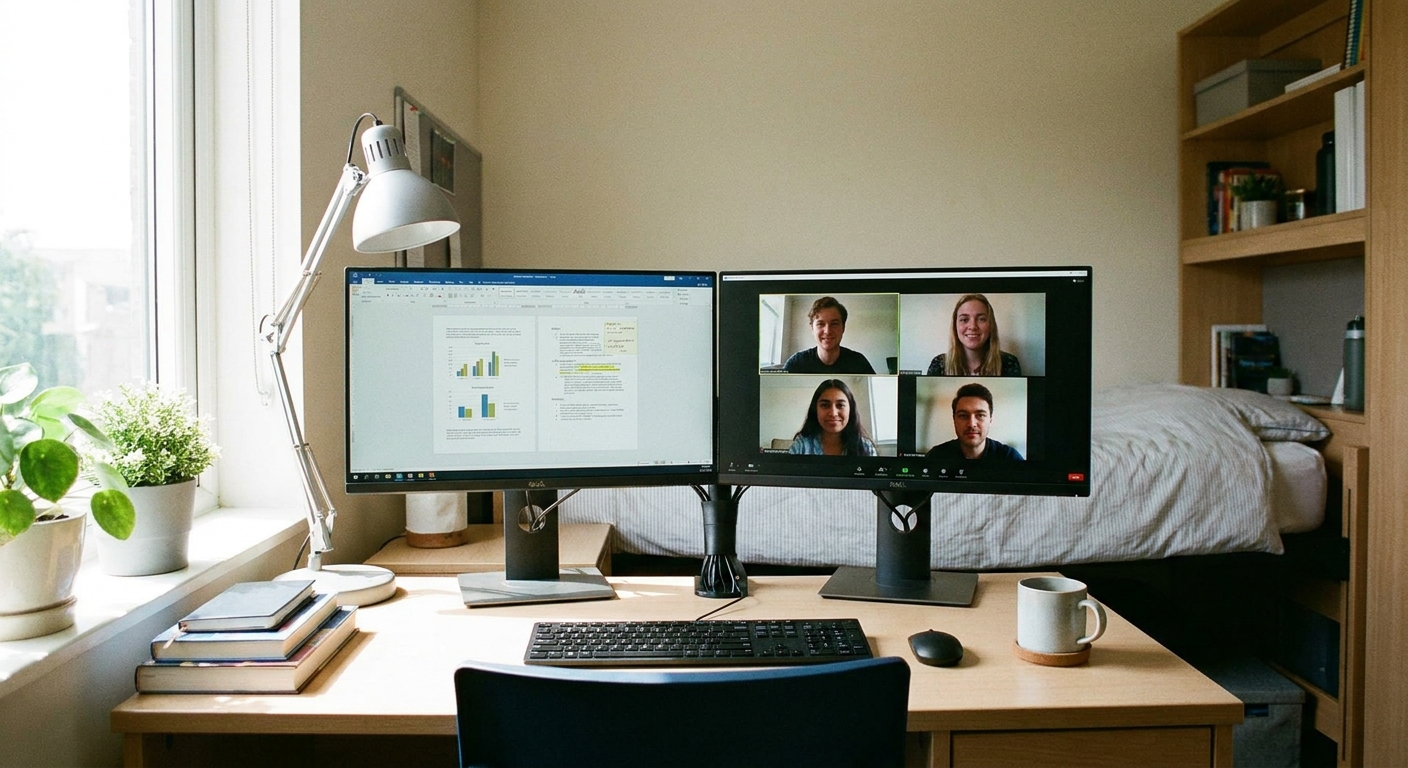
Most schoolwork is really window management. Writing a paper means keeping your draft, your sources and a browser open at once, and a cramped 13- or 15-inch laptop panel forces you to constantly tab back and forth. A 27-inch monitor lets you place a document and your research side by side, which alone makes essays and problem sets faster. It also raises your webcam to eye level for video calls, gives you a bigger, steadier picture for lectures and streaming, and turns your laptop into a two-screen setup for the price of one panel. When the work is done, that same screen is a genuinely good gaming display.
What to Look For
A handful of specs decide whether a monitor fits dorm life. Start with size and resolution. At 27 inches, 1080p starts to look soft because the pixels are spread thin, while 4K needs display scaling and a stronger laptop to drive it. 1440p sits right in the middle: it is sharp enough for crisp text during long reading sessions and light enough that almost any recent laptop can run it, which is exactly why 27-inch 1440p is the study-plus-play sweet spot.
Next is refresh rate. 60Hz is fine for essays, but even 180Hz makes scrolling and cursor movement noticeably smoother, and it is a real advantage in games. Panel type matters too: IPS gives you accurate color and wide viewing angles, VA offers deeper contrast and is common on curved screens, and OLED delivers perfect blacks and instant response for the best-looking picture of all. Check connectivity against your laptop before you buy, because you want a matching HDMI or DisplayPort input, and a USB-C monitor can carry video and charge the laptop over a single cable. Finally, mind desk space: a 27-inch panel fits most dorm desks, but measure first, and consider a monitor arm to reclaim the footprint of the stand.
The Field at a Glance
| Monitor | Price | Panel | Refresh | Best for |
|---|---|---|---|---|
| ASRock Phantom Gaming 27″ | $127.99 | VA | 180Hz | Tightest budget |
| GIGABYTE 27″ Curved | $129.99 | VA | 180Hz | Immersive value |
| GIGABYTE 27″ IPS | $145.99 | IPS | 180Hz | Color and text |
| ASUS ROG Strix 27″ | $179.99 | Fast IPS | 180Hz | All-round pick |
| Acer Nitro 27″ | $179.99 | IPS | 240Hz | Fast on a budget |
| GIGABYTE 27″ OLED | $299.99 | OLED | 240Hz | Best picture |
| MSI 27″ | $349.99 | Rapid IPS | 240Hz | Premium 240Hz |
Best on the Tightest Budget: ASRock Phantom Gaming 27″, $127.99
If money is tight, the ASRock Phantom Gaming 27″ is a remarkable amount of screen for the price. You get a full 27-inch 1440p panel at 180Hz for well under $130, which means sharp text for study and smooth motion for games without stretching the textbook budget.
Best Immersive Value: GIGABYTE 27″ Curved, $129.99
For nearly the same money, the GIGABYTE 27″ QHD 180Hz Curved trades flat for a gentle curve that wraps slightly around your view. The VA panel gives deep contrast that looks great for movies and games, and at $129.99 it is a comfortable, immersive pick for a desk you sit close to.
Best for Color and Text: GIGABYTE 27″ IPS, $145.99
If you read and write for hours, an IPS panel is easier on the eyes, and the GIGABYTE 27″ QHD 180Hz IPS delivers accurate color and wide viewing angles for $145.99. Text stays crisp from edge to edge, which makes it a smart choice for note-heavy majors that still want smooth 180Hz motion.
Best All-Round Pick: ASUS ROG Strix 27″, $179.99
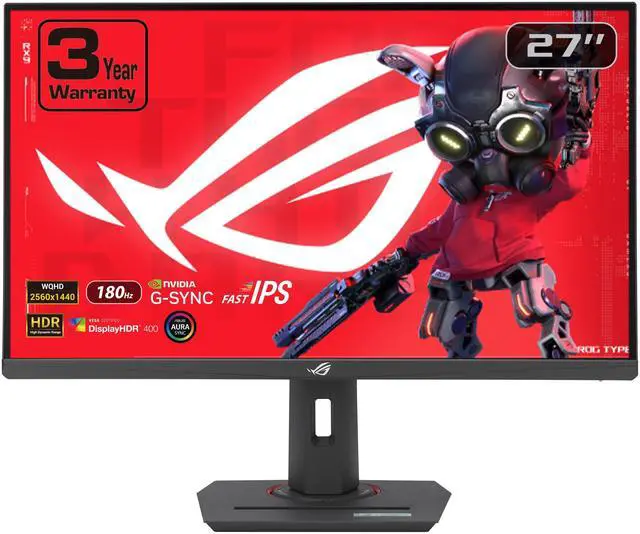
The ASUS ROG Strix 27″ is the one to buy if you want a single monitor that does everything well. Its Fast IPS panel pairs accurate color with quick response, the 180Hz refresh keeps games fluid, and the build quality is a step up. At $179.99 it is the balanced choice for study, video calls and play alike. If you would rather push frame rates, the Acer Nitro 27″ costs the same $179.99 and steps up to a 240Hz IPS panel for faster gaming.
Best Picture: GIGABYTE 27″ OLED, $299.99
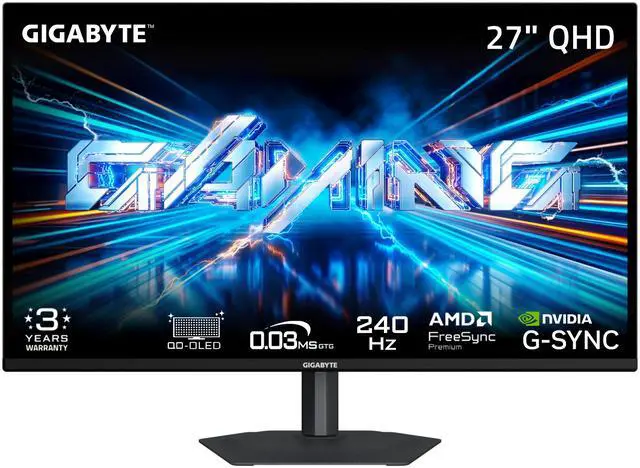
To step into a different class of image, the GIGABYTE 27″ QHD 240Hz OLED is the standout. Its OLED panel produces perfect blacks, vivid color and near-instant response, so movies, photos and games all look their best at a 240Hz refresh. At $299.99 it is a splurge, but it is the screen you will not want to look away from. If you want a bright 240Hz picture without OLED, the MSI 27″ at $349.99 rounds out the field with a fast Rapid IPS panel.
The Verdict
For most students, the $179.99 ASUS ROG Strix 27″ is the smart middle-ground buy, with a Fast IPS panel and 180Hz refresh that handle study and play equally well. Save with the $127.99 ASRock Phantom Gaming if budget is the priority, or stretch to the $299.99 GIGABYTE OLED if you want the best image in the room. Whichever you pick, check your laptop’s HDMI or USB-C ports first so you have the right cable on move-in day. You can compare current models and prices in Newegg’s monitor listings.
Read More
- RTINGS: Best Monitors — Independent lab testing of picture quality, response time and motion.
- Tom’s Hardware: Best Computer Monitors — Detailed buying guide across sizes, resolutions and budgets.
- 1080p vs 1440p Explained — Why resolution matters more as screen size grows.
- IPS vs OLED Panels — A clear breakdown of the trade-offs between panel technologies.
- Newegg: Monitors — Browse and filter current models by size, resolution and refresh rate.