Picking a gaming monitor isn't as simple as it used to be. Panel types have multiplied: fast IPS, QD-OLED, WOLED, dual-mode screens and curved ultrawides. Buying the "best" monitor doesn't help if it's the best at something you don't play.
So here's my shortlist, ranked within each type, with the specs I'd check first.
How I ranked them
I start with how you play, then pick the panel type, then the resolution your graphics card can drive. Refresh rate comes after that. A 360Hz panel doesn't help if your GPU runs the game at 90fps.
Fast IPS: best value
1. ASUS TUF Gaming VG249QM5A: for esports at 1080p
The ASUS TUF Gaming VG249QM5A is a 23.8-inch 1920 x 1080 Fast IPS panel at 240Hz, with FreeSync Premium and G-Sync Compatible support. For competitive shooters on a mid-range GPU, it's the kind of monitor I'd still recommend first.
2. ASUS ROG Strix XG27ACG: for 1440p on a budget
The ASUS ROG Strix XG27ACG is a 27-inch 2560 x 1440 Fast IPS monitor at 180Hz, with DisplayHDR 400 and USB-C. It's a sensible step up in sharpness without needing a high-end GPU.
Dual-mode IPS: two monitors in one
1. Samsung Odyssey 27-inch dual mode: 5K or 360Hz
The Samsung Odyssey 27-inch runs 5K at 180Hz or QHD at 360Hz on an IPS panel, with USB-C and a height-adjustable stand. It suits people who work on the same screen they game on.
2. HKC 27-inch dual mode: 4K or 320Hz
The HKC G27H7P is listed as a 27-inch dual-mode Fast IPS monitor that runs 4K at 160Hz or Full HD at 320Hz, with HDR400. I'd confirm the exact specs on the maker's page before ordering, since a couple of the listing's spec fields don't match its title.
OLED: best picture
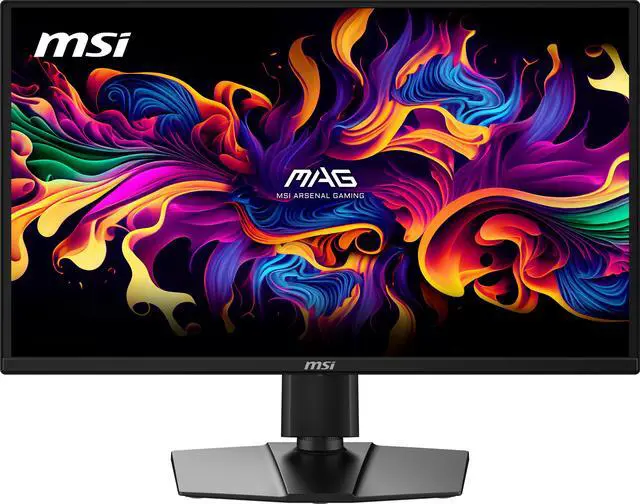
1. MSI MAG 272QP QD-OLED X24: the 1440p OLED I'd start with
The MSI MAG 272QP QD-OLED X24 runs 2560 x 1440 at 240Hz with a 0.03ms response time and DisplayHDR True Black 400 certification. For single-player games and movies, the contrast is a big step up from IPS.
2. LG UltraGear 32-inch dual-mode OLED: for 4K
The LG UltraGear 32-inch dual-mode OLED runs 4K at 240Hz or Full HD at 480Hz, and is DisplayHDR True Black 400 certified. Pair it with an RTX 5080 class card or plan to use upscaling.
Ultrawide OLED: for immersion
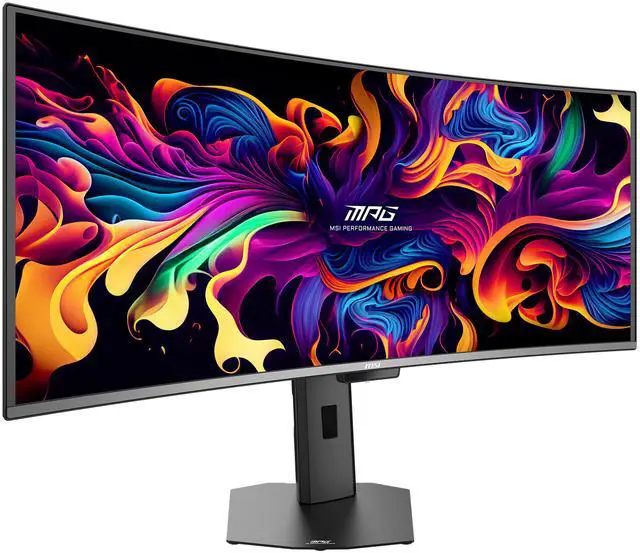
1. MSI MPG 341CQR QD-OLED X36: the fastest ultrawide here
The MSI MPG 341CQR QD-OLED X36 is a 34-inch 3440 x 1440 curved panel at 360Hz with an 1800R curve, USB-C and DisplayHDR True Black 500. Its listing shows 300 nits SDR and 1,300 nits HDR peak brightness.
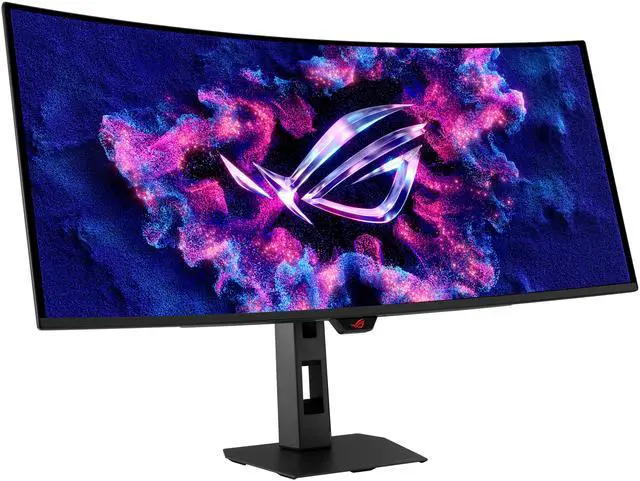
2. ASUS ROG Strix XG34WCDMS: the other strong ultrawide
The ASUS ROG Strix XG34WCDMS is a 34-inch 3440 x 1440 QD-OLED at 280Hz, also with an 1800R curve and USB-C. For racing and flight sims, either ultrawide is a big upgrade.
Match the monitor to your graphics card
A monitor upgrade only pays off if your GPU can feed it. For 1080p at 240Hz in esports, a mid-range card is usually enough. A 1440p 240Hz OLED is a good match for RTX 5070 or RX 9070 class cards and above. For 4K at 240Hz or a 3440 x 1440 ultrawide at 280Hz to 360Hz, I'd want an RTX 5080 class card, or I'd plan to rely on DLSS or FSR upscaling and frame generation.
Connections matter too. Check that your graphics card and the monitor share a port that supports the refresh rate you want at that resolution, and use the cable that comes in the box or a certified replacement.
What I'd buy, by player
- Competitive esports: ASUS TUF VG249QM5A.
- A bit of everything at 1440p: MSI MAG 272QP QD-OLED X24.
- Work and play on one screen: Samsung Odyssey 27-inch dual mode.
- Sims and immersion: a 34-inch QD-OLED ultrawide.
- 4K with a high-end GPU: LG UltraGear 32-inch dual-mode OLED.
If you go OLED, budget a minute for setup: let pixel refresh run, hide the taskbar and use a dark wallpaper. It's the difference between worrying about burn-in and just enjoying the screen.
Frequently Asked Questions
What is the best type of gaming monitor to buy on Black Friday? It depends on what you play. A fast IPS panel is a strong value for esports, OLED gives the best contrast and motion clarity for single-player games, and ultrawides suit racing, flight and strategy games.
Is a 1440p OLED monitor worth it? For mixed gaming and media, yes. The MSI MAG 272QP QD-OLED X24, for example, runs 2560 x 1440 at 240Hz with a 0.03ms response time and DisplayHDR True Black 400. Follow burn-in protection habits such as letting pixel refresh run.
What is a dual-mode monitor? A dual-mode monitor switches between a high resolution at one refresh rate and a lower resolution at a higher refresh rate. The Samsung Odyssey 27-inch, for example, runs 5K at 180Hz or QHD at 360Hz.
Do I need a powerful GPU for a 34-inch ultrawide? At 3440 x 1440, I'd want at least an RTX 5070 or RX 9070 class card, and an RTX 5080 class card to get near 280Hz to 360Hz in modern games. Esports titles are much lighter.
Is 1080p still worth buying for gaming? For competitive esports at very high frame rates, yes. A 24-inch 1080p 240Hz monitor like the ASUS TUF VG249QM5A is a sensible choice.
Read More
- The Best Gaming Monitors (RTINGS.com): Independent gaming monitor testing.
- How to Protect an OLED Monitor From Burn-In (Newegg Insider): Settings and habits for OLED owners.
- Dual-Mode Gaming Monitors Explained (Newegg Insider): How high-resolution and high-refresh modes work.
- Best Gaming Monitors for PS5 and Xbox (Newegg Insider): Picks if you also play on a console.
- Black Friday Graphics Cards by Resolution (Newegg Insider): The GPU to pair with your new monitor.