Cases are one of the few PC parts people choose with their eyes, and a good Black Friday deal on a great-looking case is tempting.
The problem is that the case decides what else fits. So instead of ranking cases by looks, here's how I'd match a case to the build you're planning, with the numbers I check.
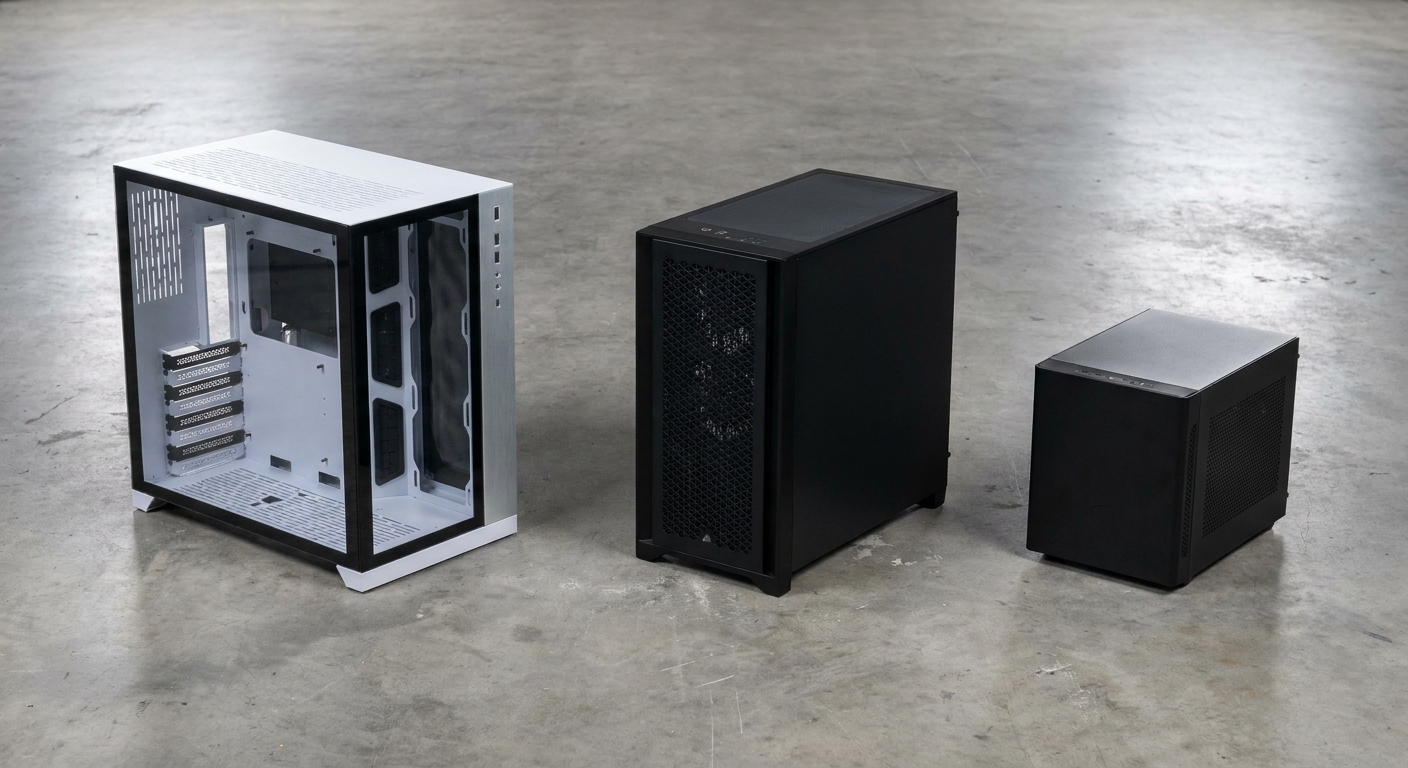
The four numbers I check first
- Motherboard size: ATX, micro-ATX or mini-ITX.
- Max GPU length: compare it with your card's length on its listing.
- Max CPU cooler height: for tower air coolers.
- Radiator support: where a 240mm or 360mm AIO can go.
If you want the easiest, coolest-running ATX build
Go for a mesh-front case with fans included. The CORSAIR FRAME 4000D RS ARGB includes three RS120 ARGB fans, fits a 430mm GPU and a 170mm cooler, and supports 360mm radiators on the front, top or side. That's enough room for almost any current graphics card.
If you'd like something warmer-looking, the Fractal Design North in Chalk White with an oak front ships with two 140mm front fans. Its listing gives a 355mm GPU limit, which still fits most cards, but check the very largest ones.
If you want a showcase build with lots of glass
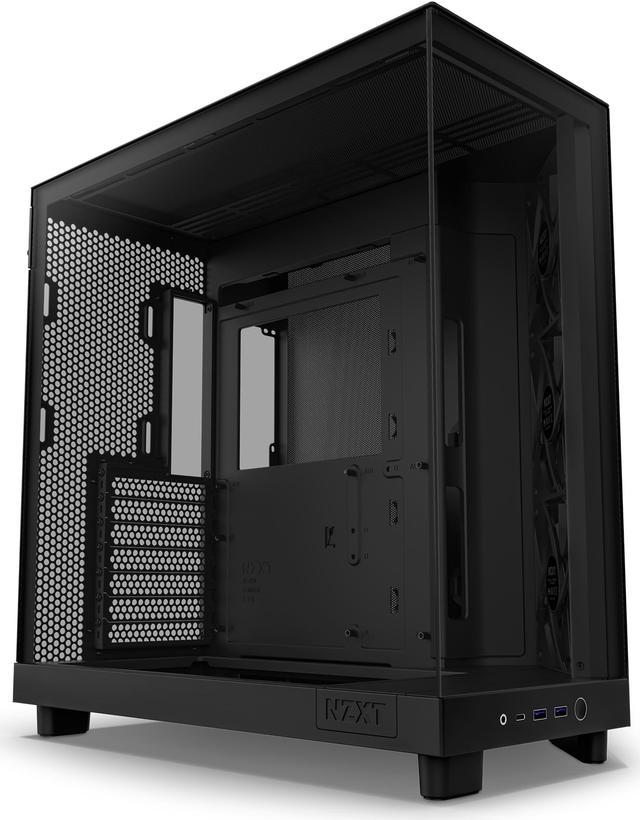
Dual-chamber cases put the power supply and cables behind the motherboard, leaving the main chamber clean for display. The NZXT H6 Flow includes three 120mm fans in its angled front-right intake and fits a 365mm GPU and a 163mm cooler.
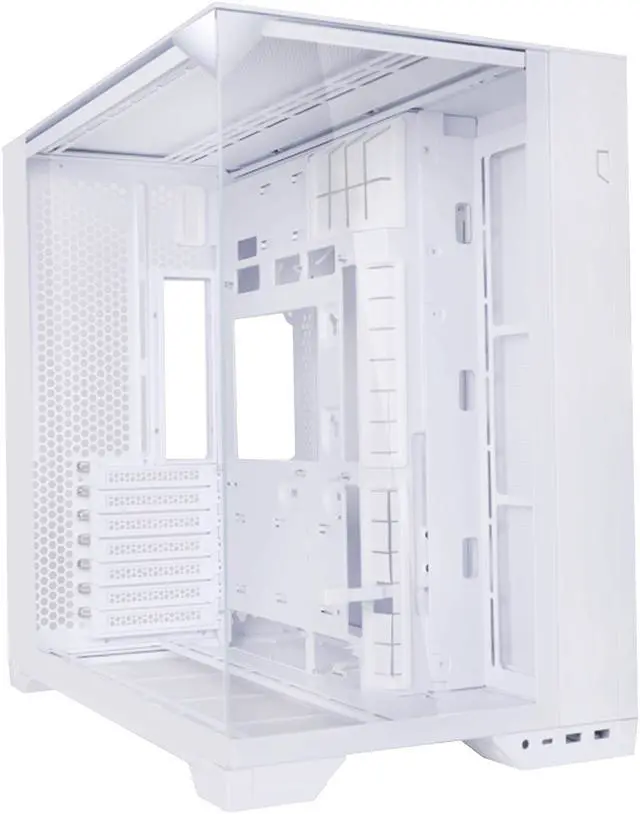
The LIAN LI O11 Vision Compact fits a 408mm GPU and a 167mm cooler, with radiator support up to 360mm on the side and top. It ships without fans, so add them to the budget. The HYTE Y70 also ships without fans and includes a PCIe 4.0 riser for vertical GPU mounting, with a 422mm GPU limit.
For a rear-connector motherboard build, the Phanteks NV5 MK2 supports rear-connect ATX boards, which hide the cables behind the tray.
If you want a smaller build that still takes a big GPU
The Lian Li A3-mATX Wood Edition is a micro-ATX case that fits a 415mm GPU, a 165mm cooler and a 360mm AIO. It ships without fans, but it's a good way to shrink a build without giving up the graphics card.
If you want the smallest build
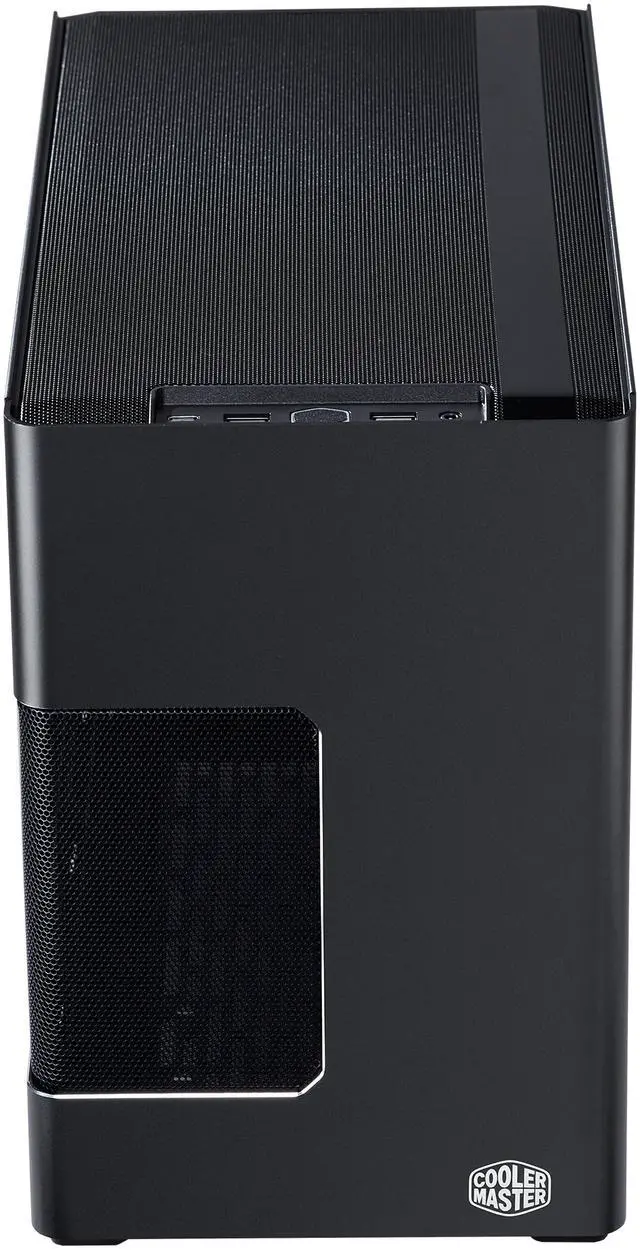
Mini-ITX is where fit numbers matter most. The Cooler Master NR200P V3 supports a top-mounted 280mm radiator and includes a PCIe 5.0 riser cable for its vertical GPU mount, with a mesh side panel. Check card thickness and power cable clearance carefully, and plan the build in a compatibility tool first.
Don't forget the front panel and storage
Two smaller details often get missed. First, front ports: if you use a fast USB-C drive, check what the case offers. The Fractal North, for example, has a USB 3.2 Gen 2x2 Type-C port, while the NZXT H6 Flow lists a USB 3.2 Gen 2 Type-C port. Second, drive bays: showcase cases usually trade 3.5-inch bays for glass. The O11 Vision Compact lists two 3.5-inch or 2.5-inch bays in its drive cage, and the H6 Flow lists one 3.5-inch bay. If you still use hard drives, count your bays before you buy.
Fans: included or not?
A case that ships without fans isn't a bad case, but it changes the real cost of the build. The O11 Vision Compact, HYTE Y70, Phanteks NV5 MK2 and Lian Li A3-mATX all list no pre-installed fans, while the CORSAIR FRAME 4000D RS ARGB, Fractal North and NZXT H6 Flow include them. Add the fans you need to your cart at the same time as the case so you're not stuck waiting on a second order.
Airflow tips that apply to any case
- Keep at least as much intake as exhaust, so dust filters do their job.
- Don't block the front intake with a glass panel that has no gaps.
- Point AIO radiators so the pump isn't the highest point in the loop.
- Leave the GPU some breathing room from the bottom panel.
My take
Pick the case last, after you know the GPU and cooler. Then a Black Friday deal on a case becomes an easy yes or no, and you won't end up with a beautiful box that doesn't fit your graphics card.
Frequently Asked Questions
What should I check first when buying a PC case? Check motherboard size support, maximum GPU length, maximum CPU cooler height and radiator support against the parts you plan to use. Those numbers decide whether the build fits.
Are dual-chamber cases good for airflow? They can be, if the case has a clear intake path to the graphics card. The NZXT H6 Flow, for example, includes three 120mm fans in its angled front-right intake.
Do I need a case with fans included? Not necessarily, but it saves money and setup time. Cases like the LIAN LI O11 Vision Compact and HYTE Y70 ship with no fans, so budget for them.
Will a big graphics card fit in a mini-ITX case? Sometimes. Check the case's maximum GPU length, slot width and power cable clearance. Small cases often use a riser cable, like the PCIe 5.0 riser included with the Cooler Master NR200P V3.
Is a wood or glass case worse for cooling? Materials matter less than airflow paths. A case with mesh intakes and room for front or side fans usually runs cooler than one with solid panels in front of the fans.
Read More
- Best PC Cases for Airflow in 2026 (Newegg Insider): Our airflow-focused case picks.
- Fishbowl Case vs Mesh-Front Case (Newegg Insider): Do side intake fans really cool as well?
- Air Cooler or AIO? (Newegg Insider): How the cooler choice affects your case choice.
- Custom PC Builder (Newegg): Check compatibility as you pick parts.
- Planning a Black Friday PC Upgrade With Newegg's Shopping Tools (Newegg Insider): How I check GPU length and cooler height by hand.