Introduction
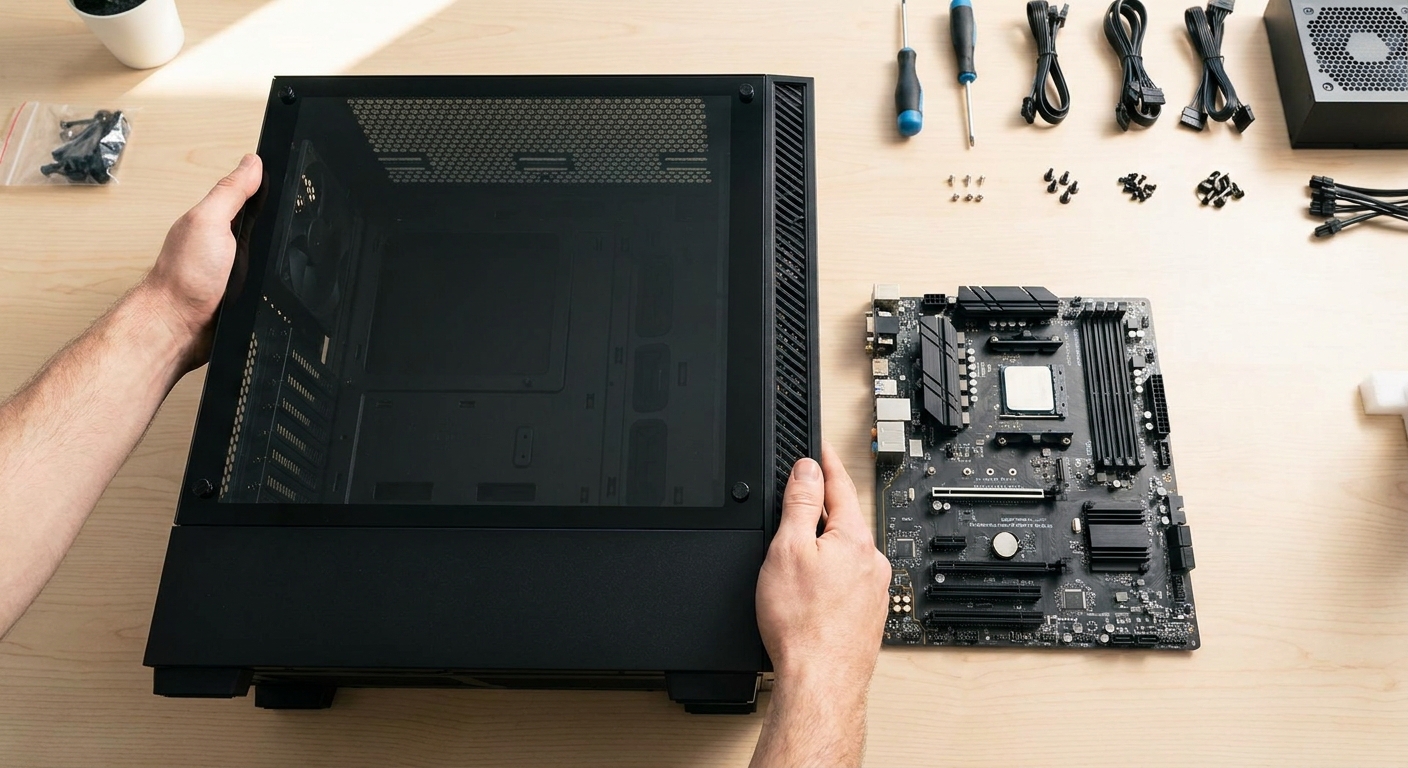
Choosing a PC case is one of the most personal decisions in a PC build. Unlike the CPU or GPU, there is no objective performance ranking — the right case depends on your motherboard size, cooling requirements, desk space, aesthetic preferences, and budget. Make the right choice and you will have a case you enjoy working in and around for years. Make the wrong choice and you might end up with a cramped build that overheats, or a giant tower that does not fit under your desk.
This guide answers the most common questions about PC cases and helps you navigate the decision with confidence.
Frequently Asked Questions About PC Cases
What are the different PC case sizes?
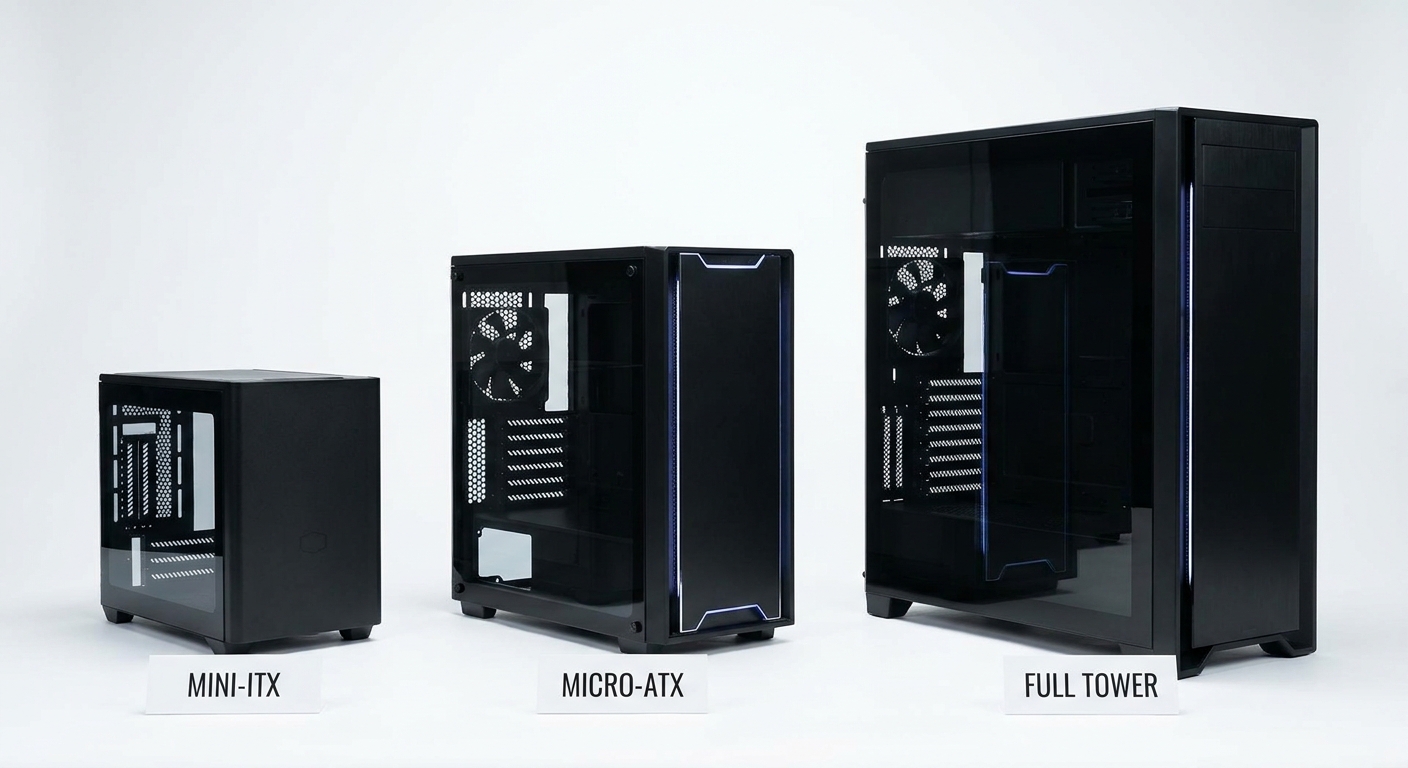
PC cases come in several sizes, each designed to support specific motherboard form factors. Full-Tower cases are the largest, supporting E-ATX and XL-ATX motherboards, multiple GPUs, and large radiator setups — best for extreme builds. Mid-Tower cases are the most popular size, supporting ATX motherboards and fitting on most desks. Micro-ATX cases are smaller and support Micro-ATX and Mini-ITX boards, offering a good balance of size and component access. Mini-ITX cases are the most compact, designed exclusively for Mini-ITX motherboards and typically fitting in very tight spaces. For most builds, a mid-tower ATX case is the right choice.
How important is airflow in a PC case?
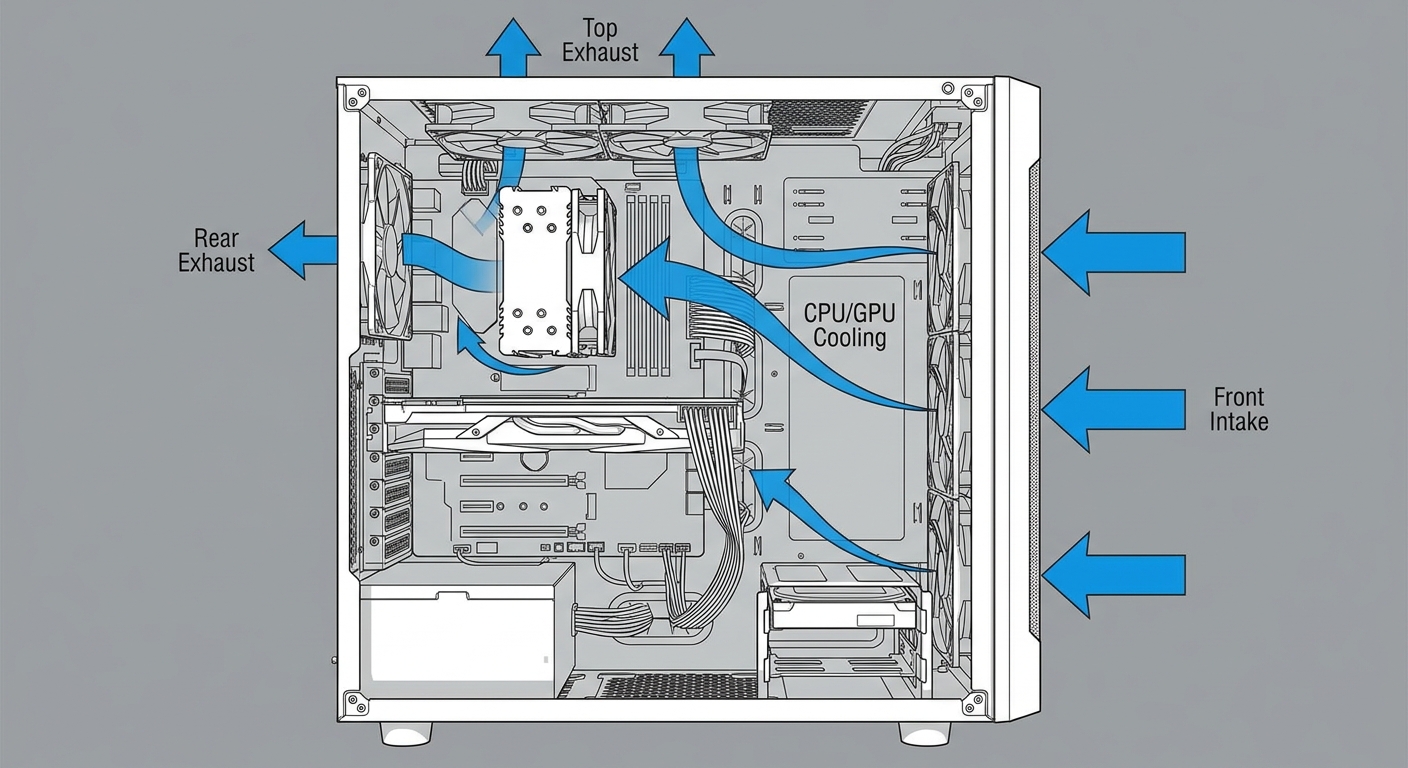
Airflow is one of the most critical factors in a PC case. Poor airflow raises CPU and GPU temperatures, which can cause thermal throttling — a condition where your hardware automatically slows down to prevent overheating. Good airflow typically requires a mesh-perforated front panel, adequate fan mounting positions, and a layout that avoids recirculating hot air. Mid-tower cases with mesh fronts, multiple front intake fans, and a rear exhaust fan generally maintain excellent temperatures even with high-end hardware.
What should I check for compatibility before buying?
Before purchasing a case, verify four key compatibility dimensions. First, motherboard form factor: confirm the case supports your board size (ATX, Micro-ATX, or Mini-ITX). Second, GPU clearance: check the maximum GPU length the case supports and compare it to your graphics card's dimensions. Third, CPU cooler clearance: if you use a tower cooler rather than an AIO liquid cooler, the case must support your cooler's height. Fourth, PSU size: most cases support standard ATX power supplies, but some compact cases require SFX or SFX-L PSUs.
How much should I spend on a PC case?
Budget cases in the $40 to $70 range offer adequate build quality and sufficient airflow for most builds. Mid-range cases in the $70 to $150 range add features like tool-free panel removal, better dust filters, tempered glass panels, and improved cable management routing. Premium cases above $150 offer superior build quality, excellent acoustics, and top-tier airflow — worth it if you invest significant money in components you want to protect and cool properly. There is rarely a reason to spend over $250 on a case for a standard gaming or workstation build.
Do I need a tempered glass side panel?
Tempered glass panels are purely aesthetic — they let you see inside your build and show off RGB lighting. They add no functional benefit and slightly increase the case's weight. If you plan RGB lighting inside your build and want to display it, glass is a great choice. If you prioritize noise dampening, a solid panel case (often with acoustic foam lining) is a better choice. Many cases offer both configurations at similar prices.
Product Spotlight: Recommended Cases by Use Case
Best Mid-Tower for Airflow: Fractal Design Meshify 2
The Meshify 2 is widely regarded as one of the best all-around mid-tower cases in 2026. Its mesh front panel delivers excellent airflow, the interior is spacious and easy to build in, and the cable management routing is among the best in its class. It supports up to 360mm front radiators and 280mm top radiators, making it compatible with most AIO liquid coolers. The build quality is premium without a premium price tag — typically available for around $110 to $130.
Shop Fractal Design Meshify 2 on Newegg
Best Budget Mid-Tower: NZXT H5 Flow
NZXT's H5 Flow is the best budget mid-tower for most first-time builders. At under $90, it offers a clean aesthetic, mesh front panel, and an extremely simple interior layout with good cable management channels. It is one of the most beginner-friendly cases available, with minimal sharp edges and intuitive component installation. The white version is particularly popular for clean, minimal builds.
Best Mini-ITX Case: Fractal Design Terra
If you want to build a compact PC without sacrificing component compatibility, the Fractal Design Terra is a premium Mini-ITX choice. It supports full-length GPUs up to 322mm, fits 240mm radiators, and comes in a striking aluminum chassis that looks more like a premium appliance than a typical gaming case. The Terra is ideal for gamers who want a capable, small-footprint build with a premium aesthetic.
Shop Fractal Design Terra on Newegg
Recommendations
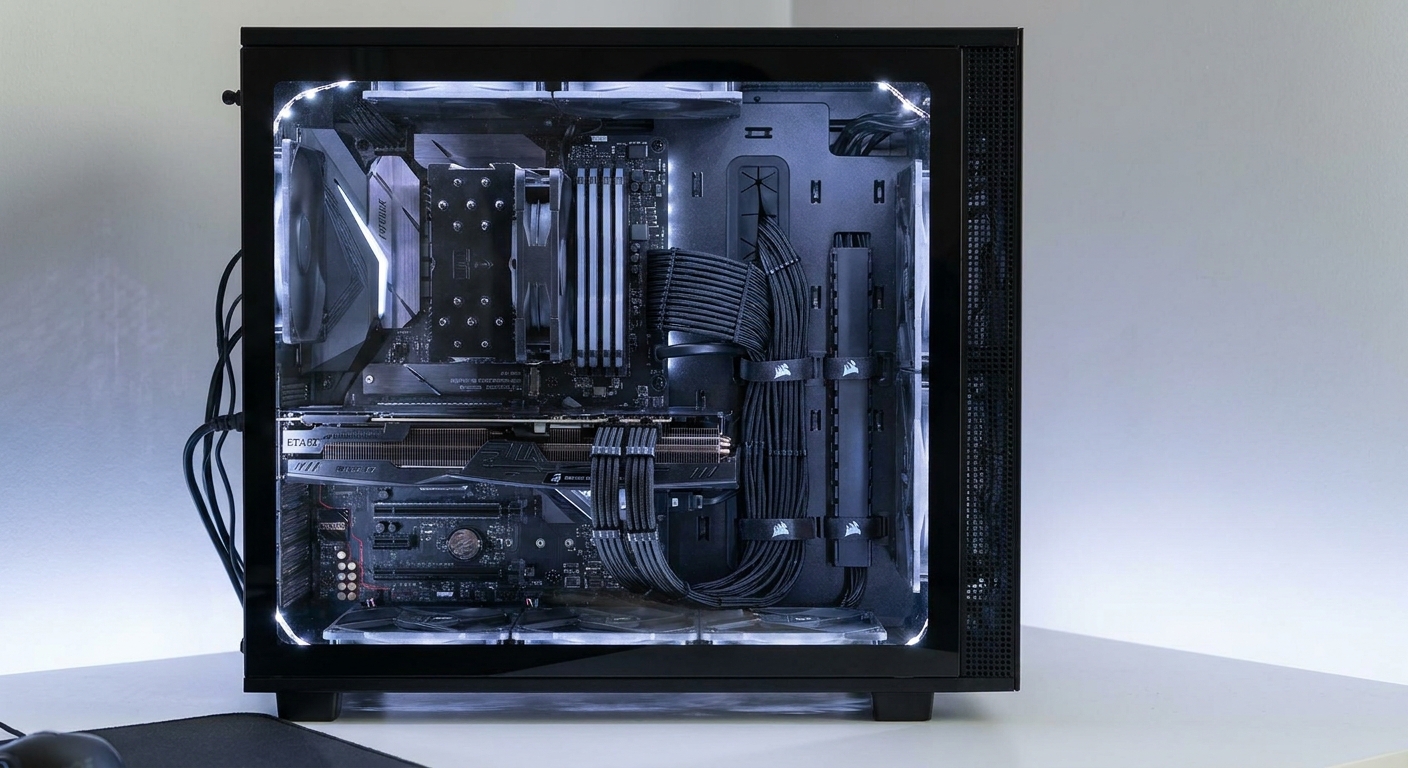
For the vast majority of builders, a mid-tower ATX case in the $80 to $130 range offers the best balance of compatibility, airflow, build quality, and value. The Fractal Design Meshify 2 is the top recommendation for performance-focused builds. The NZXT H5 Flow is the best choice for first-time builders on a budget. If you want a compact build, invest in a quality Mini-ITX case like the Fractal Design Terra to ensure adequate cooling and component compatibility in a small form factor.
Read More
- GamersNexus Case Reviews — Rigorous airflow and thermal benchmarks for the most popular PC cases, with detailed measurements of fan noise and temperature impact.
- Fractal Design Meshify 2 Official Page — Full specifications, fan and radiator compatibility charts, and color options for the Meshify 2.
- Tom's Hardware: Best PC Cases 2026 — Expert picks by category with hands-on airflow testing and build experience notes.
- Reddit r/buildapc: Choosing a PC Case in 2026 — Community guide with practical advice from experienced builders on case selection for different budgets and build types.
- Shop All PC Cases on Newegg — Browse by form factor, size, color, and price to find the perfect case for your next build.
Frequently Asked Questions
Everything you need to know about choosing the right PC case for your build.