
Building a PC is easier than it has ever been, but one fear still stops people: what if the parts do not fit together? Newegg’s free Custom PC Builder exists to remove exactly that fear. It filters every selection for compatibility, shows you what other builders are actually buying, and now even drafts a complete build from a plain-English sentence. Here is how to get from blank page to checkout, step by step.
Background: What the Tool Actually Does
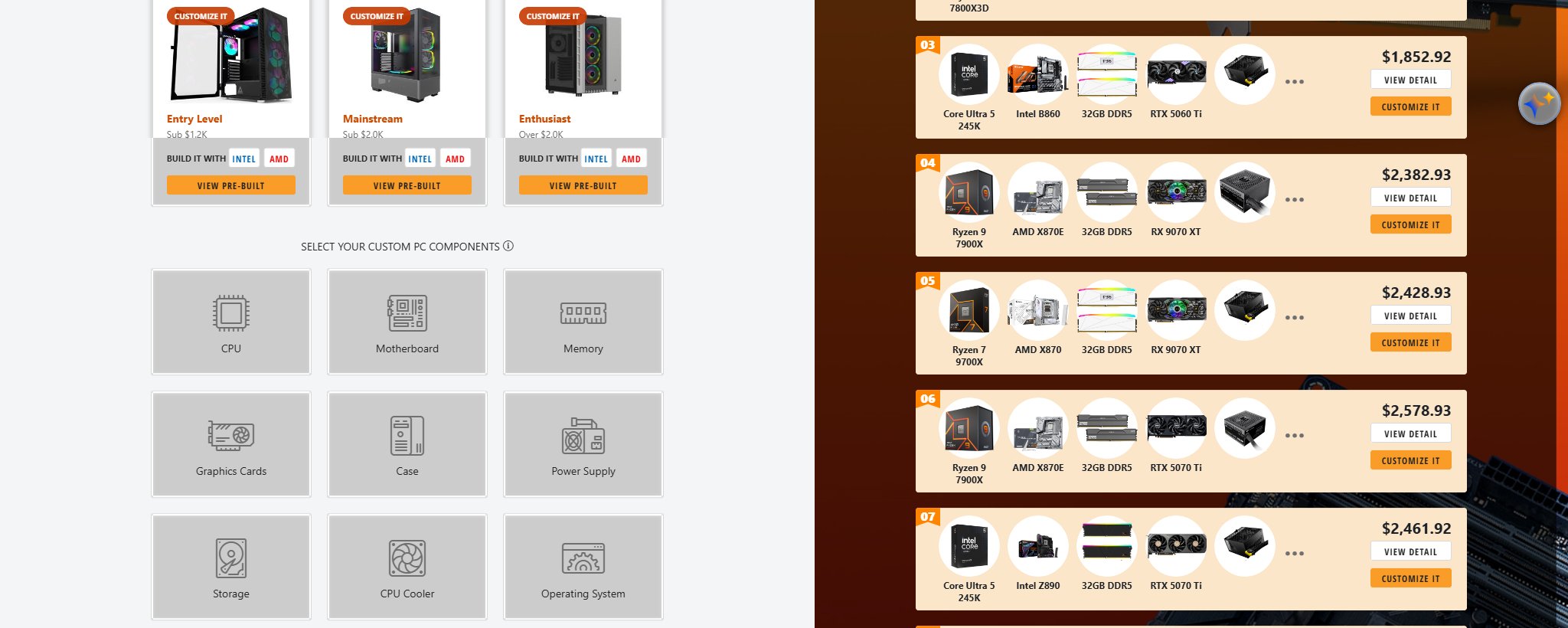
The Custom PC Builder is a guided parts picker that covers fourteen component categories, from CPU and motherboard through UPS, keyboard, and mouse. As you lock in each choice, the tool narrows the remaining catalog so that incompatible combinations never reach your cart. It will not stop you from overspending on any single part, but it will stop a DDR4 kit from meeting an AM5 board.
Step 1: Decide Your Starting Point

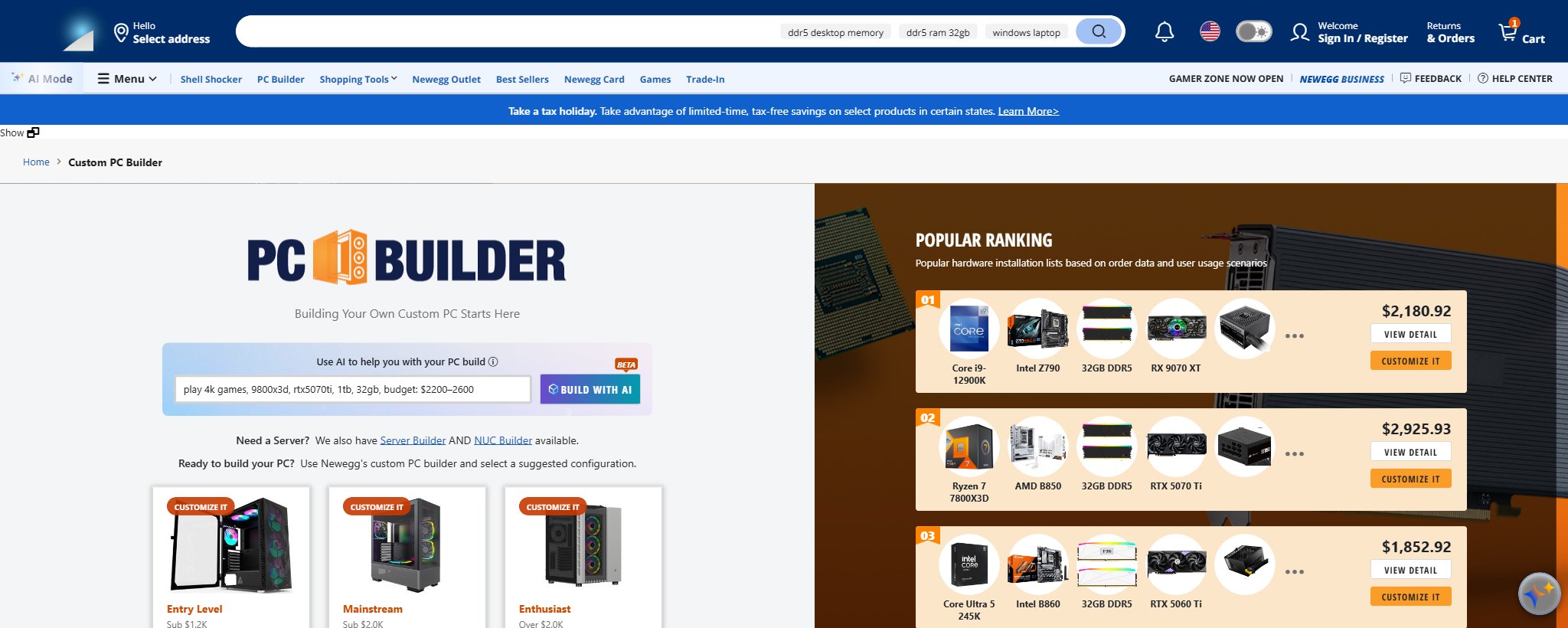
You have three on-ramps. If you know roughly what you want, type it into the AI build box at the top, something like “1440p gaming, Ryzen X3D, 32GB, budget $1,500”, and the beta assistant drafts a full parts list you can edit. If you prefer proven templates, pick one of the three suggested configurations: Entry Level (under $1.2K), Mainstream (under $2.0K), or Enthusiast (over $2.0K), each available in Intel and AMD flavors. And if you want full control, skip both and start picking components from scratch.
Step 2: Start With the CPU
Newegg’s own FAQ inside the tool says it best: start with the CPU, because it determines your motherboard socket, memory type, and even whether you need a graphics card. With the new $328.99 Ryzen 7 7700X3D just landing as a Newegg exclusive, budget-minded gaming builds have a compelling new anchor. Pick the CPU, and the tool automatically restricts motherboards to matching sockets.
Step 3: Steal Ideas From the Popular Ranking
Not sure what a balanced build looks like? The Popular Ranking panel lists complete hardware combinations assembled from real order data, refreshed continuously. The week we checked, top-ranked builds paired X3D chips like the Ryzen 7 9800X3D and 7800X3D with B850 boards, 32GB of DDR5, and RTX 5070-class GPUs, mostly landing between $1,800 and $2,900 complete. You can view any ranked build’s details or click Customize It to use it as a starting template and swap parts, a great way to trade down a CPU or up a GPU while keeping everything compatible.
Step 4: Fill In the Supporting Cast
Work through memory, storage, case, and power supply in any order; the compatibility filter follows you. Two practical tips from the tool’s own guidance: 16GB of RAM is the gaming minimum and 32GB is the streaming and editing recommendation, and ATX mid-size builds offer the widest component compatibility for first-timers. If your ambitions are bigger than a desktop, the same page links to a dedicated Server Builder and NUC Builder.
Step 5: Review, Save, and Check Out
Before you commit, the build list shows your running total, one more chance to rebalance. You can save build lists to your account, share them for feedback, or push the whole cart to checkout at once. From there, the only screwdriver required is a number 2 Phillips.
Summary
The Custom PC Builder compresses the scariest part of PC building, the research, into an afternoon. Describe what you want, borrow from what thousands of other builders bought, and let the compatibility engine watch your back.
Read More
- PC Gamer: How to Build a PC — A thorough assembly walkthrough for when your parts arrive.
- Intel: How to Build a Gaming PC — Component-by-component explanations from the manufacturer side.
- AMD Official: Ryzen Desktop Processors — Spec references for the CPUs you will shortlist first.
- Newegg: Server Configurator — The sibling tool for rack and server builds.
- Newegg: Gaming PC Listings — Prefer pre-built? Compare complete systems here.
Related Posts
- How to Choose the Right ABS Gaming PC by GPU
- 5 ROG-Inspired Gaming PCs to Build Your Dream Battlestation
- AI Workstation vs Gaming PC: Which Do You Actually Need?
- Best Gaming Benchmark PCs for Everyday Play: What to Look For
- Exploring Newegg Shopping Tools: Optimizing Your Tech Purchases
Frequently Asked Questions
Answers to the most common questions about the Newegg Custom PC Builder.