Every November the same post shows up on r/buildapc in a dozen versions: a parent with a kid who plays Minecraft, Roblox or Fortnite, a budget that feels tight, and a parts list that's slowly turning into a second job. One recent thread was about building three PCs at once for Christmas. Another was from a parent whose 11-year-old asked for "240 fps."
My honest take is that most families shouldn't build the first one. Buy a good prebuilt, spend the time you saved on setting up the accounts properly, and keep the receipt.
Who this is for
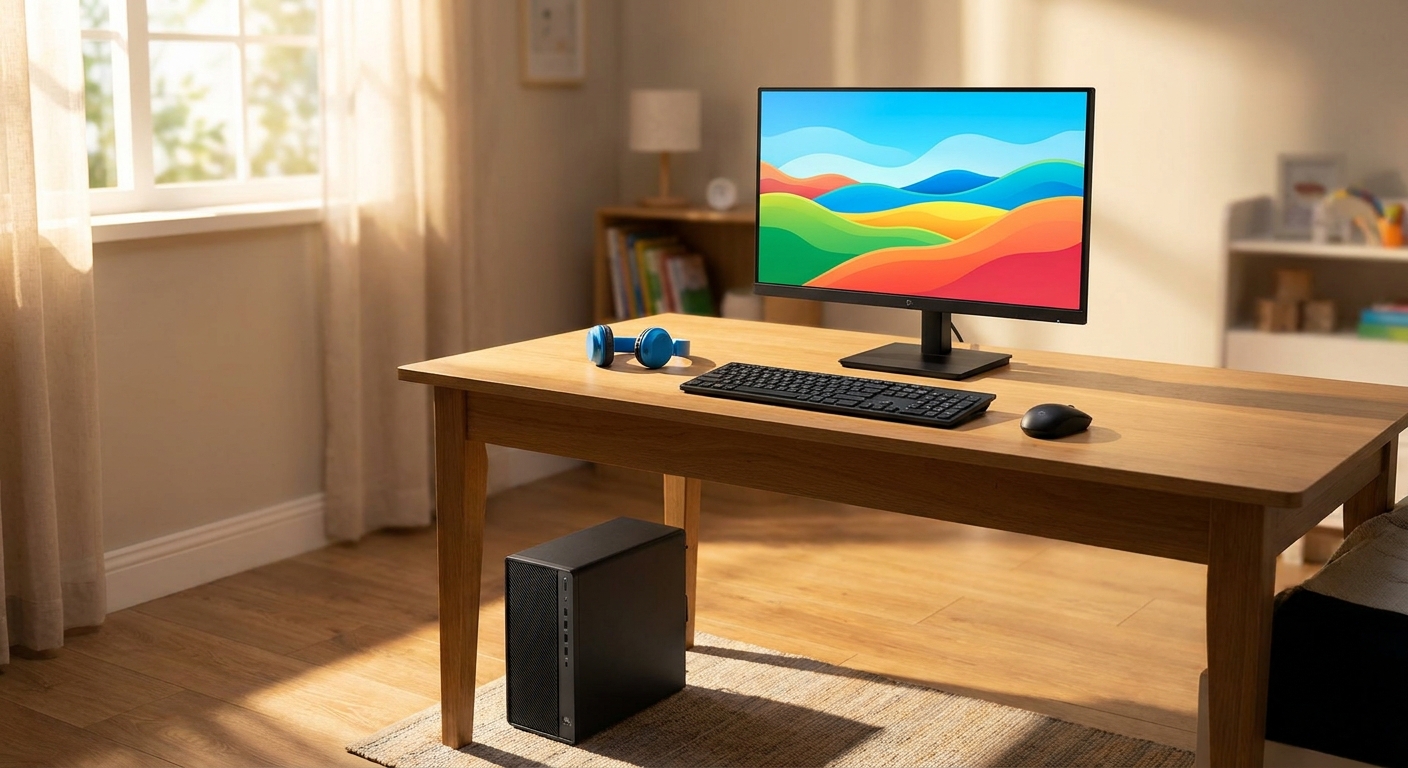
This is for a kid's first real gaming PC, mainly for popular, not-very-demanding games, played on a 1080p monitor. If your kid wants to stream, edit video or play the newest AAA releases at high settings, you're in a different budget conversation.
Three things matter more than the spec sheet at this level: a dedicated graphics card if you can manage it, an SSD so everything loads fast, and a warranty that covers the whole machine.
Scenario 1: "They play everything their friends play"
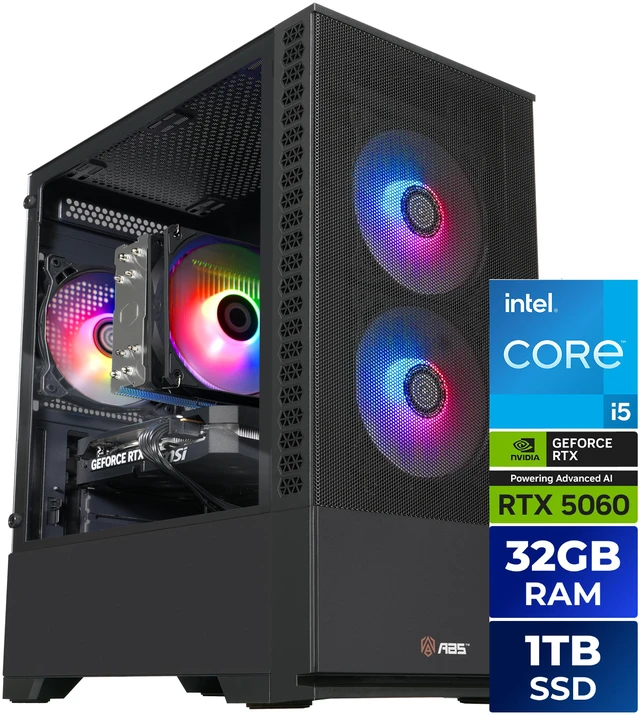
This is the most common case, and it's where I'd spend most of the money on the PC itself. The ABS Cyclone Aqua with a Core i5-14400F and RTX 5060 is the one I'd start with. The listing shows 32GB of DDR4, a 1TB M.2 SSD and a 650W 80+ Gold power supply, which is a sensible base that won't need to be torn apart in a year.
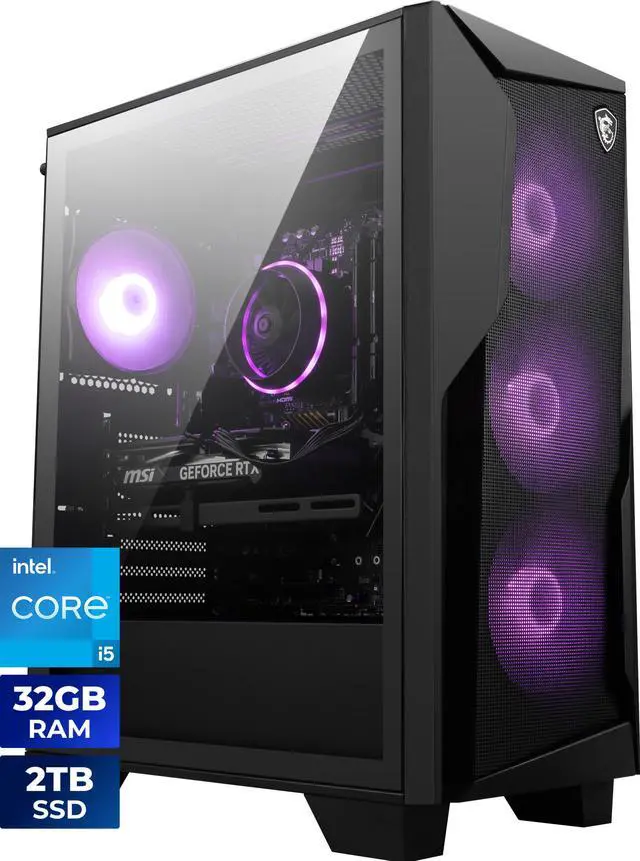
The MSI Codex R2 uses the same CPU and GPU pairing, but its listing shows 32GB of DDR5, a 2TB SSD, and an MSI keyboard and mouse in the box. The bigger SSD is the part I'd notice most, because game libraries grow fast once friends start recommending things.
Scenario 2: "I need to keep the total down"
If you need the PC, keyboard and mouse to come in one box, the STORMCRAFT SIRIUS pairs the i5-14400F and RTX 5060 with 16GB of DDR4 and lists a keyboard and mouse as included. 16GB is fine for these games; I'd just plan to add more later.
On the AMD side, the iBUYPOWER Element uses a Ryzen 5 8400F with an 8GB RX 9060 XT, 16GB of DDR5 and Wi-Fi 6. Its memory is a single 16GB stick, so adding a second matching stick later is an easy upgrade that also gets you dual-channel memory.
Scenario 3: "It has to fit on a small desk, or in a shared room"
For a younger kid who mostly plays Minecraft and Roblox, I'd seriously consider a mini PC. The Beelink SER8 has a Ryzen 7 8745HS with Radeon 780M integrated graphics, 32GB of DDR5 and a 1TB SSD. It's tiny, and it'll handle lighter games at modest settings. Where it won't keep up is newer, heavier titles, and there's no graphics card to upgrade later. Go in knowing that.
The extras I wouldn't skip
A first gaming PC is only as good as the screen it's plugged into. The ASUS TUF Gaming VG249Q3A is a 24-inch 1080p Fast IPS panel at 180Hz with FreeSync Premium and built-in speakers. That's a realistic match for an RTX 5060-class PC, and it's the closest you'll get to that "240 fps" dream without paying for a monitor the PC can't feed.

If the PC doesn't include peripherals, the MSI Forge GK320 Combo gets you a full-size mechanical keyboard with Kailh Red switches and a matching mouse. For younger kids, I'd add the Belkin SoundForm Mini headphones, which are limited to 85dB and list up to 30 hours of battery life.
Setup matters as much as hardware
Before it goes under the tree, I'd make a local admin account for yourself and a child account for them. Microsoft Family Safety lets you set screen time, filter content and require approval for purchases. Doing this before the box is opened is much easier than trying to add rules after a kid has had a week of free rein.
What I'd skip
I'd skip RGB-heavy bundles that spend the budget on lighting instead of the graphics card, and I'd skip anything with a hard drive as the only storage. I'd also avoid buying a monitor faster than the PC can drive. A 1080p 180Hz panel paired with an RTX 5060-class card is a balanced setup; a 1440p 240Hz monitor mostly means the kid notices the frame rate isn't hitting the number on the box.
My verdict
If the budget allows, get the RTX 5060 desktop with 32GB and the biggest SSD you can, and pair it with a 1080p high-refresh monitor. If space or budget is the real constraint, a mini PC is a perfectly good first computer for lighter games, as long as everyone knows it isn't built to grow into a high-end gaming rig.
Frequently Asked Questions
What specs does a kid's first gaming PC need? For Minecraft, Roblox and Fortnite at 1080p, a six-core or better CPU, a current entry-level graphics card such as an RTX 5060 or RX 9060 XT, 16GB of RAM and a 1TB SSD is a comfortable starting point. 32GB is nice but not required.
Is a prebuilt or a custom build better for a kid? For a gift, I prefer a prebuilt. It arrives working, has one warranty, and you are not troubleshooting a build on the morning it is opened.
Can a mini PC handle kids' games? A mini PC with Radeon 780M integrated graphics can run lighter games like Minecraft and Roblox at modest settings. It will not match a desktop with a dedicated graphics card in newer games.
How do I set screen time limits on a Windows gaming PC? Microsoft Family Safety lets you set screen time limits, filter content and approve purchases for a child's Microsoft account on Windows 11.
Are volume-limited headphones worth it? Yes for younger kids. Headphones that cap output around 85dB, like the Belkin SoundForm Mini, reduce the risk of long sessions at high volume.
Read More
- Microsoft Family Safety (Microsoft): Screen time limits, content filters and purchase approvals for a child's Windows account.
- Computer Hardware and Operating System Requirements (Roblox Support): Roblox's official PC requirements, useful as a baseline.
- Minecraft: Java and Bedrock Edition for PC (Minecraft): The official store page for the PC edition most kids will want.
- Best Prebuilt Gaming PCs in 2026 (Newegg Insider): Our broader roundup of prebuilt gaming desktops at every tier.
- Gaming Desktop PCs (Newegg): Browse prebuilt gaming desktops with RTX 50 and RX 9000 graphics.