For most of the last decade, the advice was simple: building your own PC saves money. A popular thread on r/buildapc in late October 2026 asked how prebuilts with an RX 9070 XT and a Ryzen 7 9800X3D were coming in noticeably cheaper than the same parts list in a cart. Nobody in the replies seemed shocked. That tells you how much things have changed.
The short version is memory. DRAM supply has been tight all year, and DDR5 kit prices have climbed with it. Tom's Guide reported back in December 2025 that some prebuilts cost less than buying the same parts yourself, partly because builders ordered memory and storage before prices jumped. SK Hynix said in October 2026 that it expects memory shortages to last until 2030. Graphics card pricing hasn't helped either.
Head-to-head: prebuilt vs building it yourself
| Prebuilt | DIY build | |
|---|---|---|
| Parts cost in 2026 | Often helped by system builders' bulk memory and SSD buying | You pay whatever RAM and GPUs cost on the day you order |
| Part choice | Fixed, sometimes with generic PSUs, boards or single-stick RAM | Every part is your call |
| Warranty | One system warranty, one point of contact | Separate warranties for each part |
| Windows | Usually included | Separate license |
| Time | Plug in and go | An afternoon to a weekend |
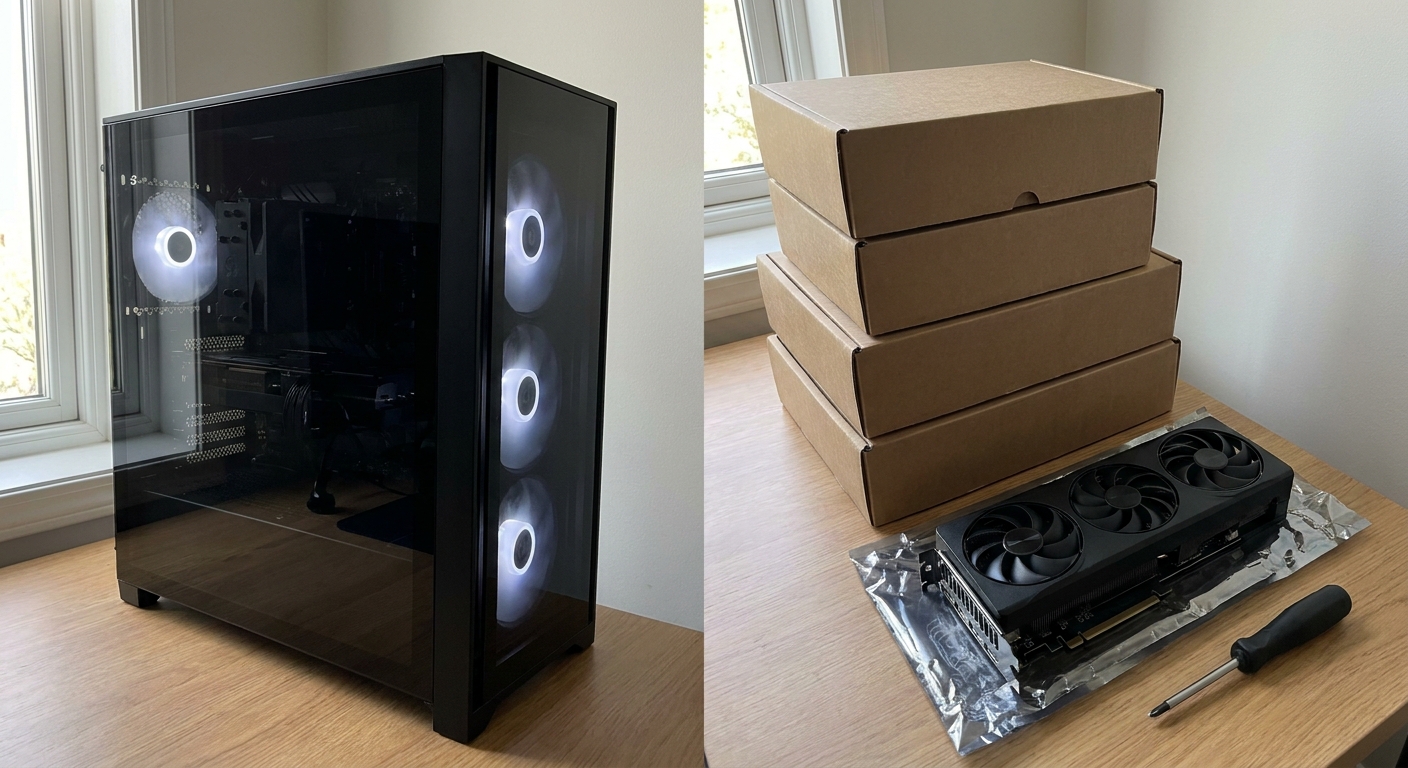
I still enjoy building, and if you want a specific case or a quiet cooler, DIY wins. But if you're mostly trying to get good frame rates for the money, I'd at least price a prebuilt before buying parts one by one.
What I'd check on any prebuilt spec sheet
The catch with prebuilts is that the headline CPU and GPU can hide cheaper choices elsewhere. Three things I always look for:
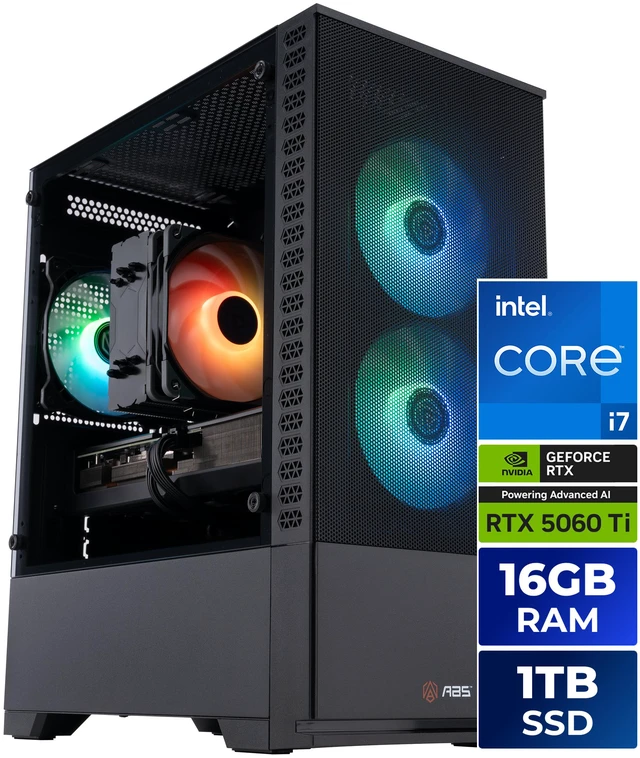
Memory configuration. Two sticks run in dual channel; one stick halves your memory bandwidth. Some listings spell it out, and some don't. The ABS Cyclone Aqua with a Core i7-14700F and RTX 5060 Ti 16GB, for example, lists a single 16GB DDR5-6000 stick with three slots left open, so I'd plan on adding a matching module. That isn't a deal-breaker, just something to budget for.
The exact GPU variant. "RTX 5060 Ti" can mean 8GB or 16GB. The MSI Codex R2 with an i7-14700F uses the 8GB version according to its spec table, while the ABS uses the 16GB one. For big open-world games I'd lean toward 16GB.
Power supply and cooling. A named PSU with a stated wattage and efficiency rating is a good sign. Vague "650W" with no rating is a reason to ask questions.
The prebuilts I'd shortlist
At the high end, the CyberpowerPC GM70929 pairs a Ryzen 7 9800X3D with an RX 9070 XT 16GB, 32GB of DDR5, a 2TB NVMe SSD, a 1000W power supply and liquid cooling in a Phanteks NV5S case. That's close to what I'd build myself for a high-refresh 1440p rig.

If you want NVIDIA, the STORMCRAFT Phantom pairs the same 9800X3D with an RTX 5070 Ti 16GB, 32GB of DDR5-6000, a 2TB SSD, a 360mm AIO and an 850W Gold PSU. The Thermaltake LCGS NE 9897X-V380S is another 9800X3D and RX 9070 XT machine with 32GB of DDR5-6000, 2TB of storage and a 360mm AIO.
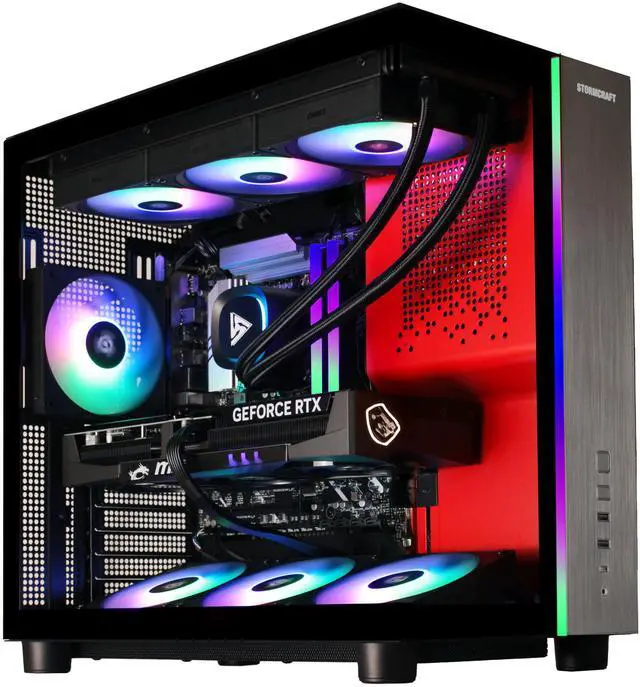
A step down, the CyberpowerPC GM70928 uses a Ryzen 7 7800X3D with an RTX 5070 12GB, 32GB of DDR5 and a 1TB SSD. The Skytech Azure 3 gets you an RX 9070 XT with a Ryzen 7 7700X, but only 16GB of RAM, so I'd treat a memory upgrade as part of the purchase. The Alienware Aurora with a Core Ultra 7 265F and RTX 5070 has a 1000W Platinum-rated PSU, though its spec table lists 32GB as a single module.
What I'd do in the first hour with a prebuilt
A prebuilt is ready to use out of the box, but a few minutes of checking makes sure you get what you paid for. First, open Task Manager, go to Performance, then Memory, and look at "Slots used." If it says 1 of 4 and you planned on dual channel, that's your first upgrade. While you're there, check the memory speed. Some systems ship with XMP or EXPO turned off, which leaves DDR5-6000 running at a lower default speed until you enable the profile in the BIOS.
Second, update the GPU driver from NVIDIA or AMD directly rather than relying on whatever shipped on the image. Third, uninstall trial software you won't use. And fourth, run a demanding game for 20 minutes with an overlay showing CPU and GPU temperatures. If anything runs unusually hot, it's far easier to sort out within the return window than months later.
None of this is hard, and it's the same checklist I'd run on a DIY build. The difference is that with a prebuilt, you're confirming someone else's choices instead of your own.
Who wins, by category
Best value in late 2026: a well-specced prebuilt, as long as the memory, GPU variant and PSU check out. Best for customization: DIY, no contest. Best for a first gaming PC: prebuilt, because one warranty and a working Windows install remove a lot of stress. Best for upgrading later: DIY, or a prebuilt that uses standard-size parts, which is worth confirming on the listing.
My honest take is that this flip is a 2026 thing, not a permanent rule. When memory prices settle, building will probably pull ahead again. Until then, I'd let the numbers decide rather than habit.
Frequently Asked Questions
Is it cheaper to build a gaming PC or buy a prebuilt in 2026? It depends on the day you price it, but in 2026 many prebuilts have come in at or below the cost of the same parts bought separately, largely because system builders bought RAM and SSDs before prices rose.
Why are prebuilt PCs cheaper than DIY builds in 2026? Large system builders buy memory and storage in bulk and often in advance. With DRAM in short supply, individual buyers pay current market prices while prebuilt makers may still be using earlier inventory.
What should I check before buying a prebuilt gaming PC? Check whether the RAM is one stick or two, the exact GPU memory size, the power supply's wattage and efficiency rating, and the cooling. These are the places where costs are usually cut.
Can I upgrade a prebuilt gaming PC later? Usually yes, especially if it uses standard ATX parts. Adding a second RAM stick or a larger SSD is the easiest upgrade.
Does a prebuilt come with Windows? Most gaming prebuilts on Newegg ship with Windows 11 Home installed, which saves the cost of a separate license.
Read More
- Tom's Guide: It's now cheaper to buy a prebuilt gaming PC than build one - The December 2025 price comparison that kicked off the debate.
- BGR: Is it still cheaper to build your own PC in 2026? - A broader look at the trade-offs between building and buying.
- Newegg Insider: Best Gaming Desktop PCs in 2026 for Every Budget - More prebuilt picks across different budgets.
- Newegg Insider: A GTA 6-Ready 1440p Gaming PC Build - If you still want to build, here's a parts list to start from.
- Newegg: Gaming Desktops - Browse all prebuilt gaming desktops on Newegg.