
Read the box on a 2026 motherboard and you get a wall of numbers: PCIe 5.0 x16, USB4 40 Gbps, Wi-Fi 7, DDR5-8000+, a Thunderbolt header. Most of it is real. Some of it won’t change anything about how your PC feels day to day. What follows is a plain pass through the three standards that define a current board, plus the part nobody prints on the box: which chipset tier actually lets you have them.
PCIe 5.0: Where the Extra Bandwidth Shows Up
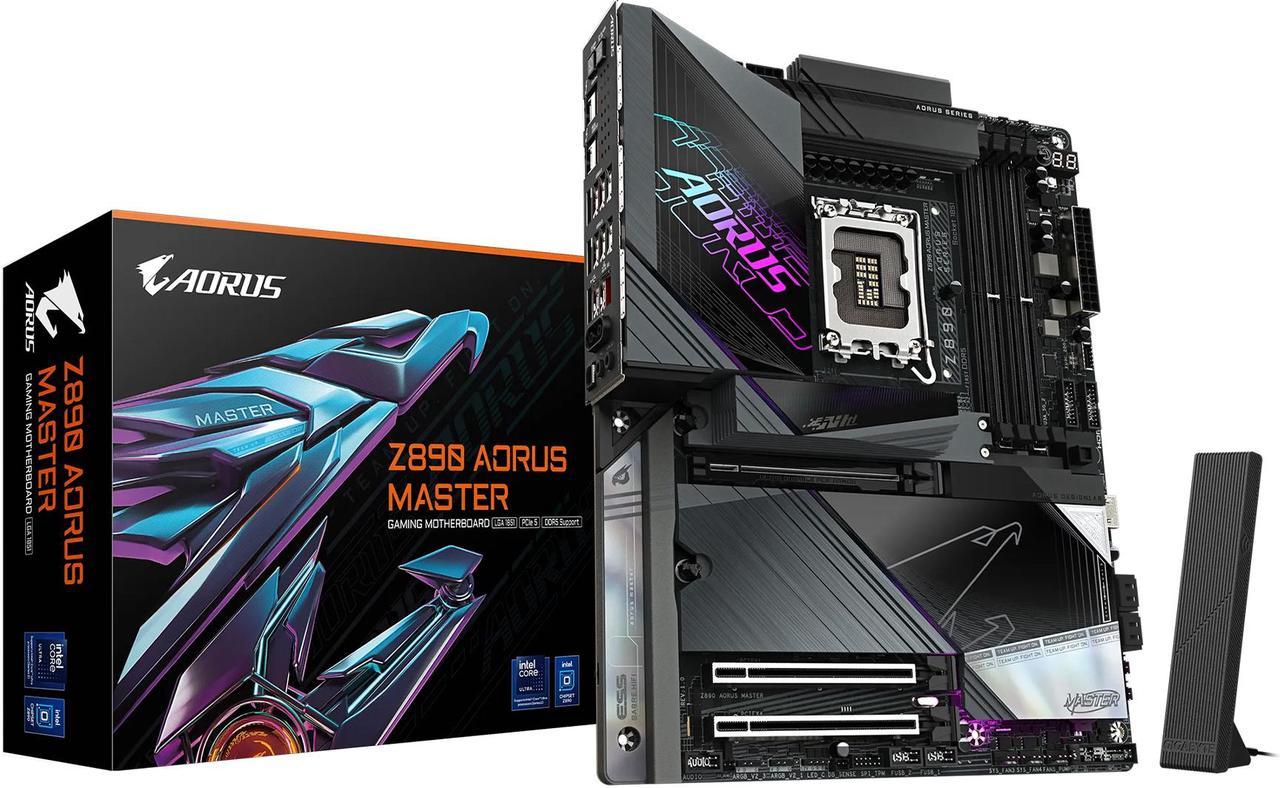
PCIe 5.0 signals at 32 GT/s per lane, twice PCIe 4.0’s 16 GT/s. Take out the 128b/130b encoding overhead and you’re left with about 3.9 GB/s per lane, in each direction, at the same time. That last part gets mangled constantly. A PCIe lane isn’t a shared pipe; it has separate transmit and receive pairs. So a x16 slot moves roughly 63 GB/s each way, about 126 GB/s if you add both directions together. PCIe 4.0 x16 does about 31.5 GB/s each way. When PCI-SIG advertises “up to 128 GB/s via x16,” that’s the raw figure before encoding, with both directions counted.
The x16 slot always comes off the CPU, never the chipset. An AM5 Ryzen 7000 or 9000 chip has 28 native PCIe lanes, 24 of them Gen5: sixteen for graphics, four for a CPU-attached M.2, four spare, plus a PCIe 4.0 x4 link down to the chipset. Arrow Lake-S gives you 24 lanes, twenty of them Gen5, arranged as x16 for graphics with a Gen5 x4 and a Gen4 x4 for storage. The chipset doesn’t create any of that. All it decides is whether Gen5 on the graphics slot is validated and switched on.
For the cards you can buy today, that decision barely matters. In games, a current GPU such as a GeForce RTX 50-series or Radeon RX 9000-series card runs within a few percent on PCIe 4.0 x16 of what it does on Gen5. Content work that shuttles large datasets across the bus is more sensitive, and a card that runs out of VRAM leans on the bus much harder, which widens the gap at the low end. Treat a Gen5 graphics slot as insurance for your next card rather than a feature you’ll feel now. One trap if you’re building on a budget: drop a Ryzen 8000 APU into an AM5 board and both the lane count and the generation drop, sometimes to a x4 graphics link.
Storage is where Gen5 pays. A Gen5 x4 link carries about 15.75 GB/s per direction, and the quickest retail drives now do around 14,900 MB/s reading and 14,000 MB/s writing. That’s roughly 95% of what the interface allows, which means sequential reads on these drives are limited by the interface and the controller, not the flash. Capacity matters more than people expect here: 1 TB versions usually hit the full read number but write far slower than their 2 TB and 4 TB siblings.
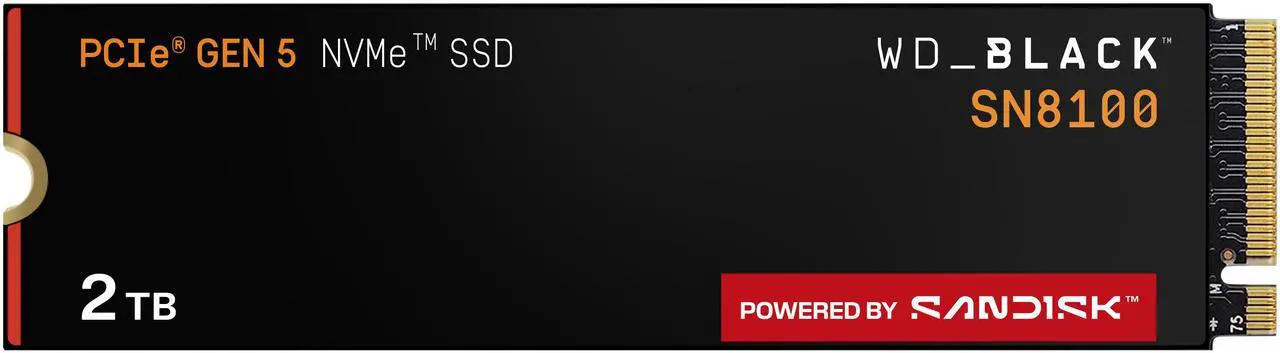
Browse SSD options on Newegg and filter by PCIe Gen 5 to compare current drives at 1 TB, 2 TB and 4 TB.
| NVMe Interface | Interface Ceiling (per direction) | Fastest Shipping Drives (seq. read / write) | Best Suited For |
|---|---|---|---|
| PCIe 3.0 x4 | ~3.9 GB/s | ~3,500 / ~3,300 MB/s | General computing, entry gaming |
| PCIe 4.0 x4 | ~7.9 GB/s | ~7,400 / ~7,000 MB/s | Gaming, video editing, most creative work |
| PCIe 5.0 x4 | ~15.75 GB/s | ~14,900 / ~14,000 MB/s (2 TB and up) | RAW video, large datasets, frequent model loading |
USB4 and Thunderbolt: One Port, Several Speeds
USB4 cleaned up the USB 3.x naming mess and then quietly introduced one of its own. In the specification’s notation, 20 Gbps is Gen 2×2, 40 Gbps is Gen 3×2, and 80 Gbps is Gen 4×2. USB4 Version 2.0 is the revision that added the 80 Gbps tier, asymmetric operation and DisplayPort 2.1. USB-IF would rather vendors skipped all of that on packaging and printed the speed instead: USB 20Gbps, USB 40Gbps, USB 80Gbps. If a listing just says “USB4” with no number, go find the number.
On desktop boards in 2026, the number is 40 Gbps. That buys you DisplayPort tunneling for a single-cable monitor, PCIe tunneling for external NVMe docks, eGPU enclosures and Thunderbolt audio interfaces, and USB Power Delivery at whatever wattage the board vendor settled on. Read that middle item carefully, though. PCIe tunneling is optional in USB4. Thunderbolt 4 requires it and guarantees 32 Gbps for PCIe traffic, and the ASMedia controller on AMD boards implements it too, but a port badged only “USB4 40 Gbps” doesn’t have to tunnel PCIe at all. If an enclosure is the reason you want the port, look for Thunderbolt certification or an explicit PCIe-tunneling claim in the spec table.
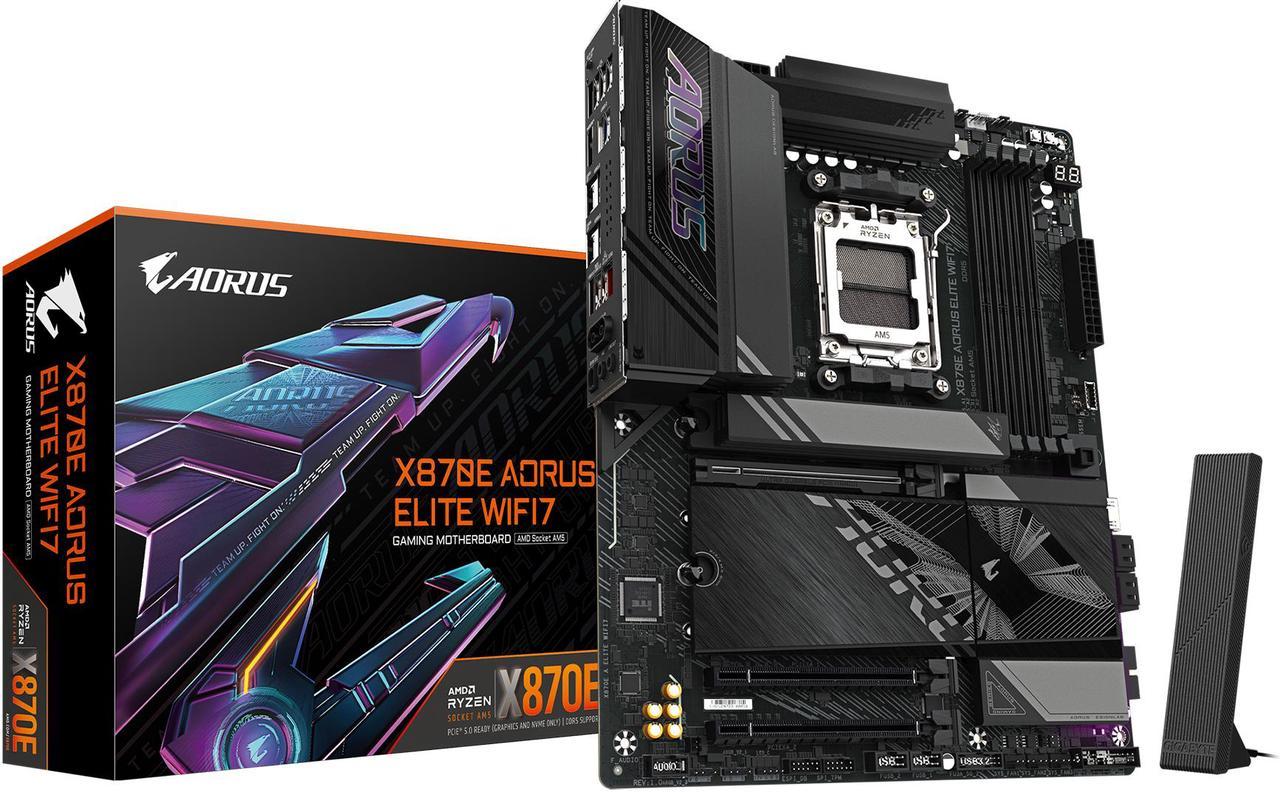
Where the port comes from depends on the platform. AMD’s chipsets have no USB4 PHY, so on AM5 it’s a discrete controller, almost always ASMedia’s ASM4242, which supplies two ports. AMD requires USB4 on X870E and X870, which is why boards at those tiers dependably carry at least two, and flagships sometimes four. On B850 and the 600-series it’s whatever the vendor chose to add. Intel does it differently: Thunderbolt 4 belongs to the Core Ultra 200S processor rather than the chipset, and the Z890, B860 and H810 spec sheets have no Thunderbolt row at all. Z890 boards usually expose two ports. B860 boards that bother with it expose one. H810 is allowed one port too, but only a handful of boards fit it, usually as a build option rather than standard.
Eighty gigabits is a different story. It does exist on desktop, but not under a USB4 badge. It arrives as Thunderbolt 5, built on USB4 Version 2.0, DisplayPort 2.1 and PCIe Gen 4, running 80 Gbps in each direction with the ability to reshuffle lanes into a 120-out, 40-back “Bandwidth Boost” mode when a display asks for it. You’ll find it on a small number of halo Z890 boards using Intel’s discrete controller, or on an add-in card if your board has the header, and it still talks to Thunderbolt 4, Thunderbolt 3, USB4 and USB 3 devices. What you won’t find is an AM5 board with it. Third-party 80 Gbps host controllers didn’t ship in time for this platform generation, so if an AM5 listing claims USB4 80 Gbps, check the rear-panel diagram before believing it.
Looking for a board that pairs USB4 rear I/O with built-in wireless? Check Wi-Fi motherboards and confirm the USB4 port count on the rear I/O diagram.
Wi-Fi 7: Better, But Not by the Number on the Box
Wi-Fi 7 (802.11be) is on more or less every Wi-Fi variant of a mid-range or premium board now, and three things about it are genuinely useful. Multi-Link Operation lets a client use 2.4, 5 and 6 GHz at once instead of hopping between them, which trims latency and holds up better in a crowded building. 320 MHz channels in 6 GHz are twice the widest channel Wi-Fi 6E could manage, where local rules allow 6 GHz at that width. And 4096-QAM packs more bits into each symbol than 6E’s 1024-QAM, which the Wi-Fi Alliance puts at roughly 20% higher rates, though it only holds when the signal is very strong.

Then there’s the 46 Gbps figure. It’s a real number and it’s useless to you. It describes 802.11be’s ceiling with sixteen spatial streams, and nothing sold to anyone implements sixteen. The M.2 module in your board is a 2×2 radio, so its peak PHY rate at 320 MHz with 4096-QAM is about 5.8 Gbps, and actual TCP throughput comes in well under that. Add a router that has to match the channel width, regional 6 GHz restrictions, and 4096-QAM needing a short clean link, and a well-configured Wi-Fi 7 desktop realistically sees a few gigabits per second. Which is fine. It covers 4K and 8K streaming, low-latency gaming, and NAS backups that used to want a cable run. It just isn’t 46 Gbps.
Which module you get is platform-dependent in a way the marketing never mentions. Intel boards usually carry the Intel BE200: 2×2, 5.8 Gbps peak, Bluetooth 5.4. AMD boards use MediaTek, Qualcomm or Realtek instead, often an AMD RZ717 or a Realtek RTL8922AE, both capped at 160 MHz, with some higher-end boards stepping up to the 320 MHz Filogic 380 or Qualcomm’s FastConnect 7800. Price is not a reliable signal here; plenty of X870E flagships still ship a 160 MHz part, so check the module in the spec table. Boards from ASUS, GIGABYTE, MSI and ASRock all list it. And if you were planning to swap in a BE200 yourself on an AMD build, don’t: it’s widely reported not to work on AMD systems, and Intel has never documented AM5 support for it. One last thing that catches people out is the software side. Windows only supports Wi-Fi 7 from Windows 11 version 24H2 onward, so an older install caps you no matter what the board ships with.
Chipset Access: Which Tier Gets You What
This is the table buyers should be reading, and the two rows that get misread most often are the Gen5 graphics slot and USB4. One thing to settle first: Wi-Fi 7 is not a chipset feature. Intel’s 800-series chipsets integrate a Wi-Fi 6E MAC and nothing newer, so every Wi-Fi 7 board, Intel or AMD, is using a discrete M.2 module the vendor picked. That’s why the same chipset turns up in both “WiFi” and non-WiFi SKUs.
| Connectivity Feature | AMD X870E | AMD X870 | AMD B850 | AMD B650 | Intel Z890 | Intel B860 | Intel H810 |
|---|---|---|---|---|---|---|---|
| PCIe 5.0 x16 graphics slot | Required | Required | Optional (baseline is PCIe 4.0) | No — PCIe 4.0 (B650E adds Gen5) | Yes | Yes | Per Intel spec yes, but many boards wire PCIe 4.0 |
| PCIe 5.0 x4 M.2 (CPU-attached) | Required (plus 4 general-purpose lanes) | Required (plus 4 general-purpose lanes) | Required (1 slot) | Common but not guaranteed — some boards are Gen4 only | Yes (1 slot, plus a Gen4 x4) | Yes (1 slot) | Not in Intel’s lane spec; M.2 is usually chipset Gen4 x4 |
| USB4 / Thunderbolt 40 Gbps | Required (at least 2 ports) | Required (at least 2 ports) | Optional | Discrete controller only, rare | From the CPU; commonly 2 ports | Select boards, usually 1 port | 1 port allowed; offered on few boards |
| 80 Gbps (Thunderbolt 5) | Not available on AM5 | Not available on AM5 | Not available on AM5 | Not available on AM5 | A few halo boards, or an add-in card | No | No |
| Wi-Fi 7 module (board option) | Most SKUs | Most SKUs | Common | Common on WiFi SKUs | Most SKUs | Common on WiFi SKUs | Uncommon |
| Memory | DDR5 only | DDR5 only | DDR5 only | DDR5 only | DDR5 only | DDR5 only | DDR5 only, one DIMM per channel |
| Overclocking | CPU + memory | CPU + memory | CPU + memory | CPU + memory | CPU + memory + BCLK | Memory only | None |
For a mainstream build, AMD B850 and Intel B860 are the sensible stopping point, though they get there differently. B860 gives you a Gen5 x16 graphics slot and a CPU-attached Gen5 M.2 as standard. B850 guarantees the Gen5 M.2 and leaves the graphics slot to the vendor, so read that specific model’s spec table if Gen5 graphics matters to you. Both are DDR5-only and both cost considerably less than X870E or Z890. Add a DDR5 kit and a decent power supply and you have a current platform without flagship board pricing.
AI Workloads and Motherboard I/O
Running language models and diffusion pipelines at home puts pressure on platform I/O in ways that weren’t a consideration a few years ago. It pays to be specific about where the board matters and where it doesn’t.
Gen5 NVMe shortens model loading, and that’s all it does. Load time tracks sequential read speed, so a 40 GB quantized 70B model works out to roughly six seconds of pure transfer off a quick Gen4 drive versus about three off a Gen5 one. Real load times run longer once filesystem and framework overhead are involved, but the ratio holds. If you swap models constantly, that’s a real quality-of-life gain. Once the weights are sitting in VRAM or system RAM, your SSD is irrelevant.
USB4 gets you an eGPU, with a ceiling. Thunderbolt 4 guarantees 32 Gbps for PCIe traffic across a 40 Gbps link, which hurts GPU compute but is workable for inference when the model lives in the external card’s own VRAM. Thunderbolt 5 lifts that to 64 Gbps. And as above, a port badged only USB4 may not tunnel PCIe at all, so check the spec before buying an enclosure.
Memory speed matters for anything that spills out of VRAM. AMD officially rates Ryzen 9000 at DDR5-5600 with two modules, though AM5 builds generally run DDR5 memory at DDR5-6000 via EXPO to keep the memory controller at a 1:1 ratio. LGA1851 is rated at DDR5-6400 officially, DDR5-7200 with the Core Ultra 200S Plus parts, and up to DDR5-8000 under Intel’s warranty-backed 200S Boost profile on Z890.
One figure needs correcting outright, because it’s everywhere. The NPU in Arrow Lake-S desktop chips is rated at 13 TOPS INT8, and the whole package tops out around 36 TOPS on the best SKUs once the GPU and CPU are counted in. The ~48 TOPS number people quote belongs to Lunar Lake mobile silicon, not desktop. Arrow Lake-S therefore sits under Microsoft’s 40-TOPS Copilot+ bar, and on a desktop LGA1851 build the AI work is still being done by your graphics card. Boards from ASUS and GIGABYTE do market Gen5 NVMe, USB4 and fast DDR5 as an AI package, which is a fair description of the I/O. Just don’t read it as compute.
Form Factor Doesn’t Cost You Bandwidth Anymore
High-bandwidth connectivity stopped being an ATX-flagship thing. ATX, Micro-ATX and Mini-ITX boards in the mid-range all routinely ship Gen5 storage and Wi-Fi 7, features that were premium-only two platform generations back. Small boards trade away slots and M.2 count, not interface generation.
What still separates cheap from expensive is a shorter list than the spec sheet implies: VRM quality if you plan to push the CPU, how many Gen5 M.2 slots you get, whether USB4 is present, and on AMD’s mid-range and Intel’s entry tier, whether the graphics slot runs at Gen5 at all. Both AMD Ryzen and Intel Core Ultra platforms are in good shape in 2026. The habit worth keeping is reading the individual board’s spec table rather than trusting the chipset name, because two boards sharing a chipset can be wired very differently, and it’s usually on the features you cared about.
Read More
- AMD Socket AM5 Chipset Comparison — AMD’s own feature table for the 800-series chipsets, including the USB4 column that marks it STANDARD on X870E and X870 and optional below.
- Intel Z890 Chipset Specifications — the authoritative PCIe lane configuration strings for the 800-series chipsets, with B860 and H810 linked from the same product family.
- USB4 Version 2.0 Specification (USB-IF) — the primary source for USB4 generation naming, the 80 Gbps tier and asymmetric link operation.
- Wi-Fi Alliance: Wi-Fi CERTIFIED 7 — the official description of MLO, 320 MHz channels and 4096-QAM, without the inflated peak-rate marketing.
- Intel Thunderbolt 5 Overview — Intel’s specification for 80 Gbps operation, Bandwidth Boost and backward compatibility with Thunderbolt 4 and USB4.
Related Posts
- 7800X3D vs 7700X3D: Which X3D Gaming Chip Should You Buy Now?
- Ryzen 7 7700X3D vs 7700X, 9600X, Core Ultra 7 265K & i7-14700K: Which Gaming CPU Wins?
- 7700X3D vs 7800X3D vs 9800X3D: Which X3D Chip Should You Buy Today?
- AMD Ryzen 7 7700X3D Is Here: The $329 Gateway to High-End AM5 Gaming
- Budget Gamers, Something Big Is Coming to AM5: What You Should Know