
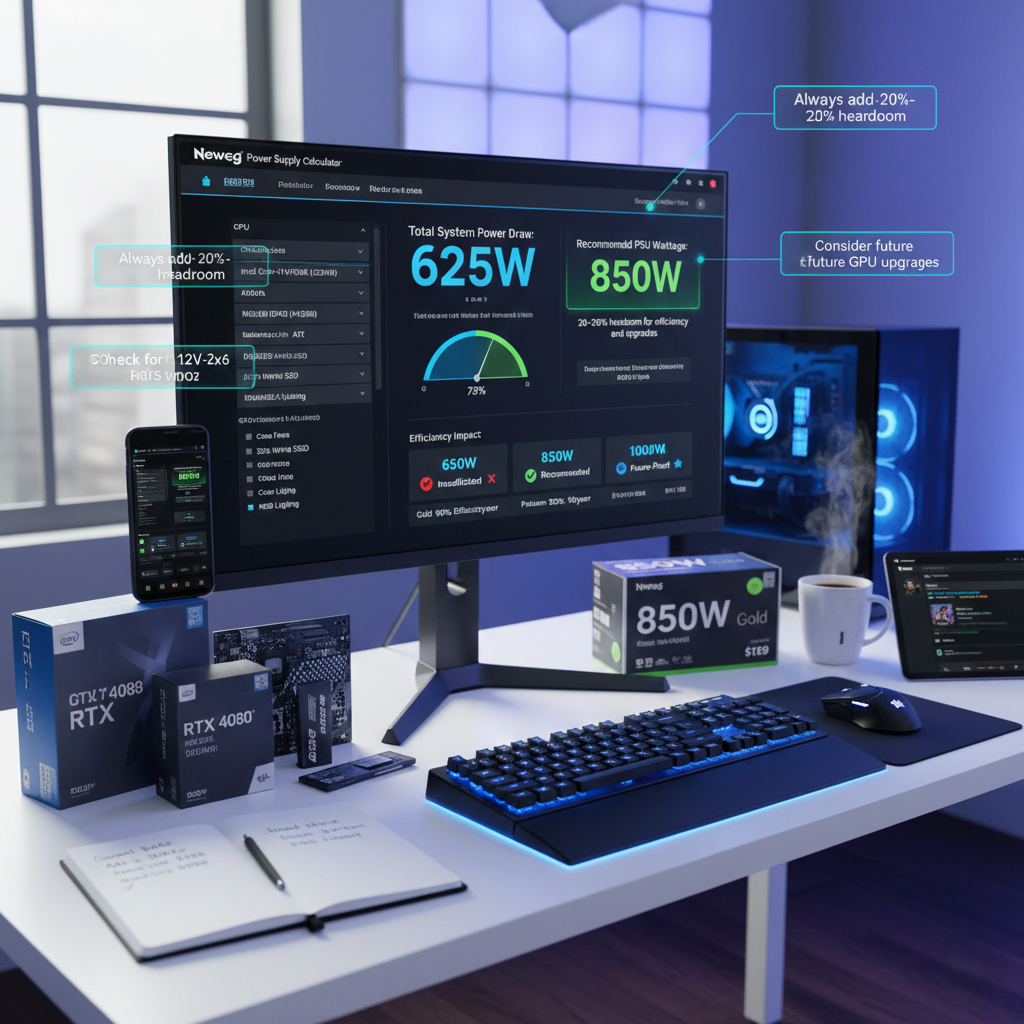
Selecting appropriate power supply wattage represents one of the most critical decisions in system building, yet it’s frequently misunderstood. Under-provisioning leads to system instability and component stress, while over-provisioning wastes money on unnecessary capacity. Understanding how to calculate power requirements, allocate budget appropriately, and balance immediate needs against future upgrades enables informed PSU selection that optimizes both performance and value.
How to Calculate System Power Requirements
Accurate power requirement calculation begins with understanding component power consumption. Modern systems draw power primarily from the CPU and GPU, with motherboards, memory, storage, and peripherals contributing smaller amounts to total system load.
High-performance processors in 2026 typically consume 125-250 watts under full load, depending on core count and clock speeds. Mainstream CPUs generally fall in the 65-150 watt range, while extreme workstation processors can exceed 300 watts during sustained computational workloads.
Graphics cards represent the most variable component in power calculations. Entry-level GPUs draw 75-150 watts, mainstream gaming cards consume 200-300 watts, and flagship models demand 400-600 watts. Multi-GPU configurations multiply these requirements accordingly.
Motherboards typically draw 50-80 watts, RAM adds roughly 3-5 watts per module, and storage drives contribute 2-8 watts each depending on type and capacity. Cooling fans, RGB lighting, and USB peripherals add smaller amounts—typically 20-50 watts combined for most systems.
The PC Power Supply Calculator simplifies this process by allowing you to select specific components and automatically calculating total system power draw. This tool accounts for component specifications and provides wattage recommendations with appropriate headroom built in.
Understanding Power Supply Headroom
Raw power calculation represents only the starting point for PSU selection. Appropriate headroom—the difference between maximum system draw and PSU capacity—serves multiple important functions.
First, power supplies operate most efficiently at moderate load levels, typically 50-80% of rated capacity. A system drawing 500 watts performs optimally with a 650-750 watt PSU, placing load in the efficiency sweet spot. Operating power supplies consistently at maximum capacity reduces efficiency and increases component stress.
Second, headroom accommodates transient power spikes. Modern components, particularly high-end graphics cards, can experience momentary power draws significantly exceeding their rated specifications. These transients lasting milliseconds can trigger over-current protection in under-provisioned power supplies, causing system crashes or instability.
Third, headroom provides upgrade flexibility. A PSU selected with 20-30% headroom above current requirements can often accommodate future GPU upgrades or additional components without replacement. This forward-looking approach extends PSU lifespan and reduces long-term system costs.
A practical guideline suggests selecting power supplies rated 20-30% above calculated maximum system draw. For a system with 600 watts maximum consumption, a 750-850 watt PSU provides appropriate capacity while maintaining optimal operating conditions.
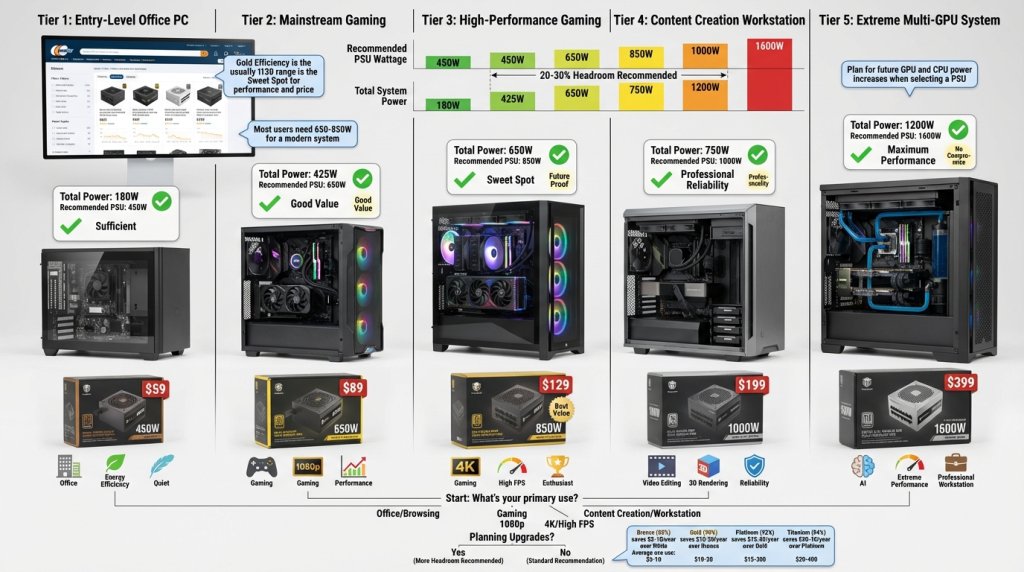
Wattage Recommendations by System Type
Different system configurations require different power supply capacities. Understanding typical requirements for common build categories provides useful starting points for PSU selection.
Entry-Level and Office Systems
Basic productivity systems with integrated graphics or entry-level discrete GPUs typically require 400-550 watts. These systems prioritize efficiency and quiet operation over maximum performance, making Bronze or Gold certified units in this wattage range appropriate choices.
For office environments with multiple systems, higher efficiency ratings deliver meaningful electricity cost savings across entire deployments. The modest price premium for Gold certification often pays for itself through reduced operational costs over 3-5 year system lifespans.
Mainstream Gaming Systems
Mid-range gaming builds with mainstream graphics cards and processors typically require 650-750 watts. This capacity accommodates most single-GPU configurations with comfortable headroom for transients and minor upgrades.
Gold-certified units represent the practical standard for gaming systems in 2026, balancing efficiency, cost, and performance. The Custom PC Builder tool helps visualize complete gaming configurations, ensuring PSU selection aligns with other component choices.
High-Performance Gaming and Enthusiast Systems
High-end gaming systems built around flagship graphics cards and high-performance processors require 850-1000 watts. These configurations push component capabilities, demanding power supplies with robust transient response and proven reliability under sustained loads.
Platinum efficiency becomes increasingly attractive at this performance level, as higher power consumption amplifies efficiency benefits. The reduced heat generation from improved efficiency also contributes to quieter operation and enhanced system longevity.
Professional Workstations and Content Creation
Professional workstations with high-core-count processors and professional graphics cards typically require 750-1000 watts, depending on specific configurations. Systems running sustained computational workloads benefit from power supplies with excellent thermal management and component quality.
For content creators working with 4K/8K video or complex 3D rendering, power supply reliability directly impacts productivity. System crashes during multi-hour rendering jobs waste significant time and computational resources, making investment in quality PSUs with proven track records essential.
Multi-GPU and Extreme Performance Systems
Dual-GPU workstations and extreme enthusiast systems require 1200-1600 watts or more. These configurations demand premium power supplies with robust 12V rail configurations, comprehensive protection features, and Platinum or Titanium efficiency ratings.
At these power levels, efficiency differences translate into substantial electricity cost variations. A system drawing 1200 watts continuously benefits significantly from Titanium versus Gold efficiency—potentially saving hundreds of dollars annually in electricity costs.
 Budget Allocation: PSU Cost in System Context
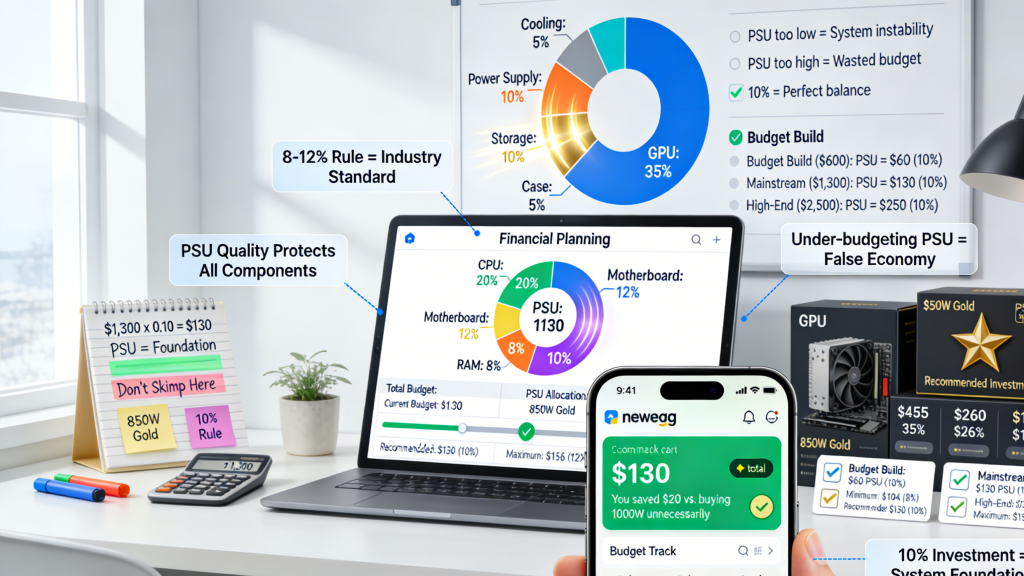
Power supply budget allocation depends on total system cost and application requirements. A common guideline suggests allocating 8-12% of total system budget to the PSU, though this varies based on specific circumstances.
Budget Builds ($600-$1000)
In budget-conscious builds, PSU allocation might represent $50-$100. This budget accommodates quality Bronze or Gold certified units in the 450-650 watt range from reputable manufacturers. Prioritizing established brands even in budget categories ensures baseline quality and reliability.
For budget builds, focusing on efficiency and reliability rather than premium features delivers best value. Fully modular designs and RGB lighting become luxuries—solid electrical performance and proven reliability matter most.
Mainstream Builds ($1000-$2000)
Mainstream gaming and productivity systems typically allocate $80-$150 for power supplies. This budget provides access to quality Gold-certified units in the 650-850 watt range with fully modular designs, quiet operation, and comprehensive warranties.
At this price point, selecting power supplies from Corsair, EVGA, or other established manufacturers ensures quality components and reliable performance. The investment in Gold efficiency pays dividends through reduced electricity costs over the PSU’s lifespan.
High-End Builds ($2000-$4000)
High-performance systems justify $150-$250 PSU investments. This budget accommodates Platinum-certified units in the 850-1200 watt range with premium features including digital monitoring, exceptional voltage regulation, and extended warranties.
For systems representing significant financial investments, power supply quality becomes increasingly important. Premium PSUs protect expensive components while delivering stable power that enables optimal performance from high-end processors and graphics cards.
Enthusiast and Professional Systems ($4000+)
Extreme enthusiast builds and professional workstations may allocate $250-$400+ for power supplies. This budget provides access to flagship Titanium-certified units with maximum efficiency, exceptional build quality, and specifications suitable for demanding applications.
At this level, PSU selection prioritizes absolute reliability, maximum efficiency, and comprehensive features. The investment reflects the critical role power supplies play in protecting high-value systems and ensuring stable operation during important workloads.
Price-to-Performance Sweet Spots in 2026
The power supply market in 2026 offers several price-to-performance sweet spots where value maximizes relative to cost:
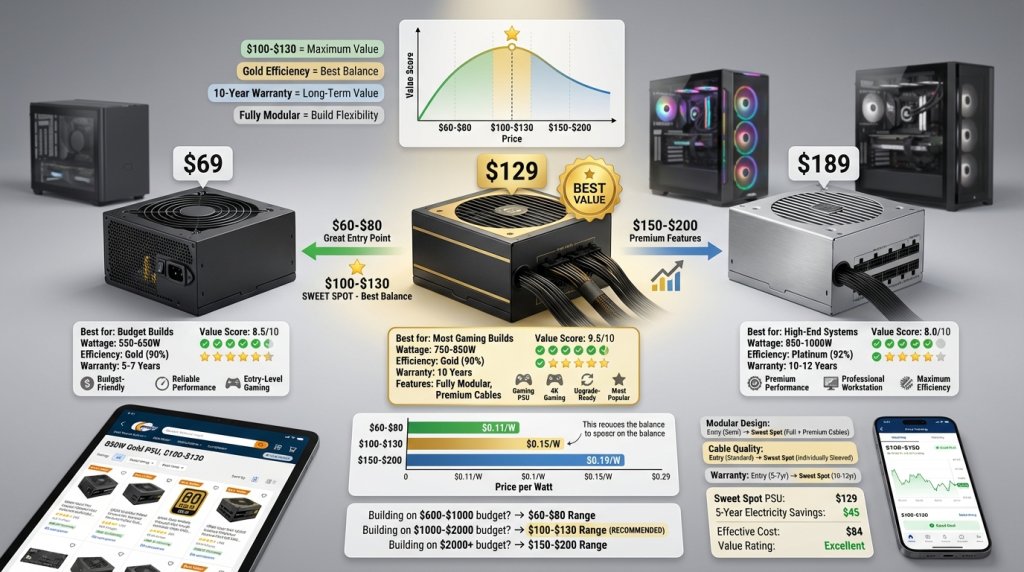
$60-$80 Range: Quality 550-650 watt Gold-certified units from established manufacturers. These PSUs deliver reliable performance for mainstream systems without premium pricing.
$100-$130 Range: 750-850 watt Gold-certified fully modular units with 10-year warranties. This category represents the sweet spot for most gaming and enthusiast builds, balancing capacity, efficiency, and features.
$150-$200 Range: 850-1000 watt Platinum-certified units with premium features. These PSUs suit high-performance systems where improved efficiency and enhanced specifications justify price premiums.
Beyond $200, diminishing returns become apparent. Titanium efficiency and flagship features benefit specific applications but may not justify costs for typical users. However, for systems running continuously or under sustained high loads, maximum efficiency can pay for itself through electricity savings.
 Long-Term Cost Analysis: Efficiency Impact on Operating Expenses
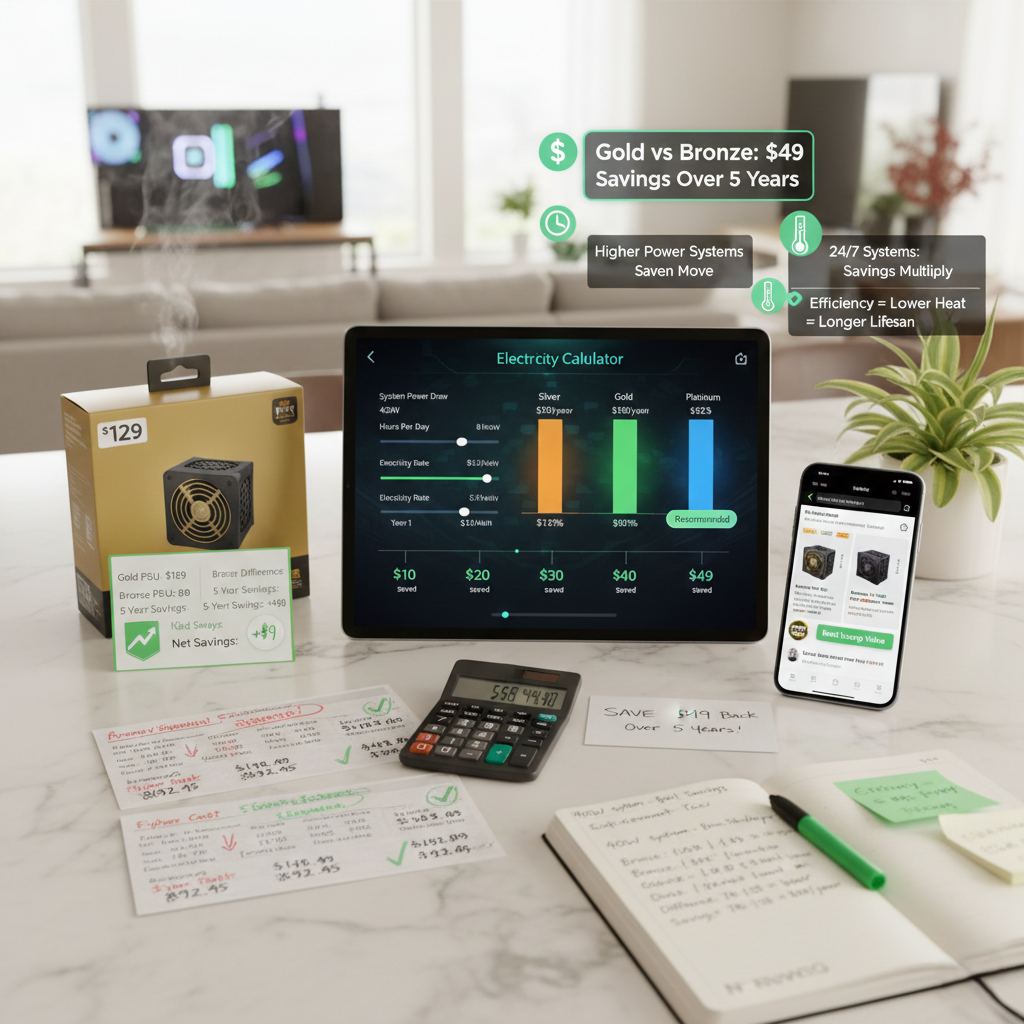
Understanding long-term operating costs provides perspective on efficiency investment value. Consider a system drawing 400 watts from the PSU, operating 8 hours daily at $0.13/kWh electricity rates:
Bronze Efficiency (85%): Annual electricity cost approximately $178, five-year total $890.
Gold Efficiency (90%): Annual electricity cost approximately $169, five-year total $845.
Platinum Efficiency (92%): Annual electricity cost approximately $165, five-year total $825.
Titanium Efficiency (94%): Annual electricity cost approximately $162, five-year total $810.
The $45 difference between Bronze and Gold over five years easily justifies Gold certification’s modest price premium. The $35 additional savings from Platinum versus Gold becomes worthwhile for systems with higher power consumption or longer operating hours.
For systems running 24/7 or drawing substantially more power, efficiency improvements deliver even greater savings. A workstation drawing 800 watts continuously saves over $200 across five years by choosing Platinum versus Bronze efficiency—potentially exceeding the PSU’s purchase price difference.
 When to Upgrade Your Power Supply
Power supply upgrades become necessary under several circumstances. Component upgrades, particularly graphics cards, may exceed existing PSU capacity. If your current power supply lacks appropriate connectors for new components—such as 12V-2×6 for latest-generation graphics cards—replacement becomes necessary.
Age represents another upgrade consideration. Power supplies typically last 5-10 years depending on quality and usage patterns. Capacitors degrade over time, potentially affecting voltage regulation and efficiency. If your PSU exceeds 7-8 years of service, proactive replacement before failure prevents potential component damage and system downtime.
Efficiency improvements may justify upgrades for systems with high power consumption or continuous operation. Replacing an old Bronze-certified unit with modern Gold or Platinum efficiency can pay for itself through electricity savings, particularly in regions with elevated electricity rates.
Form Factor Considerations and Pricing
Standard ATX power supplies dominate the market with the broadest selection and most competitive pricing. SFX units command price premiums—typically 15-30% more than equivalent ATX models—reflecting the engineering challenges of delivering comparable performance in smaller form factors.
For compact builds, the SFX premium represents necessary investment for achieving desired system size. However, builders with flexibility in case selection may find standard ATX sizing offers better value and broader product selection.
Protecting Your Investment with UPS Solutions
For critical systems, pairing quality power supplies with Battery Backup (UPS) solutions provides comprehensive power protection. UPS systems protect against outages, voltage fluctuations, and electrical noise—complementing the stable power delivery quality PSUs provide.
UPS investment scales with system value and usage criticality. Professional workstations handling important projects justify UPS protection, while casual gaming systems may not require this additional investment. The Power Supply category offers various options for different needs and budgets.
Balancing Immediate Needs and Future Flexibility
Power supply selection involves balancing current requirements against potential future needs. A PSU sized precisely for current components may require replacement during upgrades, while excessive over-provisioning wastes money on unused capacity.
A practical approach involves selecting PSUs with 20-30% headroom above current requirements. This provides comfortable margin for transients and minor upgrades while avoiding excessive over-provisioning. For users planning significant upgrades within 1-2 years, factoring those future components into current PSU selection eliminates replacement costs.
 Conclusion: Strategic PSU Investment
Power supply wattage selection and budget allocation significantly impact system performance, reliability, and long-term value. Accurate power calculation using tools like the PC Power Supply Calculator, appropriate headroom for efficiency and upgrades, and strategic budget allocation ensure PSU selection supports system goals while optimizing value.
Whether building budget office systems, mainstream gaming rigs, or extreme enthusiast workstations, matching PSU capacity and quality to application requirements delivers optimal results. The modest investment in appropriate wattage and efficiency pays dividends through stable operation, component protection, reduced electricity costs, and extended system longevity.
In 2026’s computing landscape, power supplies represent strategic investments rather than afterthought components. Understanding wattage requirements, efficiency implications, and budget optimization enables informed decisions that support reliable, efficient, and future-ready system builds.
Related Posts
- Best Power Supplies in 2026 for Every Build
- Best 80 Plus Gold Power Supplies for High-End PC Builds in 2026
- How to Pick the Right PSU for Your PC Build
- Best PSUs for High-End Gaming Builds in 2026: Don’t Cheap Out on Power
- Powering Gaming and Professional Workstations in 2026: PSU Requirements for High-Performance Systems