A post on r/buildapc in late October 2026 described a problem I keep seeing: a brand-new build with a Wi-Fi 7 motherboard, a 1Gb internet plan, and a PC stuck around 120Mbps while the phone in the same room pulls 700Mbps. The owner had already updated drivers and BIOS and was about to buy an add-in card. That might help, but there are a few cheaper things I'd check first.
Is my Windows version holding Wi-Fi 7 back?
It can. Microsoft added Wi-Fi 7 support in Windows 11 version 24H2, and as PCWorld points out, on older versions a Wi-Fi 7 adapter may only connect at 160MHz on 6GHz, much like Wi-Fi 6E. Type winver in the Start menu to check. If you're on 24H2 or later, the next step is drivers from your motherboard or adapter maker, not just whatever Windows Update installed.
Am I even connected on 6GHz?
Wi-Fi 7's biggest gains come from wide 320MHz channels, which only exist on 6GHz. Running netsh wlan show interfaces in a terminal tells you the band and link rate. A few things block 6GHz: the router may not have a 6GHz radio at all, or it may be using WPA2. Wi-Fi 7 on 6GHz requires WPA3, so a router set to WPA2 or a mixed mode can quietly push you down to 5GHz.
Could it just be the antenna?
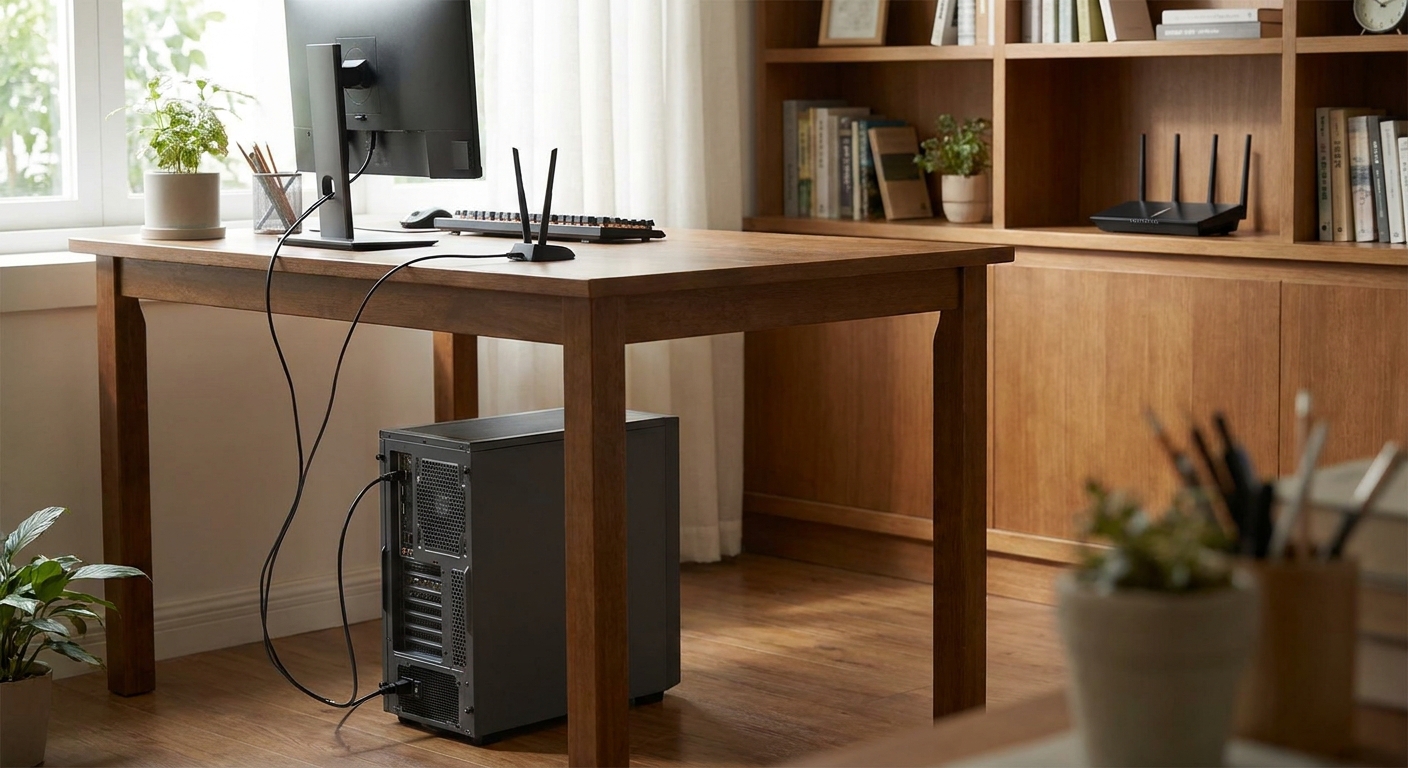
This is the one I'd bet on in the Reddit case. Motherboard Wi-Fi uses a small external antenna that plugs into the rear I/O. If it's sitting behind a metal case under a desk, or the connectors are only half screwed on, you can lose a huge amount of signal. Windows showing weak bars is a clue. Move the antenna base onto the desk with a clear line toward the router and test again before buying anything.
Does it matter if I have an AMD system?
Sometimes. Intel's BE200 Wi-Fi 7 module is designed for Intel 12th-gen and newer platforms, and Tom's Hardware reported in 2024 that it may not work in AMD systems. If you have a Ryzen PC, I'd avoid BE200-based cards like the WAVLINK BE8800 PCIe card, which is a good option on recent Intel builds but the wrong one for AMD. For AMD, Tom's Hardware suggested Qualcomm or MediaTek based adapters instead.
Is my router the real bottleneck?
A Wi-Fi 7 PC can't go faster than the router it's talking to. A dual-band router like the ASUS RT-BE86U supports Wi-Fi 7 on 2.4GHz and 5GHz but has no 6GHz radio, so you won't get 320MHz channels from it. That's fine if 6GHz walls are a problem in your home, since 6GHz has shorter range. If you want the full tri-band setup, the TP-Link Archer BE550 Pro is a BE9300 tri-band router with a 10Gbps WAN port and four 2.5Gbps LAN ports.
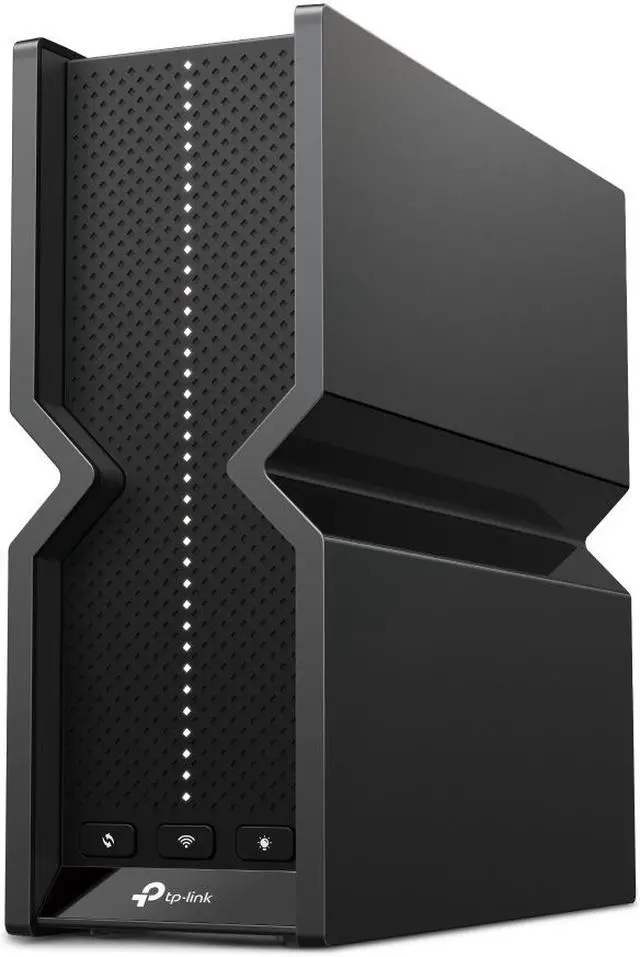
Bigger homes are better served by mesh. The TP-Link Deco BE63 two-pack is tri-band with 6GHz and four 2.5Gbps ports per unit, so you can wire the satellites together if you have Ethernet in the walls.

When should I buy a new adapter?
If the antenna, Windows version and router check out and speeds are still poor, the built-in module may simply be a weak one. The TP-Link Archer TBE550E is a BE9300 PCIe card with a separate antenna base you can place on your desk, which fixes the under-the-desk problem at the same time. It also adds Bluetooth 5.4.

If you can't open the case, or you're on a laptop with an older card, a USB adapter works. The Netgear Nighthawk A9000 and MSI BE6500 USB adapter are both tri-band Wi-Fi 7. Plug them into a USB 3 port rather than a USB 2.0 port, otherwise the port itself caps your speed well below what the adapter can do.
How do I know whether it's the PC or my internet?
Run two speed tests back to back: one from the PC on Wi-Fi, and one from a device plugged into the router with a cable. If the wired test hits close to your plan's speed and the Wi-Fi test doesn't, the problem is inside your home, not with your provider. Then run the Wi-Fi test from the phone in the same spot as the PC. If the phone is much faster, it points at the PC's adapter, antenna or drivers.
It also helps to know what "connected at 5,760Mbps" in Windows really means. That figure is the link rate, the theoretical maximum both sides agreed on, not your real throughput. PCWorld notes that actual speeds are typically around 70 to 80 percent of the link rate under good conditions. So a high link rate with low real speeds suggests interference or a bottleneck elsewhere, while a low link rate points back to signal strength and settings.
One more router setting worth a look is MLO, or Multi-Link Operation. It lets a Wi-Fi 7 device use more than one band at once, but it works best when the router uses a single network name and password across bands. Some routers ship with MLO off, and turning it on may need a firmware update first.
Honestly, should I just use a cable?
For a desktop that never moves, yes, if you can run one. If your PC is near the router, Ethernet is still the most consistent option. If your motherboard only has 1GbE and your plan is faster, a StarTech 2.5GbE USB-C adapter is a cheap way to add a faster wired port. My order of operations: check the antenna, check Windows and drivers, check the router's 6GHz and WPA3 settings, and only then spend money.
Frequently Asked Questions
Why is Wi-Fi 7 slower on my PC than on my phone? The most common causes are a poorly placed or loose antenna, an older Windows version, generic drivers, or the PC connecting on 5GHz instead of 6GHz. Check those before replacing hardware.
Do I need Windows 11 24H2 for Wi-Fi 7? Yes. Microsoft added Wi-Fi 7 support in Windows 11 version 24H2. On older versions, a Wi-Fi 7 adapter may only connect at 160MHz on 6GHz.
Does Wi-Fi 7 on 6GHz require WPA3? Yes. If your router uses WPA2 or a mixed security mode, your PC may not connect on 6GHz with Wi-Fi 7.
Does the Intel BE200 work with AMD Ryzen PCs? It's designed for Intel 12th-gen and newer platforms, and Tom's Hardware reported in 2024 that it may not work in AMD systems. AMD users are better off with Qualcomm or MediaTek based Wi-Fi 7 adapters.
Is a USB Wi-Fi 7 adapter as fast as a PCIe card? It can be close if you use a USB 3 port, but a USB 2.0 port will limit speeds. A PCIe card with a desk-mounted antenna base is usually the more consistent choice for desktops.
Read More
- PCWorld: How to unlock Wi-Fi 7's full speed in Windows 11 - Step-by-step checks for Windows 11 24H2, drivers, MLO and WPA3.
- Tom's Hardware: Intel Wi-Fi 7 adapters may still not work on AMD systems - Background on the BE200 and AMD compatibility issue.
- Wi-Fi Alliance: Wi-Fi CERTIFIED 7 - The official overview of Wi-Fi 7 features like 320MHz channels and MLO.
- TP-Link: Archer BE550 Pro - Official specs for the tri-band BE9300 router in this guide.
- Newegg: Wi-Fi 7 Routers - Browse Wi-Fi 7 routers and mesh systems on Newegg.