Mechanical keyboards feel great to type on, but they aren't always great to live with. If you share a room, game late while someone sleeps, or take calls at the same desk, the sound of a clacky board gets old fast.
The good news is that quiet mechanical keyboards are real. The switch type does most of the work. Here are the ones I'd pick, ranked from quietest, followed by a few ways to quiet any keyboard down.
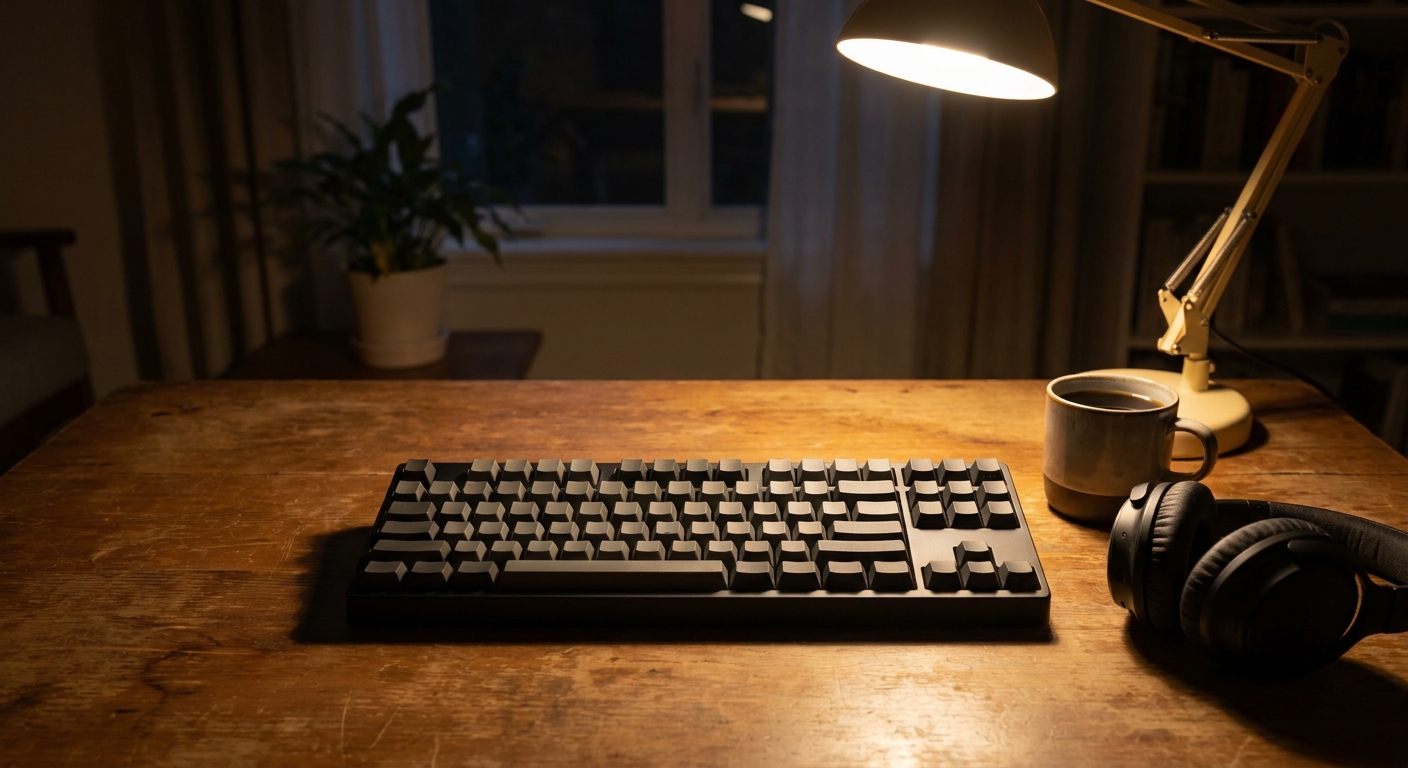
How I ranked them
Switch type comes first. Silent linear switches are quietest, because they have no click or bump and add dampening to soften the bottom of each press. Tactile quiet switches come next. Standard linears and tactiles follow. Clicky switches don't belong in a shared room at all.
One caveat: "quiet" is relative. Every mechanical keyboard makes some sound, and the desk under it changes a lot. A board on a hollow desk sounds louder than the same board on a thick mat, so treat this ranking as the order I'd try them in, not as lab measurements.
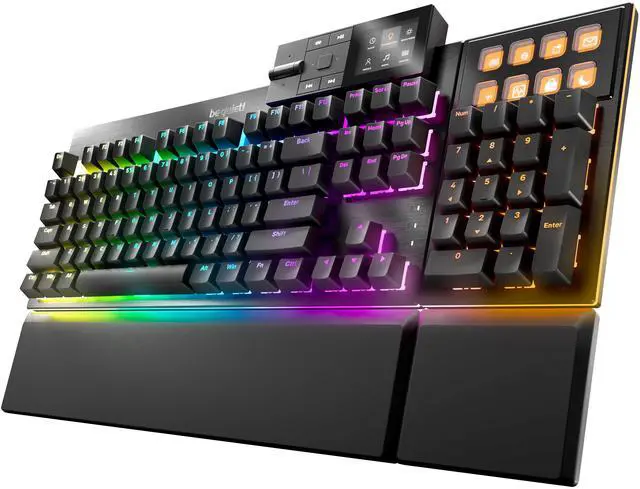
1. be quiet! Dark Mount: the quietest full-size pick
The be quiet! Dark Mount uses be quiet!'s own silent linear switches, pre-lubricated and hot-swappable, with PBT double-shot keycaps. It's a full-size wired board with a detachable numpad and a detachable palm rest. Hot-swap matters here: if you ever want a different silent switch, you can change it without soldering.
2. be quiet! Light Mount: the same switches, simpler layout
The be quiet! Light Mount shares the silent linear, hot-swappable switches and PBT keycaps, and swaps the Dark Mount's detachable numpad and media dock for a fixed numpad and a 3D media wheel. Pick it if you don't need the modular parts.
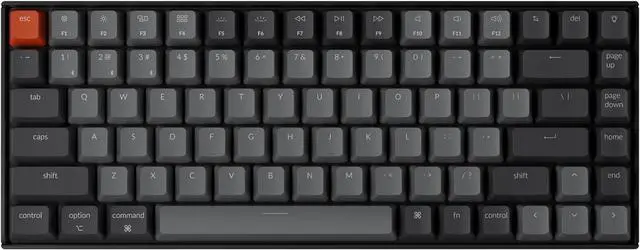
3. Keychron K2: quiet and compact
The Keychron K2 with Silent K Pro Red switches is a 75% wireless board with 84 keys, Bluetooth and USB-C. It works with both Mac and Windows.
4. Logitech MX Mechanical: the quiet office keyboard
If you type more than you game, the Logitech MX Mechanical with Tactile Quiet switches is the one I'd pick. You still get a light bump, without the click. It connects over Bluetooth or Logitech's receiver and has backlit keys.

5. Logitech G915 X LIGHTSPEED: the quiet-ish gaming board
The Logitech G915 X LIGHTSPEED uses low-profile GL Brown tactile switches, and the shorter travel keeps it softer than a full-height gaming board. It connects over LIGHTSPEED wireless, Bluetooth or USB-C, so it's an easy fit for a living room PC.
6. Corsair K70 CORE RGB: a pre-lubed linear
The Corsair K70 CORE RGB uses pre-lubed MLX Red linear switches, which are smoother and less rattly than many budget linears. They aren't silent switches, so they're louder than the boards above, but with a desk mat it's reasonable for most shared rooms.
7. SteelSeries Apex Pro TKL Gen 3: quiet if you type lightly
The SteelSeries Apex Pro TKL Gen 3 uses OmniPoint 3.0 magnetic switches with adjustable actuation. They aren't silent switches, but you can set keys to register with a very shallow press. If you learn to stop bottoming out, it gets noticeably quieter.
8. Logitech G PRO X TKL LIGHTSPEED: compact, but tactile
The Logitech G PRO X TKL LIGHTSPEED uses GX Tactile switches. It's a great tenkeyless board for gaming, but it's one of the louder options here, so I'd add a thick desk mat if you share a room.
Layout and connection
A smaller layout won't make switches quieter by itself, but it can make the whole setup less noisy. A 75% or tenkeyless board leaves room for your mouse closer to the center, so you're not reaching and thumping keys at the edge of the desk. Wireless doesn't change the sound, but it removes a cable that can rattle against the desk or a monitor arm. If you game, check that the board's wireless mode is a low-latency 2.4GHz connection rather than Bluetooth only.
Keycap material also plays a part. PBT double-shot keycaps, like the ones on the be quiet! boards, tend to sound deeper and less clacky than thin ABS caps.
How to make any keyboard quieter
- Use a thick desk mat. It absorbs a lot of the hollow sound from the desk.
- Try O-rings. They cushion the keycap at the bottom of each press.
- Swap switches if it's hot-swappable. Silent linears are the biggest single change.
- Type lighter. Most noise comes from slamming keys to the bottom.
My take
If quiet is the priority, buy silent linear switches first and think about everything else second. The be quiet! boards and the Keychron K2 with Silent K Pro Reds are where I'd start. If you prefer a bump, the MX Mechanical's Tactile Quiet switches are the most polite tactile option here.
Frequently Asked Questions
What are the quietest mechanical keyboard switches? Silent linear switches are usually the quietest, because they have no tactile bump or click and use dampening to soften bottoming out. Tactile quiet switches come next. Clicky switches are the loudest.
Are low-profile keyboards quieter? Often a little, because the keys travel less. The switch type still matters more than the height.
Can I make my current mechanical keyboard quieter? Yes. A thick desk mat, O-rings on the keycaps and typing without bottoming out hard all reduce noise. Hot-swappable boards let you change to silent switches.
Are magnetic Hall effect keyboards quiet? They are not silent by default, but adjustable actuation lets you register keys with a shallow press, which can reduce noise if you train yourself not to bottom out.
Is a wireless keyboard quieter than a wired one? No. Connection type doesn't change switch noise. Wireless is mainly about a cleaner desk.
Read More
- The Best Keyboards (RTINGS.com): Independent keyboard reviews with typing noise measurements.
- be quiet! Keyboards (be quiet!): Specs for the Dark Mount and Light Mount silent keyboards.
- MX Mechanical (Logitech): Logitech's specs, including the Tactile Quiet switch option.
- Holiday Gift Guide for PC Gamers (Newegg Insider): Gift ideas for every kind of PC player.
- 8000Hz Gaming Mice: Does 8K Polling Matter? (Newegg Insider): Our guide to high-polling-rate gaming mice.