A post on r/pcmasterrace titled "I am a complete and utter idiot. RIP 5090." has collected more than 16,000 upvotes. Judging by the title and the top comments, the card died after an attempt to open it up and repaste it. The top comment, with more than 14,000 upvotes, asked why people risk repasting cards this new at all. The second was simpler: if it isn't broken, don't fix it.
I agree with both, but repasting isn't always a bad idea either. Older cards really do dry out. So here's how I decide, and how I'd do it carefully when it's actually needed.
Step 1: Make sure you actually have a problem
Open a monitoring tool and run a demanding game for 20 minutes. Look at three things: GPU temperature, hotspot temperature and clock speed. I'd only start thinking about paste if:
- the gap between GPU and hotspot temperature is much larger than it was when the card was new,
- clocks drop under load, or
- the fans are noticeably louder than they used to be at the same settings.
If the card is a year or two old and behaves normally, stop here. That's the lesson from the 5090 thread.
Step 2: Fix airflow and dust first
A lot of "my GPU runs hot" problems turn out to be dust, a blocked intake or a fan curve. Blow out the heatsink, clean the case filters and check that the front intake isn't blocked. A long, heavy card that sags can also stress the PCIe slot, and a bracket like the Zalman VS2 screws into the case and holds the far end level.

Step 3: Read your warranty and know what's inside
Warranty rules differ by brand and region, so read your card maker's terms before you touch a screw. It also helps to know what's under the cooler. NVIDIA's RTX 5090 Founders Edition, for example, uses liquid metal on the GPU instead of regular paste, and that is not something I'd ever disturb at home.
If the card is still under warranty and has a real temperature problem, contacting support is the safer path.
Step 4: Gather the right materials
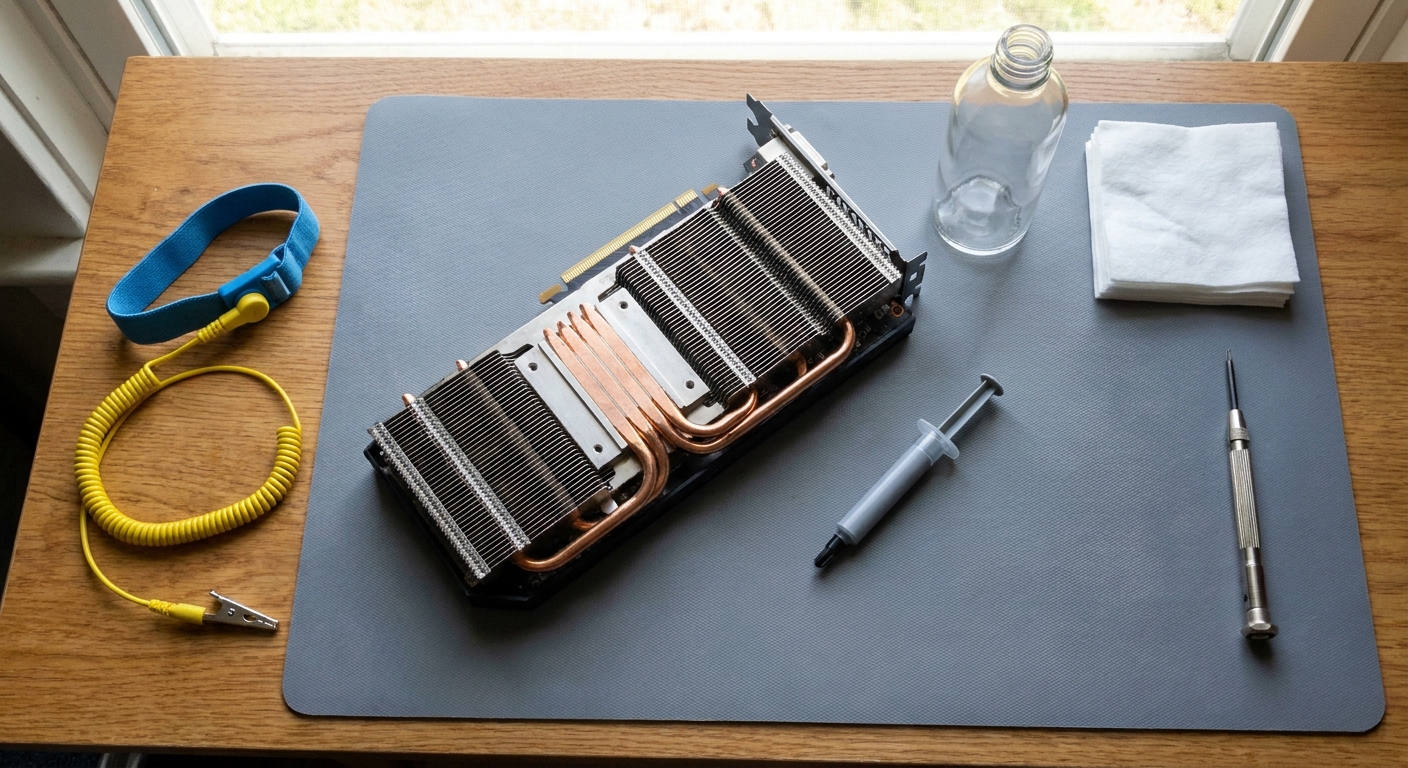
If the card is out of warranty and clearly running hot, here's what I'd have on the bench.
A wrist strap first. The StarTech SWS100 anti-static strap with its grounding wire is a small add-on next to the card you're protecting.
For paste, the ARCTIC MX-6 4g gives you enough for a GPU and a spare attempt. The Noctua NT-H2 3.5g comes with three cleaning wipes, and the CORSAIR TM30 3.5g is rated at 3.8 W/mK. If you want a well-known high-performance paste, Thermal Grizzly Kryonaut in a 1-gram tube covers one GPU.

For a GPU die, I like phase-change pads. A sheet of PTM7950 (40 x 40 x 0.2mm) is solid at room temperature and softens as it heats up, which helps it resist the pump-out that dries regular paste on hot GPU dies. I'd cut it to the die size and peel both films carefully.
The Thermal Grizzly KryoSheet (33 x 33 x 0.2mm) is a graphene pad that doesn't pump out either, but it's electrically conductive, so I'd only use it where nothing nearby can short. On most GPU dies with small components around them, I'd stick to paste or PTM7950.

Step 5: Take it apart slowly
Photograph every step. Put screws in labeled cups, because they're often different lengths. Unplug the fan and RGB cables before you lift the cooler, and lift it straight up so you don't tear thermal pads.
Look at the memory and VRM pads. If they're intact, leave them alone. If one tears, replace it with a pad of the same thickness, which you can measure with calipers. Wrong pad thickness is one of the easiest ways to make temperatures worse.
Step 6: Clean, apply and reassemble
Clean old paste off the die and cooler with isopropyl alcohol and a lint-free wipe. Apply new paste in a thin, even layer that covers the whole die, or place your PTM7950. Tighten the cooler screws a little at a time in a cross pattern so pressure stays even.
Step 7: Test before you call it done
Run the same 20-minute test from Step 1 and compare. Temperatures and the hotspot gap should be the same or better. If they're worse, the cooler probably isn't seated evenly, and it's better to redo it than to live with it.
My take
Repasting is a fix for an old card with a real heat problem, not a routine tune-up. Clean the dust, check the fan curve and read your warranty first. If you still need to open it, take your time, use a wrist strap and keep every pad where you found it.
Frequently Asked Questions
Should I repaste a new graphics card? Usually not. If a new card runs within normal temperatures and has no throttling or loud fans, opening it adds risk and can affect your warranty without a clear benefit.
How do I know my GPU needs new thermal paste? Signs include a large gap between GPU temperature and hotspot temperature that grows over time, clock speeds dropping under load, and fans running much louder than when the card was new, after you have already cleaned dust and checked case airflow.
Does repasting void a GPU warranty? It depends on the brand and region. Some card makers allow it, others do not, so read your card maker's warranty terms before you remove any screws.
What is PTM7950? PTM7950 is a phase-change thermal pad. It is solid at room temperature and softens when it heats up, which helps it resist pump-out over time.
Is a graphics card sag bracket worth it? For long, heavy cards, yes. A bracket supports the end of the card and reduces stress on the PCIe slot and the card's PCB.
Read More
- I am a complete and utter idiot. RIP 5090. (r/pcmasterrace): The viral thread that started this discussion.
- Why X3D CPUs Run Hot and How to Cool Them Properly (Newegg Insider): What normal temperatures look like on the CPU side.
- Fishbowl Case vs Mesh-Front Case (Newegg Insider): How case airflow affects GPU temperatures.
- Best PC Cases for Airflow in 2026 (Newegg Insider): Cases that keep a big graphics card fed with cool air.
- Air Cooler or AIO? (Newegg Insider): How CPU cooling choices change the heat inside your case.