A year ago, I'd have told most laptop buyers not to worry much about whether the RAM is soldered. You'd pick the configuration you wanted and move on. In late 2026, with memory makers prioritizing AI data center demand and RAM prices still high, how a laptop's memory is installed has become a real buying factor.
The question is simple: can I add memory later, when prices calm down, or do I have to pay for all of it up front?
Why it matters now
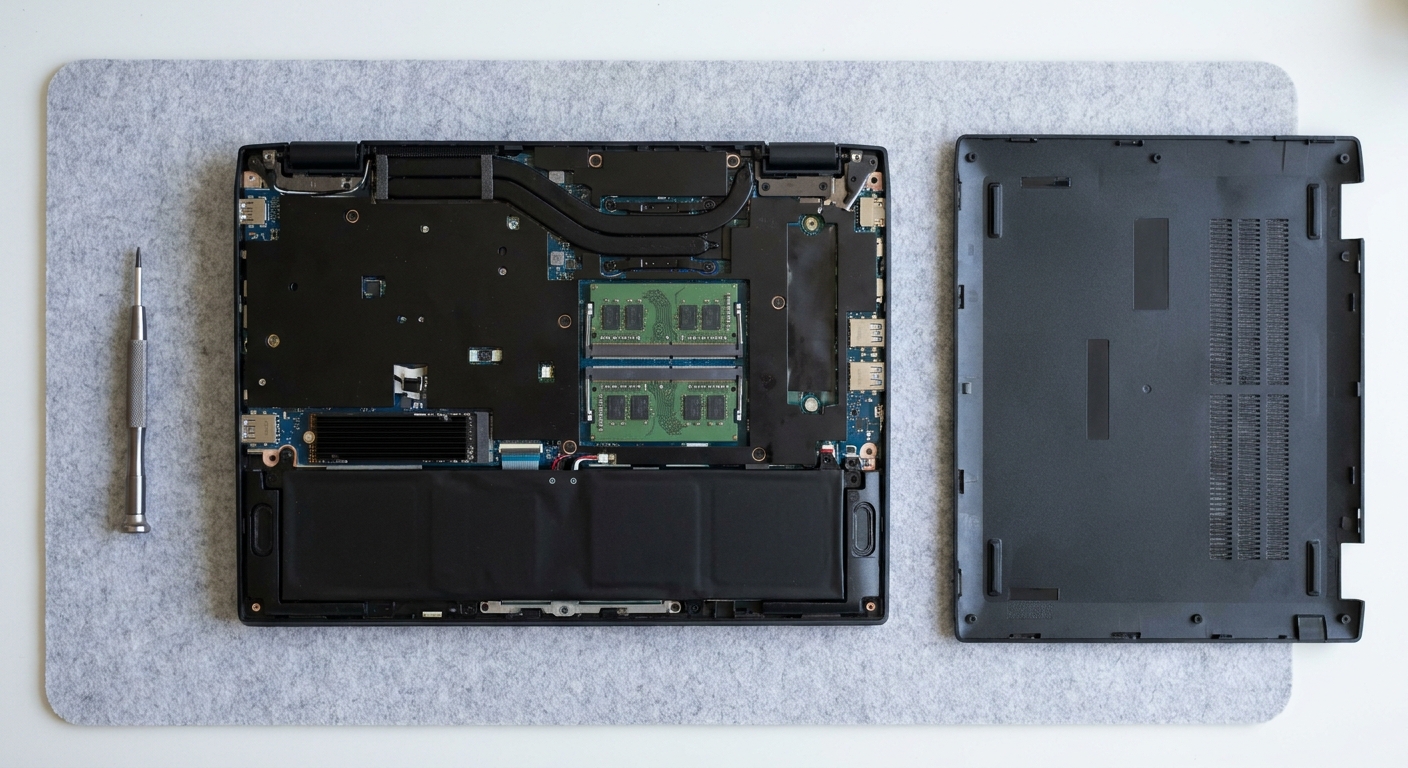
Laptops come in two broad designs. Many gaming laptops use SO-DIMM slots, small removable modules you can swap or add. Thin-and-light models often use LPDDR5X, which is fast and efficient but is normally soldered to the motherboard. A newer module format, LPCAMM2, makes LPDDR5X replaceable, but it's still uncommon.
With SO-DIMM, you can buy a lower memory configuration now and upgrade later. With soldered memory, whatever you buy is what you have for the life of the laptop.
What to look for in a listing
- Memory Slot (Total): 2 means you can upgrade.
- Memory layout: "8GB x 2" or "16GB x 2" means both slots are filled. On a SO-DIMM laptop, "32GB x 1" usually means one slot is free, but confirm the memory type and slot count.
- Memory type: "LPDDR5X" almost always means soldered.
- Max memory supported: some laptops cap lower than you'd expect.
Quick comparison
| Laptop (per listing) | Installed memory | What it means |
|---|---|---|
| Lenovo Legion 5 15IAX10 | 32GB DDR5-5600 (16GB x 2) | Both slots filled |
| Acer Predator Helios Neo 16 AI | 16GB DDR5-6400 (8GB x 2), 2 slots | Upgrade by replacing both |
| MSI Katana 15 HX | 32GB DDR5 (32GB x 1) | Likely room for a second module (confirm slot count) |
| ASUS ROG Strix G16 | 16GB DDR5-5600 | Check slot layout before buying |
| ASUS ROG Zephyrus G14 | 16GB LPDDR5X | Soldered; buy what you need |
Picks for buyers who want to upgrade later
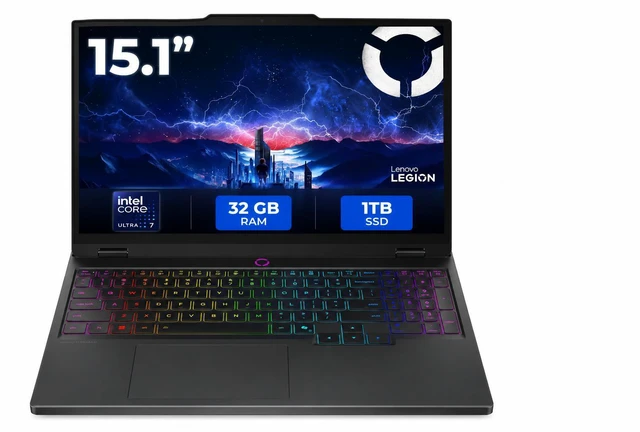
The Lenovo Legion 5 15IAX10 already ships with 32GB as two 16GB DDR5-5600 modules, alongside a Core Ultra 7 255HX, an RTX 5070 and a 15.1-inch 2560x1600 OLED at 165Hz. Its listing shows 32GB as the maximum supported, so treat this one as "already done" rather than upgradeable.
The Acer Predator Helios Neo 16 AI is the clearest upgrade case. Its listing shows two memory slots holding 8GB modules of DDR5-6400, plus a Core Ultra 7 270HX Plus and an RTX 5070. You can buy it at 16GB and replace both modules later.
The MSI Katana 15 HX shows 32GB as a single module with a Core i9-14900HX and an RTX 5070. If it has a second free slot, as most SO-DIMM gaming laptops do, adding a matching module later is an easy upgrade that should also give you dual-channel memory. Confirm the slot count with MSI first.
For AMD, the Lenovo Legion Pro 5 Gen 10 pairs a Ryzen 9 9955HX with 32GB and an RTX 5070. Lenovo's PSREF site lists the exact memory layout by model number, so check 83F2002BUS there before you plan an upgrade. The ASUS ROG Strix G16 with a Ryzen 9 9955HX and RTX 5060 lists 16GB of DDR5-5600, but not the slot layout, so confirm that with ASUS first.

Picks for buyers who want thin and light
The ASUS ROG Zephyrus G14 with a Ryzen 9 270, an RTX 5060 and a 14-inch 3K OLED at 120Hz lists 16GB of LPDDR5X. That memory is soldered, so if you game or edit, I'd look for a 32GB configuration rather than this one. The same thinking applies to ultraportables like the ASUS Zenbook 14 with a Ryzen AI 9 465, which lists 16GB. Check ASUS's spec page for the memory type before you assume you can add more.
How much memory I'd aim for
For a gaming laptop with SO-DIMM slots, 16GB is an acceptable starting point if you're willing to upgrade later, and 32GB is where I'd want to end up. For a soldered LPDDR5X machine, I'd go straight to 32GB if you game, edit photos or video, or keep a lot of browser tabs and chat apps open. 16GB is fine for light office work and streaming video, but you can't fix it later if your needs change.
One more thing to check: whether the configuration you're looking at runs in dual channel. Two matching modules usually do. A single module leaves performance on the table in some games until you add a second one.
If you're upgrading a SO-DIMM laptop
For laptops that support it, the Crucial 64GB (2 x 32GB) DDR5-5600 SO-DIMM kit is the upgrade I'd look at. Check your laptop's maximum supported memory first, since some models stop at 32GB.

My verdict
During the shortage, I'd lean toward gaming laptops with two SO-DIMM slots. They let you start smaller and upgrade when prices ease. If you want a thin laptop with soldered LPDDR5X, accept the trade-off and buy the memory you'll need for its whole life, which for most people now means 32GB.
Frequently Asked Questions
How can I tell if a laptop's RAM is upgradeable? Look for SO-DIMM or a memory slot count in the specifications. Newegg listings often show Memory Slot (Total) and a memory layout such as 8GB x 2. LPDDR5X memory is normally soldered to the motherboard.
Is soldered RAM bad? Not by itself. LPDDR5X is fast and power-efficient and helps thin laptops last longer on battery. The trade-off is that you must buy all the memory you will need at the start.
Should I buy 16GB or 32GB in a laptop now? If the RAM is soldered, I would buy 32GB for gaming or creative work. If the laptop has two SO-DIMM slots, 16GB now and an upgrade later is a reasonable plan.
What does 32GB x 1 mean on a laptop listing? On a SO-DIMM laptop it usually means one 32GB module is installed, but soldered laptops can show the same format, so confirm the memory type. Adding a matching second module later can enable dual-channel memory, which can help performance.
What is LPCAMM2? LPCAMM2 is a newer replaceable module format for low-power LPDDR5X memory. It is still uncommon, so most LPDDR5X laptops still have soldered memory.
Read More
- Lenovo PSREF Product Specifications Reference (Lenovo): Look up exact memory slot layouts by Lenovo model number.
- Crucial Memory and SSD Upgrade Advisor (Crucial): Check compatible memory upgrades for your laptop model.
- Buying a Gaming Laptop Before GTA 6 Comes to PC? (Newegg Insider): Our broader gaming laptop buying guide.
- Best Gaming Laptops for Open-World Games in 2026 (Newegg Insider): Laptop picks for demanding open-world games.
- Before You Buy More RAM, Check What's Actually Using It (Newegg Insider): How to tell whether you actually need more memory.