




 here!
here!
I’m your shopping assistant for PC builds, upgrades, and everything tech.
Got questions? Ask away!
Start a conversation
here!
I’m your shopping assistant for PC builds, upgrades, and everything tech.
Got questions? Ask away!
Start a conversation




Any questions? Ask CelesteSM will help you find out quickly.
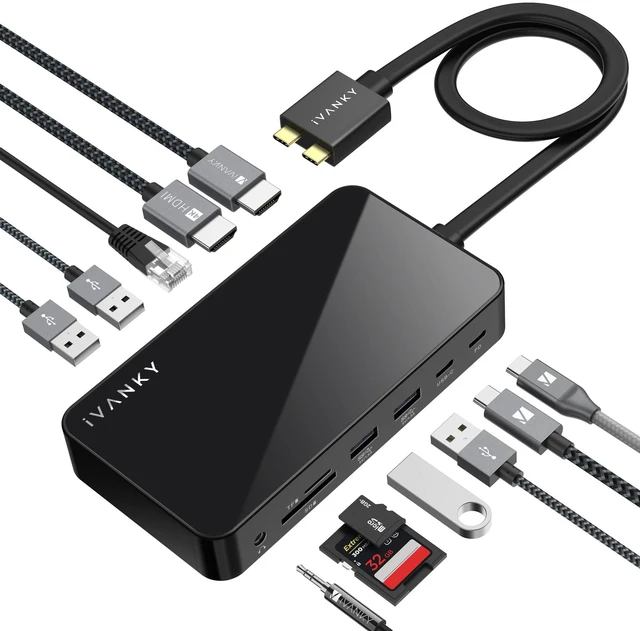
iVANKY FusionDock 1 12-in-2 MacBook Docking Station Turn a single connection into a complete MacBook workstation. Built for M5/M4/M3/M2/M1 Pro and Max MacBook Pro and Air, the FusionDock 1 drives dual 4K@120Hz displays, delivers up to 96W laptop charging from its 150W power adapter, and adds 5Gbps USB, SD/TF card readers, and Gigabit Ethernet in one dock.
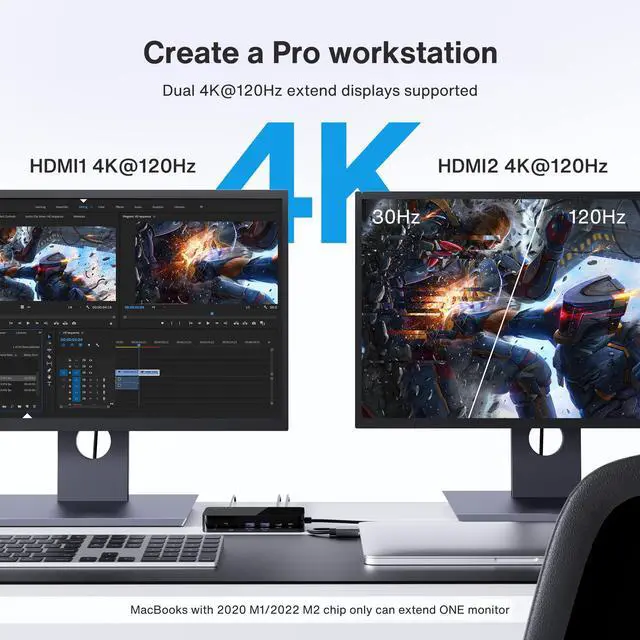
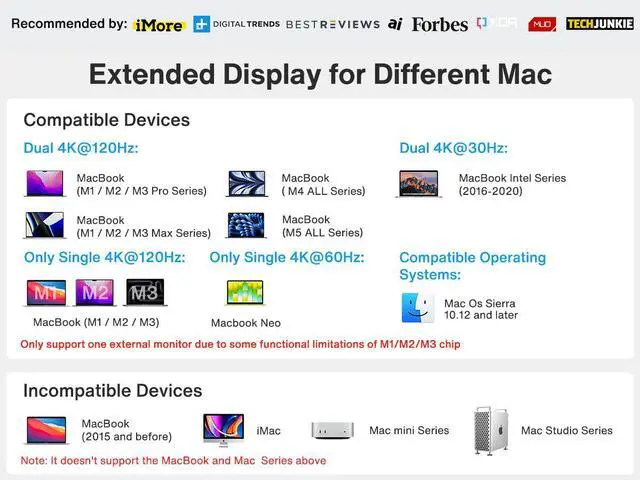
Dual 4K@120Hz Displays MacBook models with M4/M5 base chips and M1/M2/M3/M4/M5 Pro or Max chips support up to dual 4K@120Hz displays for sharp, smooth visuals across two screens. MacBook models with Intel processors (2016-2020) support up to dual 4K@60Hz displays.
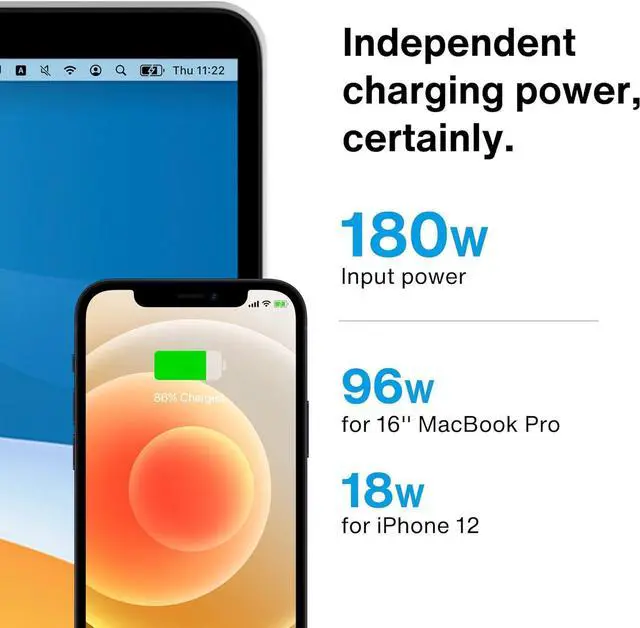
Full-Speed Charging The included 150W power adapter charges your MacBook at up to 96W, while the PD USB-C port delivers up to 18W to your phone or tablet, keeping every device powered from one dock.
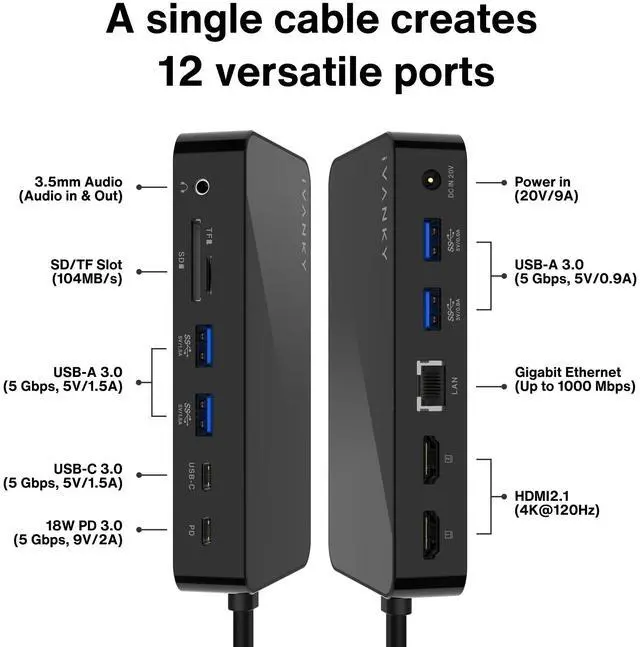
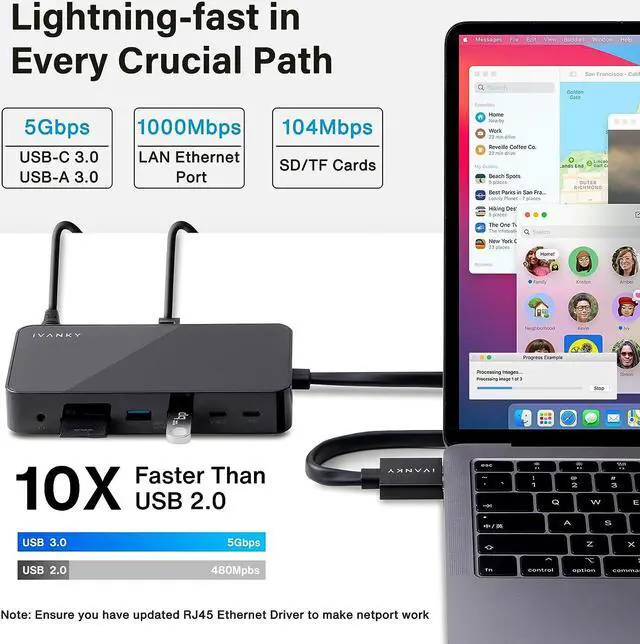
5Gbps Data Transfer and Wired Networking Four USB 3.0 ports support data transfer up to 5Gbps for external drives and accessories. The SD/TF card slots support read speeds up to 104MB/s for quick media offloads, and the RJ45 Gigabit Ethernet port maintains a stable wired connection at 1,000Mbps.
24-Month Warranty The FusionDock 1 is backed by a 24-month warranty and responsive customer service. If you encounter any problems with the dock, we will be glad to replace it with a new one.
Please Note:
Ports Overview
Upstream (Input) 2 x USB-C host ports for connecting your laptop or device
USB-C Output 1 x USB-C PD port for charging your laptop or PD devices, plus 1 x USB-C data port for high-speed accessories
USB-A Ports 2 x USB-A 3.0 ports (5Gbps, 1.5A) for high-power devices such as external drives, and 2 x USB-A 3.0 ports (5Gbps, 0.9A) for keyboards, mice, and flash drives
Video Outputs 2 x HDMI ports for dual-monitor setups
Card Slots 1 x SD card slot and 1 x TF (microSD) card slot for fast photo and video offloads
Networking 1 x RJ45 Gigabit Ethernet port for a stable wired connection
Audio 1 x 3.5mm AUX audio jack for speakers or headsets
What's in the Box:


